SupaBird helps you turn YouTube videos into engaging X posts by extracting key ideas and structuring them into ready-to-use content.
How to turn YouTube Videos into Posts in Idea Labs
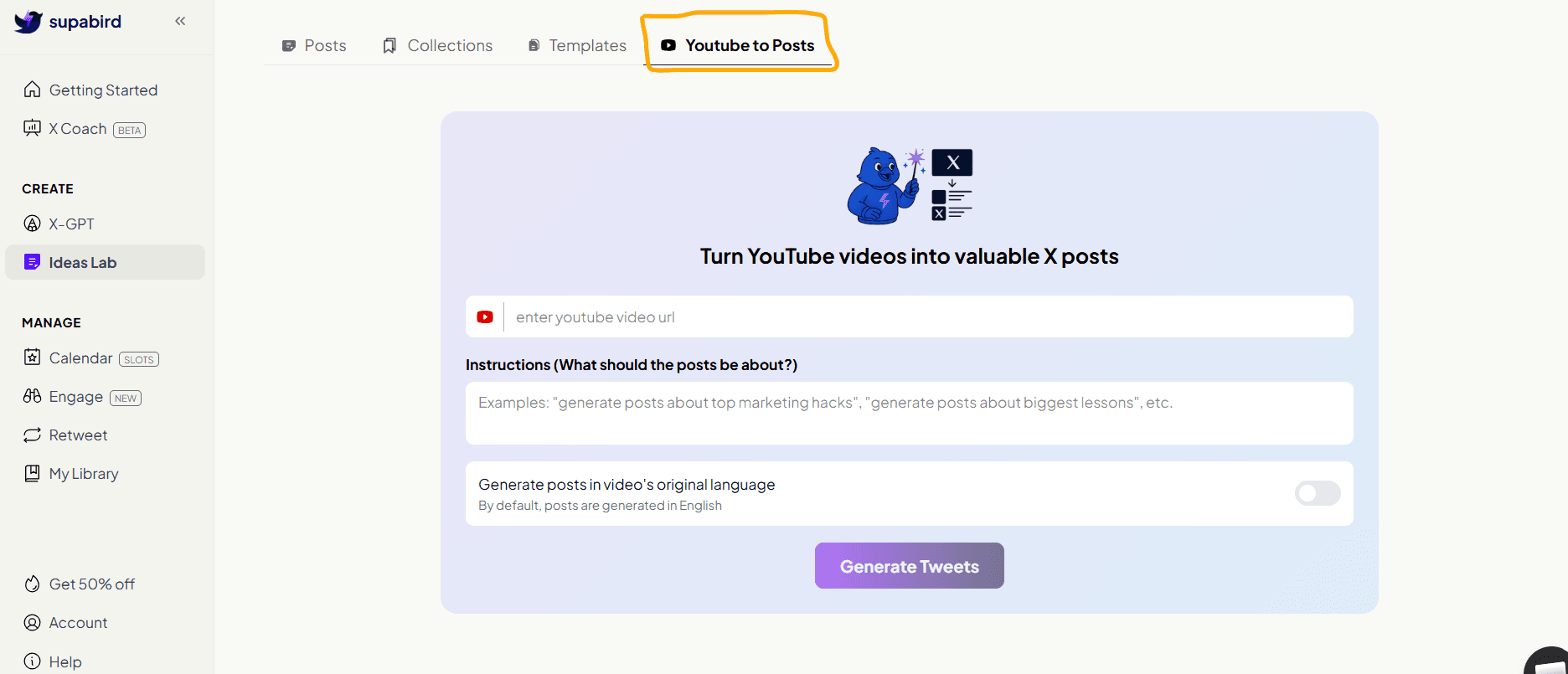
SupaBird also allows you to generate ideas directly from YouTube videos using the YouTube to Posts feature.
How to Use YouTube to Posts
Go to YouTube to Posts
Paste a YouTube video URL
Add instructions (optional)
You can select the language based on the video language (by default, posts are generated in English).
Click Generate Tweets
SupaBird will analyze the video and turn it into multiple X post ideas.
Why This Is Powerful
This feature helps you:
repurpose long-form content
extract key insights from videos
generate multiple posts from one source
Build a Complete Content Workflow with SupaBird
SupaBird Ideas Lab is not just an idea generator, it is part of a complete content system.
With SupaBird, you can:
generate ideas with Ideas Lab
explore proven content in Collections (learn more here)
improve ideas using Tips
structure posts with Templates (learn more here)
repurpose content using YouTube to Posts (learn more here)
turn ideas into posts with X-GPT
This creates a seamless workflow from idea to published post.
FAQ
1. How does YouTube to Posts work?
You simply paste a YouTube URL, add optional instructions, and SupaBird analyzes the video to generate ready-to-use tweet ideas.
2. Can I choose the language of generated posts?
Yes, you can select the output language, while English is set as the default.
3. Do I need to watch the full video before using this feature?
No, SupaBird analyzes the video for you and extracts key insights automatically.
4. Can I customize the generated tweets?
Yes, you can add instructions before generating or edit the outputs afterward to match your tone and audience.
5. Is YouTube to Posts useful for content creators?
Yes, it helps creators scale content by turning one video into multiple posts across X (Twitter).