SupaBird Templates help you create X posts faster using proven content structures that are designed to perform.
What is Templates and How it works?
Inside Ideas Lab, you can also access the Templates tab.
Templates are structured post formats with placeholders like:
{action}
{problem}
{result}
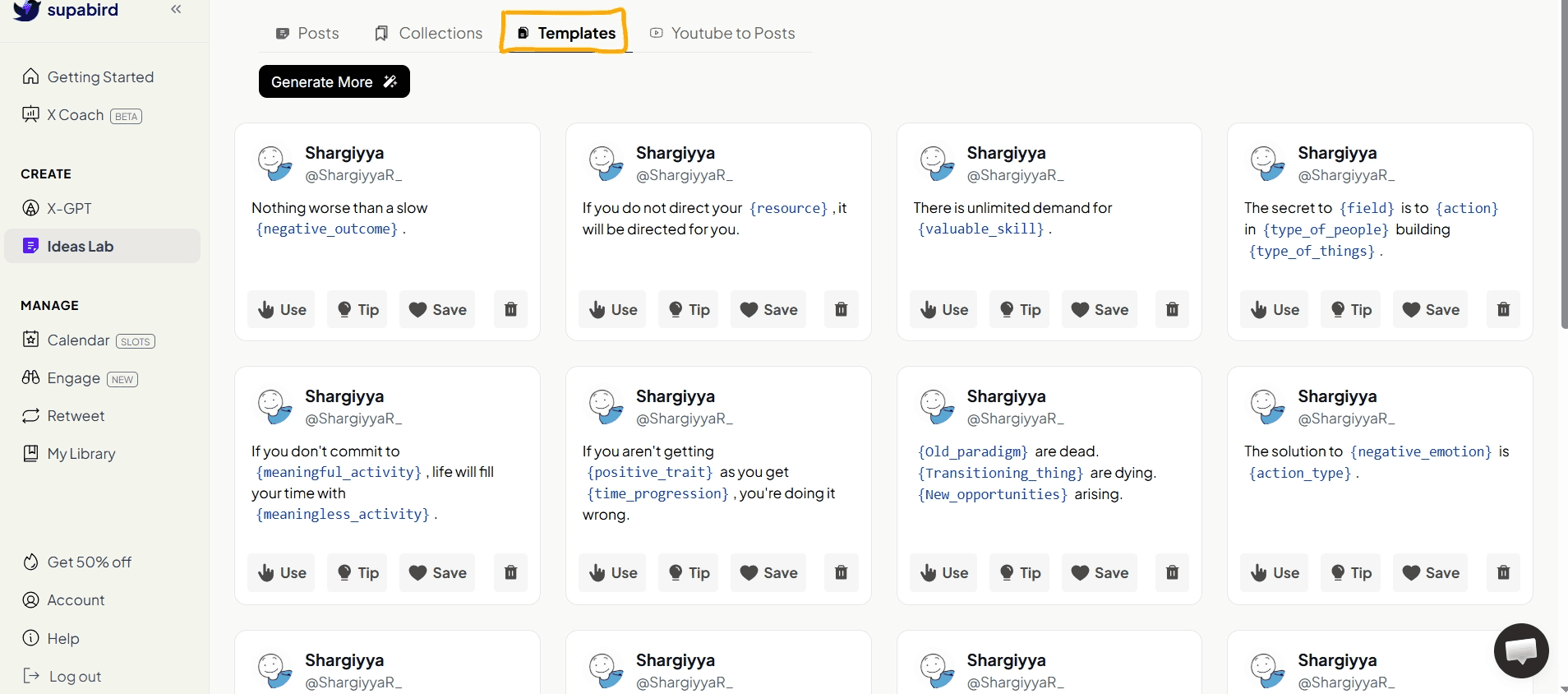
Templates are based on proven content formats that consistently perform well on X.
How to Use Templates
Open Templates
Choose a template
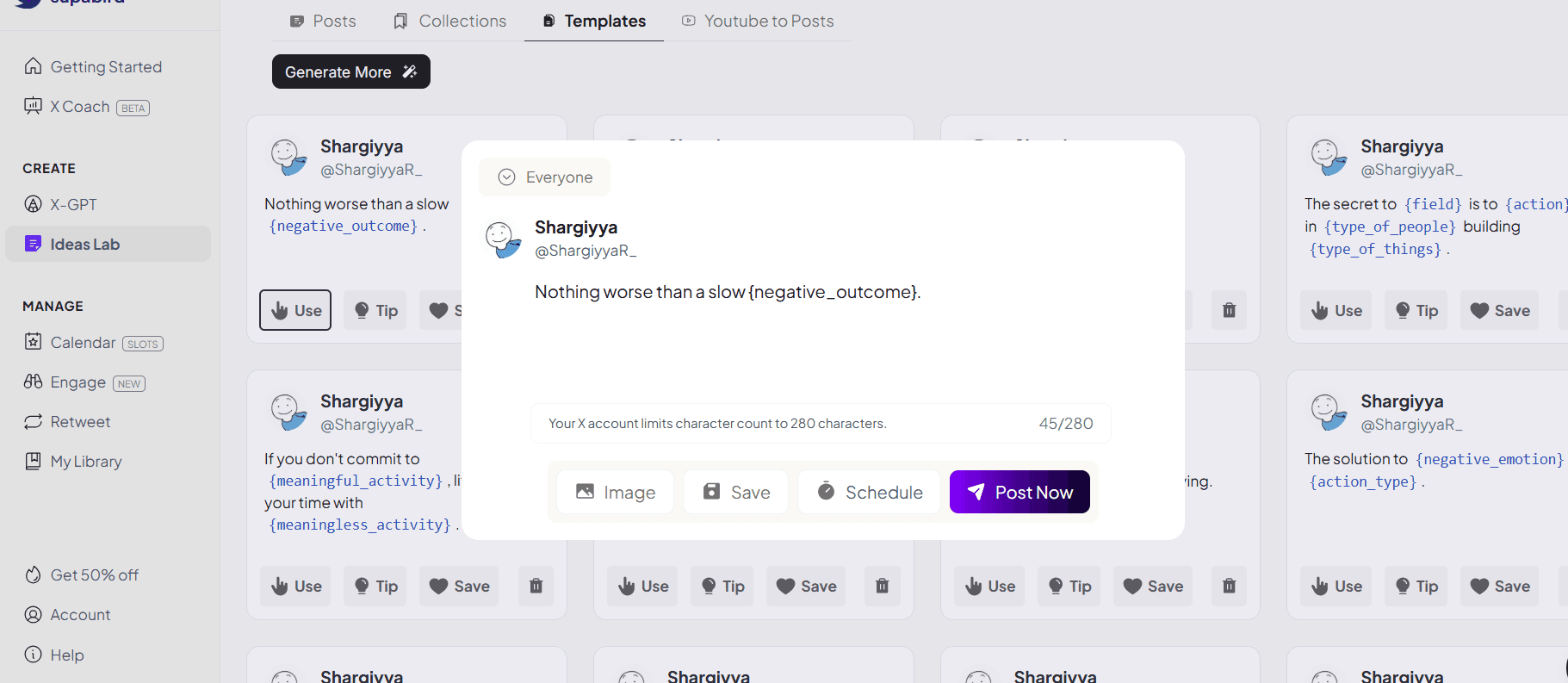
Click Use to generate a post
Replace placeholders with your own content
Why Templates Matter
Templates help users:
write faster
follow proven structures
avoid overthinking
They are especially useful for beginners or for scaling content.
Build a Complete Content Workflow with SupaBird
SupaBird Ideas Lab is not just an idea generator, it is part of a complete content system.
With SupaBird, you can:
generate ideas with Ideas Lab
explore proven content in Collections (learn more here)
improve ideas using Tips
structure posts with Templates (learn more here)
repurpose content using YouTube to Posts (learn more here)
turn ideas into posts with X-GPT
This creates a seamless workflow from idea to published post.
FAQ
1. How do Templates help improve my content?
Templates guide you to follow proven formats used in viral posts, making your content clearer, more engaging, and easier to write.
2. Are Templates based on real high-performing content?
Yes, Templates are inspired by content formats that consistently perform well on X, so you’re using structures that already work.
3. Do Templates help write tweets faster?
Yes, Templates remove the need to start from scratch, allowing you to create posts in minutes instead of overthinking structure.
4. Are Templates useful for growing on X (Twitter)?
Yes, using structured and proven formats increases clarity and engagement, which helps improve reach and follower growth.