SupaBird Engage is a feature that helps users discover relevant posts, reply faster, and increase visibility on X through consistent and targeted engagement.
SupaBird Engage: Turn Replies into Growth on X
Posting on X is important, but growth doesn’t come from posting alone.
Many creators struggle because:
they don’t engage enough
they reply too late
they miss relevant conversations
SupaBird Engage solves this by helping you find the right posts to reply to and making engagement faster and more structured.
How to Use SupaBird Engage
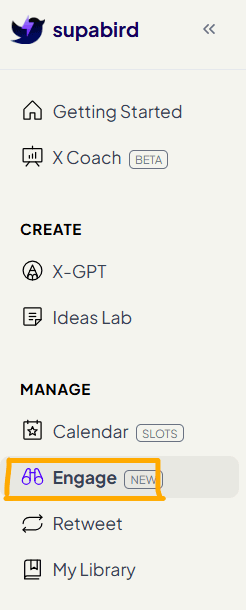
1. Open Engage
Go to the left navigation bar and click Engage.
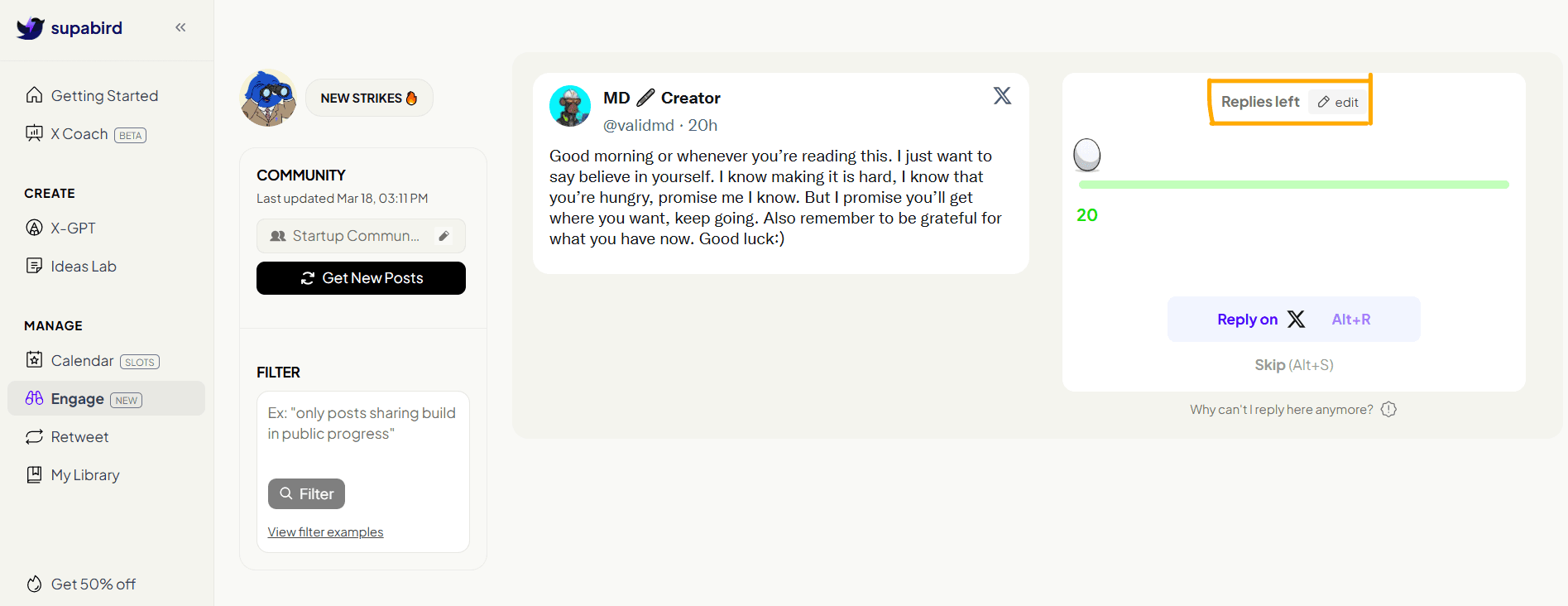
This is where you can discover posts you can reply to and start engaging with your audience.
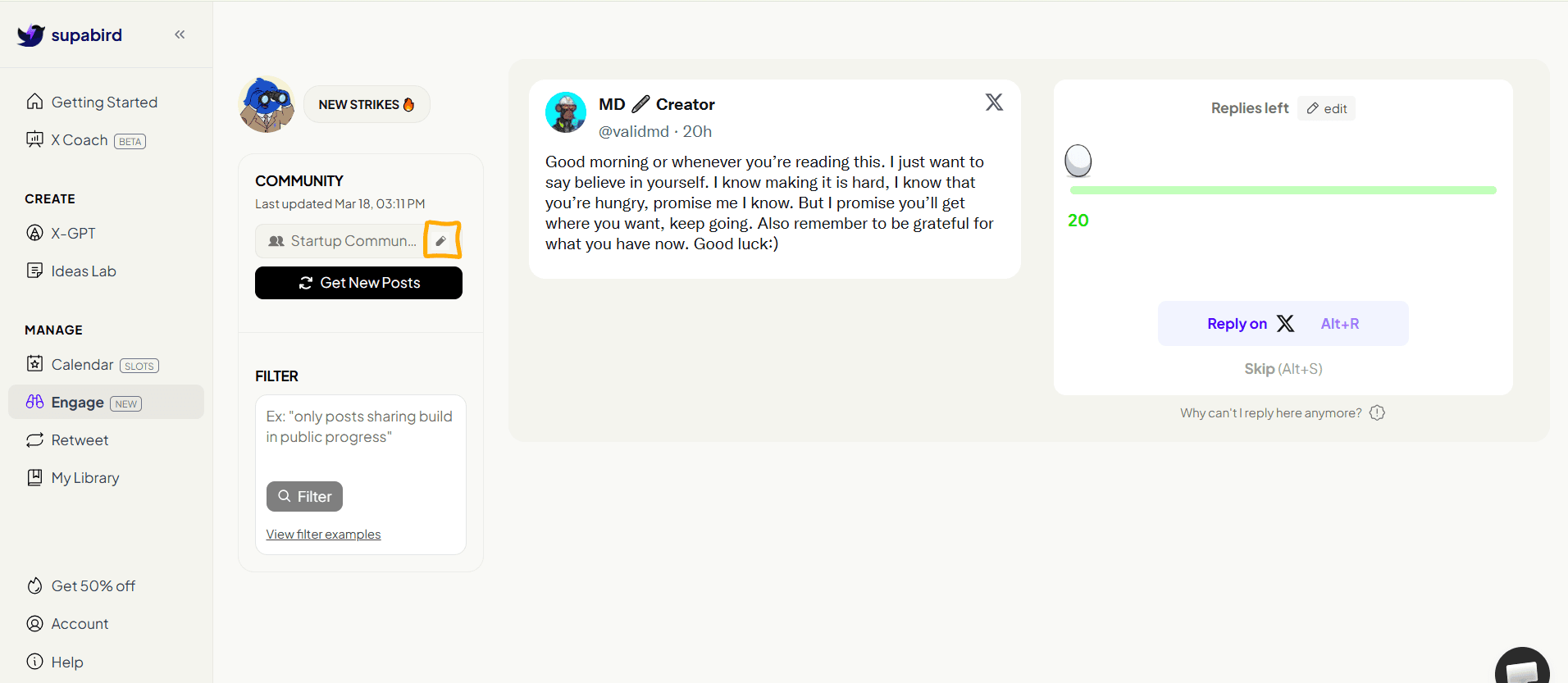
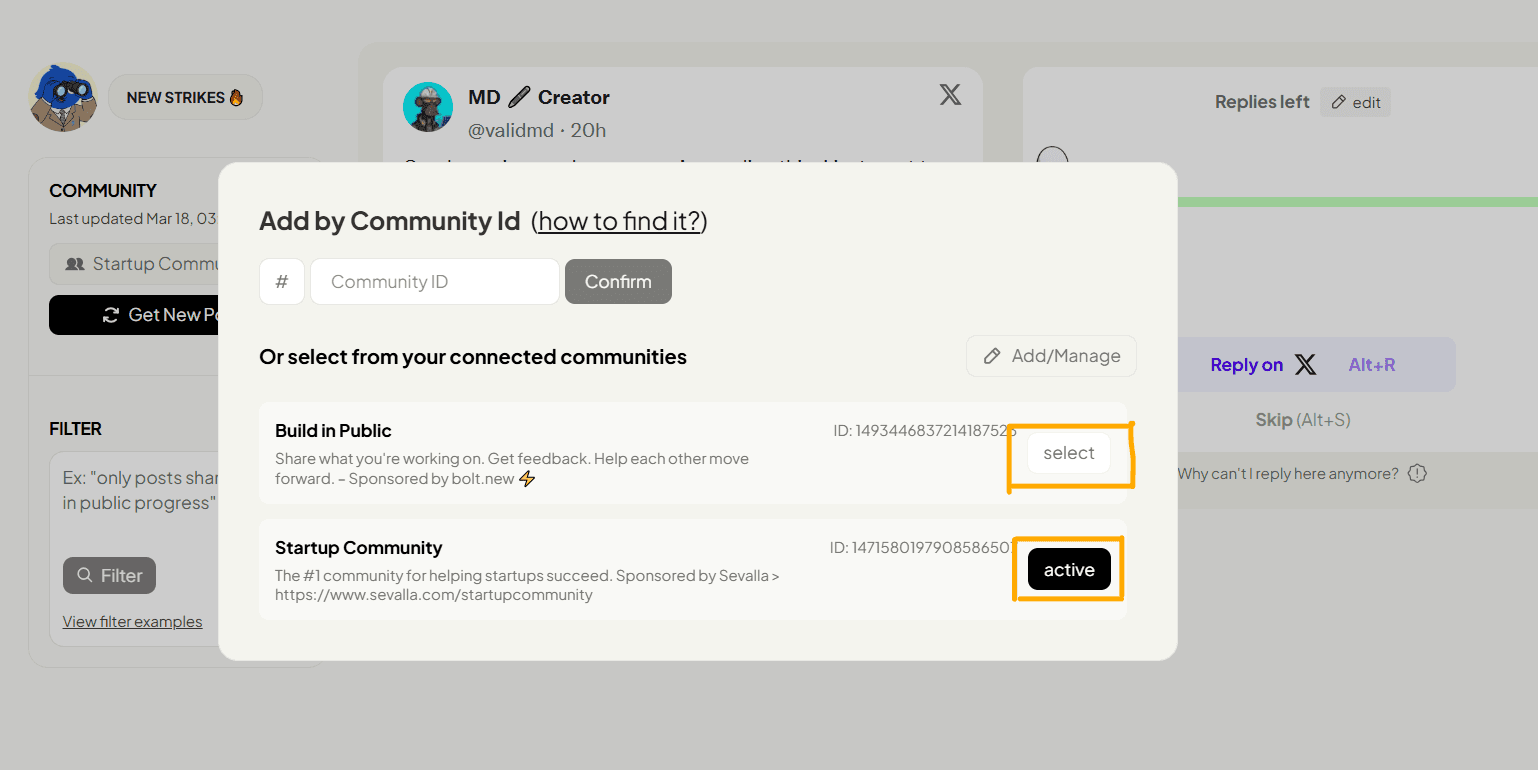
2. Add a Community by ID
Click Add/Manage
Enter the Community ID
Click Confirm
This allows you to connect any specific X community directly.
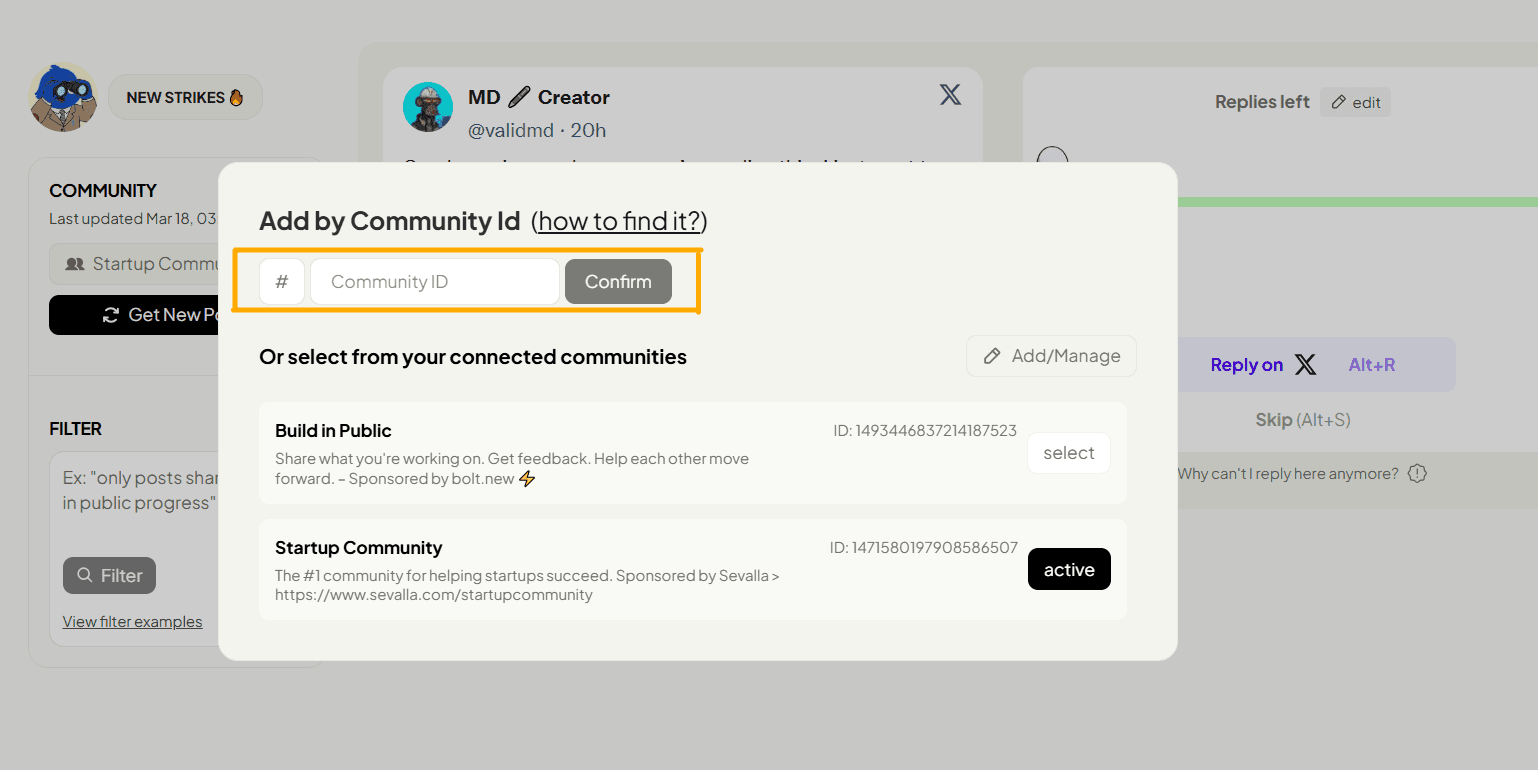
How to find community ID
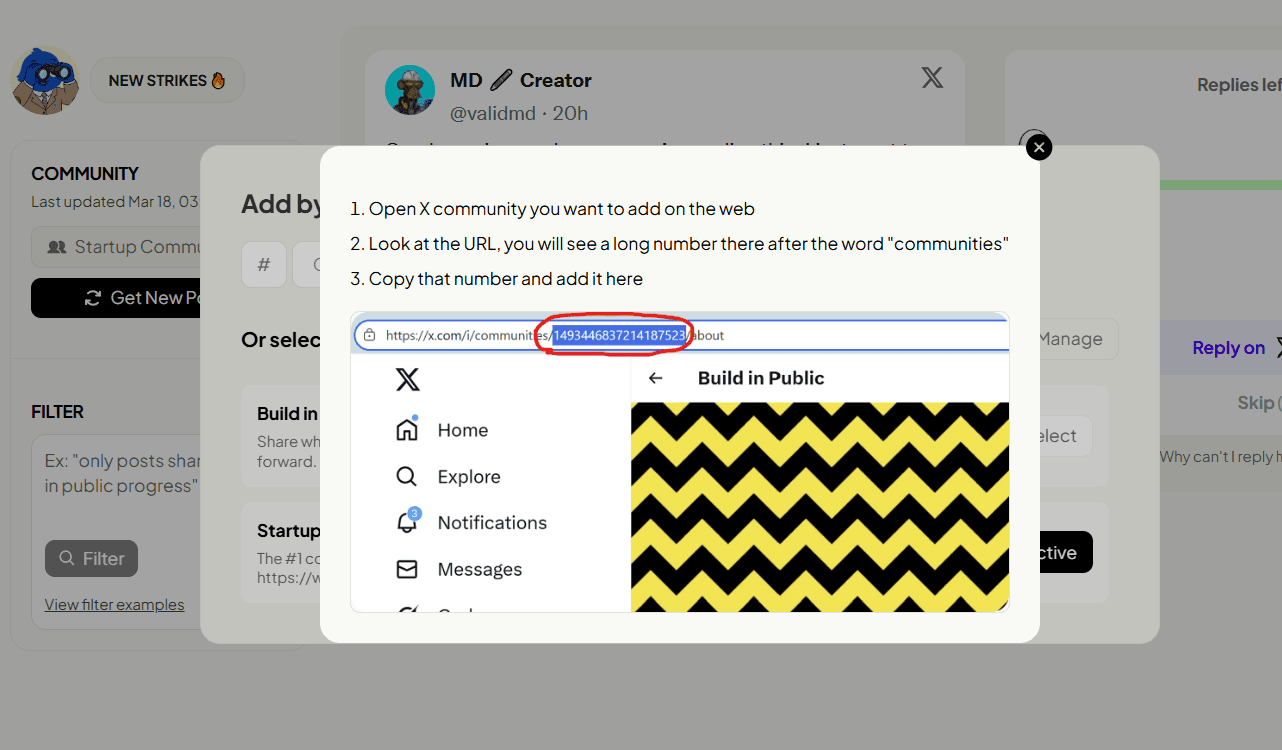
3. Set an Active Community
Once selected, the community will be marked as active.
This means SupaBird will:
show posts from that community
filter content based on that niche
improve relevance of engagement suggestions
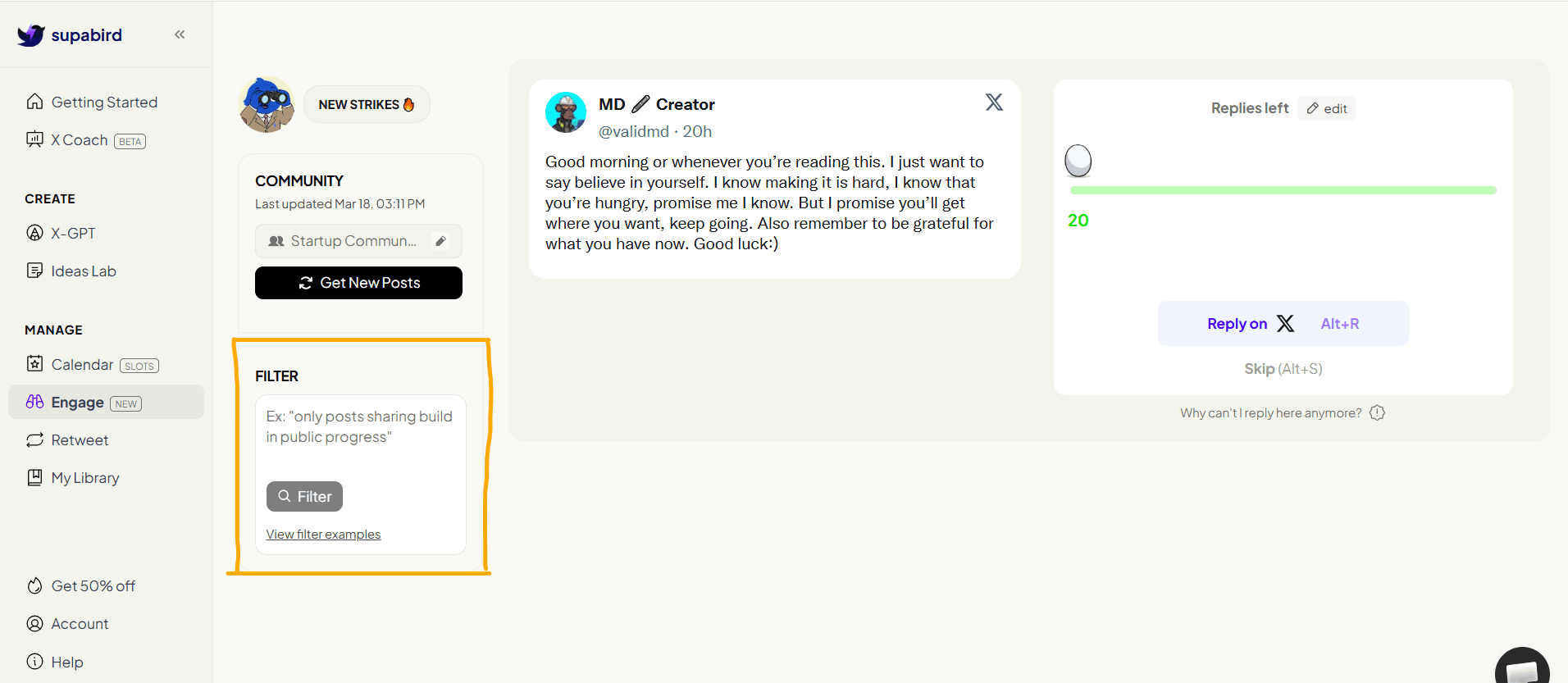
4. Filter Posts (Optional)
You can use the Filter section to refine the type of posts you see.
For example:
only build in public updates
only SaaS-related posts
only specific topics
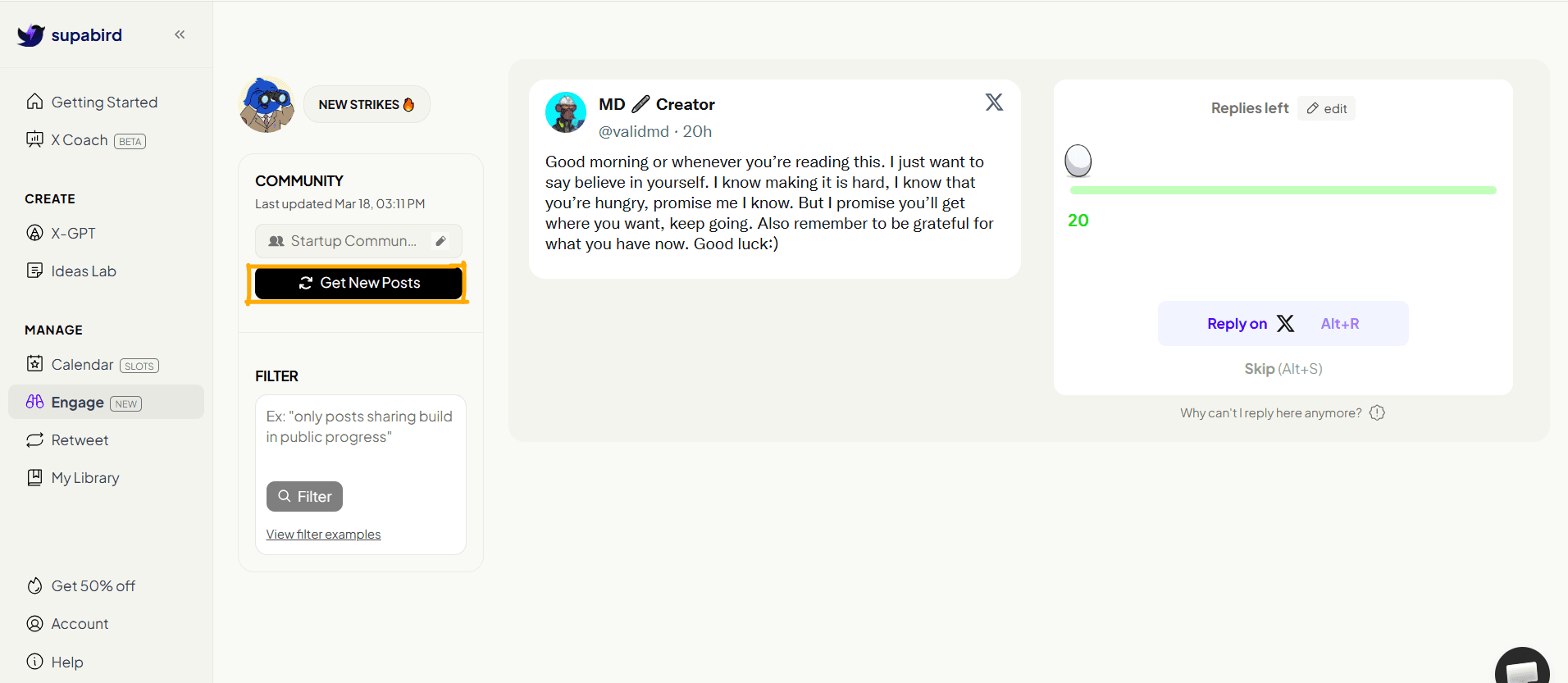
5. Get Relevant Posts
Click “Get New Posts” to load fresh posts.
SupaBird will show you posts that:
match your niche
are relevant to your audience
are worth engaging with
6. Reply to Posts Faster
Once you find a post, you can:
click “Reply on X”
use shortcut (Alt + R)
skip if not relevant
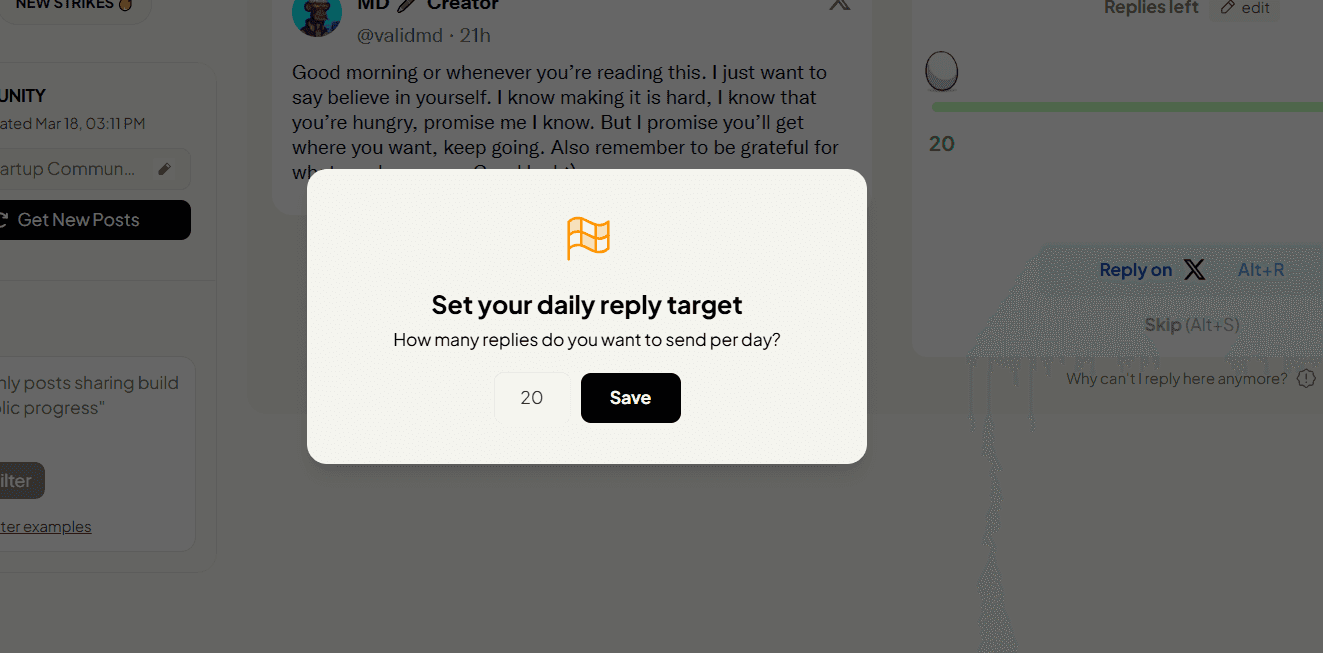
SupaBird also tracks how many replies you have left, helping you stay consistent with strikes.
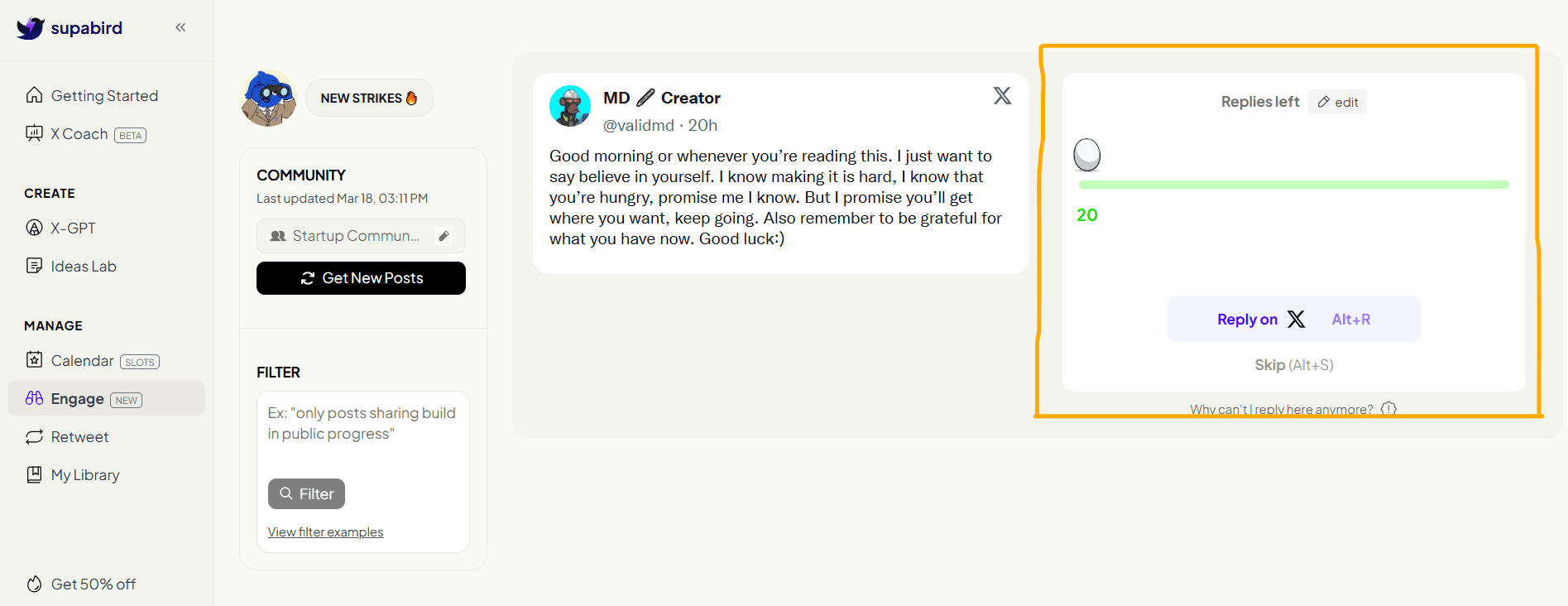
You can also change your daily reply target.
Why Engage Feature Is Important for X Growth
Growth on X is not just about posting, it’s about visibility.
And visibility comes from:
replying to the right posts
being early in conversations
engaging consistently
SupaBird Engage helps you do all three.
What Makes SupaBird Engage Different?
Unlike manually scrolling X, SupaBird:
surfaces relevant posts instantly
filters out noise
focuses on your niche
speeds up replies
This removes the biggest problem: wasting time finding posts to engage with
FAQ
1. What is SupaBird Engage?
SupaBird Engage is a feature that helps users find relevant posts and reply faster to grow their audience on X.
2. How does SupaBird Engage work?
It surfaces relevant posts based on your community and filters, allowing you to reply quickly and consistently.
3. Does engaging on X help growth?
Yes, replying to posts increases visibility, profile visits, and follower growth.
4. How many posts should I reply to daily?
Consistency matters more than volume, but replying to multiple relevant posts daily improves results.
5. Can I filter posts in SupaBird Engage?
Yes, you can filter posts based on topics, communities, and content type.
6. Is SupaBird Engage better than manual engagement?
Yes, it saves time by showing relevant posts instead of manually searching.
7. Can beginners use SupaBird Engage?
Yes, it helps beginners find the right posts and start engaging without guesswork.
8. Does SupaBird Engage help increase followers?
Yes, consistent engagement increases visibility and helps attract followers.