How to Write Feedback Requests That Actually Get Answers
Author:

You spend an hour polishing a feedback form, send it to your list, and wait. A few people open it. Almost nobody answers. Then you rewrite the subject line, add more explanation, and send another request that disappears into the same crowded inbox.
The problem usually isn't your writing. Feedback requests fail because the surrounding system is poorly designed. You asked the wrong person, at the wrong moment, in the wrong channel, with a question that demands too much thought. Fix those levers together, and the sentence becomes the easy part.
Table of Contents
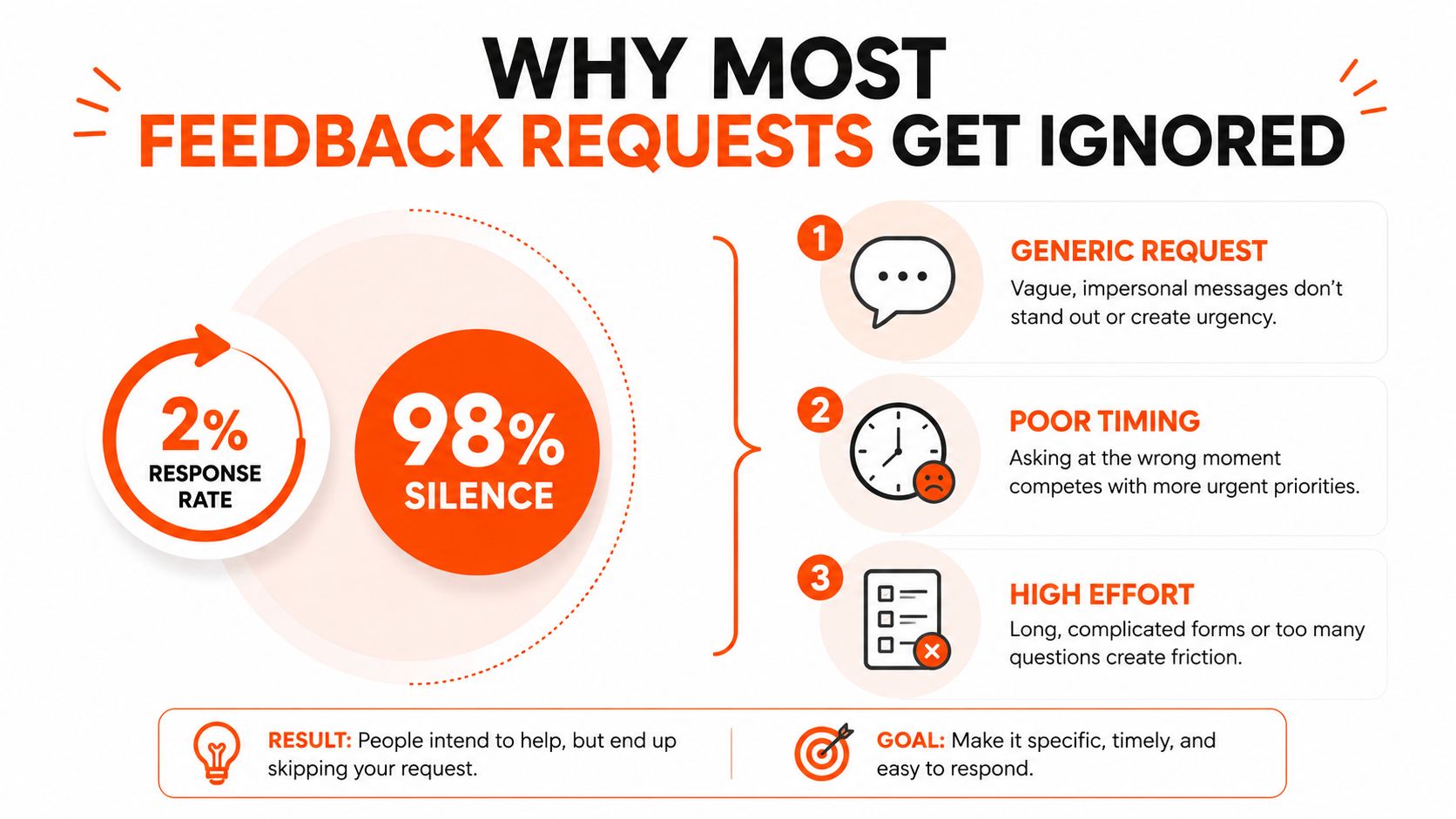
Why Most Feedback Requests Get Ignored
Most customer feedback forms perform badly when they arrive as generic surveys or broad email requests. One 2026 industry benchmark puts many forms at 2% to 5% response rates, while email requests typically reach 5% to 15% and generic quarterly surveys reach 5% to 10%. The same benchmark reports stronger results for contextual prompts, including 30% to 50% for in-app or same-day post-service requests and 15% to 25% for SMS prompts. See the customer feedback form benchmark for the full comparison.
That gap points to the core issue. People don't ignore feedback because they hate helping. They ignore requests that feel disconnected from what they just did, unclear about what you need, or expensive to complete.
The three failure points
Vague questions: “Any thoughts?” forces the recipient to choose the subject, standard, and format of the response.
Wrong audience: A casual follower can't give the same product insight as a recent buyer, and a power user may not represent a first-time visitor.
No context: A delayed request makes people reconstruct an experience they've already moved past.
Compare these two asks:
“Any thoughts on my newsletter?”
“Should the next issue focus on case studies or tactical breakdowns?”
The second question gives the recipient a decision, a limited set of answers, and a reason to respond. It also gives you feedback you can act on.
A polished form can't rescue a weak system. Before writing, decide who can answer, what they recently experienced, where they'll see the request, and which decision their answer will influence. If you're also working on social content, the same principle applies to the opening line. Your guide to writing hooks can help you make the initial context clear before you ask for a response.
Treat every request as a small operating loop: select the respondent, trigger the ask at a meaningful moment, reduce effort, record the signal, and show what changed. The rest is execution.
Choosing the Right Channel for Your Ask
Channel choice often matters more than copy. A brilliant question sent through a disconnected channel still feels like work, while a plain question delivered inside a relevant experience can earn a useful answer.
Industry benchmarks summarized in a 2026 report place typical survey response rates around 5% to 15%, with email-only surveys often below 10%. An independent guide reports 10% to 15% for automated email review requests used by service businesses. By contrast, in-app or same-day post-service prompts can reach 30% to 50%, and SMS requests can reach 15% to 25%, according to the customer feedback benchmark report.
Channel | Typical Response Rate | Best For | Main Drawback |
|---|---|---|---|
5% to 15% | Structured input and longer context | Competes with inbox overload | |
In-app prompt | 30% to 50% for contextual prompts | Product friction and completed actions | Reaches only active users |
SMS | 15% to 25% | Urgent micro-polls and simple choices | Needs to stay extremely short |
Social DM | No universal benchmark | Personal creator questions | Warm, but difficult to scale |
Survey tool | Often 2% to 5% for generic forms | Organized multi-question research | Feels cold and high effort |
Use DMs for short, personal asks. Use in-app prompts for product behavior. Use email or a tool such as Typeform when people need structured input and enough context to make a considered choice. Use SMS or story replies for a fast binary question.
Survey tools aren't automatically bad. They become a problem when you use them to ask questions that belong in the product or conversation. If you need to compare form builders, this guide to feedback form tools offers a useful way to evaluate options without confusing software selection with request design.
The practical rule is simple: ask where the recipient already has the relevant context. Product question, in-app. Personal opinion, DM. Several connected questions, email or a form.
Who to Ask, When to Ask, and How to Phrase It
Start with the respondent, not the question. A product decision needs input from people who have used the product thoroughly or bought recently. A content decision needs readers who consume without comment as well as those who comment. Positioning questions benefit from peers in adjacent niches who understand the category but aren't invested in your existing wording.
That targeting work is audience segmentation in practice. The audience segmentation guide can help you separate active users, recent buyers, lurkers, and peers instead of treating your entire audience as one group.
Match timing to user state
Ask after a completed action, not according to an arbitrary calendar. A support call, order pickup, onboarding milestone, successful product task, or refund creates a specific memory. The request should arrive while that memory is still available.
Timing research consistently favors immediate, contextual requests. NNGroup recommends a survey that takes around 1 minute, doesn't interrupt the task, and follows a “make-or-break moment,” such as support completion, training, or order pickup. Their user feedback guidance is especially useful for deciding whether your prompt belongs during an activity or immediately after it.
A launch also creates a natural window. Ask people who saw the launch what stopped them, confused them, or made them act. Don't ask a general audience to review an experience they never had.
Put the decision in the first sentence
Lead with the choice you need to make. The University of Iowa recommends specifying the type of feedback you need and anchoring the request to observable behavior, while Toastmasters advises focusing on one key area. Their feedback request best practices support a sharper alternative to “What do you think?”
Weak: “What do you think of my newsletter?”
Strong: “Should the next issue focus on case studies or tactical breakdowns?”
Weak: “How was onboarding?”
Strong: “Which step felt unclear, account setup, importing data, or creating the first project?”
One question per ask is the right default. Choice-based prompts reduce the blank-page problem, but leave room for an optional explanation when you need context. For more customer-specific examples, the guide on how to ask customers for feedback offers additional framing ideas.

Templates and Scripts That Get Replies
The fastest way to improve feedback requests is to remove the blank page. These scripts use the same sequence: context first, request second, low friction third, and reciprocity last.
Script one for a warm email audience
Subject: Choose the next newsletter topic
Body:
Hi [Name],
You've read several issues of [newsletter name], and I'm deciding what to publish next.
Which would be more useful?
Case studies
Tactical breakdowns
Reply with case studies or tactical breakdowns. I'll use the result to shape the next issue, and replies are welcome by [deadline].
Thanks,
[Your name]
Cut if it runs long: Remove the sentence about using the result. Keep the context and the two choices.
This works because the recipient knows why you're asking and can answer with a few words. For more email-closing techniques, this response-rate guide from Eludic is a useful companion.
Script two for an engaged follower
Message:
Hey [Name]. You've commented on my posts about [topic], so I'd value your read on one positioning choice. Which sounds clearer for [product or offer], “[option A]” or “[option B]”? I'll return the favor by reviewing one line from your next post if that helps.
Cut if it runs long: Remove the background sentence, not the specific choice.
The reciprocity offer should be real and proportionate. Don't promise a strategy session when you can offer a quick review. The best conversation starters also make the recipient feel selected for a reason, not added to a bulk list.
Script three for a post-onboarding prompt
Message:
You've completed [onboarding action]. What created the most friction?
Finding the right setup
Understanding the next step
Nothing felt difficult
Tap one answer. Optional: tell us what you expected to happen.
Cut if it runs long: Remove the optional text field before removing the answer choices.
That last prompt doesn't ask users to write an essay. It captures a diagnostic signal at the moment they can still identify the problem. The format also gives you a clean path from answer to action.
Follow-Ups, Incentives, and Accessibility
A single request is rarely a complete sequence. Follow up without repeating the same message, and give each touchpoint a narrower job.
Same-day thank-you: Respond quickly to people who answer. A personal “Thanks, I'm using this to choose the next version” confirms that their effort reached a human.
Three-day nudge: Change the framing for non-openers. Replace “Can you share feedback?” with “Which option would you choose, A or B?”
Seven-day final close: Reduce the scope. Ask for one word, one tap, or a simple “not relevant.”
A response-rate benchmark notes that timing can shift results by about 5%, with Tuesday through Thursday mornings in the recipient's local time often outperforming Fridays and weekends. The same guidance recommends matching the channel to the moment, as explained in this timing and channel guide. Treat that as a scheduling principle, not a reason to send every request at the same hour.
Offer recognition, not pressure
Useful incentives don't have to be discounts. Early access, named credit, or a public thank-you can make participation feel connected to the work. For example, a creator can invite respondents to preview a new framework, while a product team can credit contributors in release notes when appropriate.
Accessibility is part of response design:
Plain text: Include a readable text version instead of relying on a graphic.
Mobile layout: Use a single-column format with large, obvious choices.
Alt text: Describe survey images so the request still makes sense without them.
Voice option: Let people send a voice reply when typing creates unnecessary friction.
Time estimate: Say whether the ask takes one tap, one sentence, or longer.
Don't let your request compete with a launch, deadline, or major announcement. Quiet the cadence when attention is already committed, and keep the follow-up sequence coordinated across email, DM, and product surfaces. Questions for social audiences can also benefit from the social media engagement questions guide.
Measuring Responses and Acting on What You Hear
Collecting replies isn't the outcome. Decisions are the outcome.
Use a lightweight tag for every response: source, segment, sentiment, theme, and action taken. A reply from a recent buyer should remain distinguishable from a reply from a long-time power user. “Confusing” should connect to a theme such as onboarding, pricing, navigation, or positioning, not sit as an isolated note in a spreadsheet.
Track the behavior of the request, not just the volume of answers. Compare channel response, completion by survey length, and sentiment movement over time. The peer-reviewed survey methods literature cautions that response rate isn't a direct proxy for data quality. Nonresponse bias can occur below 100%, and similar response rates can still hide different kinds of bias. That makes consistent definitions and careful interpretation more valuable than chasing a larger raw total.
Metric | What It Tells You | Target Range |
|---|---|---|
Response rate | Whether the audience and channel fit | Use your own channel baseline |
Completion rate | Where people abandon the request | Improve the point of drop-off |
Theme frequency | Which issues recur across replies | Prioritize repeated, actionable themes |
Sentiment | Whether language is becoming more positive or negative | Watch movement over time |
Action recorded | Whether feedback reached a decision | Every useful theme needs a disposition |
Set a 48-hour triage rule. Sort new replies into act now, investigate, archive, or follow up. Then create a weekly synthesis that turns recurring themes into a product change, content decision, experiment, or explicit reason for no action.
Close the loop publicly when you can. Tell respondents what changed because of their input, or explain why you chose another path. A growing spreadsheet of unread replies is worse than asking nothing, because it teaches people that your feedback requests lead nowhere.
The Advice vs Feedback Shift and a Quick Checklist
For early-stage work, ask for advice instead of feedback. “What do you think?” invites a vague evaluation. “What would you do if you were trying to reach this audience?” invites a story, a decision, and an explanation.
A Harvard Business School study found that framing a request as advice produced more developmental, critical, and actionable responses. The Harvard Business School research summary challenges the assumption that feedback is always the strongest label for the conversation.
Use the swap when your idea is still forming:
Instead of “Can you give me feedback on this offer?”, ask “If you had to sell this offer to [audience], what would you change first?”
Instead of “What do you think of this landing page?”, ask “Which part would you clarify before sending paid traffic here?”
Reserve feedback for a specific test. Once you've chosen a subject line, onboarding step, product flow, or positioning statement, ask the respondent to judge that defined object against a clear standard.
The feedback request checklist
Choose the respondent: Select the person with firsthand context.
Choose the moment: Ask after a completed action or while the experience is fresh.
Choose the channel: Match the request to where the interaction happened.
Name the decision: State exactly what their answer will help you choose.
Limit the scope: Ask one question and offer concrete options.
Reduce effort: Make the response possible through a tap, word, or short example.
Plan the follow-up: Thank responders, reframe the nudge, then close the request.
Tag the signal: Record source, segment, sentiment, theme, and action.
Close the loop: Tell people what changed or why no change followed.
Send your first improved request within 24 hours. Speed matters because a good system only becomes useful when it enters circulation.
SupaBird helps creators find relevant X conversations to engage with, generate content ideas, rewrite drafts, and schedule posts across cities and time zones. Visit SupaBird to build a repeatable system for asking sharper questions, starting better conversations, and turning audience signals into consistent content.

The Reply Guy Strategy: A Growth Guide for X

Why New X Accounts Get Less Reach

ClimbX Review (2026): Features, Pricing, Pros and Cons

How Developer Startups Build a Brand on X Before Launch

30-Day Starting Plan for New X (Twitter) Accounts

How Often Should You Tweet for Maximum Growth?

What Should Your First 10 Tweets Be About?

How to Run X for Ten Clients: The Agency Workflow

How to write a bio that gets people to follow you
