What Is Audience Segmentation and How to Use It on X
Author:
Audience segmentation is the practice of dividing a broad audience into smaller groups with shared traits so you can send more relevant messaging, offers, and experiences. It's already mainstream, 76% of marketers use segmentation in some form, and segmented email campaigns have driven 101% more clicks than non-segmented ones in one industry source.
If you post on X, write threads, reply in the feed, or schedule content across time zones, segmentation turns guesswork into a system. Instead of talking to “everyone,” you talk to the people most likely to care, click, reply, or buy.
Table of Contents
What Audience Segmentation Actually Means
A solo creator posts thread after thread and still feels like they're shouting into a blank room. The problem usually isn't effort. It's that every follower is being treated as if they want the same thing at the same moment.
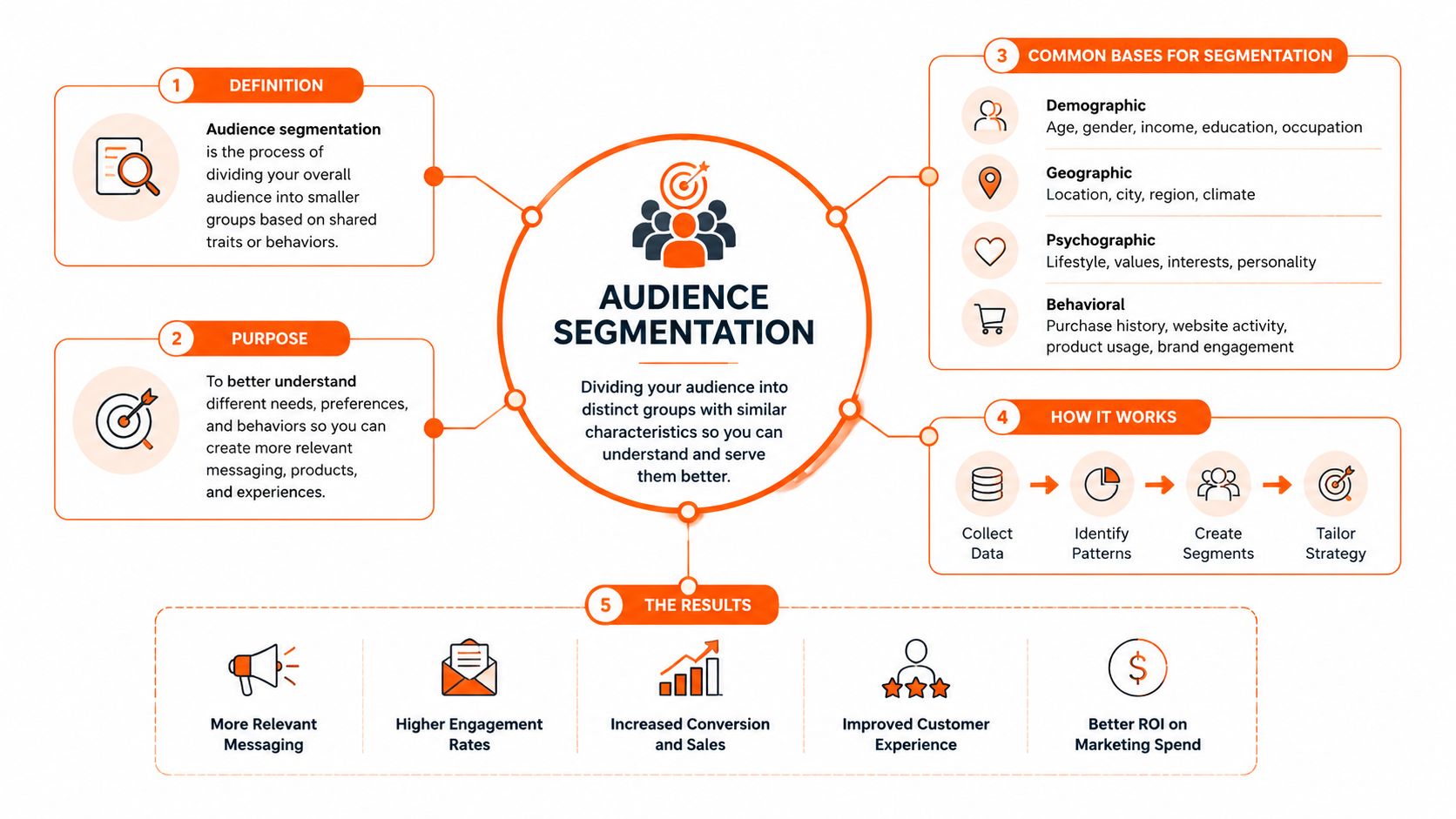
Audience segmentation means taking one broad audience and splitting it into smaller groups that share something meaningful, then using those groups to make your messaging, offers, and experiences more relevant. In practice, that can mean separating lurkers from daily engagers, founders from marketers, or people in London from people in Mumbai. The point isn't to create labels for their own sake, it's to make each post, reply, and schedule choice fit a real audience pattern.
That's why segmentation stopped being a niche tactic and became normal operating procedure. A 2025 industry roundup reported that 76% of marketers use segmentation in some form, 86% of companies say customer segmentation is essential for growth, and the average company uses 3.5 different segmentation criteria at once, which shows how rarely teams rely on a single signal like age or job title. The same source frames segmentation as a multi-factor discipline, not a one-note demographic exercise. Customer segmentation statistics
Practical rule: if a post would clearly help one group and feel irrelevant to another, you've got the raw material for a segment.
For X creators, that means segmentation is less about CRM taxonomy and more about decisions. Which angle should this thread take. Who should I reply to. Should this go out now, or later when a specific city is awake.
The idea also shows up clearly in performance history. One industry source reports that segmented campaigns produced 14.31% higher open rates and 101% more clicks than non-segmented campaigns, which is a big reason marketers stopped treating segmentation as a nice-to-have. Audience targeting statistics
If you're building from scratch, a practical starting point is to think of your audience like a working list of opportunities, not a static database. A useful primer for that mindset is a complete guide to building your Twitter audience, because audience growth only gets easier when you know which people you're trying to reach.
The Four Core Variables Behind Every Segment
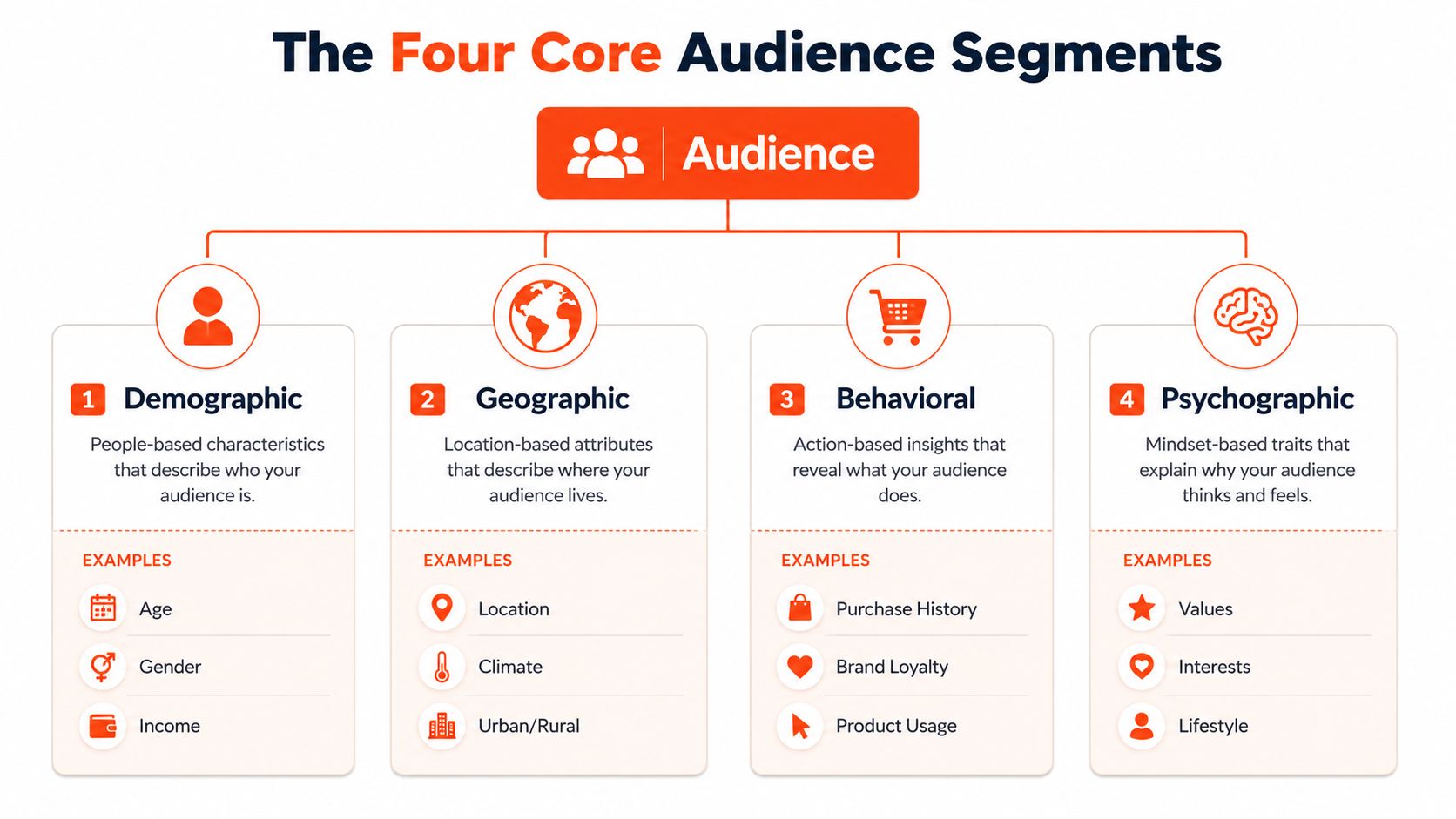
Segmentation gets useful when you stop asking, “Who follows me?” and start asking, “What differs across my followers?” The classic answer is usually some mix of four variables, demographic, geographic, behavioural, and psychographic. Those four are still the backbone because they help you see audience difference from more than one angle. Guide to segmentation made simple
Demographic and geographic differences
Demographic segmentation splits people by characteristics like age, social grade, life stage, or family circumstance. On X, that can be as simple as separating indie hackers from marketing managers, because those groups often want different levels of detail, proof, and tactical depth. If you're writing for both, one thread might focus on shipping speed, while the other leans into reporting, stakeholder clarity, or team process.
Geographic segmentation works because location changes timing, language, and context. A post that lands at lunch in London may land in the middle of the night in New York. If your audience is spread across London, Berlin, New York, and Mumbai, that difference isn't cosmetic, it affects when people see and respond to your content.
For a lightweight team, a tool like Kiwiform for marketing teams is useful because it helps gather the kinds of inputs that make these splits practical, without turning the workflow into a spreadsheet project. The point isn't fancy data collection, it's getting enough signal to know who you're speaking to.
Behavioural and psychographic differences
Behavioural segmentation focuses on what people do. That includes posting frequency, thread-writing habits, reply activity, content consumption, purchase level, and communication preferences. On X, a creator might separate frequent thread writers from people who mostly like and bookmark, because those two groups need different hooks and calls to action. The first group may want deeper breakdowns, while the second may respond better to cleaner summaries.
Psychographic segmentation goes after the “why.” It looks at values, interests, and lifestyle choices, which is why it's so useful for content creators. A founder who ships in public has a different mindset from someone who mostly lurks and studies other people's builds. If you can spot that difference, you can write replies, hooks, and examples that match how they think, not just who they are on paper.
The best segment definitions usually mix one structural variable, like location or role, with one behavioural or psychographic variable. That combination is often more useful than a single broad label.
If you want to inspect your own X data more closely, these X analytics tools can help you see where engagement patterns cluster. That's often enough to identify two variables that matter for your next ten posts, not just your next strategy doc.
What Makes a Segment Actually Useful
A segment can sound smart and still be worthless. “People interested in growth” feels strategic in a notebook, but it's too vague to guide a post, a reply, or a scheduling decision. Useful segments earn their keep because they change what you do next.
The four-criteria test
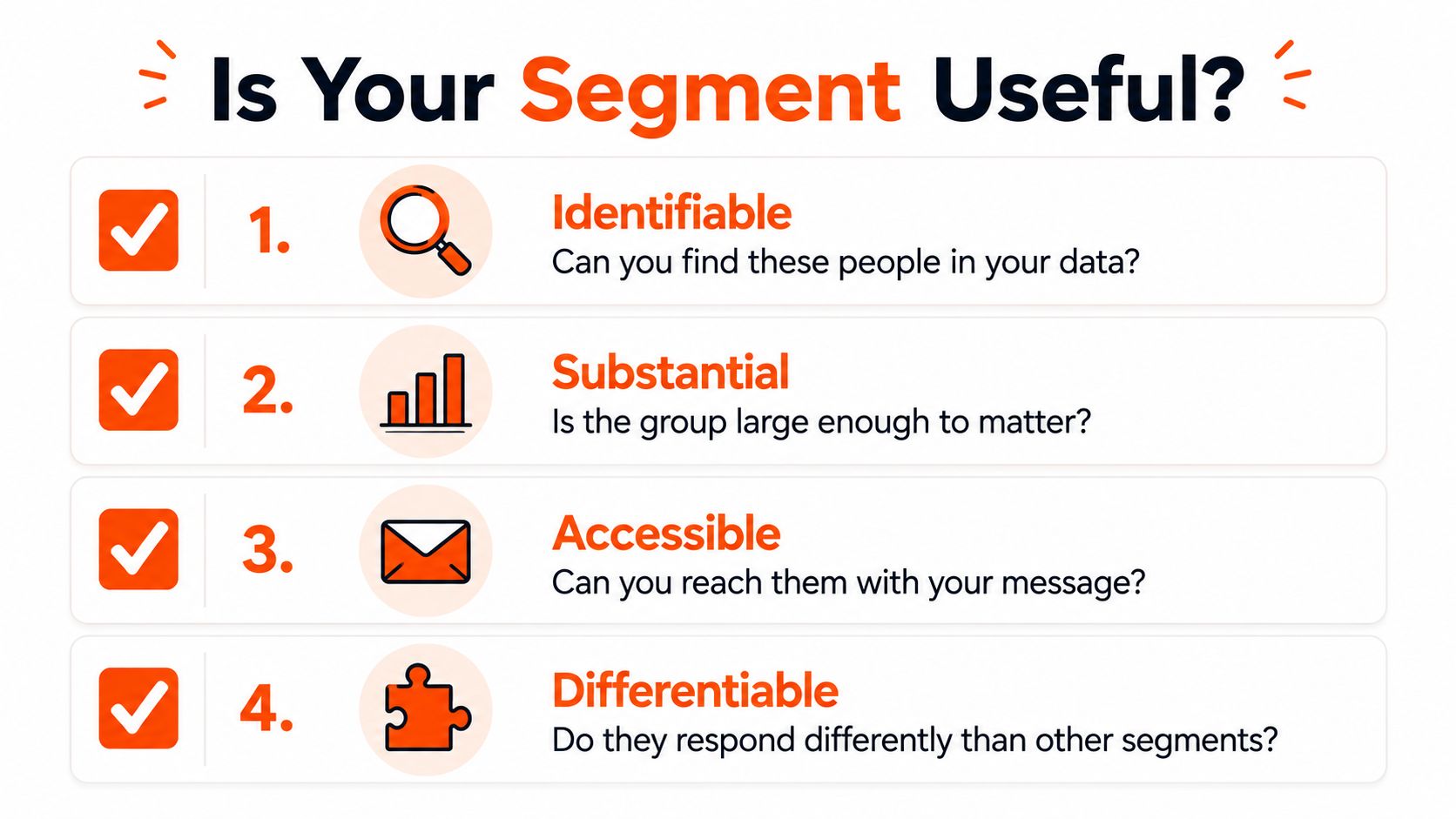
FabCom's market-segment standard is a clean filter. A segment should be meaningfully distinct from other segments, homogeneous within itself, able to respond similarly to a market stimulus, and addressable through marketing initiatives. Next level audience segmentation
That means you need to ask four questions before you keep a segment around:
Is it distinct? If the group looks just like every other group you already have, it won't help you make different decisions.
Is it internally similar? If the people inside the segment behave wildly differently, the label is too loose.
Do they react the same way? If one post format works for half the group and fails for the other half, the segment is unstable.
Can you reach them? If you can't target them with a hook, reply style, or timing decision, the segment is just theory.
A tighter version might be “indie hackers who post daily and reply to high-signal threads in their timezone.” That group is concrete, observable, and reachable. You know where to find them, what they care about, and how they're likely to respond.
Weak segment versus strong segment
A weak segment says, “people interested in growth.” It's broad, fuzzy, and impossible to act on without guessing. A stronger segment says, “indie hackers in Europe who ship in public, reply often, and open threads during local work hours.” That version gives you a content angle, a reply target, and a posting window.
If you can't name the action a segment changes, the segment probably doesn't deserve a folder in your workflow.
For small teams, especially those working from X, that test saves time. You stop maintaining segments that only look good in a dashboard and start keeping the ones that shape content, replies, and schedules. If you want a more operational lens on audience data, how to find content ideas pairs well with this filter because segment usefulness should show up in what you publish next.
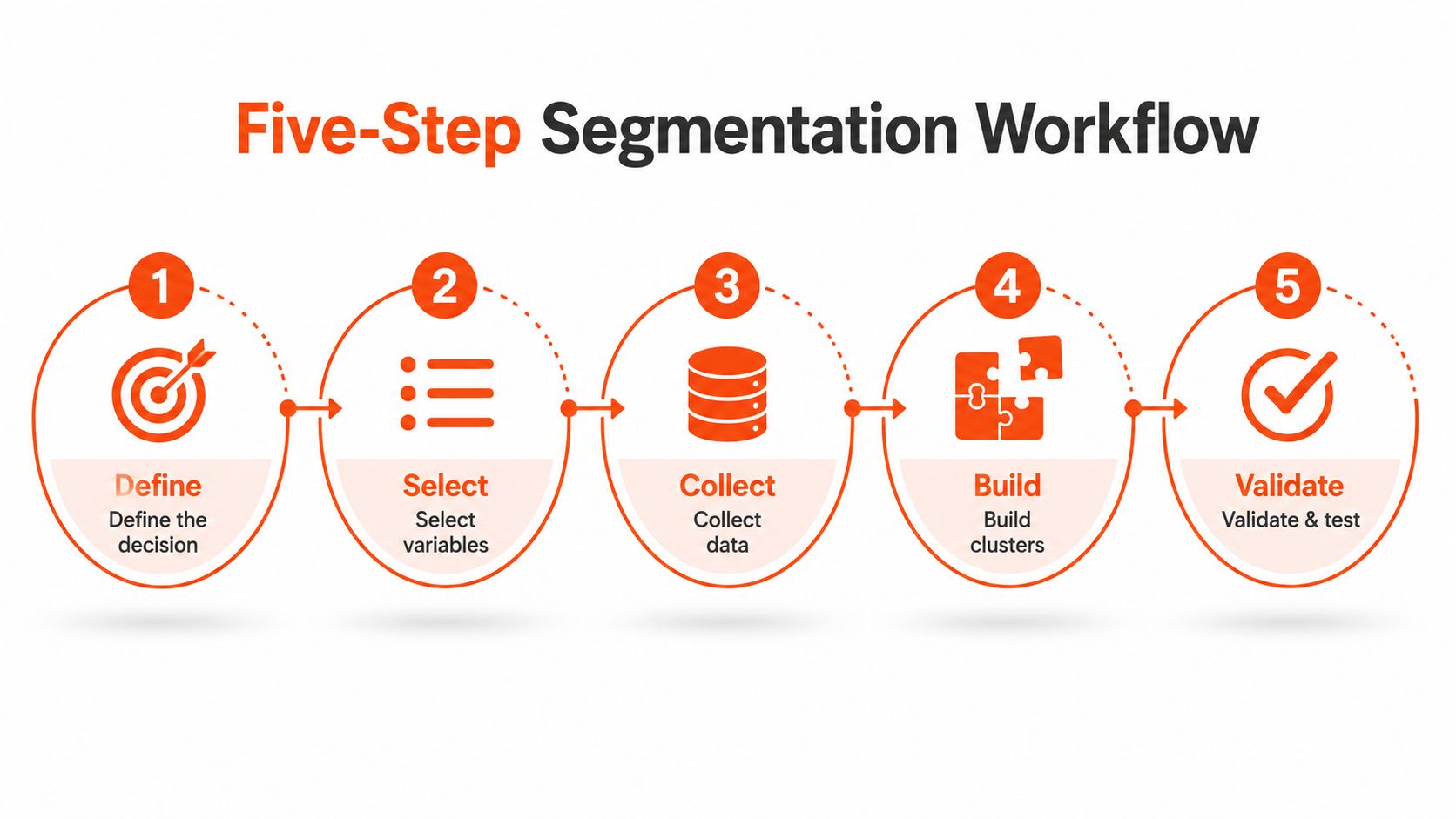
A Five-Step Workflow to Build Your Segments
A useful segment starts with a choice. If you do not know whether you are trying to improve post ideas, replies, timing, or conversion, you end up with neat folders that never change what you publish.
Start with the decision, then clean the data
Begin by naming the decision the segment has to support. A creator-growth team might be deciding whether different followers should get different posting-time recommendations, or whether some people should get content prompts instead of broad commentary. Once that decision is clear, clean the data. Segmentation is only as reliable as the records behind it, and if identity resolution is weak, the same person can appear more than once and distort the segment before it is even built. Mastering audience segmentation
Choose variables, map actions, then test
After the data is clean, pick the variables that match the decision. For a creator team, that might be prior engagement level and city. A simple split could separate high-engagement followers in New York from quieter followers in Mumbai, because the first group may respond to conversation-heavy posts while the second group may respond better to a sharper timing window or a simpler hook.
Then connect each segment to one action. One segment gets a reply prompt, another gets a post idea, another gets a city-based schedule adjustment. At that point, segmentation stops being a label and starts changing what your team does.
The last step is iteration. Amplitude's workflow recommends testing the segment groups, then refining them after rollout, because segmentation only matters if the groups behave differently once you publish. Audience segmentation
Here is the five-step version in plain language:
Define the decision your segmentation needs to support.
Clean and curate the data you have.
Choose the most relevant variables for that decision.
Map each segment to channels and actions.
Test and refine after rollout.
A practical creator example keeps the workflow grounded. If you are segmenting followers by engagement level and city, the goal might be deciding whether to publish a thread at 8 a.m. London time or 8 p.m. Mumbai time, then whether to use a direct hook or a slower, educational one.
If you want a better source of post angles before you build the segments, this guide to finding content ideas helps keep the work tied to real publishing decisions rather than abstract audience maps.
For a small creator team, the workflow can stay light. You only need a few segments that change your next move, not a full CRM taxonomy that no one uses. A useful way to think about it is a short list of 3 to 5 groups, such as active engagers, lurkers, local followers, high-intent readers, and people who need more proof before they reply. That is enough to shape content, replies, and timing without turning the system into admin work.
A segment also needs a visible outcome. If a creator knows a group is more likely to respond during local work hours, that affects scheduling. If another group tends to reply after tactical breakdowns, that affects post ideas and reply style. If a third group mostly saves posts and never comments, that affects the kind of hooks you write. A workflow that stays this concrete is easier to keep using.
If your team is refining how people show up in public, including profile presentation, fast AI headshots with AiHeadshots can fit into the same workflow because clearer positioning often makes audience groups easier to recognize and respond to.
Turning Segments Into X Content, Replies, and Timing
Segmentation only matters if it changes what you publish today. On X, the payoff shows up in three places: your next post idea, which replies you make, and when you hit publish.
Map each segment to one content decision
A useful X setup might split followers into serial founders in Tier 1 cities, early-stage indie hackers shipping in public, lurkers who only like and bookmark, and high-intent readers who DM after viral posts. Those groups aren't just labels, they point to different content angles. Serial founders may want concise lessons with business context, indie hackers usually respond to build-in-public specificity, lurkers need low-friction entry points, and high-intent readers are often ready for deeper proof or a follow-up thread.
That logic also helps with replies. If a segment consistently reacts to tactical breakdowns, reply to posts in that lane. If another segment leans toward emotional support or identity-driven content, your replies should sound less like a memo and more like a useful nudge.
Don't make every segment drive every decision. Pick the segment that matters for the post, then let the other groups wait.
Tie timing to city and intent
Timing matters because segments don't all live in the same city or operate on the same schedule. A city-based calendar can separate Berlin, New York, London, and Mumbai so the same message reaches people when they're active. If your segment is mostly London-based founders, posting at a time that matches their work rhythm is part of the strategy, not a minor detail.
A useful way to think about this is simple. Content idea, reply target, and time of day should all match the segment you're trying to move. That's where an X workflow starts to feel repeatable instead of random.
If you're optimizing timing specifically, the best time of day to post on X gives you a broader scheduling lens. Pair that with segment-level timing, and your calendar starts reflecting who's likely to see each post.
Some teams use an AI assistant to keep this loop moving. An Ideas Lab can surface topic patterns by segment, an Engage module can show which posts from those groups are worth replying to, a city-based calendar can schedule for Berlin, New York, London, and Mumbai, and a coach layer can explain why one post landed while another missed. That's the right shape of system because it turns segmentation into daily execution instead of a quarterly exercise.
For creators who care about how they show up while they're testing these segment loops, fast AI headshots with AiHeadshots can help clean up profile presentation without wasting time on a full brand overhaul. That matters because segmentation works better when your profile and posts speak to the same audience.
Minimum Useful Segments and Common Questions
Most creators don't need fifteen segments. They need three to five that change what they write, who they reply to, and when they post. A practical starter set is lurkers, regular engagers, high-intent buyers or clients, and timezone-specific clusters.
That mix works because it covers behaviour, intent, and timing without turning your workflow into a research project. If you're a solo creator or small team, that's usually enough to make the next month of content more focused.
A few questions come up again and again.
How are segments different from buyer personas? Segments are real groups based on observable traits and behavior. Personas are fictional sketches that help you picture the people inside those groups. Use segments to decide what to do, and personas to make the writing feel human.
When is a creator too small to segment? Almost never, if you have enough activity to notice patterns. Even a small account can separate people who reply from people who only watch, then write slightly different posts for each. The trick is to keep the system light.
How often should segments change? Revisit them when your audience behavior changes enough that your old labels stop predicting response. For creators, that's often tied to shifts in content style, audience geography, or the kinds of posts that start attracting new followers.
Keep the segments that change your next decision. Drop the ones that only make your dashboard look organized.
If you want a simple rule, start with the smallest set that affects a post, a reply, or a schedule. That's the creator-first version of segmentation, and it's usually the version people can sustain.
SupaBird helps creators turn audience patterns into a repeatable X workflow, from finding post ideas to choosing replies and timing posts by city. If you want a system that keeps segmentation practical instead of theoretical, visit SupaBird and see how it can help you publish with more precision.

The Reply Guy Strategy: A Growth Guide for X

Why New X Accounts Get Less Reach

ClimbX Review (2026): Features, Pricing, Pros and Cons

How Developer Startups Build a Brand on X Before Launch

30-Day Starting Plan for New X (Twitter) Accounts

How Often Should You Tweet for Maximum Growth?

What Should Your First 10 Tweets Be About?

How to Run X for Ten Clients: The Agency Workflow

How to write a bio that gets people to follow you
