Instagram Reel Thumbnail Downloader: Get HD Covers Fast
Author:

A creator spots a Reel with a cover that nails the mood. The typography is clean, the crop is perfect, and it would fit neatly into an inspiration board, a client pitch, or a repurposed post stack. Then the usual problem shows up. Instagram makes it easy to view the cover, but not to save the thumbnail cleanly.
A common approach is to fall back to a screenshot. That works for casual reference, but it breaks fast when quality matters. A 2025 Creator Survey discussed in this video found that 68% of content creators report significant thumbnail quality loss when repurposing Reels, often because screenshots introduce low resolution, awkward crops, and visible interface elements. That's the exact reason a screenshot looks acceptable in a camera roll but falls apart in a deck, ad mockup, or social asset folder.
The difference matters more than it seems. A thumbnail isn't just a still image. It's often the first visual cue for content analysis, creative direction, and campaign reuse. Teams comparing Reel performance already track metrics like reach and visibility, and understanding what impressions mean on social media helps explain why the cover image can influence whether someone pauses long enough to engage at all.
A solid Instagram Reel thumbnail downloader solves a very specific problem. It pulls the actual source image, or gets much closer to it than a screenshot ever will. The best method depends on the job. One-off save for a mood board. Fast phone workflow during a commute. Browser-based extraction when privacy matters. API or script when a team needs dozens or hundreds of thumbnails with metadata.
Table of Contents
Introduction Why Your Screenshot Is Not Good Enough
A social media manager saving competitor references runs into the same scene almost every week. A Reel cover stands out in the feed, the team needs it for a swipe file, and the fastest move seems to be a screenshot. A few minutes later, the image looks soft in a presentation, Instagram interface elements are still visible, and the crop no longer matches the original composition.
That's not bad luck. It's the limitation of the method.
The bigger issue is that screenshots hide the actual quality gap until the asset gets reused. The image might look fine on a phone, then fail when dropped into a Figma board, a brand deck, or a repurposed creative test. That's why the screenshot workaround keeps frustrating serious creators. The file isn't the thumbnail. It's just a picture of the thumbnail.
What goes wrong with screenshots
Resolution drops: The saved image reflects the screen capture, not the original source file.
Cropping changes: UI spacing and screen proportions can cut off parts of the frame.
Interface clutter sneaks in: Buttons, captions, and overlays can contaminate the asset.
Reuse becomes messy: Designers and editors have to clean the file before using it.
Screenshots are reference material. They're rarely production-ready assets.
That distinction matters when the thumbnail is being used for more than casual inspiration. A creator building mood boards wants a clean visual library. A marketer reviewing creative trends wants accurate covers for side-by-side comparison. A founder repurposing Reels into other channels wants a thumbnail that still looks polished outside Instagram.
What an actual downloader changes
An Instagram Reel thumbnail downloader is useful because it matches the task to the workflow. Quick web tools help with one fast save. Browser extraction keeps the process private and direct. Mobile apps fit creators who save content while scrolling. APIs and scripts handle the heavy lifting when a team needs batch downloads, clean files, and structured metadata.
The common thread is simple. Better input leads to better reuse.
The Fastest Method Web-Based Thumbnail Downloaders
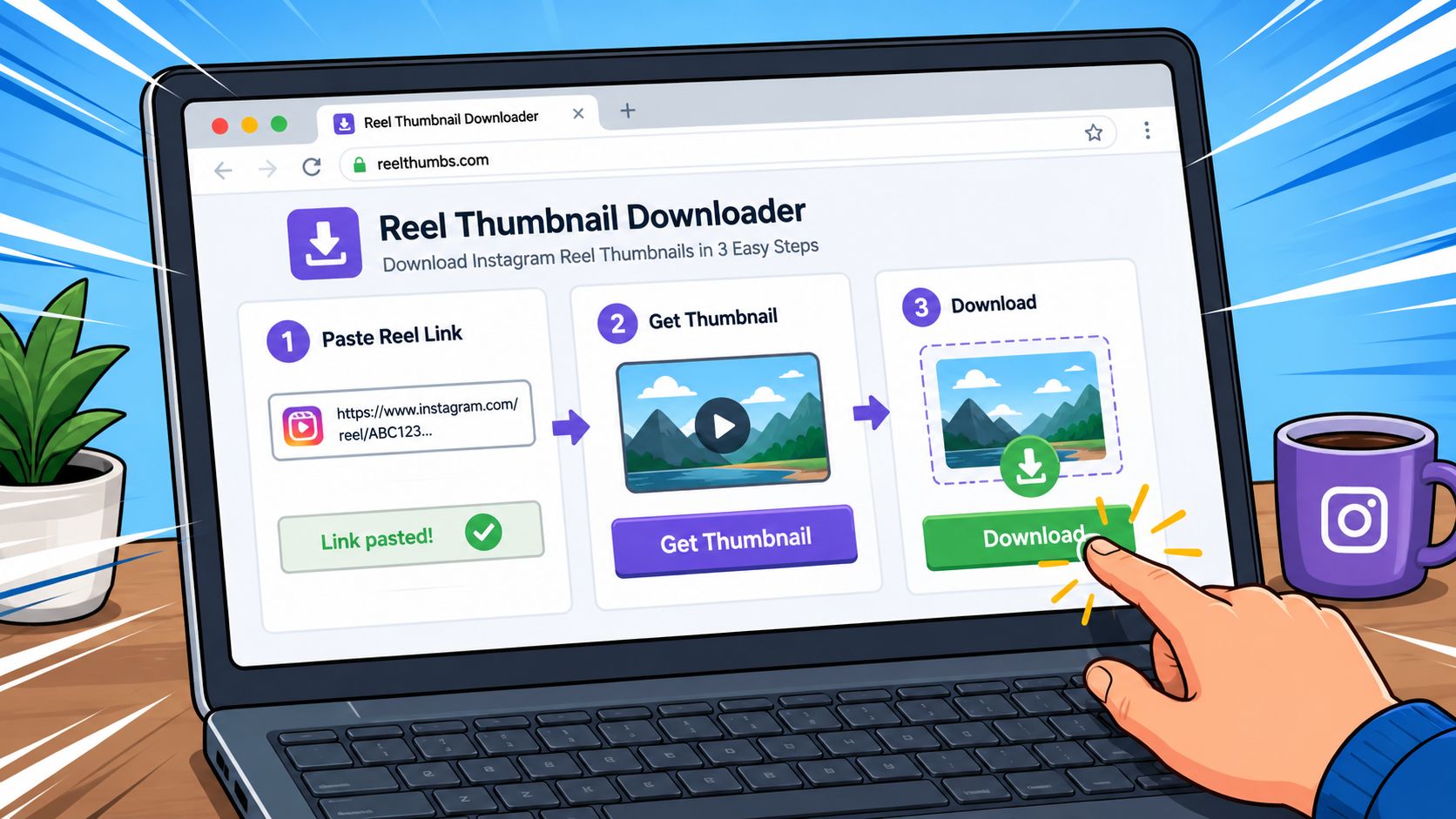
For a single Reel, a web-based downloader is usually the fastest option. No setup, no coding, and no browser inspection. It's the practical choice when someone just needs the cover image saved in the next minute, not after a workflow redesign.
When a web tool is the right call
The basic flow is simple. Toolzin's Instagram Downloader uses a three-step process: copy the post link, paste it into the tool, and press Download Now to retrieve the file. That structure is familiar because most browser-based downloaders use the same copy-paste pattern.
This method works best in a few common situations:
One-off saves: A creator wants one Reel cover for a mood board.
Client approval prep: A manager needs a clean reference image for a quick deck.
Fast desktop workflow: Someone is already at a laptop and doesn't want to install anything.
Low technical friction: No interest in code, browser source, or APIs.
A related benefit is speed of testing. Someone comparing different social utilities can also review other workflow tools, like this overview of a social media growth tool, while keeping the thumbnail step lightweight and separate.
Practical rule: Use a web downloader when the task is small and the deadline is now.
A quick example that matches real use
A freelance creator is building a pitch for a wellness brand. The pitch includes a slide with Reel covers from adjacent brands to show visual direction. Instead of taking four screenshots and cleaning each one, the creator copies each Reel link, pastes it into the downloader, and saves the thumbnail files directly. That keeps the deck cleaner and cuts out manual cropping.
The upside is obvious. The downsides are just as real.
Pros: Fast, easy, and accessible from any browser.
Cons: Many sites are cluttered with ads, some feel disposable, and privacy standards aren't always clear.
Those trade-offs matter because some of these tools are built for pure convenience, not for professional use. If a site asks for unusual permissions, pushes redirects, or looks overloaded with pop-ups, it's smarter to leave. For routine work, that friction adds up.
A useful reality check on quality concerns appears below.
The bottom line is simple. Web-based downloaders are excellent for quick wins. They're less ideal when the workflow needs consistency, privacy confidence, or bulk handling.
A Tech-Savvy Trick Get HD Thumbnails with Browser Tools
Some users don't want to trust a third-party downloader at all. They want the cleanest path from Instagram's page to the image itself. Browser tools are a strong option for that. This method takes a bit more attention, but it's free, ad-free, and often the best way to pull a high-quality thumbnail directly from the page data.
How to find the thumbnail in page code
The easiest version of this trick is usually tied to the page's og:image meta tag. That tag often points to the preview image used when the page is shared.
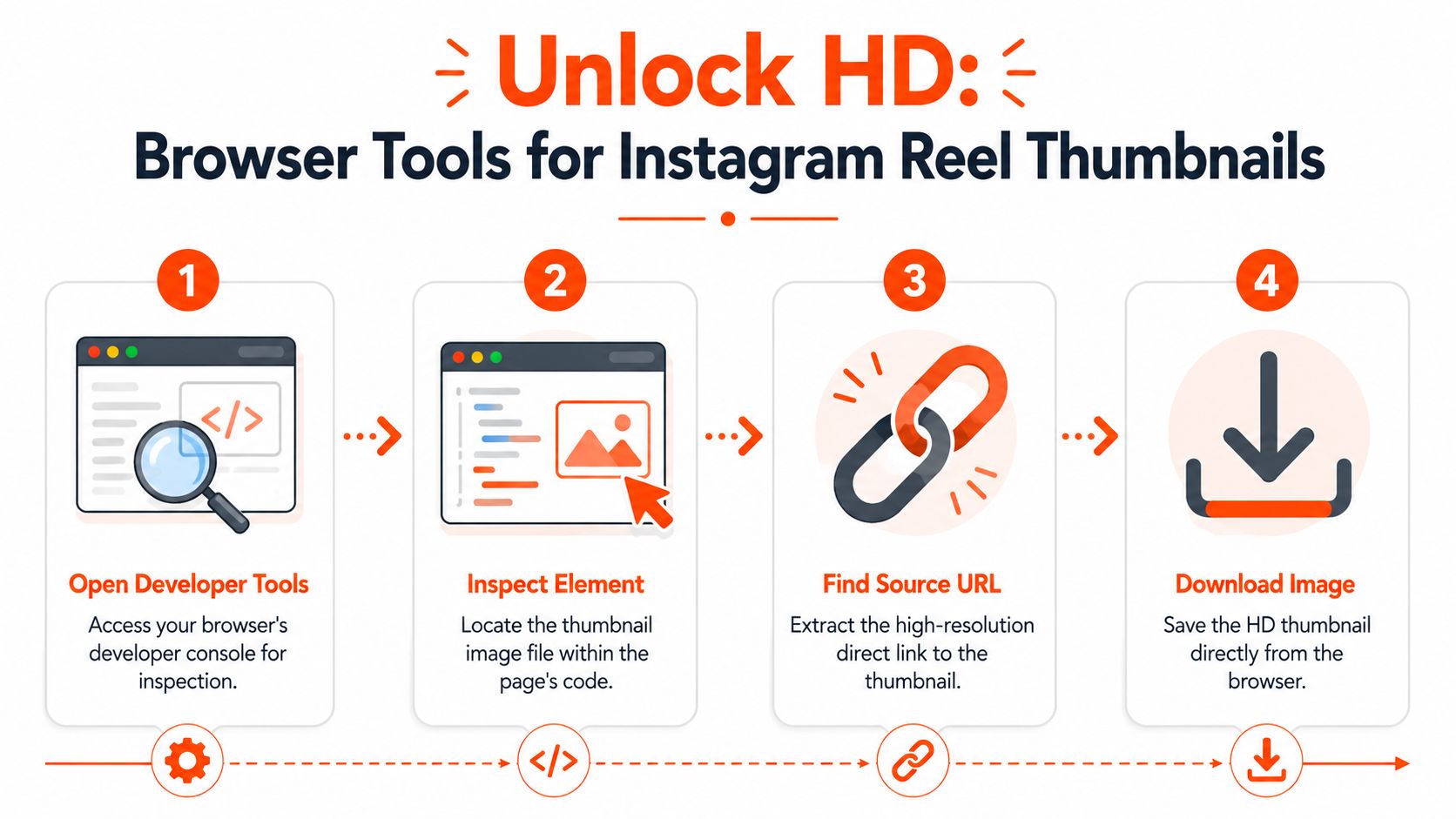
A clean workflow looks like this:
Open the Reel in a desktop browser.
Right-click and choose View Page Source or Inspect.
Search the page for og:image.
Open the image URL in a new tab.
Save the image directly from the browser.
If the source view feels crowded, the browser search function usually makes this manageable. Searching for “og:image” is faster than trying to scan through the code manually.
Why power users like this method
This approach solves several problems at once.
No extra site involved: The process stays in the browser.
Better privacy posture: There's no need to paste links into an external downloader.
Cleaner output: The image comes from the underlying page data, not a screen capture.
No ad clutter: Nothing interrupts the task.
A practical example makes the advantage obvious. A marketer preparing a weekly competitor review can save several Reel covers straight from browser source and keep them in a project folder without exposing the workflow to random ad-heavy sites. That's especially useful when the images are going into internal documentation, creative analysis, or visual categorization.
This is the method that feels slow the first time and efficient every time after that.
The trade-off is skill level. Someone unfamiliar with page source can find it awkward at first. It's also less convenient on mobile, where developer tools aren't part of the standard flow. Still, for desktop users who care about control and image quality, browser inspection is one of the most useful Instagram Reel thumbnail downloader techniques available.
Downloading on the Go with Mobile Apps
Many creators save references while scrolling, not while sitting at a laptop. That makes mobile apps attractive. They fit the moment. A Reel shows up in the feed, the creator wants the thumbnail now, and the phone is already in hand.
How the mobile workflow usually works
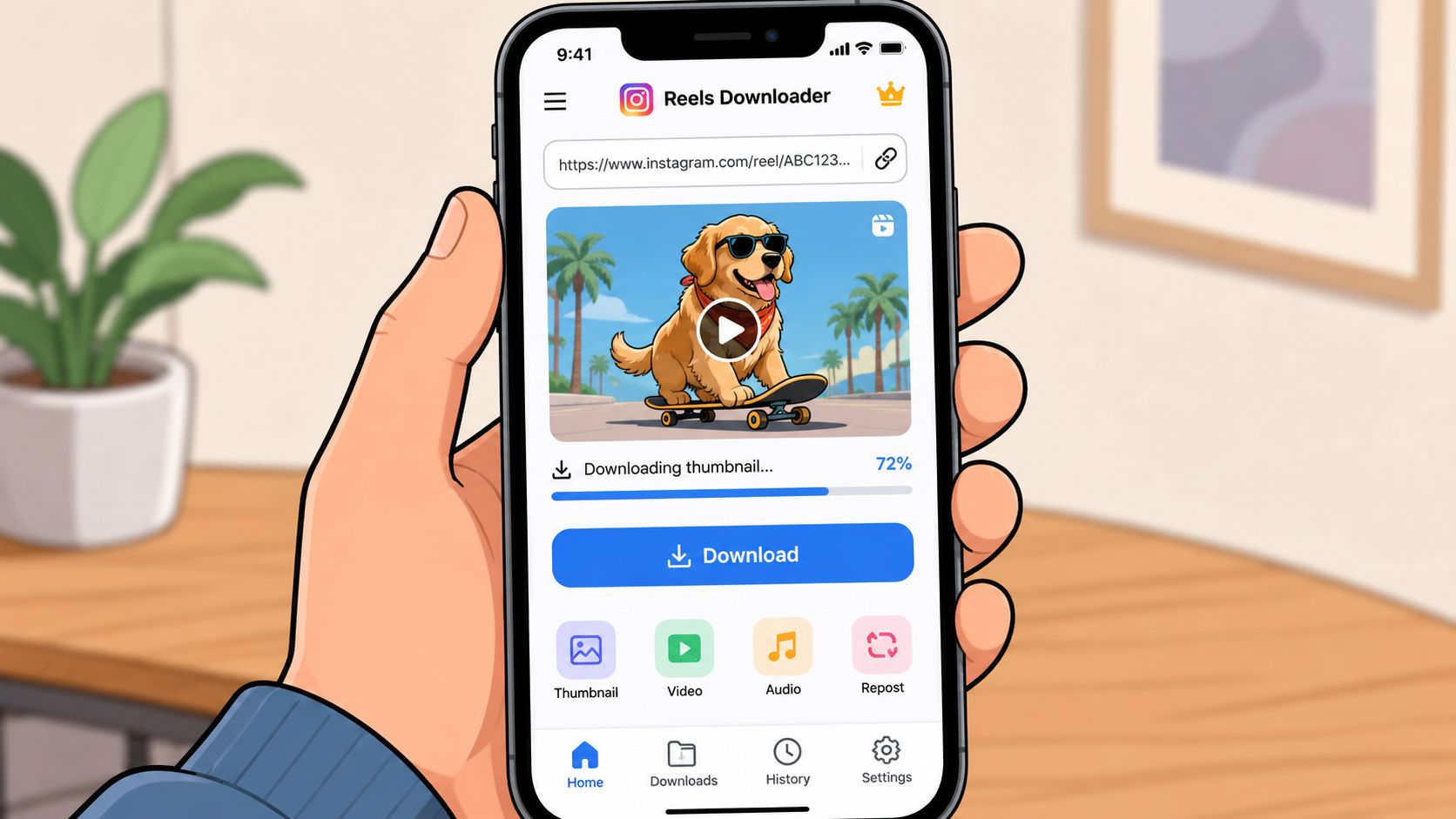
Most apps follow a similar pattern. The user opens Instagram, taps Share, and sends the Reel link to a downloader app or copies the link and pastes it into the app's input field. From there, the app offers a save option for the thumbnail, video, or both.
That convenience is why mobile tools stick around. They work well for:
Commute-time curation: Saving references between meetings or while traveling.
Live inspiration capture: Grabbing covers during active content research.
Creator-first workflow: Handling everything on the same device used for posting.
Quick collaboration: Sending saved visuals into chat, notes, or project apps immediately.
There's also a nice overlap with creators who build assets on mobile first, then move into lightweight design workflows with tools such as an Instagram banner maker for profile and promo visuals.
What to check before installing any app
The convenience is real, but so is the risk. Mobile downloader apps can ask for broad permissions, bury key limits inside in-app purchases, or rely on aggressive tracking. That doesn't mean they're all bad. It means they need a quick vetting pass before they enter a working stack.
A smart review takes less than a minute:
Read recent reviews: Look for comments about crashes, export quality, and deceptive ads.
Check permissions: A thumbnail app shouldn't need more access than the task requires.
Look for export clarity: If the app is vague about image quality, expect mixed results.
Watch the paywall flow: Some apps tease free use, then lock basic saving behind prompts.
Avoid account-login pressure: If an app pushes unnecessary login steps, caution makes sense.
Convenience on mobile is valuable. Blind trust in a random app isn't.
For creators who save the occasional cover while moving between tasks, a mobile downloader can be a strong fit. For repeat use in a team workflow, the hidden friction often shows up later through ads, permissions, and inconsistent exports.
Scaling Up Batch Downloads for Creators and Marketers
Single-download methods stop working once the workload turns professional. A social media manager handling multiple brands, a creative strategist building large inspiration libraries, or a developer collecting assets for a content system needs more than one thumbnail at a time. That's where scale changes the tool choice completely.
Why manual workflows break at volume
The market still has a clear gap here. According to this overview of Instagram thumbnail tools, many existing options are manual, single-use, and packed with ads, while the underserved need is legal, privacy-safe automation for bulk thumbnail extraction with metadata. That matters because batch workflows aren't just about saving time. They also need organization, consistency, and traceable outputs.
A common example is a marketing team collecting Reel covers with related context such as source URL, timestamp, and caption. A one-by-one web tool can save the image, but it doesn't create a clean pipeline for a campaign archive or repurposing queue. Manual methods become repetitive fast.
Which Instagram Thumbnail Download Method Is Right for You
Method | Speed | Quality | Ease of Use | Best For |
|---|---|---|---|---|
Web Tool | Fast for one-off tasks | Good enough for quick saves | Very easy | Single thumbnails, quick reference |
Browser Trick | Strong for clean direct extraction | High | Moderate | Privacy-conscious desktop users |
Mobile App | Convenient while scrolling | Varies by app | Easy | On-the-go saving |
API or Script | Strong at scale | Best for structured workflows | Advanced | Teams, developers, batch processing |
That comparison usually makes the decision easier. The more often the task repeats, the less appealing manual copy-paste becomes.
The two advanced options that actually scale
The first serious option is an API. The Apify Instagram Reels Thumbnail Downloader API can return structured JSON with direct CDN URLs and dimensions such as 1080x1350 for HD, and it reports a 97.2% success rate across 50,000+ test requests in 2025 for public content. The same source notes that the most common failures happen when reels are privacy-locked or deleted, and that the API extracts the poster frame before Instagram applies its branding layer, which supports watermark-free original resolution output.
That's the kind of tool built for systems, not occasional use. A content team can plug results into a database, connect them to creative review, or pass them into a repurposing workflow like video-to-post conversion once the visual assets are collected.
The second option is an open-source script. The InstaReelDownloader GitHub repository describes a Python-based desktop application that extracts Reel thumbnails via a direct HTTP request to Instagram's CDN after parsing the Reel URL. It documents a 94.7% success rate for public reels in major markets, with a primary failure point tied to session token expiration causing 8.3% failure after 15 minutes of idle time, which requires re-authentication using the browser cookie injection method in the usage guide.
For professional workflows, the real upgrade isn't just bulk download. It's bulk download plus metadata, predictable output, and fewer manual touches.
APIs are stronger for productized or team workflows. Open-source scripts are attractive when a developer wants control and doesn't mind handling setup. Both options beat manual tools once thumbnail extraction becomes a repeated business task.
Using Thumbnails Ethically Copyright and Credit
Downloading a Reel thumbnail is technically simple. Using it responsibly is the part that separates clean workflow from careless reuse. The safest approach starts with a basic question. Is the image staying private, or is it being republished somewhere public?
Low-risk use versus public use
Private use is usually the lower-risk category. That includes internal mood boards, competitor tracking, visual research, and draft planning documents. In those cases, the thumbnail functions as reference material.
Public use is different. A brand reposting someone else's Reel cover in marketing, using it in a social post, or placing it in sales material should treat that image as someone else's creative work. Permission matters there. Credit matters too.
A simple decision rule helps:
Private research use: Usually lower risk.
Internal team review: Usually lower risk.
Public repost or promotion: Ask permission first.
Paid or branded use: Don't move forward without clear rights.
A practical credit standard
Even when the law in a given case feels murky, credit is still the better professional move. It signals respect for the original creator, reduces friction, and helps avoid the lazy impression that a brand is harvesting visuals without context.
A clean credit practice looks like this:
Name the creator clearly: Use the handle or brand name where the image appears.
Link back when possible: If the format allows, point viewers to the original Reel or profile.
Avoid editing beyond recognition: Heavy changes can make attribution harder and create confusion.
Keep a record of permission: If consent was granted in DM or email, save it.
Good credit isn't just legal hygiene. It's community etiquette that strong brands take seriously.
Creators notice who borrows well and who borrows badly. Over time, that affects trust.
Frequently Asked Questions about Reel Thumbnails
Can an Instagram Reel thumbnail downloader work on private accounts
Usually, no. Private account content is restricted by design, and most download tools only work reliably on public posts. If a tool claims it can pull private thumbnails without proper access, that's a reason to be skeptical. The cleaner route is to get permission from the account owner or work only with public content.
Does the creator get notified when someone downloads a Reel thumbnail
Typical thumbnail downloading methods don't notify the original creator in the way likes, comments, or shares might create visible activity. But that doesn't turn public reuse into fair use by default. A silent workflow can still create a rights problem if the image is republished without permission.
For internal research, the practical risk is usually lower. For public posting, the better standard is still to ask first and credit properly.
What is the highest quality thumbnail available and how can it be downloaded
The highest-quality result usually comes from direct source extraction rather than a screenshot. That means either pulling the image through browser page data or using a professional API that returns the original asset details.
For example, the Apify workflow cited earlier can return original resolutions with direct CDN URLs, including 1080x1350 for HD, and it explicitly extracts the poster frame before Instagram branding is layered on. That's the sort of output serious creators want when they need a clean, reusable file.
A practical choice by scenario looks like this:
Need one thumbnail fast: Use a web downloader.
Need privacy and direct extraction: Use browser tools and find the image source.
Need to save while on a phone: Use a mobile app carefully.
Need many thumbnails with structure: Use an API or script.
The best Instagram Reel thumbnail downloader isn't one universal tool. It's the method that matches the job without adding quality loss, clutter, or unnecessary risk.
SupaBird helps creators and marketers turn raw social activity into a repeatable growth system on X. If the goal is to move from collecting inspiration to publishing sharper posts, repurposing videos into text content, and staying consistent with scheduling, SupaBird is built for that workflow.

The Reply Guy Strategy: A Growth Guide for X

Why New X Accounts Get Less Reach

ClimbX Review (2026): Features, Pricing, Pros and Cons

How Developer Startups Build a Brand on X Before Launch

30-Day Starting Plan for New X (Twitter) Accounts

How Often Should You Tweet for Maximum Growth?

What Should Your First 10 Tweets Be About?

How to Run X for Ten Clients: The Agency Workflow

How to write a bio that gets people to follow you
