Best Times to Tweet in 2026: A Data-Backed Playbook
Author:
The usual advice about the best times to tweet is too lazy to be useful. It pretends there's one magic hour that works for everyone, then ignores the two things that decide performance on X, what you want from the post and who you want to reach. If you post for reach, clicks, or replies, you should not use the same clock.
The better approach is blunt. Start with the data, then localize it to your audience, then test your own account until the answer is yours. That's the playbook here, and it's the one I'd use if I were managing a founder account, a creator brand, or a campaign feed with multiple city clusters.
Table of Contents
Why a Single Best Time Does Not Exist
A universal posting time sounds neat, but X does not reward neatness. It rewards freshness, early engagement, and the moment your specific audience is scrolling. The answer shifts by goal, by audience cluster, and by format, which is why a link post, a reply, and a thread can each deserve a different window.
Practical rule: stop hunting for one best time. Choose the best time for the metric you care about, then localize it to the audience you want to move.
That is the filter that matters: goal, audience, format. Link posts and replies have different performance windows, and clicks peak at different times than conversations. A B2B audience in New York behaves differently from a creator audience in Mumbai, and a long thread needs a different slot than a short announcement. If your schedule ignores those variables, you are guessing.
Buffer's 2026 X timing analysis points to Tuesday at 9 a.m. as a strong visibility window, while Sprout Social's 2026 timing study emphasizes Tuesday, Wednesday, and Thursday from 12 p.m. to 6 p.m. as a broader engagement window. Those findings are useful because they show how the winner changes once you change the metric, instead of pretending one hour fits every objective.
A lot of teams copy a generic chart and never check whether their audience is concentrated in one city or spread across several. The timing advice in Bazzly's posting time guide and the planning approach in this social media content strategy guide both point to the same issue, timing only works when it fits the rest of the content system and the audience you are trying to reach.
Use the goal to pick the window. If you want reach, start with the broadest active period. If you want clicks, post when people are still willing to leave the feed. If you want replies, post when the conversation is already warm. One clock will not serve all three cleanly.
What the 2026 Data Says
The 2026 studies do not give you one magic hour. They give you a usable range. Buffer's clearest starting point is Tuesday at 9 a.m., with Wednesday at 10 a.m. and Wednesday at 9 a.m. close behind, plus a broader weekday lift from 8 a.m. to 11 a.m. That is a visibility window, plain and simple. Sprout Social uses a broader engagement lens and points to 12 p.m. to 6 p.m. on Tuesdays, Wednesdays, and Thursdays, with Monday 2–3 p.m. and 5 p.m. also standing out, while Saturday comes out weakest.
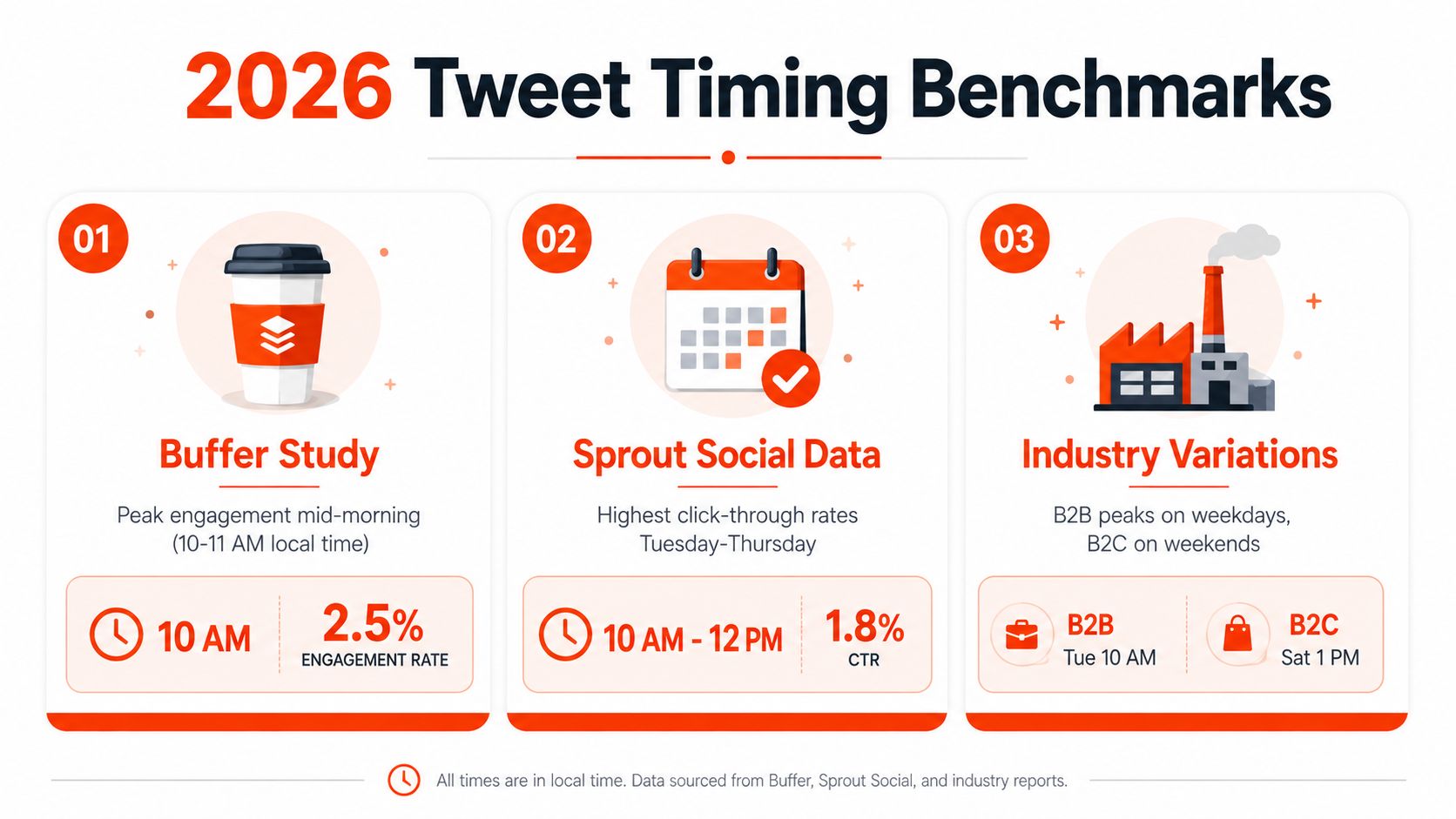
The useful read is straightforward. Midweek wins across the board. Morning helps most with impressions and visibility, while midday and afternoon are better when you want conversation, clicks, or slower-burn engagement. The Spanish-language timing summary that highlights the 11:00 to 13:00 volume band matters for the same reason, it shows when the feed is busiest, not just where one analyst saw strong engagement ReasonWhy's summary of Twitter activity timing.
Use the goal to pick the slot. If you want reach, start with the broadest active period. If you want clicks, post while people are still willing to leave the feed. If you want replies, post when the conversation is already warm. One clock will not serve all three cleanly.
If you want a sharper evening benchmark, Metricool's 2026 guidance points to 21:00 as its preferred hour, with 1:00 to 7:00 a.m. as the weakest band and 14:00 to 20:00 also strong. That is the kind of split that matters if your audience skews late or works across time zones.
My take: morning is the safest default for growth, midday is the first alternative to test for replies and clicks, and evening is a real option if your audience is active after work.
For a concise external benchmark collection, I'd also point readers to Bazzly's posting time guide, and pair it with a Twitter analytics tools guide before you lock in a schedule.
Mining Your Analytics for Personalized Timings
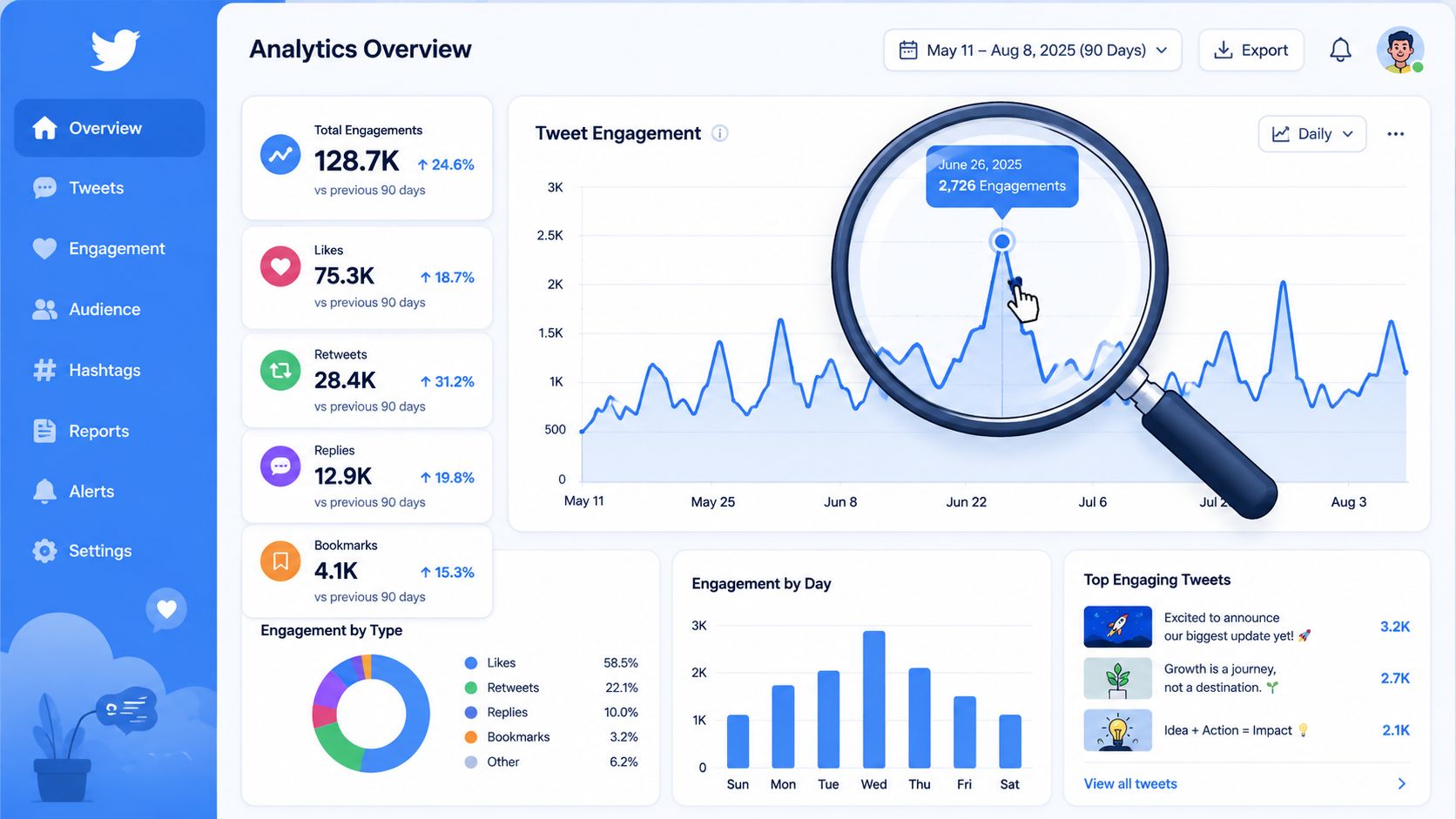
Borrowed benchmarks tell you where to begin, not where to settle. Your own feed gives the cleanest answer, and the fastest way to find it is to treat timing as a data problem. Export 60 to 90 days of tweet analytics, convert every timestamp into your audience's primary timezone, then bucket each post by day of week and hour. That process lines up with the timing method in TweetArchivist's analytics workflow, which recommends averaging engagements ÷ impressions by time slot and only trusting a slot once it has at least 5 to 10 tweets behind it.
Build the sheet the right way
Use one row per post. Keep publish date, publish time in local audience time, content format, impressions, engagements, engagement rate, and topic. Sort by hour blocks, not by individual timestamps, because one post at 9:05 and another at 9:50 belong in the same decision bucket.
A worked example makes the point fast. If Tuesday 9 a.m. posts average a higher engagement rate than Tuesday 2 p.m. posts, that slot deserves a look. If the sample only has two posts, ignore it. If it has seven posts and keeps winning, you have a pattern worth using.
The rule is simple. Do not crown a winner until a slot has five to ten posts in it, and do not scatter your schedule across twelve weak windows just to stay busy. Put roughly 60 to 70 percent of your content into your top three to five windows, then keep the rest open for live posts, trend responses, and opportunistic replies. For a tool-based workflow, Twitter analytics tools help you compare slots side by side instead of guessing from a few isolated tweets.
What to measure, not guess
Rank slots by average engagement rate, not raw likes. Raw engagement flatters big accounts and hides weak timing. Engagement rate shows whether a post resonated relative to reach, and that is the number that matters when you are choosing between Tuesday 9 a.m. and Wednesday 10 a.m.
Use social media timing recommendations as a benchmark, then test your own numbers against it. If you already use scheduling software, fold this into your posting calendar instead of doing it by hand. The planning logic becomes more useful once you compare slots directly and stop reading meaning into single posts.
Recommended Windows for New York, London, Berlin, and Mumbai
If your audience clusters around a few cities, stop asking for a universal time and build a city-aware schedule. The regional timing guide in SocialChamp's 2026 Twitter timing breakdown makes the main point clearly, different markets peak at different hours, and the source data you already saw in the earlier section backs up the core pattern: midweek is the strongest zone, but local time changes the winning slot.
City | Best Weekday Window | Strongest Day | Weekend Note |
|---|---|---|---|
New York | 9 a.m. to 11 a.m. ET | Tuesday through Thursday | Use weekends only for lighter, lower-stakes posts |
London | 9 a.m. to noon GMT | Tuesday through Thursday | Weekend posting is weaker, so keep your best content for weekdays |
Berlin | 9 a.m. to noon local time, with a slight tilt toward later afternoon tests | Tuesday through Thursday | Weekend timing should be tested separately, not copied from weekday behavior |
Mumbai | Late evening IST, with overlap potential for U.S. mornings | Tuesday through Thursday | Weekend evenings deserve testing if your audience is consumer-heavy |
The Mumbai case is the one many teams miss. Late evening IST can line up with New York morning, which means one post can serve two clusters if you write it broadly enough. That's not a reason to blast the same post everywhere at once. It's a reason to choose the first slot around the biggest shared attention window, then stagger the rest of the week around the city you care about most.
Practical rule: if one account serves New York and London equally, post once for the larger cluster, then schedule a second version for the other city instead of hoping one universal slot catches both.
Berlin is usually where teams get sloppy. They copy London timing without checking local behavior, then wonder why engagement drifts. Use the same local-time logic for each city, even if the window overlaps with another region by a few hours. That overlap is useful, but only when you know which audience you're prioritizing.
For mixed audiences, I'd map followers into three buckets. Primary city, secondary city, and global leftovers. Then build one strong weekday window for the primary city, one adjacent slot for the secondary city, and one experimental slot for the leftovers. That gives you a schedule that reflects how people use X instead of forcing everyone into one timezone.
Running a Two-Week A/B Timing Test
A timing test works only if you test one variable at a time. Don't change the hook, the format, and the hour in the same week, then claim the clock won. That's not a test, that's noise. If you want a clean read, compare one window against another, like 9 a.m. versus 9 p.m., while keeping the content format and topic as similar as you can.
Set up the test cleanly
Pick two matched weekdays, then rotate the same style of post into both slots. For example, a coach could post one educational tip at 9 a.m. on Tuesday and the same type of tip at 9 p.m. on Thursday. Track engagement rate, replies, and link clicks, then decide whether the evening slot meaningfully beats the morning slot.
The threshold matters. I'd only call a winner if the test window shows about a 20 percent lift in engagement rate over your current default. That's a practical bar, not a statistical dissertation. If the lift is smaller, you may still have a usable slot, but it's not strong enough to reorganize the whole calendar.
Avoid the three common mistakes
Changing the content and the clock together: you won't know whether the time worked or the topic carried the post.
Stopping after one breakout tweet: one outlier isn't a trend, even if it looks exciting in the dashboard.
Ignoring sample size: two good posts don't beat ten average ones when you're choosing a schedule.
Scheduling slots matter because they keep the test honest. If you can pre-assign the same window every time, you remove last-minute guesswork and make comparisons cleaner.
If your test is for a service business, use reply volume and click-through behavior as your decision layer. If it's for a creator account, pay more attention to comments and saves. The clock is only useful when it helps you get the right kind of engagement, not just more noise.
Scheduling, Batching, and Real-Time Windows
Timing research falls apart when you can't publish consistently. The fix is operational, not philosophical. Batch-create content in two focused sessions per week, schedule about 60 to 70 percent of it in advance, and leave the rest for live commentary, replies, and trend-based posts. That's the workflow that keeps a feed active without forcing you to sit at your desk all day.
A simple weekly calendar works better than a crowded one. I'd reserve your strongest weekday windows for original posts, use the midday band for replies or link-heavy posts, and keep a few open slots for real-time responses when something in your niche starts moving. That's the logic behind any serious Twitter scheduling tool, because the tool only matters if it helps you keep the rhythm.
If you're a solo founder, batch your posts on Sunday and Wednesday, then let the scheduler handle the rest. If you're a brand or agency, split the calendar by city and content type so your team can see which slots are protected and which are flexible. For authors and independent voices trying to stay visible without turning social into a second job, build your author brand online becomes a lot easier when the publishing rhythm is consistent.
The one tool I'd mention in this context is SupaBird, because its calendar can recommend posting times across cities like Berlin, New York, London, and Mumbai and help you schedule weeks ahead. That matters less as a feature pitch and more as a reminder that good timing systems are usually calendar systems first.
Practical rule: protect your best slots like meetings. If you keep moving them, your analytics will never settle enough to show you what actually works.
Consistency compounds more than a single clever post. A perfect Tuesday slot won't save a feed that disappears for ten days. The point of batching and scheduling is to make sure the good windows are used on purpose, not by accident.
A 30-Day Iteration Loop and FAQ
Timing should get reviewed every month, not once a year. On day one, note your current default windows. On day 15, check engagement rate by slot, follower delta, and link clicks per post. On day 30, cut the weak windows, keep the winners, and move one new slot into the test queue. If a post flops inside a supposedly winning window, don't panic, check whether the topic was weak or whether the audience timing was wrong.
The common mistakes are predictable. Posting only in your own local timezone misses international clusters. Locking in a schedule after one viral post gives you a fake winner. And never rebalancing after a new audience segment appears usually leaves growth on the table.
FAQ
Should I post once for a global audience or by city cluster?
By city cluster, if the account is serious about reach. One global post is fine for low-stakes updates, but scheduled cluster posts are better when your followers live in different major timezones.
Do clicks and replies want the same time?
No. Click-driven posts often need a different slot from conversation posts, and the earlier timing research showed that weekday mornings can help clicks while midday and later windows can help engagement-heavy formats.
How often should I refresh my schedule?
Every 30 days if you're growing fast, or at least quarterly if the account is steady.
What if a post fails in a winning slot?
Check the hook, the topic, and the format before you blame timing. A good slot improves odds, it doesn't rescue weak content.
If you want a cleaner way to test timing, schedule by city, and keep your feed consistent without guessing, SupaBird gives you a practical system for doing it. Use SupaBird to turn your timing strategy into a repeatable calendar, then measure which windows earn reach, clicks, and replies for your account.

The Reply Guy Strategy: A Growth Guide for X

Why New X Accounts Get Less Reach

ClimbX Review (2026): Features, Pricing, Pros and Cons

How Developer Startups Build a Brand on X Before Launch

30-Day Starting Plan for New X (Twitter) Accounts

How Often Should You Tweet for Maximum Growth?

What Should Your First 10 Tweets Be About?

How to Run X for Ten Clients: The Agency Workflow

How to write a bio that gets people to follow you
