Learn how SupaBird scheduling slots help you post consistently, optimize content timing for your target region, and boost engagement while saving time.
What Are Scheduling Slots?
Scheduling slots are predefined time blocks in your calendar that automatically determine when your content gets published.
This system ensures:
Consistent posting frequency
Optimized timing based on audience behavior
Reduced manual effort
How Scheduling Slots Work in SupaBird
1. Open Calendar
Go to the left navigation bar and click Calendar
This is your central dashboard for all scheduled X posts.
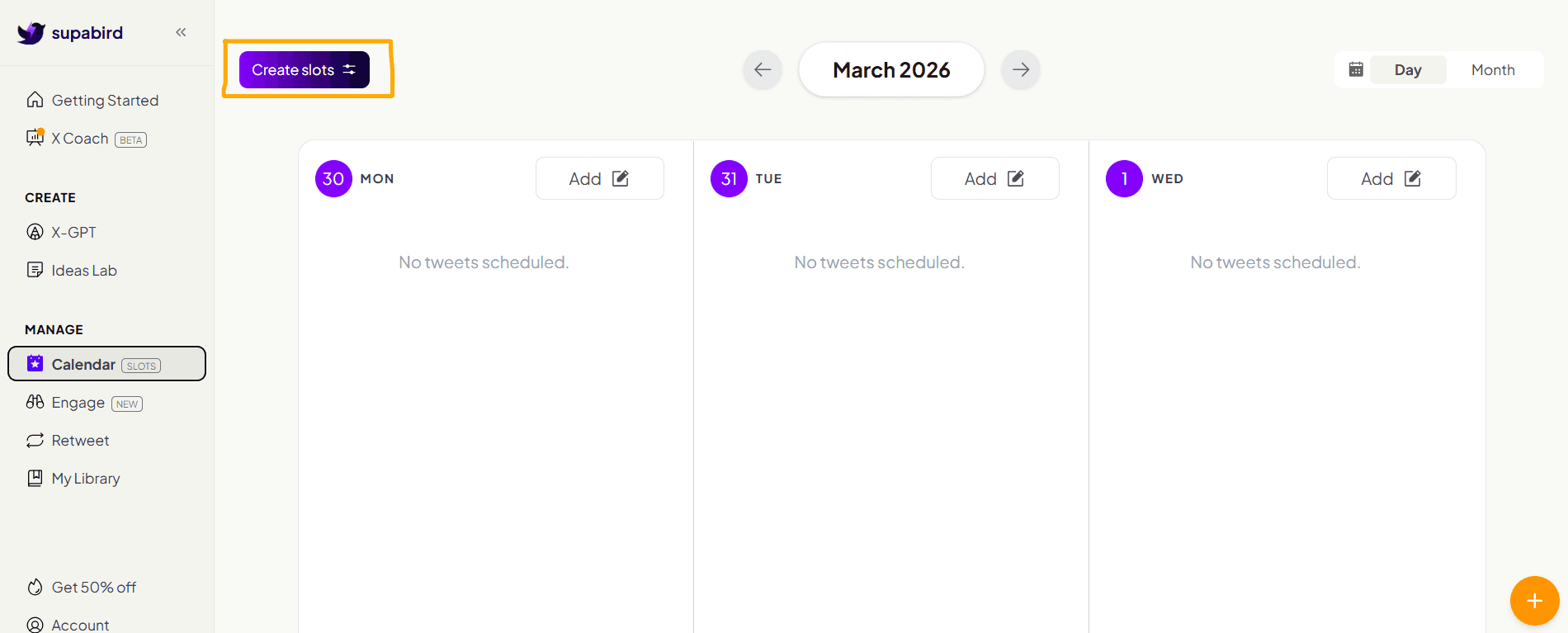
2. Click Create Slots Button
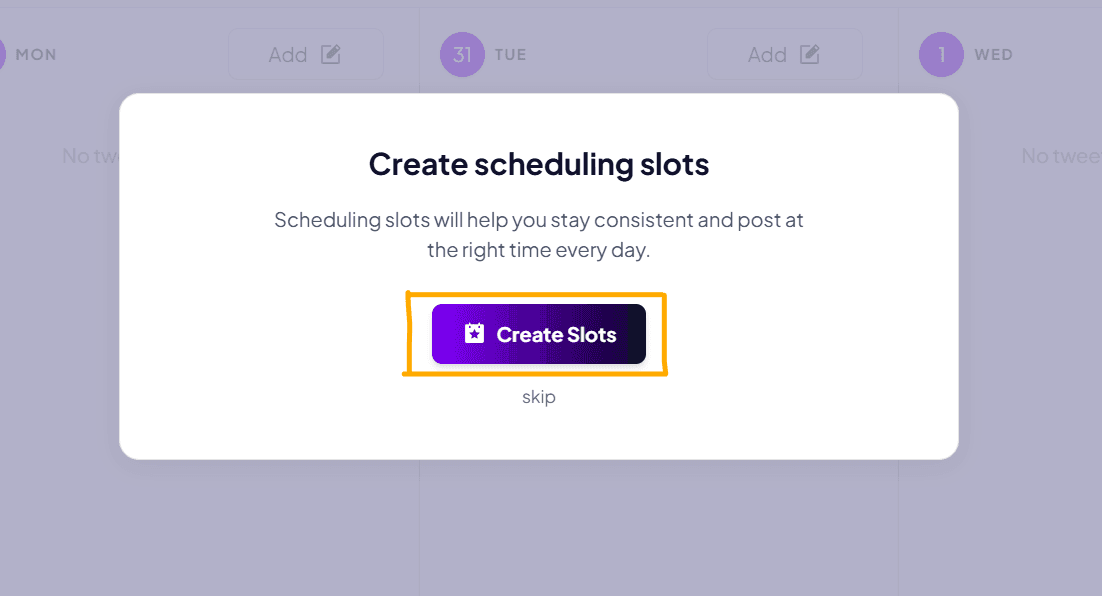
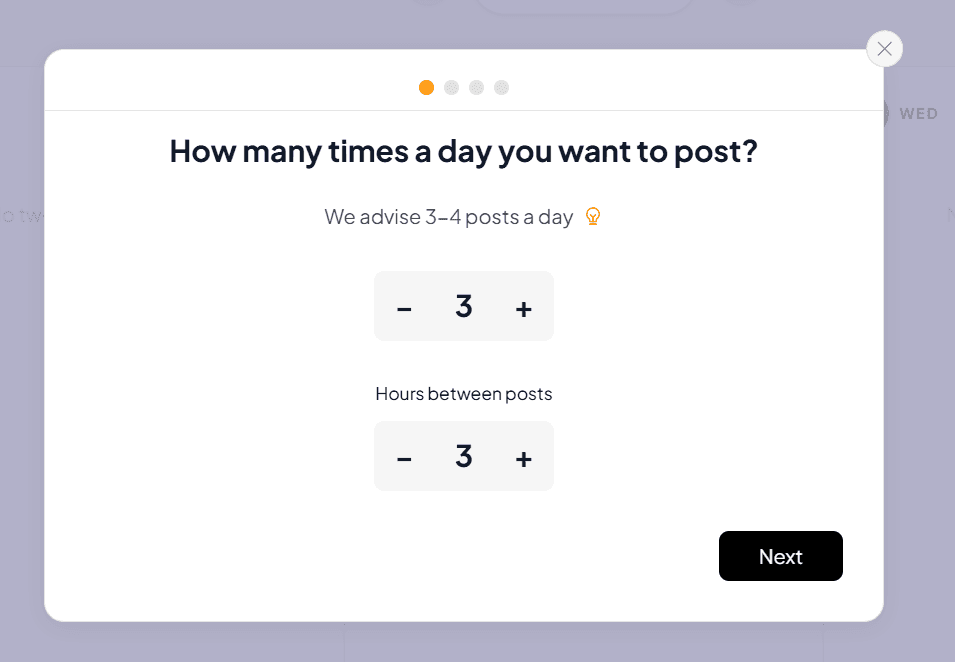
3. Set Your Daily Posting Frequency
In this step, you define how often you want to post each day.
We recommend setting 3–4 posts per day to maintain consistency and improve performance.
You can adjust:
The number of posts per day
The time gap between each post
This helps you spread your content evenly throughout the day and avoid posting too frequently at once.
Once you’ve set your preferences, click Next to continue.
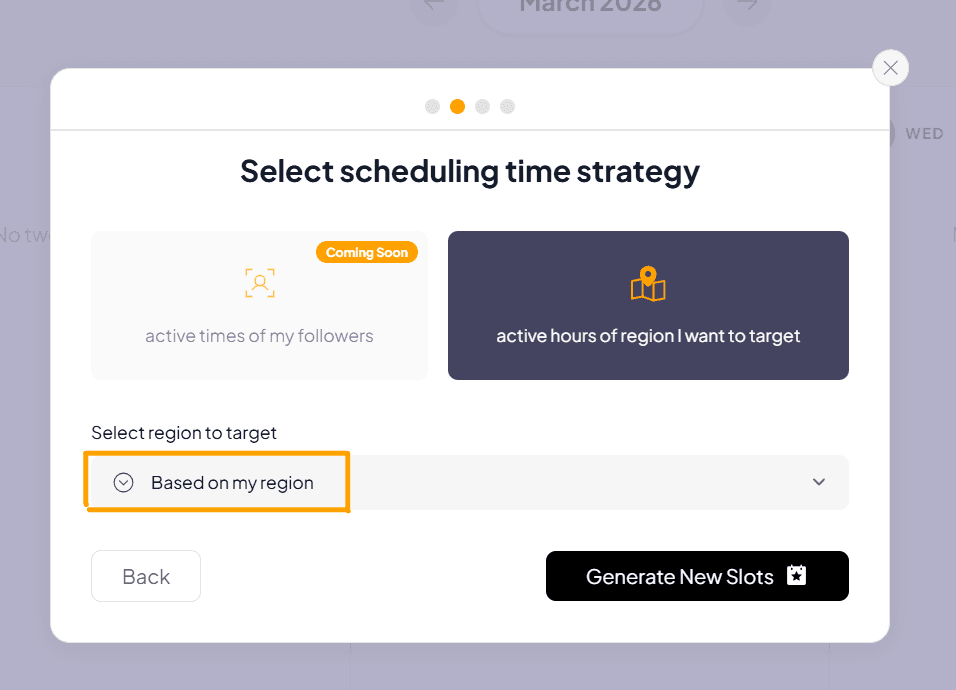
4. Choose Your Scheduling Time Strategy
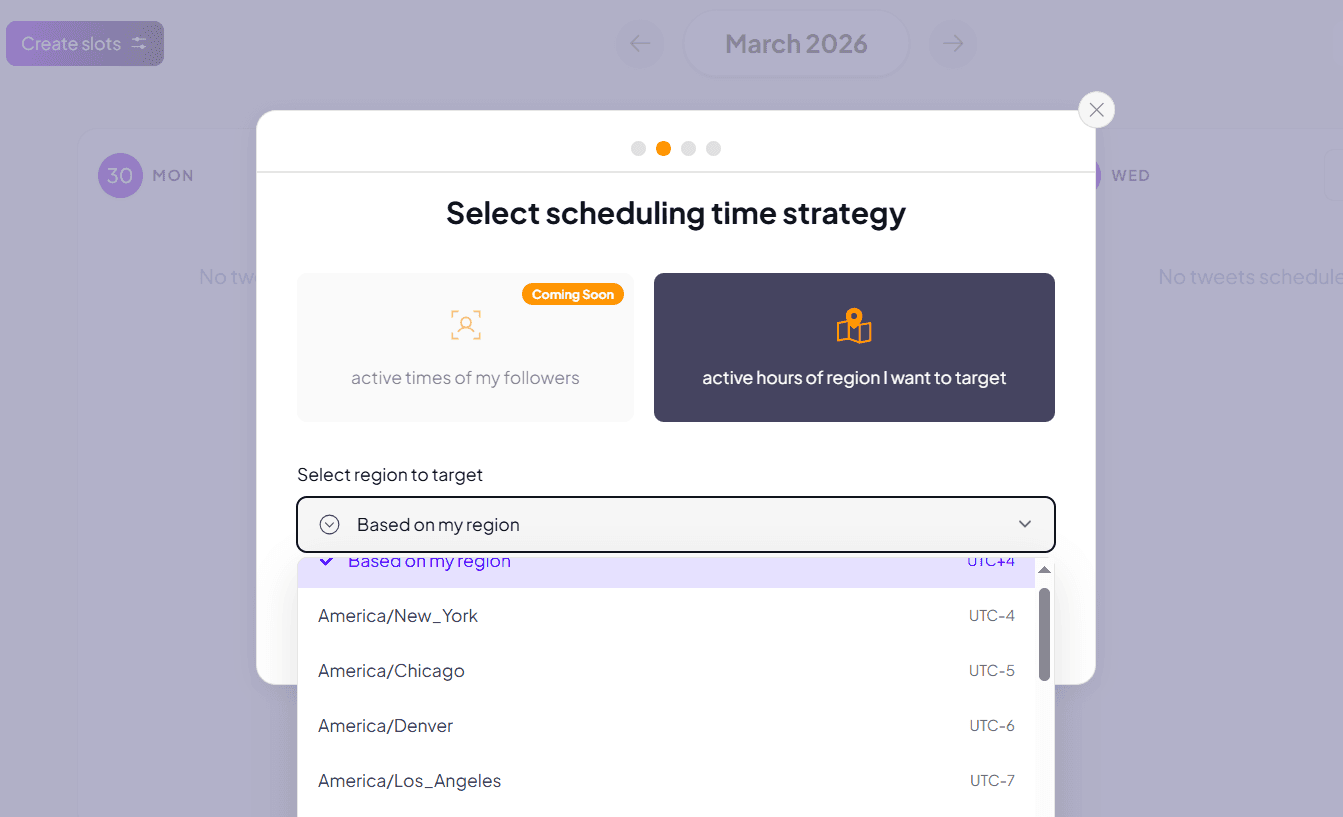
In this step, you choose when your content should be scheduled based on your target audience.
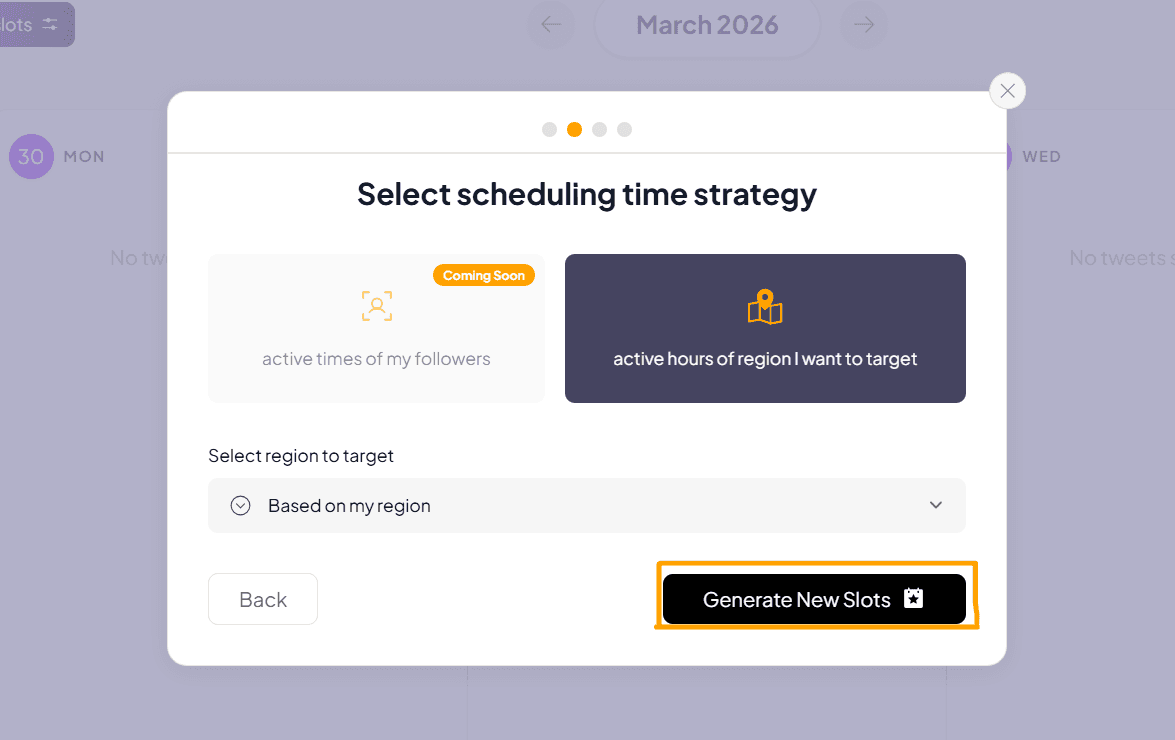
Select “active hours of region I want to target” to optimize your posting times.
Then, open the dropdown and choose your target region (e.g. Americas/New York, Americas/Chicago, Americas/Los Angeles, etc.).
SupaBird will automatically generate time slots based on peak activity in that region, helping you reach more people when they are most active.
Once selected, click to confirm and continue.
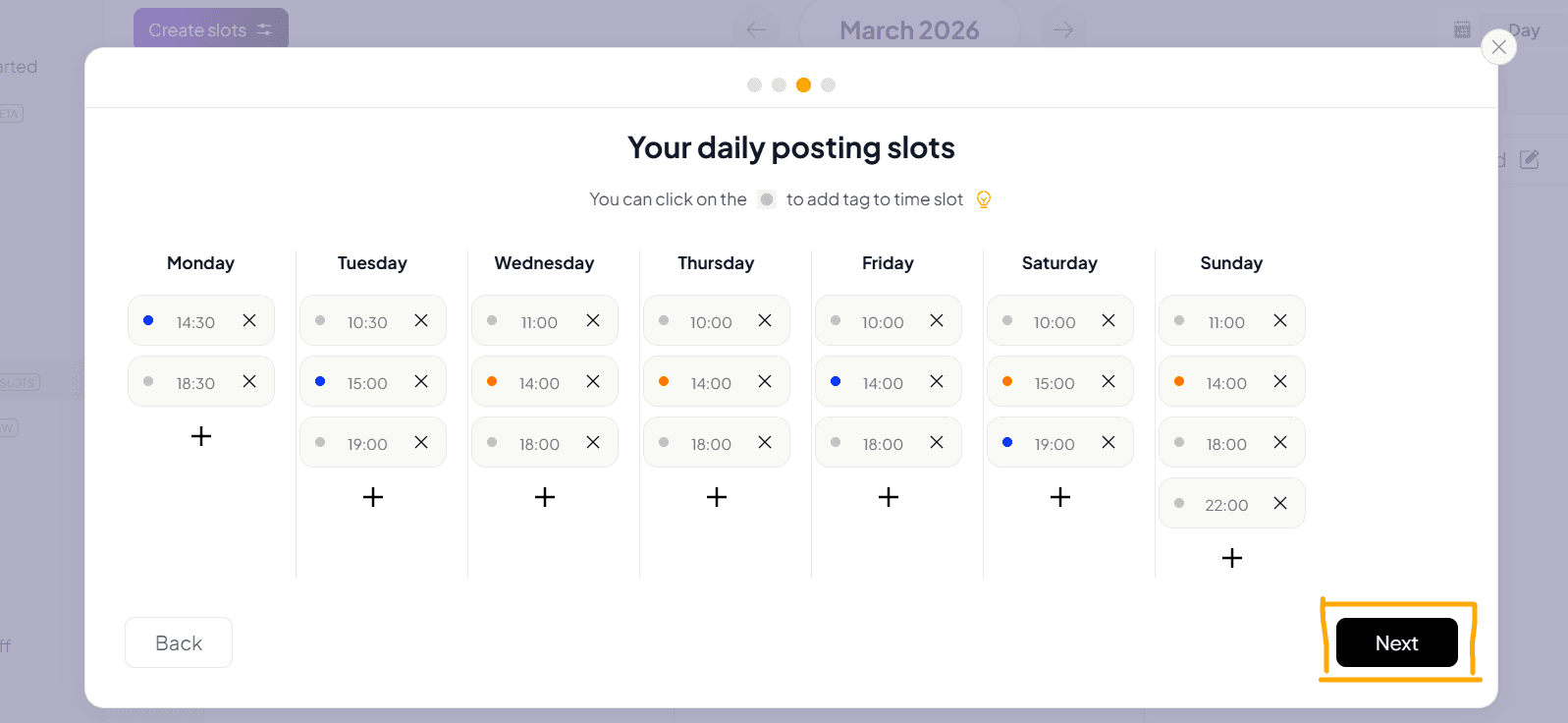
5. Review Your Daily Posting Slots
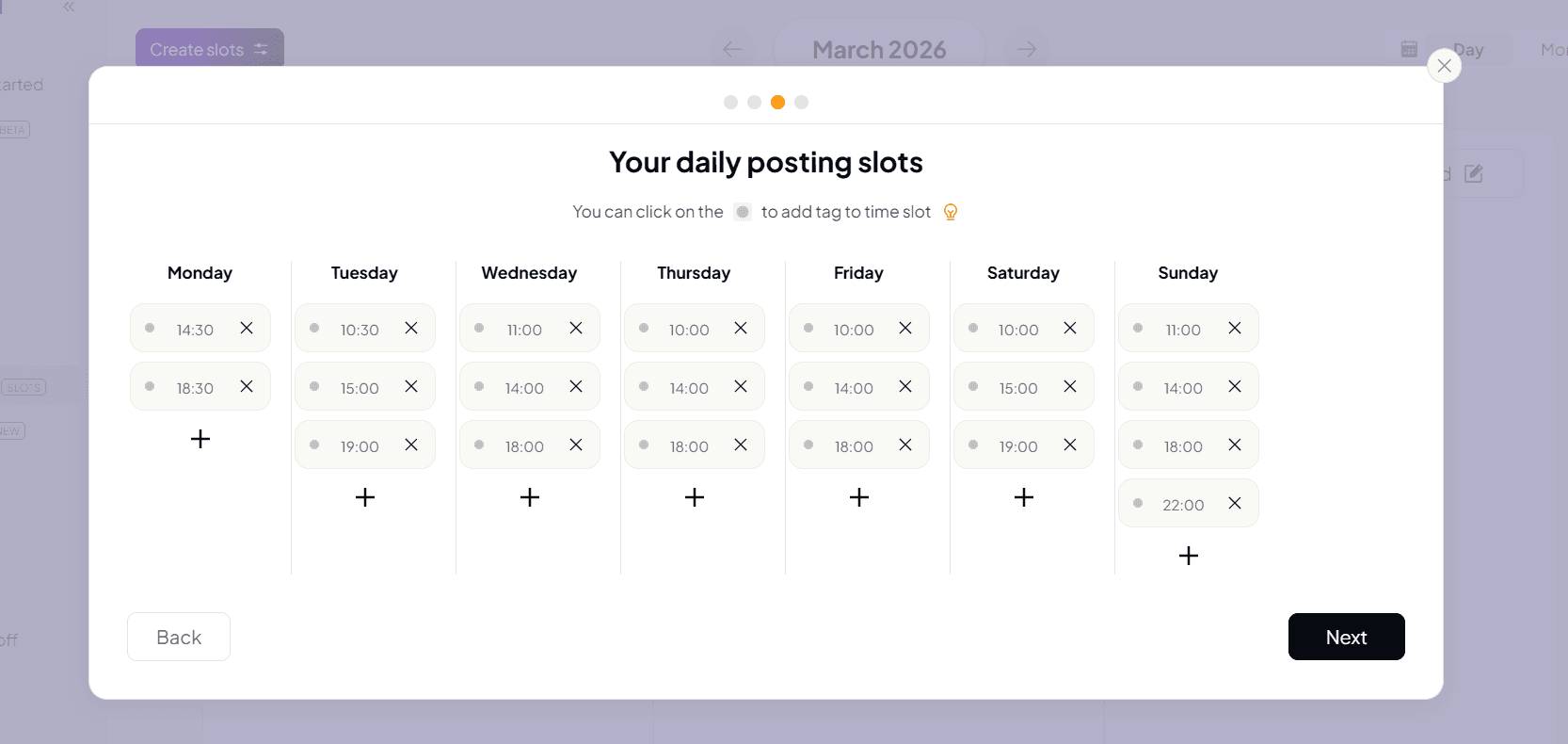
In this step, you can review your full posting schedule for the week.
You’ll see a weekly grid (Monday–Sunday) with pre-filled time slots based on your previous selections.
Each day includes + buttons so you can add extra slots if needed.
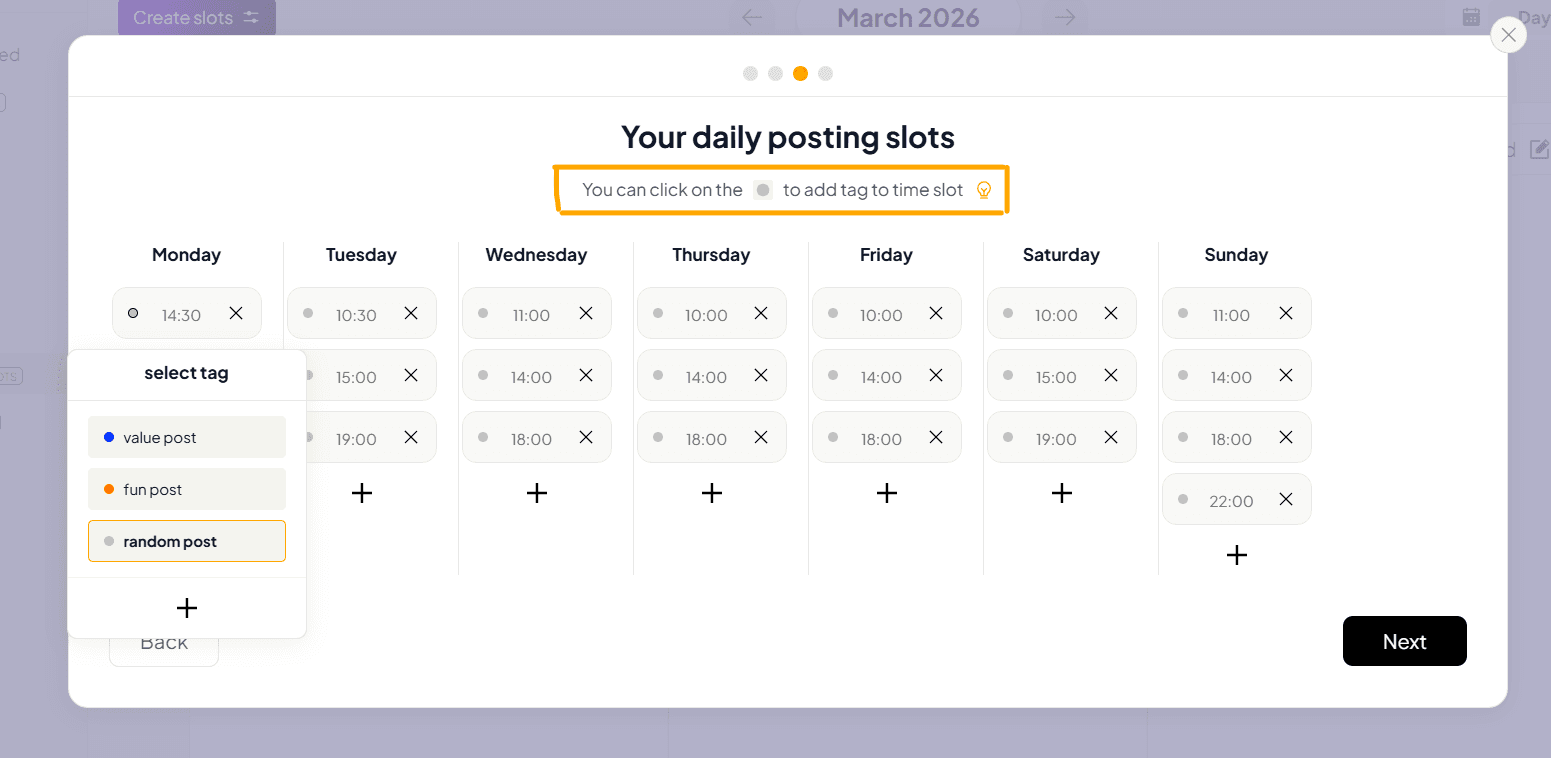
By clicking the circle on a slot, you can also assign a post tag (e.g. random, value, or fun), which helps you balance your content types and maintain a more engaging posting strategy.
Take a moment to review your schedule, then click Next to save your setup.
6. Manage & Add Content to Your Slots
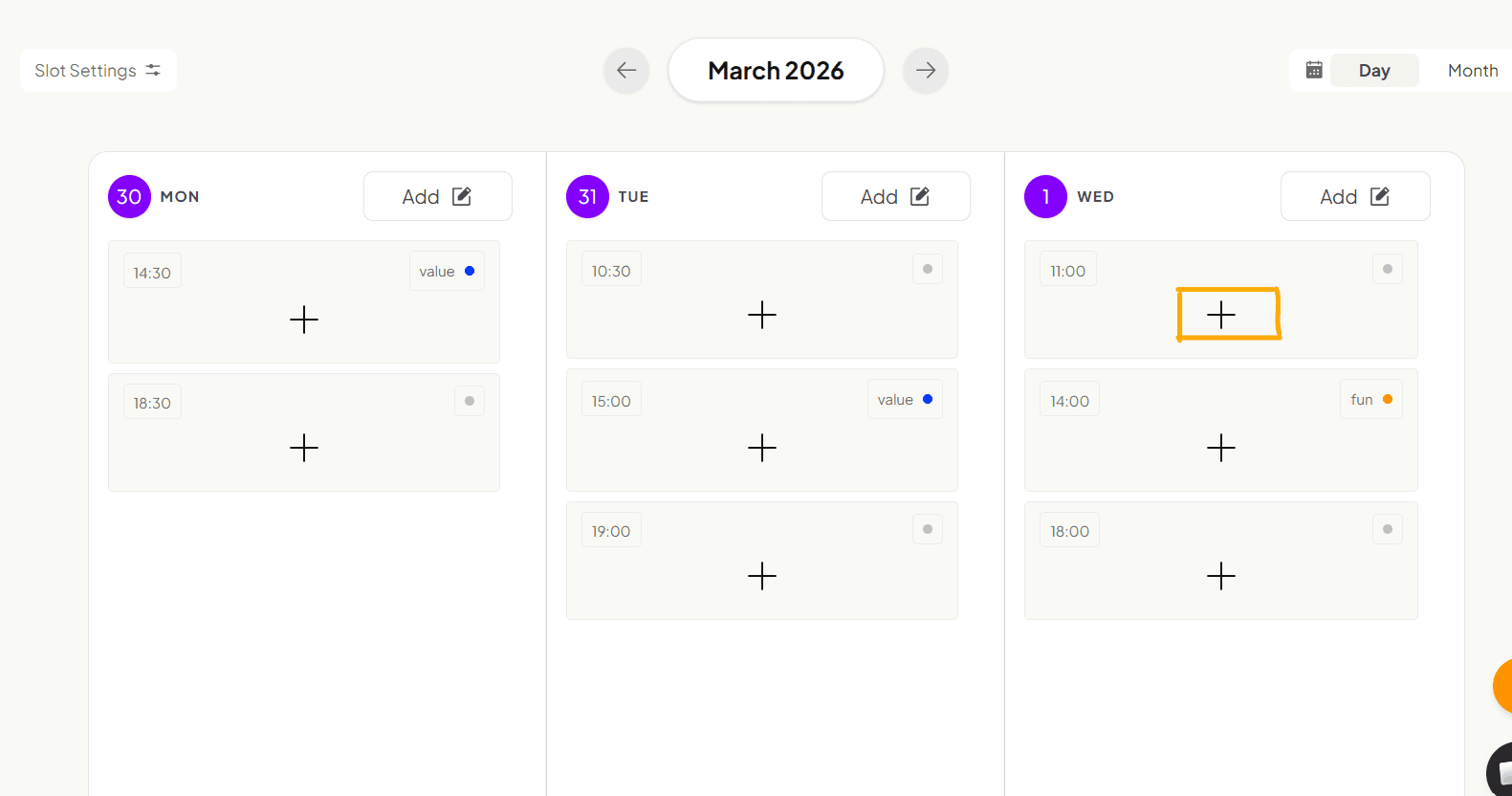
In this step, you can start filling your slots with actual content.
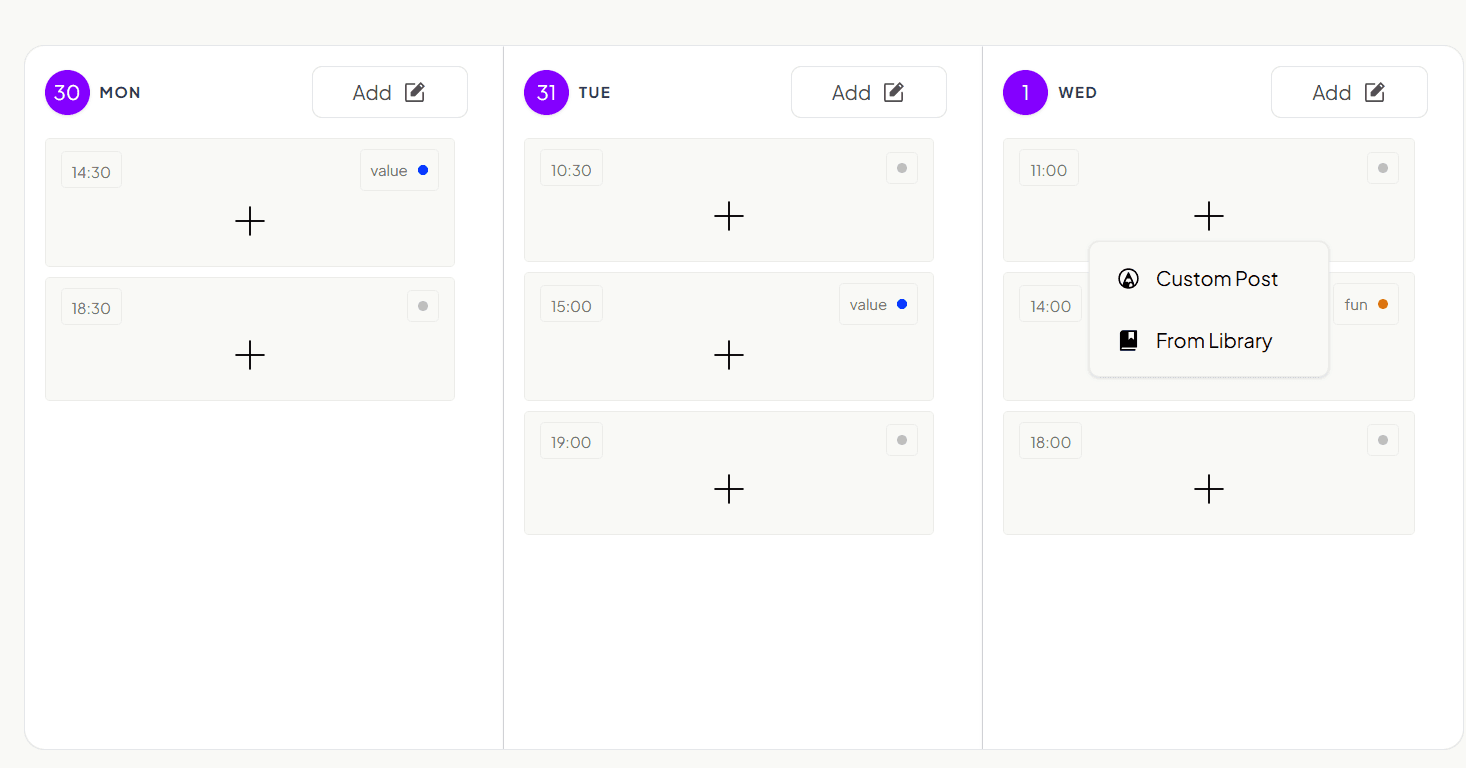
Each slot shows the exact posting time and gives you options to add content:
Custom Post
This option allows you to create a new post directly inside the slot.
From Library
This option lets you select content you’ve already saved in your content library.
Simply click on any slot to assign a post instantly. This allows you to plan and organize your content ahead of time without missing any scheduled posts.
Why Calendar Slots Matter
Calendar Slots turn scheduling into a system instead of a manual process.
1. It saves time
No more back-and-forth messages to find a meeting time.
2. It prevents double bookings
Your availability is automatically managed and updated.
3. It improves scheduling clarity
People can clearly see when you are available.
4. It supports global scheduling
Time zones are handled automatically, making it easier to work with people worldwide.
5. It keeps you consistent and organized
With structured availability, your schedule becomes predictable and easier to manage.
FAQ
1. What are SupaBird Calendar Slots?
SupaBird Calendar Slots helps you schedule your X posts at the perfect times through smart region targeting, daily frequency settings, and automated posting slots.
2. How to Use SupaBird Calendar Slots
Open the Calendar in SupaBird, create daily posting slots, choose your posting frequency, select your target region to optimize timing, and assign content to each slot. SupaBird handles the publishing automatically.
3. Why Calendar Slots Matter
Calendar slots save time, prevent double bookings, maintain posting consistency, support global scheduling, and keep your content organized and visible to your audience at peak engagement hours.
4. Can I change the target region after setting up Calendar Slots?
Yes, you can go back to the scheduling strategy step anytime and switch your region your slots will update to the new active hours instantly.
5. What is the best posting frequency for growth?
For most accounts, posting 3–4 times per day is ideal. This frequency helps you stay visible without overwhelming your audience. However, the optimal number can vary depending on your niche, audience behavior.
6. Is automated scheduling better than manual posting?
Yes, automated scheduling is more efficient and reliable. It reduces human error, ensures consistency, and allows you to focus on content quality instead of timing logistics.
7. How do scheduling slots save time?
Instead of manually selecting a time for every post, you create a reusable system. Once your slots are set, you simply assign content, and the platform handles publishing automatically, saving hours every week.