SupaBird X-GPT is an AI feature that analyzes a user’s ideas and writing style to transform them into optimized, high-engagement posts for X. It helps creators, founders, and marketers write better content faster while maintaining consistency and improving audience growth.
What is SupaBird X-GPT?
SupaBird X-GPT is an AI-powered content feature designed to help creators write better posts on X.
Unlike traditional AI writing tools that generate generic text, X-GPT focuses specifically on creating high-engagement X posts.
The feature works as a personalized AI assistant trained on:
the user's writing style
successful creator content
proven engagement formats
Instead of starting from a blank page, users can simply input an idea. If you don’t have an idea yet, you can use SupaBird’s Ideas Lab to generate high-quality post ideas based on proven content patterns. And X-GPT transforms that idea into a structured, engaging post optimized for the X platform.
This makes it easier for creators and founders to maintain consistent posting while improving the quality of their content.
How SupaBird X-GPT Works
The process behind X-GPT is simple but powerful.
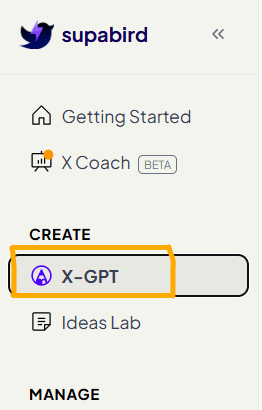
1. Open X-GPT
You can find it in the left navigation bar.
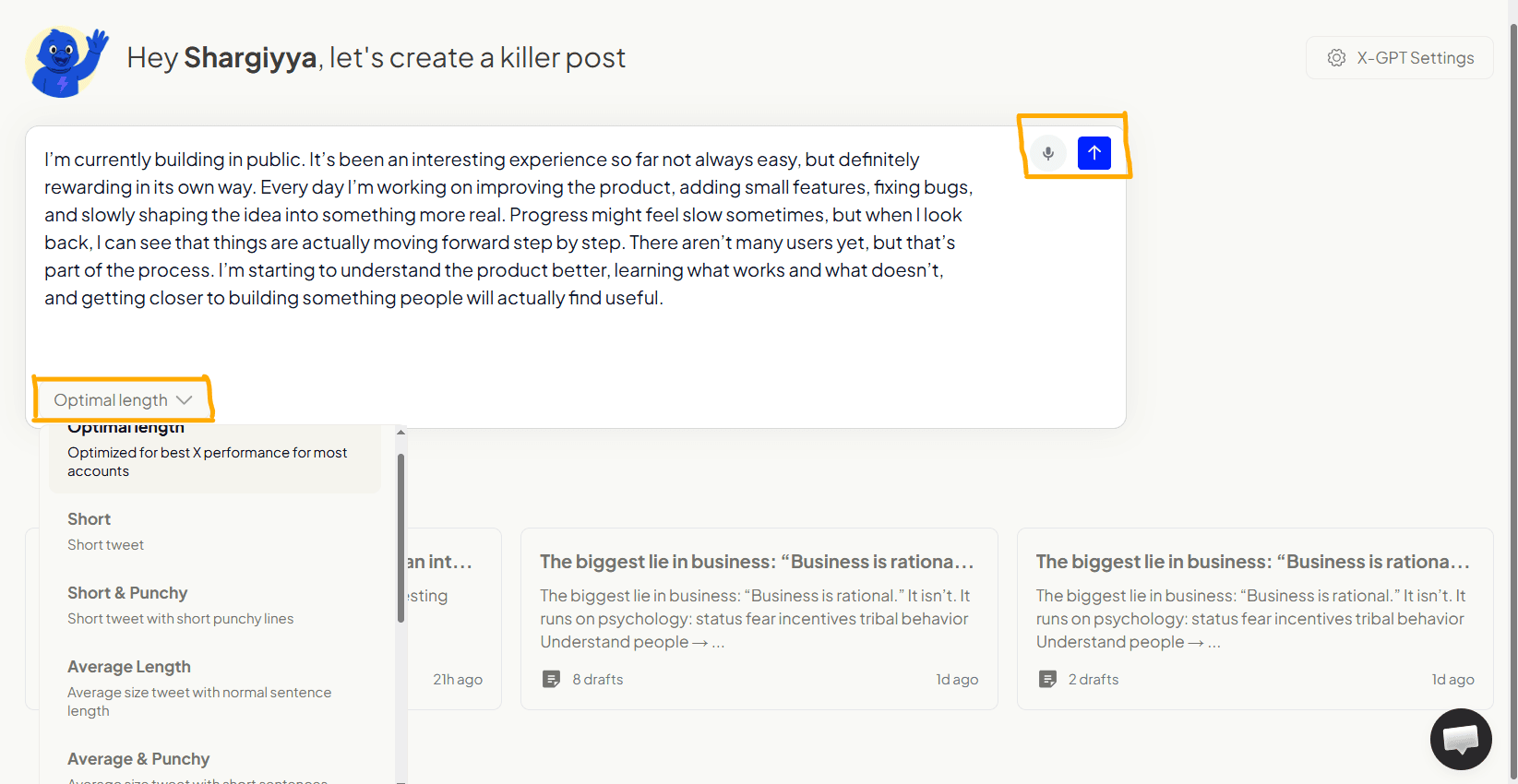
Users start by entering a simple idea or concept they want to share. For those who struggle with idea generation, SupaBird also provides tools like Ideas Lab to discover content ideas.
This can be:
a business insight
a lesson learned
a personal thought
a content idea
Before generating the post, users can also choose the optimal post length depending on how they want to present the idea. For example, they may select a shorter, more concise post or a longer format that explains the idea in more detail.
Once the idea is ready, users simply click the blue “Send” button, which starts the generation process. SupaBird X-GPT then analyzes the input and begins transforming the idea into an optimized X post designed for engagement.
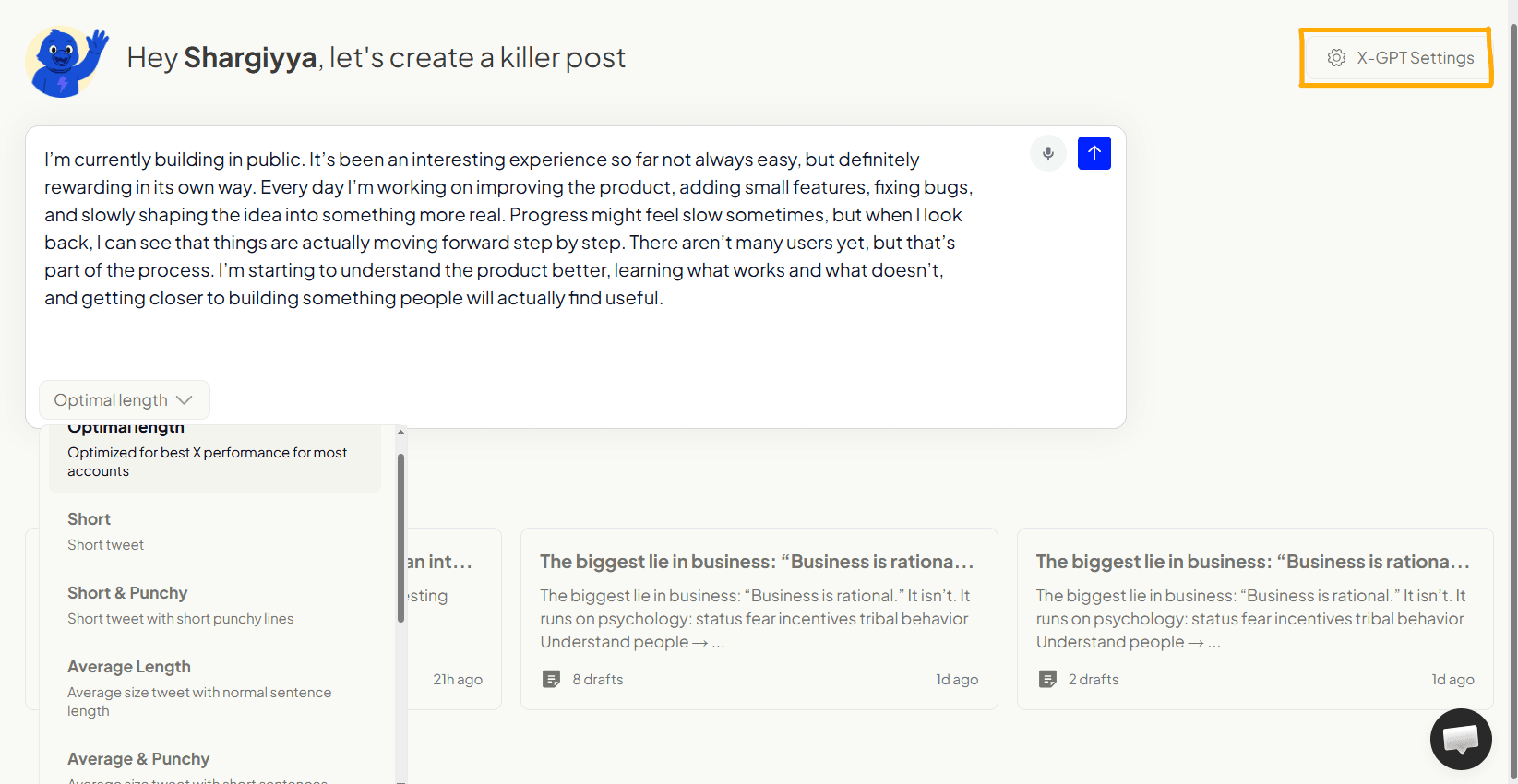
2. Custom Writing Styles in X-GPT
X-GPT generates content based on the writing style you select in your SupaBird Agent settings. You can explore different writing styles and learn more here.
3. Post Generation
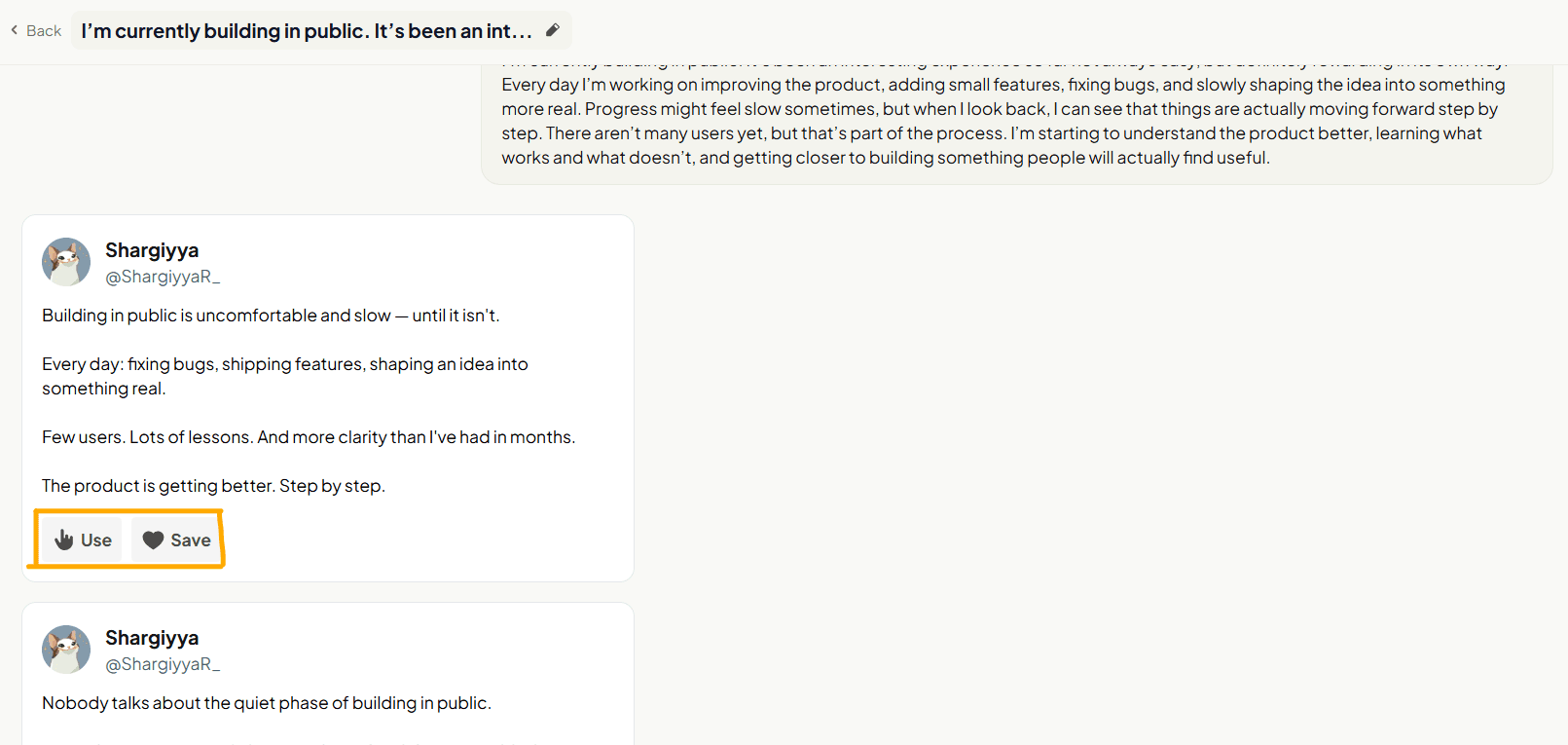
The system restructures the idea into a post format optimized for X engagement. And gives 2 drafts.
This includes:
strong hooks
improved clarity
engaging structure
4. Action Options
When users click “Use”, the generated post is instantly transferred into the editor.
This allows them to:
review the content
make small edits
Editing, Scheduling, and Publishing
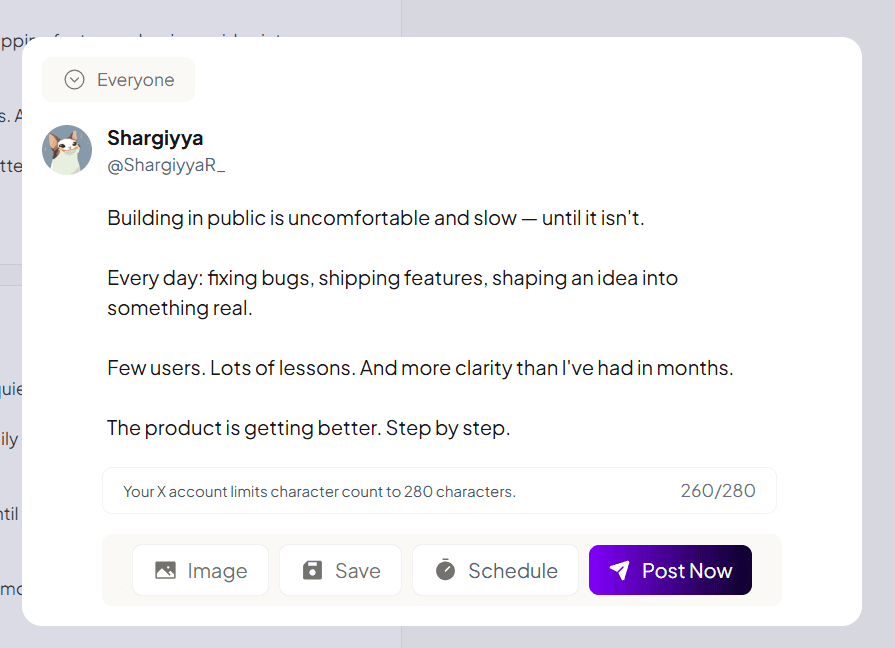
After clicking “Use”, the post appears inside SupaBird’s editor, where users can finalize their content.
Inside the editor, users can:
see the character count (optimized for X limits)
preview the post
make final edits
add images
save the draft
schedule the post for later
or publish instantly
Once everything is ready, users can click the “Post Now” button to publish directly to X.
Saving Posts for Later
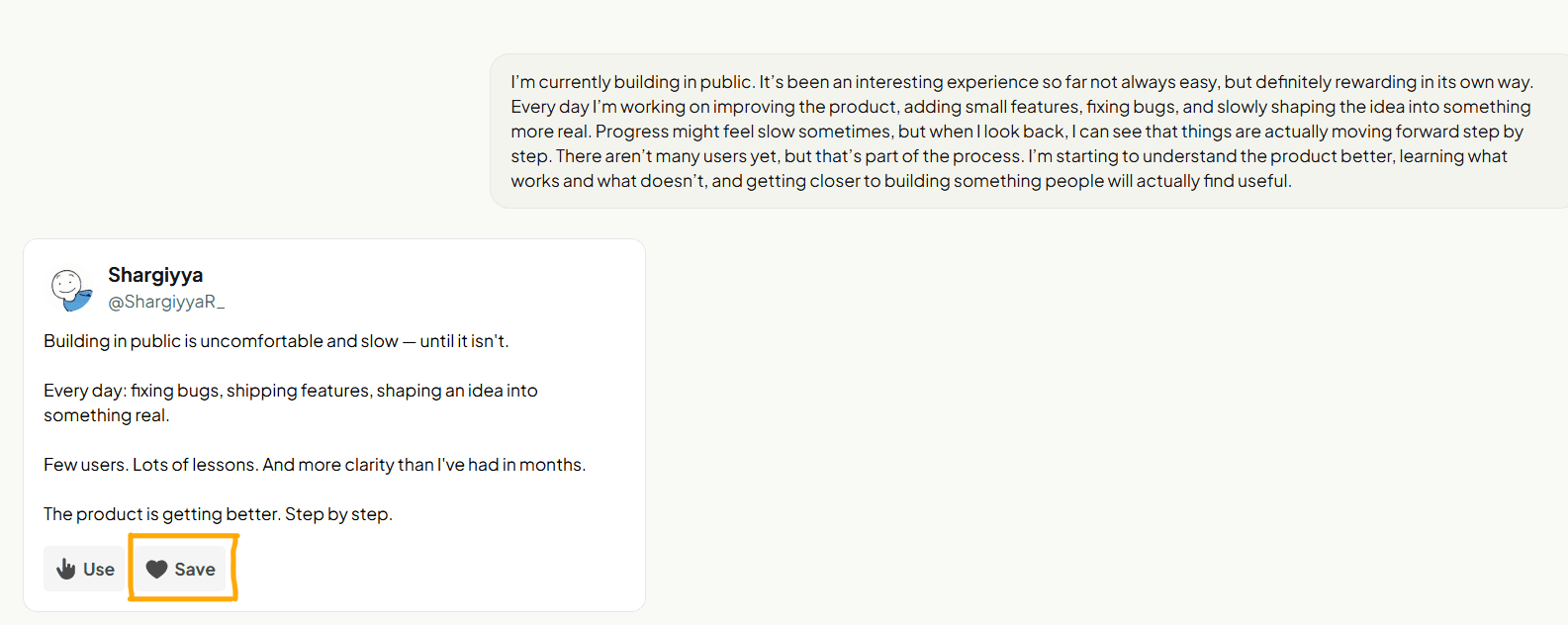
If users are not ready to publish, they can click “Save”.
This feature allows users to:
store content ideas for later
build a backlog of posts
organize future content
maintain consistency without daily writing
This is especially useful for creators who prefer batching content.
Scheduling post
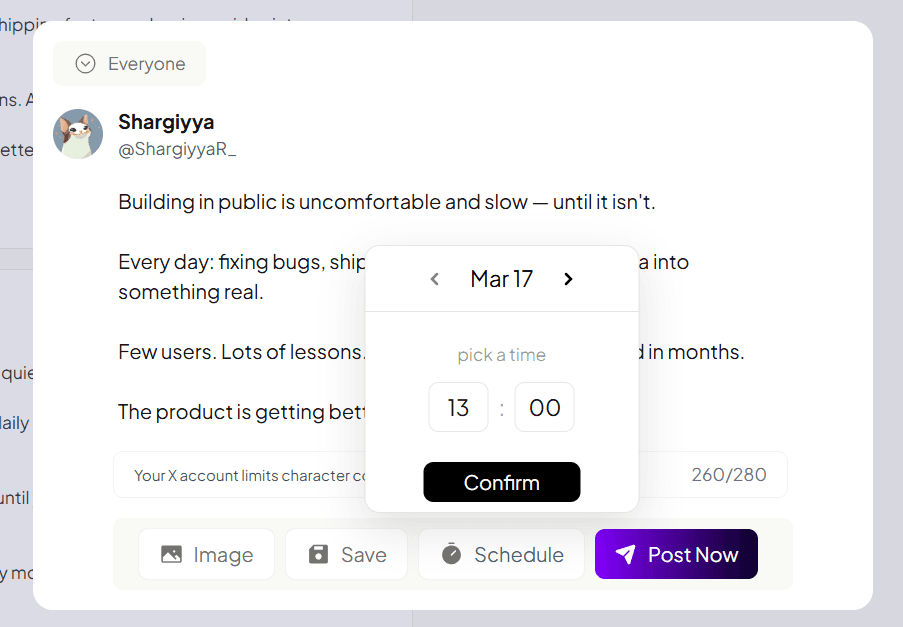
After generating and editing a post, users can choose the “Schedule” option instead of posting immediately.
This opens a simple scheduling interface where users can:
select a specific date and time
plan posts ahead of time
organize their content calendar
Once scheduled, the post will be automatically published on X at the selected time.
Scheduling With and Without Slots
SupaBird supports two ways of scheduling content:
Manual Scheduling (Without Slots)
Users can manually choose an exact date and time for each post. This is the default option and works well for flexible, one-off scheduling.
Scheduling with Slots
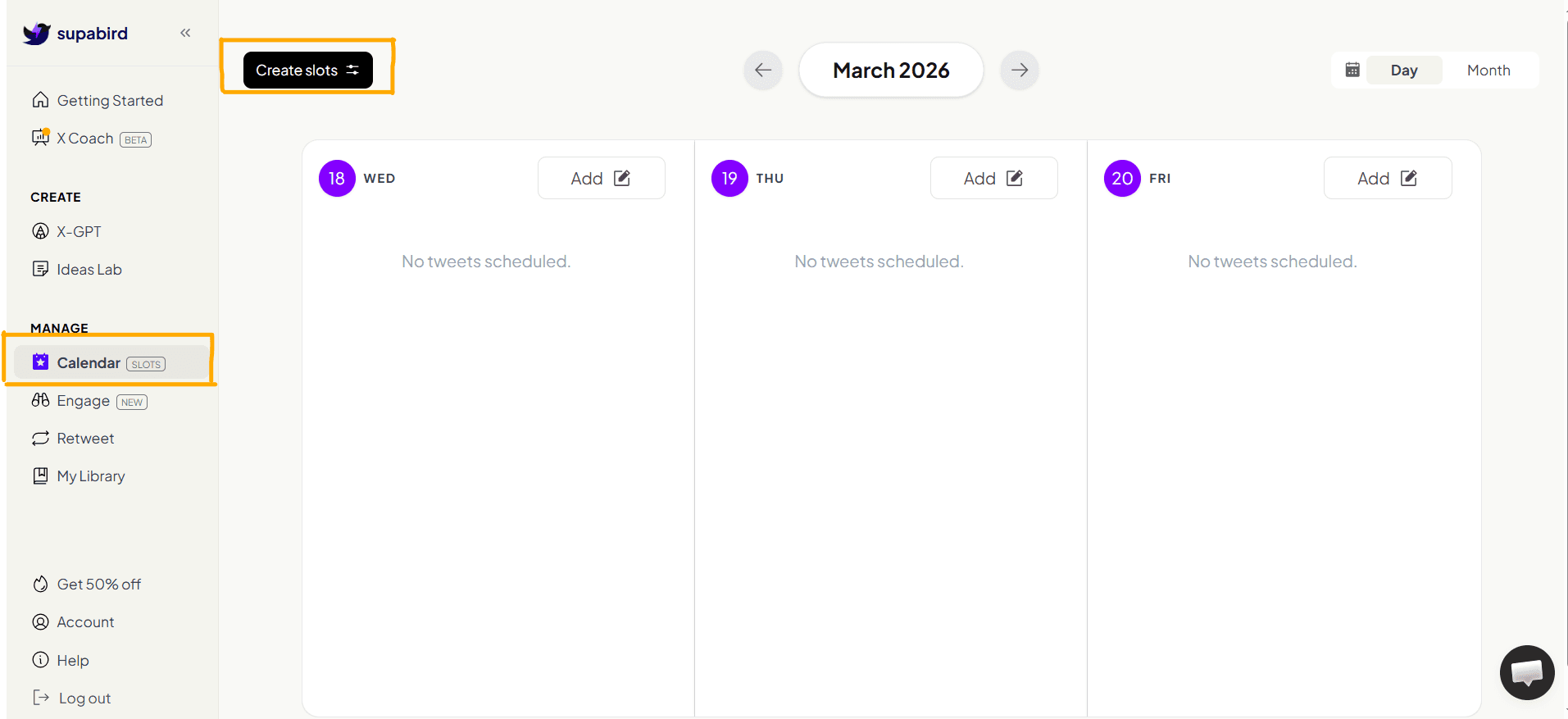
SupaBird also offers scheduling slots, which can be created from the calendar by clicking “Create Slots.”
You can learn more about scheduling slots in a separate guide - here.
FAQ
1. What makes SupaBird X-GPT different from other AI writing tools?
SupaBird X-GPT is built specifically for X, focusing on short-form, high-engagement content rather than general writing tasks.
2. Can SupaBird X-GPT help grow my audience on X?
Yes, it helps improve consistency, hooks, and structure - key factors for growing an audience on X.
3. Who should use SupaBird X-GPT?
Founders, creators, marketers, indie hackers, and anyone looking to grow on X.
4. Is SupaBird X-GPT better than writing posts manually?
For most users, yes it saves time, improves consistency, and optimizes content.
5. Can I customize the output generated by X-GPT?
Yes, you can edit, refine, and personalize every generated post.
6. Is SupaBird X-GPT suitable for beginners?
Yes, it’s beginner-friendly and requires no prior content writing experience.
7. How is SupaBird X-GPT different from ChatGPT for writing X posts?
X-GPT is optimized specifically for X content and is trained on your writing style as well as proven creator styles, allowing it to generate more authentic and engaging posts compared to general-purpose AI like ChatGPT.
8. Can I use SupaBird X-GPT for business content?
Yes, it’s ideal for sharing insights, promoting products, and building authority.
9. Does X-GPT write posts automatically?
It generates posts from your ideas and optimizes them for engagement.