10 Best Twitter Scheduling Tools for 2026 (Free & Paid)
Author:

Stop Guessing, Start Scheduling: The Smart Way to Grow on X
Great ideas for X often arrive at the worst possible time. During meetings, on a walk, halfway through another task. Then they disappear, or they get posted in a rush, without a strong hook, a clean thread structure, or any thought about timing. The result is familiar. One day the account looks active and sharp, the next day it's silent.
That stop-start rhythm hurts more than most creators realize. Consistency on X isn't just a discipline problem. It's a workflow problem. If the process for capturing ideas, turning them into posts, scheduling them, and learning from results is clunky, even strong creators fall off.
Twitter scheduling tools solve part of that. The better ones do more than queue posts. They help with ideation, thread drafting, approvals, timing, engagement, and post-level analysis. That matters because publishing is only one step in a winning X strategy. The main advantage comes from using a system that reduces friction from start to finish.
This guide focuses on that full workflow. Some tools are best for solo creators who need speed. Others fit agencies that need approvals and reporting. A few are built specifically for X and help with writing, engagement, and iteration, not just scheduling.
Table of Contents
1. SupaBird
You have a week of X posts to plan, two half-finished thread drafts, a backlog of ideas in Notes, and no time to hunt for reply opportunities by hand. That is the situation SupaBird is built for. It covers more than scheduling. It helps run the full workflow from idea generation to drafting to posting to feedback, which is the key difference between a tool that fills a queue and a tool that supports an actual X strategy.
The value here is operational. Instead of bouncing between an AI writer, a spreadsheet, X itself, and a scheduler, you can keep ideation, rewriting, engagement research, and publishing in one system. For founders, creators, and lean marketing teams, that usually means fewer dropped ideas and a more consistent posting rhythm.
Why SupaBird stands out
SupaBird starts at the point where a lot of scheduling tools stop. IdeasLab helps generate post angles based on the creators and accounts you follow closely, which is useful if your problem is not publishing discipline alone, but coming up with strong material often enough to matter. That makes it more relevant for people trying to build a pipeline, not just a calendar.
X-GPT handles the draft improvement layer. A rough idea can be reworked into a tighter hook, a cleaner post structure, or a thread that reads with more momentum. In practice, that saves time, but it also creates a trade-off. If you rely on rewriting too heavily, posts can start to feel overprocessed. The tool works best when there is already a point of view to sharpen.
Engage adds another missing part of the workflow. It surfaces posts worth replying to, so the system is not limited to scheduled publishing. That matters because X growth rarely comes from posting alone. Good tools should help with distribution and discovery, not just timing.
Its calendar also supports planning with more intent than a basic queue. Suggested posting times and recurring scheduling slots help reduce daily decision fatigue, especially for teams posting across time zones. Users who want that kind of structure can review SupaBird scheduling slots for smarter posting automation.
Practical rule: If your content process breaks before the scheduling step, a scheduler alone will not fix it.
Best fit and trade-offs
SupaBird makes the most sense for people who treat X as a growth channel, not a side task. The coaching layer is part of that. X Coach combines AI guidance with access to a human mentor, which is uncommon in this category and useful if you want feedback on why posts underperform, not just confirmation that they were published.
There are limits. SupaBird is focused on X, so it is less attractive for teams that need broad multi-platform publishing from one dashboard. It also asks for more active use than a lightweight scheduler. To get value from the idea engine, coaching, and engagement prompts, you need a working routine. Teams that want a simple set-it-and-forget-it queue may find it heavier than they need.
The upside is clarity. SupaBird is built for the whole posting loop: find ideas, shape them into stronger posts, publish on a schedule, join relevant conversations, then review what worked and adjust. That is a better fit for creators building an audience, founders growing through personal brand, and small teams trying to turn X into a repeatable acquisition channel.
Best for creators: People who need help turning scattered ideas into a steady stream of stronger posts and threads.
Best for founders: Teams using X to drive awareness and trust without building a large social team.
Less ideal for hobby use: Casual users may not need coaching, engagement workflows, or a more involved content system.
2. Buffer
Buffer stays popular because it doesn't try to do everything. It handles drafting, scheduling, and basic analysis with very little friction. For creators or small teams managing X alongside LinkedIn, Instagram, or other channels, that simplicity is often the point.
This is one of the easiest tools to hand to someone who has never used a scheduler before. The queue and calendar views are straightforward, the interface is clean, and the learning curve is low. That makes Buffer a safe choice when consistency matters more than advanced growth features.
Where Buffer works best
Buffer fits teams that want a practical multi-platform setup without paying for heavy enterprise features. It supports queue-based and calendar-based scheduling, and it can handle X threads, which matters for creators who don't want to publish a long thread manually. The built-in AI assistant is useful for light editing, but it isn't the main reason to choose the tool.
The catch is depth. Buffer isn't designed to be a full listening, social inbox, or governance platform. It also doesn't offer the kind of X-specific growth workflow that dedicated tools do. If the job is only to get polished posts out on time across several networks, Buffer works. If the job is to build a serious X engine, it can feel thin.
Buffer is strongest when the content strategy is already clear and the team just needs a dependable publishing layer.
A practical example helps here. A consultant posting short insights on X, repurposing them to LinkedIn, and checking performance once a week will likely find Buffer sufficient. A growth-focused creator trying to build threads, engage strategically, and iterate on hooks quickly will usually outgrow it.
A direct link to the platform is available on the Buffer website.
3. Hootsuite
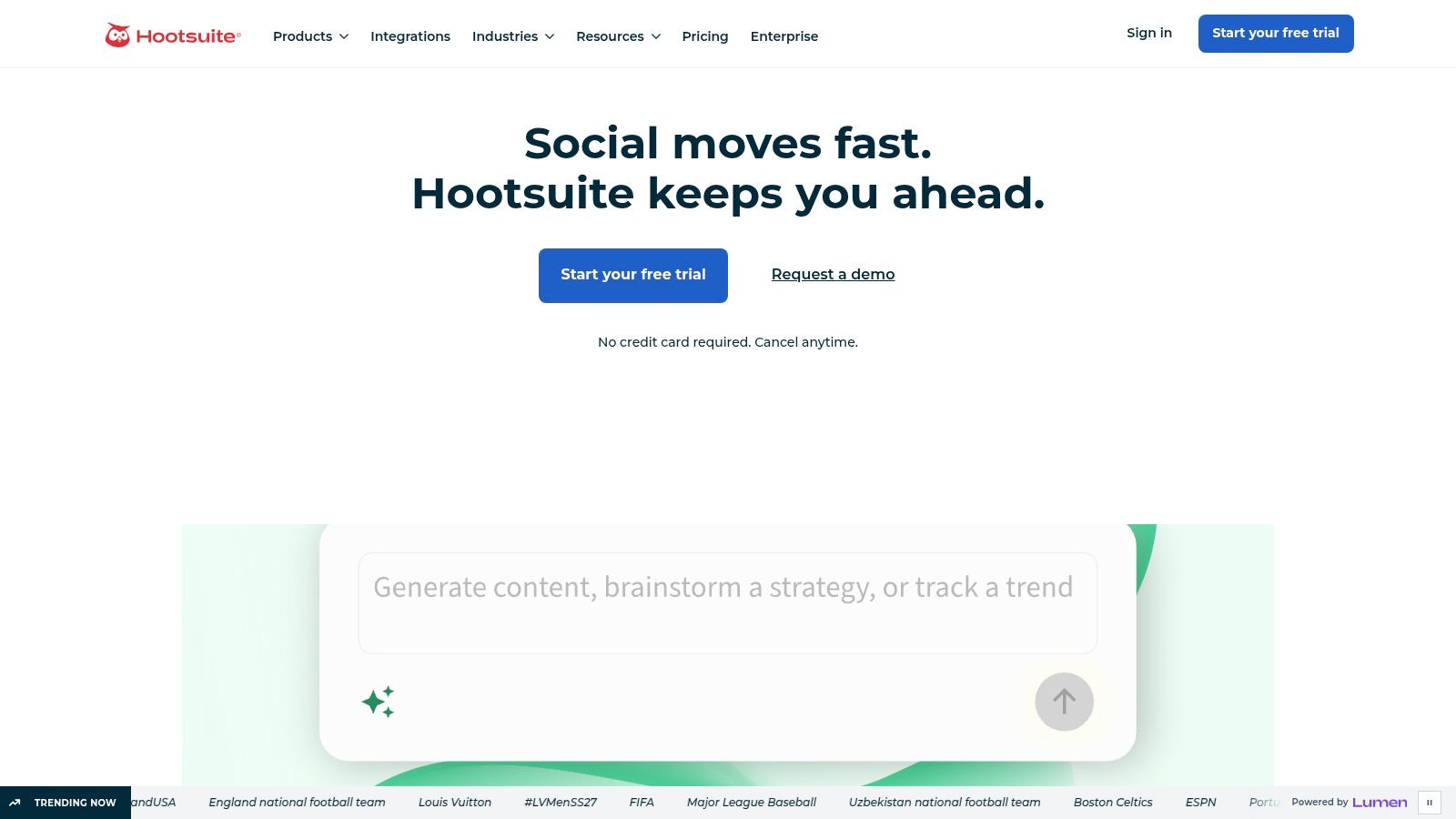
Hootsuite sits on the opposite end of the spectrum from creator-first tools. It isn't trying to be minimalist, and it isn't built mainly for solo operators. It's built for teams that need publishing, approvals, inbox management, listening, and reporting under one roof.
That makes it a serious option for brands, agencies, PR teams, and larger social operations. If several people touch the same accounts and every post needs process, Hootsuite becomes easier to justify.
Who should use Hootsuite
The biggest strength here is governance. Teams can manage approvals, centralize messages, and build more controlled publishing workflows. Paid plans support unlimited scheduling, and the broader system includes features around analytics, listening, employee advocacy, and compliance options such as SSO.
Those strengths are also the reason smaller users bounce off it. The interface has depth, which also means more setup and more places to click. Solo creators usually don't need that level of operational structure, and they'll often end up paying for features that don't help them write better posts or grow faster on X.
Use Hootsuite if: Multiple stakeholders need access, approvals matter, and reporting has to satisfy clients or leadership.
Skip it if: The goal is mainly thread writing, idea generation, or X-native engagement.
Watch for: Seat-based pricing can make the tool feel expensive as teams expand.
A practical example. An in-house social team handling product launches, customer messages, and executive accounts may benefit from one controlled system. A newsletter writer posting a thread every morning probably won't.
The product can be reviewed on the Hootsuite platform website.
4. Sprout Social
Sprout Social is for teams that care a lot about reporting. Not vanity dashboards. Actual reporting that helps explain what happened, what changed, and which accounts or posts are pulling their weight. Among Twitter scheduling tools, that's where Sprout separates itself.
It also handles scheduling, collaboration, approvals, and optional listening features, but the analytics layer is the primary attraction. Agencies and established brands often need that level of visibility because publishing is only half the job. The other half is proving value internally or to clients.
Where Sprout earns its price
Sprout's calendar scheduling and optimal send-time suggestions are useful, but similar features exist elsewhere. What pushes Sprout into premium territory is the depth of per-profile and per-post reporting, along with strong collaboration for teams. If several people need to review content, manage roles, and produce clean reporting, it does the job well.
The downside is obvious. It's pricey, and that cost makes less sense for solo creators or lean startups that only need reliable scheduling and simple performance checks. Those users often mistake "more analytics" for "better fit." In practice, they just need a sharper content process.
Better reporting doesn't fix weak positioning, weak hooks, or weak timing. It only makes those problems easier to see.
A practical fit would be an agency running X alongside other social channels for multiple clients and needing strong exports and repeatable reporting. A founder posting thought leadership a few times a week is likely better served by a lighter, more focused tool.
The platform is available on the Sprout Social website.
5. SocialPilot

SocialPilot earns attention for one simple reason. It gives agencies and multi-account teams a lot of operational utility without forcing them into top-tier enterprise pricing. That alone makes it one of the more practical choices on this list.
It isn't flashy. The interface is functional, not polished for aesthetics. But for many teams, that trade-off is fine if the tool handles bulk publishing, approvals, client workflows, and reporting without drama.
Why agencies like SocialPilot
Bulk scheduling via CSV is a real time-saver when teams are managing a large publishing calendar. Client approval flows and white-label reporting are also useful for agencies that need a client-friendly layer, not just an internal dashboard. SocialPilot also supports multi-user management, a social inbox, and a calendar with AI-suggested times.
The trade-off is sophistication in other areas. Listening and competitive intelligence aren't as advanced as what higher-end suites offer. So if the workflow depends heavily on brand monitoring, PR response, or deep social listening, another tool may fit better.
A practical example. An agency managing multiple local business accounts can use SocialPilot to batch schedule campaign posts, route approval to clients, and export reports with minimal overhead. A brand team needing richer sentiment analysis and broader enterprise governance may hit its limits.
Strong point: Bulk scheduling and client approvals for account-heavy teams.
Weak point: Less depth in listening and intelligence features.
Best fit: Agencies, freelancers with several clients, and small marketing teams.
The product is available on the SocialPilot website.
6. Publer

Publer is one of the more interesting middle-ground options. It has more X-specific flexibility than broad social suites, but it stays affordable and approachable for smaller teams. That makes it a solid choice for users who want more than basic scheduling without jumping into enterprise software.
Its standout value is publishing variety. Publer supports standard posts, threads, retweets, and quote tweets, which makes it more useful on X than many generic social schedulers.
What Publer does well on X
For creators who run a mixed content strategy, Publer is practical. A team can schedule an original thread for the morning, a quote tweet for commentary later in the day, and a retweet of an older post without juggling tools. The AI writer and queue features help speed up drafting, and content recycling supports evergreen workflows.
There are limits. Some long-form X actions may depend on Premium access or API constraints, so teams shouldn't assume every advanced X format will work the same way for every account. Reporting is also simpler than what enterprise platforms offer, and the interface feels more utilitarian than premium.
The sweet spot for Publer is a small team that wants X-specific publishing flexibility without paying for layers of features it won't use.
A practical use case is a small SaaS team posting educational threads, customer quote tweets, and occasional recycled evergreen posts. Publer fits that rhythm well. A large brand requiring approvals, listening, and richer reporting probably needs something broader.
The tool can be explored on the Publer website.
7. Typefully
Typefully is built for people who care how the post reads before they care where else it can go. That sounds obvious, but most schedulers still treat writing as a box to fill. Typefully treats it as the product.
For X-heavy creators, that's a meaningful difference. The editor is minimalist, thread drafting feels smooth, and the tool gets out of the way. Writers, operators, and personal brand builders often prefer that over feature-heavy dashboards.
Why writers like Typefully
The strength here is composition. Drafting and scheduling posts or threads feels focused, and AI Quick Edits help refine tone and clarity without turning the workflow into a gimmick. It also offers send-time suggestions, analytics, and role-based collaboration on higher-tier business plans.
The trade-off is scope. Typefully isn't trying to be a full social suite. It won't replace a deep reporting platform, a true agency workflow tool, or a more complete X growth system. That's fine if writing is the bottleneck. It's limiting if the bottleneck is approvals, engagement workflow, or cross-platform operations.
A practical example. A founder who posts threads explaining product decisions or market observations may get more value from Typefully's clean editor than from a busier dashboard. Teams evaluating similar tools should also compare Typefully alternatives for X creators, especially if they need more help with ideation and engagement.
Best for: Thread-heavy creators who want a distraction-free writing flow.
Less ideal for: Agencies that need approvals, white-label reporting, or broad multi-network coordination.
Watch for: Collaboration features are stronger on higher plans.
The official product page is on the Typefully website.
8. Tweet Hunter
Tweet Hunter is built for users who want X to generate business outcomes, not just impressions. It combines scheduling with AI writing, inspiration workflows, analytics, CRM-style account organization, and automations such as auto-DMs and retweets. That package makes it appealing to ghostwriters, creators, consultants, and B2B operators.
It also comes with a risk. Powerful automation can help a workflow scale, but it can also make an account feel mechanical fast.
Where Tweet Hunter helps and where it can go wrong
The best part of Tweet Hunter is its specialization. It understands how X creators work. The inspiration library helps unblock ideation. The AI can assist with hooks and structure. The X CRM is useful for organizing target accounts and engagement, which matters if relationship building is part of the strategy.
The weak point is over-automation. Auto-DMs, auto-plugs, and repetitive retweet behavior can drift into spammy territory if they're used lazily. That usually hurts brand perception long before it helps growth. The tool works best when the automation supports a thoughtful strategy instead of replacing one.
Automated engagement should amplify a real voice, not simulate one.
A practical example. A consultant using X to build pipeline may use Tweet Hunter to schedule educational threads, track warm accounts, and reply consistently to a curated list. But if every new follower gets the same DM and every viral post triggers the same plug, the account starts to feel transactional.
Teams weighing this tool against more workflow-driven options can compare SupaBird vs Tweet Hunter for X creators. The official product site is the Tweet Hunter website.
9. Hypefury

Hypefury has long appealed to creators who publish often and want automations that keep posts circulating. It works especially well for thread-heavy accounts, evergreen content strategies, and users who want built-in cross-posting to extend content beyond X.
That focus makes it more creator-centric than broad social suites. It also means the tool leans harder into growth mechanics than some teams will want.
Best use cases for Hypefury
Hypefury is strong when the content engine is already active. Thread templates, delayed thread posting, CSV bulk upload, and reposting workflows support creators who publish repeatedly and want to squeeze more mileage out of existing content. Engagement Builder, list imports, auto-plugs, and auto-DMs add another layer for people treating X as a growth channel.
The downside is familiar. Those same automations can become heavy-handed. Used carefully, they save time. Used aggressively, they make the account feel formulaic. Pricing also tends to climb as more accounts and automation needs get added, so the tool works best when the user knows exactly why those features matter.
A practical example. An indie hacker publishing educational threads, reposting evergreen posts, and cross-posting selected content to LinkedIn can get strong value from Hypefury. A brand team with stricter tone control and approval requirements may find the workflow too creator-centric.
For teams comparing similar creator tools, this roundup of Hypefury alternatives in 2026 is worth reviewing. The tool itself is available on the Hypefury website.
10. Metricool
Metricool is a smart pick for marketers who care about scheduling and reporting in the same dashboard. It isn't the most X-native tool on this list, but it is one of the better options for teams managing several social channels and wanting a clear picture of performance across them.
That broad reporting view is the reason many agencies and SMBs choose it. Instead of treating X in isolation, Metricool makes it easier to see how social activity fits into the larger marketing mix.
Why marketers choose Metricool
Metricool offers calendar scheduling, best-time heatmaps, competitor analysis, exportable reports, and support for threads and reordered tweets. It also includes extras such as SmartLinks and ad integrations, which push it closer to a wider marketing operations tool than a pure scheduler.
The limitation is that X scheduling isn't part of the free setup. Teams need a paid plan or add-on to work with X, which can surprise users who assumed they could test the whole workflow at no cost. Collaboration and governance are also lighter than what enterprise tools provide.
A practical example. A small agency managing X, Instagram, and LinkedIn for several clients may appreciate Metricool because it combines scheduling with clean reporting and competitor snapshots. A creator whose entire strategy lives on X may want a tool that goes deeper on writing, engagement, and iteration.
Choose Metricool for: Cross-platform scheduling with a strong analytics angle.
Avoid it for: X-only creators who want idea generation or thread-first composition.
Good middle ground: Agencies and SMBs that need reports without jumping to enterprise software.
The platform can be accessed on the Metricool website.
Top 10 Twitter Scheduling Tools Comparison
A scheduling tool earns its keep when it shortens the full loop: come up with an idea, turn it into a post or thread, publish it at the right time, then learn what performed well. That is the standard that matters on X. A pretty calendar is useful, but it does not fix weak ideas, clumsy drafting, or shallow reporting.
The table below compares these tools by workflow fit, not just feature count.
Tool | Core features | UX & quality | Best for | Key differentiator & price |
|---|---|---|---|---|
SupaBird (Recommended) | AI IdeasLab, Engage discovery, X-GPT rewrites, scheduler, human + AI coaching | Polished workflow, built for active X publishing | Creators, founders, and marketers who want one place for ideation, writing, scheduling, and feedback | End-to-end X workflow with AI and human guidance. $39/mo or $99/yr. Free trial, 7-day money-back |
Buffer | Queue and calendar scheduling, AI captions, extensions, analytics | Clean UI, low setup friction | Indie creators and small teams that need dependable scheduling across platforms | Easy to start, especially if X is only one channel. Free plan available, then per-channel pricing |
Hootsuite | Publishing, unified inbox, listening, approvals, advanced analytics | Mature platform, heavier setup, more moving parts | Teams and brands that need approvals, reporting, and shared workflows | Granular team permissions, approval paths, and compliance controls. Per-seat pricing gets expensive fast |
Sprout Social | Scheduling, premium analytics, collaboration, listening add-ons | Refined reporting experience, built for oversight | Agencies and in-house teams that report performance to stakeholders | Strong reporting and audit trails. Premium per-seat pricing |
SocialPilot | Bulk scheduling (CSV), client approvals, white-label reporting, AI timing suggestions | Practical UI, less polished than premium tools | Agencies handling many client accounts on a budget | Multi-account pricing stays reasonable. White-label reporting helps with client delivery |
Publer | Tweet and thread scheduling, AI writer, content recycling, cross-posting | Flexible publishing tools, lighter analytics | Small teams focused on publishing efficiency | Useful thread support and repost options at an accessible price |
Typefully | Minimalist thread editor, AI quick edits, send-time suggestions | Excellent writing experience, few distractions | Writers and creators who care most about drafting and threads | Composition-first workflow. Collaboration is limited on lower tiers |
Tweet Hunter | Scheduling, AI hooks, inspiration library, automations, X CRM | Built for speed and output, but can feel aggressive | Growth-focused creators and ghostwriters using X for leads and relationships | Idea support plus CRM and automation. Requires restraint to avoid low-quality posting |
Hypefury | Thread workflow, engagement automations, CSV bulk upload, cross-posting | Creator-focused, strong for recurring content | Thread-heavy creators and evergreen publishers | Templates and reposting save time. Cost rises as usage grows |
Metricool | Calendar scheduling, best-time heatmaps, competitor tracking, exports | Reporting is strong for the price | Marketers and agencies that care about cross-platform analysis | Detailed analytics and competitor tracking. X requires a paid plan or add-on |
A few trade-offs stand out once you stop treating scheduling as a single feature.
For getting posts out on time, Buffer and Publer keep things straightforward. If the main bottleneck is writing strong threads, Typefully is usually the better fit. If the bottleneck is approvals, permissions, and stakeholder reporting, Hootsuite and Sprout Social justify their cost better than lighter tools.
X-specific creator tools split again after that. Tweet Hunter and Hypefury can speed up output, but they also make it easier to over-automate and sound like everyone else. SupaBird takes a different angle by tying idea generation, post drafting, scheduling, and coaching into one workflow, which matters more than a long feature list if you are trying to improve strategy, not just fill a queue.
Price matters, but workflow friction matters more.
A cheaper tool that forces you to bounce between notes, docs, schedulers, and analytics often costs more in time and inconsistency. The right choice depends on where your process breaks today: finding ideas, writing better posts, managing approvals, or reviewing performance with enough context to make the next post better.
The Right Tool Is Your System for Consistency
The best Twitter scheduling tool isn't the one with the longest feature page. It's the one that makes posting on X sustainable. That means it has to fit the actual workflow, not the idealized one. A creator who writes fast but never analyzes results needs something different from an agency juggling approvals, clients, and reporting.
That's why broad "best tool" claims usually miss the point. Buffer is a strong choice for users who want a clean, low-friction scheduler across multiple platforms. Typefully is better for writers who care most about drafting and threading. SocialPilot makes a lot of sense for agencies that need client approvals and bulk publishing without stepping into enterprise pricing.
Hootsuite and Sprout Social sit in a different category. They work best when several people manage the same social presence and the team needs governance, inbox management, listening, and reporting. These are genuine needs, but they aren't universal. Many solo creators overbuy here and still struggle because the underlying problem isn't missing enterprise software. It's an inconsistent content process.
Publer, Hypefury, and Tweet Hunter each solve more X-specific problems. Publer is practical for flexible publishing formats. Hypefury suits creators with strong evergreen and thread workflows. Tweet Hunter is useful when the account supports lead generation or relationship-driven growth. But each of these tools requires judgment. Features like reposting, auto-plugs, and auto-DMs can help when used carefully and hurt when used lazily.
SupaBird stands out because it treats scheduling as one piece of a complete X system. That matters more than it sounds. Users often don't fail on X because they lack a calendar. They fail because the path from idea to post to learning is fragmented. SupaBird addresses that with idea generation, AI-assisted rewriting, engagement discovery, scheduling, and coaching in one workflow. For founders, creators, and marketers trying to build repeatable reach, that combination is unusually practical.
The strongest move is to choose a tool based on where friction shows up right now. If posts are inconsistent, the scheduler matters. If ideas dry up, ideation matters. If the account is active but stagnant, feedback and analysis matter. A good system handles the bottleneck, not just the publishing step.
Don't just pick software and hope discipline fills the gaps. Pick a workflow that makes consistency easier week after week. That's what drives sustainable growth on X.
SupaBird is a strong choice for creators, founders, and marketers who want more than a posting queue. It gives teams one place for ideas, writing help, scheduling, engagement support, and coaching so the X workflow holds together. Start with the SupaBird free trial and product overview and build a system that keeps content moving.

The Reply Guy Strategy: A Growth Guide for X

Why New X Accounts Get Less Reach

ClimbX Review (2026): Features, Pricing, Pros and Cons

How Developer Startups Build a Brand on X Before Launch

30-Day Starting Plan for New X (Twitter) Accounts

How Often Should You Tweet for Maximum Growth?

What Should Your First 10 Tweets Be About?

How to Run X for Ten Clients: The Agency Workflow

How to write a bio that gets people to follow you
