The best posting time isn't a universal hour you can copy from a chart. Your audience may be most active during a different local morning, while a visual creator, founder, or news commentator may see stronger response in another part of the day. Even large studies disagree: a 2026 analysis of more than 8.7 million tweets found weekday mornings between 9 and 11 a.m. were the most reliable engagement window, while a SocialBee study of 707,338 posts identified 7 p.m. to 11 p.m. as the strongest period.
That disagreement doesn't make timing tools useless. It shows why the calculation matters. The strongest platforms use different signals, including follower activity, engagement history, impressions, conversations, profile-level performance, and audience time zones. A suggested slot is only useful when you understand what produced it and can test whether it fits your account.
This ranking focuses on the quality and practical usefulness of each tool's timing intelligence, then connects that recommendation to the broader workflow around ideas, writing, replies, scheduling, reporting, and collaboration. You'll find practical examples, limitations, pricing context where verified, and a simple method for validating suggested slots with real posts. The wider shift toward automated social workflows is also part of broader trends shaping social media AI.
Table of Contents
1. SupaBird
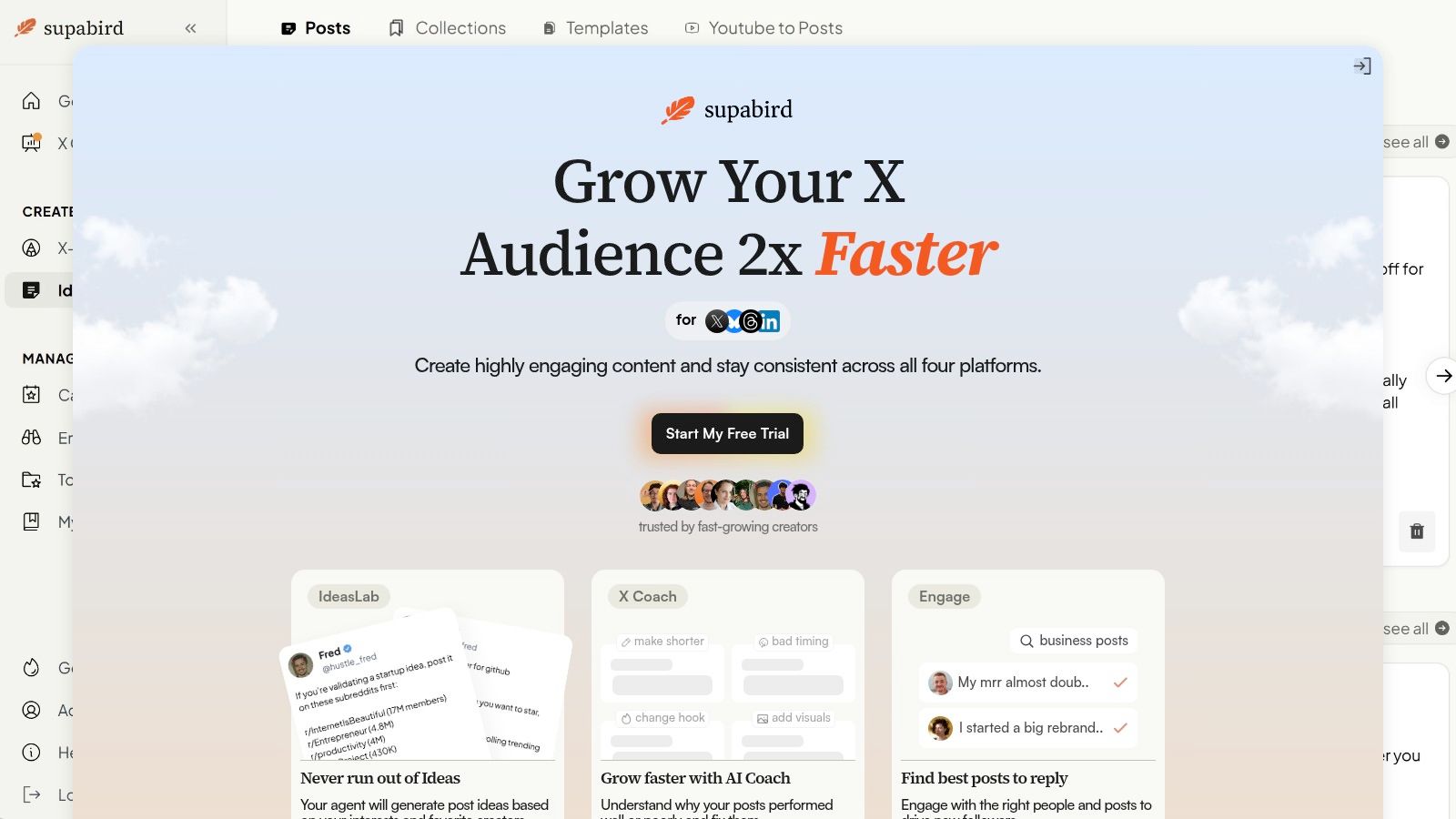
SupaBird ranks first because it treats timing as one part of an X growth system rather than an isolated calendar feature. Its built-in calendar recommends posting windows across cities such as Berlin, New York, London, and Mumbai, which is useful when a founder's audience spans Europe, North America, and India. You can plan weeks ahead while keeping local publishing windows visible instead of converting every slot manually.
The timing recommendation becomes more useful because it connects to content production. The Ideas Lab learns from favorite creators to generate niche ideas, X-GPT reshapes drafts into recognizable high-performing formats, and Engage surfaces conversations where a reply can attract relevant attention. That gives you a practical sequence: identify a topic, draft it, improve the hook, choose a local posting slot, and schedule it.
Practical rule: Treat the calendar's suggested time as the launch point, then judge it against the post's impressions, replies, and quality of conversation.
More than a scheduling calendar
X Coach adds an explanation layer that most basic schedulers lack. The daily AI coach, combined with access to a human mentor, can help diagnose whether a post needed a shorter hook, a stronger visual, a different format, or a timing adjustment. That matters because a weak result doesn't automatically prove the time was wrong.
SupaBird also supports cross-posting to Threads, LinkedIn, and Bluesky, so an X-first workflow doesn't have to create duplicate manual work elsewhere. The tradeoff is focus. Creators who need a broad enterprise publishing system may prefer a platform built around many networks, while X-focused creators get more specialized growth features here.
Pricing and fit
Plans start at $39 per month or $99 per year when billed annually, about $8.25 per month, with a free trial, cancel-anytime terms, and a 7-day money-back guarantee. SupaBird says users have created 40,000+ posts and 80,153 quality posts, and reports a rating of around 4.8. Those figures are provided by SupaBird, so they should be treated as product social proof rather than independent performance evidence.
This is the strongest fit for an X creator, indie hacker, consultant, startup founder, or social media manager who wants timing recommendations connected to ideas, targeted engagement, rewrites, scheduling, and coaching.
2. Sprout Social
Sprout Social is the best choice when timing intelligence must operate inside a governed team workflow. Its ViralPost and Optimal Send Times features analyze audience engagement patterns and can recommend or select publishing windows while you work in the composer or Sprout Queue. The important distinction is operational: the recommendation doesn't sit in a separate report that someone must interpret manually.
A marketing team can set profile-level frequency, day ranges, and publishing windows, then combine those settings with approvals, permissions, and cross-network scheduling. That makes Sprout Social stronger than a simple best-time calculator for organizations where posts need review before publication.
The analytics layer also gives teams a way to examine what happened after a post went live. X performance, reporting across networks, and profile-level controls help a social lead compare timing with the content and audience context rather than treating every post as interchangeable.
The limitation is cost structure. Per-seat pricing can become expensive as teams grow, and advanced capabilities such as listening may require higher tiers or additional products. Sprout Social is therefore a strong fit for mid-size and enterprise teams that value governance and reporting more than a lightweight creator workflow.
Use it when: A recommendation needs to move directly from audience data into an approval-safe publishing queue.
Explore Sprout Social's social media management platform if your team needs send-time optimization alongside collaboration, analytics, and multi-network control.
3. Hootsuite
Hootsuite earns its place through a clear balance between timing discovery and broad publishing infrastructure. Its Analytics module surfaces “Best Time to Publish” suggestions for each profile, including X, while the unified calendar lets a team turn those findings into a schedule without switching systems.
The timing signal is most useful for a marketer who already manages several profiles and wants a practical starting point rather than a specialist X growth environment. Hootsuite also combines an inbox, paid and organic management, custom reporting, and a large integration ecosystem. A small team can use the recommendation to seed its schedule, then use reporting to compare impressions and engagement across profiles.
Hootsuite's own guidance is deliberately nuanced. It describes X as news-driven and recommends mid-morning windows, while noting that businesses should post 2 to 3 times per day. That frequency guidance and its timing recommendations appear in Hootsuite's analysis of best posting times, but they shouldn't be treated as a universal rule for every account.
The main weakness is depth by plan. Per-seat pricing rises as more users join, and some advanced features are gated to higher tiers. A solo creator may find the platform broader than necessary, while a multi-team marketing department may value the scale.
For a deeper look at the metrics needed to interpret a suggested slot, see these Twitter analytics tools.
4. Metricool
Metricool makes timing intelligence easy to read. Its visual “Best time to post” heatmap uses audience activity and past performance for each connected X account, so the recommendation appears as a pattern across the week instead of a single unexplained hour.
That presentation works especially well for creators and small agencies. A manager handling several brands can open each account, identify its strongest activity zones, and build a calendar around those differences. The same workspace adds X auto-publishing, thread support, competitor analysis, reporting, and an optional AI writing assistant.
The practical value lies in the connection between diagnosis and execution. Suppose a SaaS founder sees stronger audience activity during a particular weekday morning. Metricool can help reserve that period for a product insight, while a secondary slot can be used for a thread or community question. The heatmap doesn't tell you whether the idea is good, but it gives your content plan a profile-specific timing hypothesis.
Metricool is less suited to teams that need the deepest enterprise governance. Features vary by plan and brand count, and the interface can feel lighter than premium enterprise suites. That simplicity is also its advantage for operators who want useful timing evidence without a complex reporting environment.
5. Buffer
For creators who want suggested slots without turning scheduling into an analytics project, Buffer keeps setup short. Configure a posting schedule, let Buffer populate the queue with suggested times, then review post-level performance in its X dashboard. The timing guidance is useful as a starting hypothesis, not as a fully explained audience-activity model.
Speed is Buffer's main advantage. A solo creator can connect an account, establish a queue, and begin publishing with little configuration. Bulk actions, a clean calendar, mobile apps, and browser extensions support a workflow in which ideas are captured throughout the day and placed into a repeatable schedule.
Its analytics also define the limitation. Buffer's Insights module does not provide in-dashboard “Best Time to Post” recommendations. Suggested queue slots therefore should not be treated as a continuously updated timing model derived from detailed engagement history. Review performance by post, compare similar formats across different windows, and retain the slots that produce stronger responses.
That makes Buffer suitable for light use, small teams, and creators who prioritize simple onboarding and a low starting cost. It offers less value to enterprise teams that need detailed audience segmentation, advanced reporting, or extensive collaboration controls.
Best use: Use Buffer to establish a workable baseline, then keep your own record of which comparable posts earn the strongest response.
Compare its workflow with other Twitter scheduling tools if X-specific creation or engagement features matter more. See Buffer's publishing platform for current plans and capabilities.
6. Agorapulse
Agorapulse derives recommended publishing times from practical engagement signals, including comments, messages, and followers who are online. That makes its timing guidance especially relevant for agencies and community-led brands, where conversation quality matters as much as passive reach.
The unified inbox is central to the workflow. An agency can schedule a post at a recommended slot, monitor replies, assign conversations, and use approval workflows before the next client post goes live. Client-ready reporting and exports then help explain not only when content was published, but how the audience responded.
This is a stronger model than choosing a time based solely on generic activity. A follower-online signal can help identify when a community is available, while comments and messages provide evidence that people were willing to interact. Those signals still don't establish causation, so a manager should compare similar content across different slots before changing the calendar permanently.
Agorapulse's disadvantages are mostly organizational. Per-user pricing scales with team size, and some features or X add-ons may require higher plans. A solo founder may not need its approval and reporting depth, but an agency managing several client profiles can justify the operational structure.
Use Agorapulse's social media management software when timing, inbox management, approvals, and client reporting need to live in one workflow.

7. Typefully
Typefully is built around the act of writing, which makes its timing recommendations useful for X-first creators who publish threads, essays, and long-form posts. Suggested posting times and preferred slots appear alongside a focused composer, drafts, templates, media support, and calendar views.
The key advantage is editorial continuity. A founder can write a thread, save alternative hooks, review account-level analytics, sort previous posts, and drag the finished draft into a suggested calendar slot. That reduces the gap between an insight and a published post, particularly for solo operators who don't need approvals or paid media management.
Typefully's analytics are focused by design. They help an X creator inspect post performance and identify useful time patterns, but the reporting is simpler than what enterprise suites provide. It also has a narrower network scope, so a marketer managing LinkedIn, Instagram, and several client accounts may need another platform for the broader program.
Use its timing suggestions as part of a format-specific plan. A long thread may deserve a different test window from a short observation, even if both are published from the same account. The tool gives you the writing and scheduling environment, but you still need to compare like with like.
For creators refining hooks before choosing a slot, these tools for writing viral tweets offer useful context. Typefully's X publishing and writing platform is best for people who want a clean, creator-focused workflow.
8. Tweet Hunter
Tweet Hunter is one of the most X-specific choices in this ranking. Its dedicated Best Time to Tweet utility provides timing guidance inside a platform that also includes scheduling, thread publishing, evergreen reposting, profile analytics, a content library, an X CRM, auto-DM campaigns, and AI writing tools.
That combination changes how the recommendation gets used. A consultant can identify a high-potential slot, schedule a thread, recycle evergreen material later, and maintain a library of ideas without stitching together separate X products. The platform is aimed at creators, consultants, and ghostwriters who care about growth mechanics rather than broad social publishing.
The growth features also create a responsibility. Auto-DMs and automations may not fit every brand's tone, audience expectation, or platform policy. Timing recommendations are most defensible when paired with thoughtful replies and useful content, not when automation replaces genuine participation.
Tweet Hunter's main limitation is its X-only focus. If the same campaign must publish to LinkedIn, Threads, or Bluesky, you'll need another workflow. It remains a strong choice for an operator whose main growth channel is X and who wants recurring publishing slots connected to X-specific automation.
A timing tool earns its place when it helps you act on a recommendation without making the audience interaction feel automated.
Read Tweet Hunter's guidance on the best times to tweet, then review the Tweet Hunter platform if X-specific growth features matter more than cross-network publishing.
9. Publer
Publer gives budget-conscious creators and small teams a practical route to profile-based timing suggestions. Its Analytics module includes “Best times to post,” derived from connected-account data and past performance, then places those findings alongside queueing, bulk scheduling, recycling, and calendar tools.
The operational advantage is repeatability. A small agency can identify suitable slots for each connected profile, organize them in queues, and recycle evergreen posts without rebuilding the calendar every week. Workspace roles, link shorteners, and thread support add useful structure when more than one person handles publishing.
Publer is also designed for multi-network work, so it suits an operator who wants X posts to sit beside content for other platforms. That breadth comes with a simpler interface and more limited integrations than premium suites. Higher limits and advanced capabilities may require Business or Enterprise plans, so the headline affordability should be judged against the number of accounts, team members, and recurring posts you need.
The right way to use Publer's recommendation is as a profile-specific baseline. Reserve the strongest-looking slot for a comparable post, record its outcome, and avoid assuming the same time works equally well for every brand in the workspace.
Visit Publer's social media scheduling platform to assess whether its queueing and workspace model fits your team.
10. SocialPilot
SocialPilot closes the list with a strong price-to-features proposition for agencies and small teams. Its AI-Suggested Time to Post appears during scheduling, so the timing recommendation is connected directly to bulk upload, calendar planning, approvals, and account management.
The workflow is straightforward. An agency can prepare posts in bulk, accept or adjust suggested slots, route content through approval, and provide white-label reports to clients. Social inbox tools and basic competitive analysis add context, while support for X posts and threads keeps the platform useful for regular X publishing.
SocialPilot's timing intelligence is best understood as a practical scheduling aid, not a replacement for detailed audience research. The interface is more utilitarian than premium suites, and advanced listening or insights capabilities are limited compared with enterprise platforms. That tradeoff can be worthwhile when the team needs to manage many accounts without paying for a more elaborate environment.
Choose it when collaboration, account volume, and client presentation matter more than deep X-only growth features. A founder publishing one account may prefer Typefully or SupaBird, while an agency needing bulk workflows and approvals may find SocialPilot more efficient.
See SocialPilot's social media management tools for current plan details and supported workflows.
Best Time-to-Tweet Tools: Top 10 Comparison
Product | Core features | Timing & scheduling | Target audience | Unique selling points & Price |
|---|---|---|---|---|
SupaBird (Recommended) | Ideas Lab (AI), Engage (reply surfacing), X‑GPT rewrites, X Coach (AI + human), cross‑posting | Built‑in calendar with city-based best times (Berlin, NY, London, Mumbai); multi-week scheduling | X-focused creators, founders, marketers, social managers | AI+human mentorship, viral templates, video→post; free trial; plans from $39/mo or $99/yr (~$8.25/mo billed annually) |
Sprout Social | ViralPost / Optimal Send Times, scheduling, approvals, analytics | Native send‑time optimization in composer & queue | Mid-size to enterprise teams | Enterprise-grade collaboration & robust analytics; per‑seat pricing can add up |
Hootsuite | Best Time to Publish, unified calendar, inbox, paid/organic management | Profile-level "Best Time" suggestions inside Analytics | Teams from solo to enterprise | All‑in‑one scheduler with large integrations; tiered pricing, free trial |
Metricool | Best‑time heatmap, scheduler, competitor tracking, optional AI writer | Visual heatmap per account showing best posting windows | Creators and small agencies | Easy visual timing guidance; solid analytics for the price; plan-based limits |
Buffer | Suggested posting slots, X analytics, clean calendar, bulk actions | Recommended slots when configuring queues | Solo creators & small teams | Simple, low-friction scheduling; generous free tier; low starting cost |
Agorapulse | Best Times recommendations, unified inbox, approvals, client reports | Profile-based recommended times from engagement signals | Agencies and teams | Strong approvals & client-ready reporting; per-user pricing scales with team size |
Typefully | Thread composer, templates, drafts, account analytics, calendar | Suggested posting times and preferred slots | X‑first creators and solo founders | Fast editorial workflow for threads; lightweight, easy to learn |
Tweet Hunter | Best Time tool, scheduler, evergreen reposting, auto‑DMs, AI writing | Dedicated "Best Time to Tweet" utility with in-product guidance | Creators, consultants, ghostwriters | Purpose-built X growth automations; X-only focus |
Publer | Best times analytics, queue, bulk scheduling, auto‑recycle, roles | "Best times to post" derived from past performance | Cost-conscious creators & small teams | Budget-friendly with recycling & bulk tools; some limits on higher tiers |
SocialPilot | AI‑Suggested Time to Post, bulk upload, approvals, white‑label reports | AI-suggested times during scheduling | Agencies and SMBs | Strong price-to-features, scales without high per‑seat costs; utilitarian UI |
Turn Suggested Slots Into a Testing System
A tool shouldn't decide your publishing strategy by itself. Choose according to the signal you need first. If you want audience activity and past performance in a visual format, Metricool is a sensible starting point. If you need follower-online behavior, messages, comments, and client approvals, Agorapulse offers a more conversation-aware workflow. Sprout Social and Hootsuite make more sense when governance, reporting, and multiple users matter. Typefully and Tweet Hunter suit X-first creators, while Buffer and Publer keep scheduling accessible for smaller operations.
The number of profiles and users changes the decision quickly. A solo founder may gain more from a focused writing and scheduling environment than from enterprise permissions. An agency needs roles, approvals, client reports, and account separation. An enterprise team should also examine how recommendations enter the queue, who can override them, and whether the resulting reports can connect timing with impressions and engagement.
X-specific creation features deserve equal weight. A time slot won't rescue an unclear hook, a weak thread, or a post aimed at the wrong conversation. SupaBird is distinctive because its calendar sits beside Ideas Lab, Engage, X-GPT, cross-posting, and X Coach. Tweet Hunter emphasizes X growth automation, while Typefully emphasizes writing and thread production. These differences matter more than a generic “AI” label.
Start with a small set of suggested slots rather than filling every available hour. The Buffer analysis of more than 8.7 million tweets found weekday mornings between 9 and 11 a.m. were the most reliable broad window, with Tuesday at 9 a.m., Wednesday at 10 a.m., and Wednesday at 9 a.m. as its top three slots. That is a useful starting hypothesis, not a permanent law. Another global analysis of more than 1 million posts across 118 countries placed the strongest X window at 9 to 11 a.m. on Wednesdays through Fridays, with Monday and Tuesday peaking around 10 a.m., and identified before 5 a.m. as the weakest period across the week.
A practical validation method
Schedule comparable post types at different suggested times. Don't compare a product announcement with a casual reply and then blame the hour for the difference. Compare similar hooks, formats, and objectives, then record impressions, replies, likes, reposts, profile visits, and the quality of conversations that followed.
Test daytime and evening slots as well. The SocialBee study based on 707,338 posts found a 7 p.m. to 11 p.m. window performed best, while SocialChamp's analysis of 3.5 million posts identified Sunday from 9 to 10 a.m., Monday from 12 to 1 p.m., and Tuesday and Wednesday from 8 to 9 p.m. as leading windows. Those contrasting results are precisely why your own account needs controlled tests.
The broader adoption pattern supports using a scheduler to run that process. Independent scheduling data reports that 73% of social media marketers use dedicated scheduling tools, compared with 61% in 2024 and 47% in 2022. The point isn't to automate every decision. It is to make consistent testing possible across time zones, formats, and publishing teams.
SupaBird's built-in calendar is the relevant option for readers who want timing recommendations across Berlin, New York, London, and Mumbai, alongside idea generation, engagement targeting, draft rewrites, scheduling, and coaching. Use it to create an initial calendar, publish comparable posts, and refine the slots based on your own results. Timing should become a repeatable operating system, not a one-number answer you never revisit.
SupaBird combines an X-focused calendar with Ideas Lab, Engage, X-GPT, cross-posting, and X Coach, so you can move from content ideas to targeted conversations and scheduled publishing in one workflow. Visit SupaBird to test a timing system built for creators, founders, and marketers who want smarter scheduling backed by ongoing content and growth support.

ClimbX Review (2026): Features, Pricing, Pros and Cons

How Developer Startups Build a Brand on X Before Launch

30-Day Starting Plan for New X (Twitter) Accounts

How Often Should You Tweet for Maximum Growth?

What Should Your First 10 Tweets Be About?

How to Run X for Ten Clients: The Agency Workflow

How to write a bio that gets people to follow you

Digital Product Launch Strategy

Best Twitter Growth Service for Creators in 2026