A Twitter page template isn't a finished graphic you download and forget. That advice is too narrow for X, where your profile, pinned post, daily posts, threads, visuals, publishing rhythm, and feedback loop all shape how people understand your work. The best templates reduce blank-page friction across that entire system.
This list compares seven practical options. Canva is strongest for branded profile visuals, OpenTweet removes friction from copy-paste writing, AutoTweet focuses on research-informed threads, Hoppy Copy applies structured copy frameworks, Postcrest covers the full X workflow, Canvora turns threads into visual slides, and ThreadMaster keeps thread production lightweight. Choose based on the content format you publish most, how much customization you need, your visual requirements, and whether scheduling belongs inside the same tool.
For example, a founder might use a concise positioning bio, a pinned post showing a product result or customer problem solved, and a repeatable educational thread that explains one insight through context, steps, and a practical takeaway. That combination is more useful than a polished banner with no publishing system behind it.
Table of Contents
1. Canva
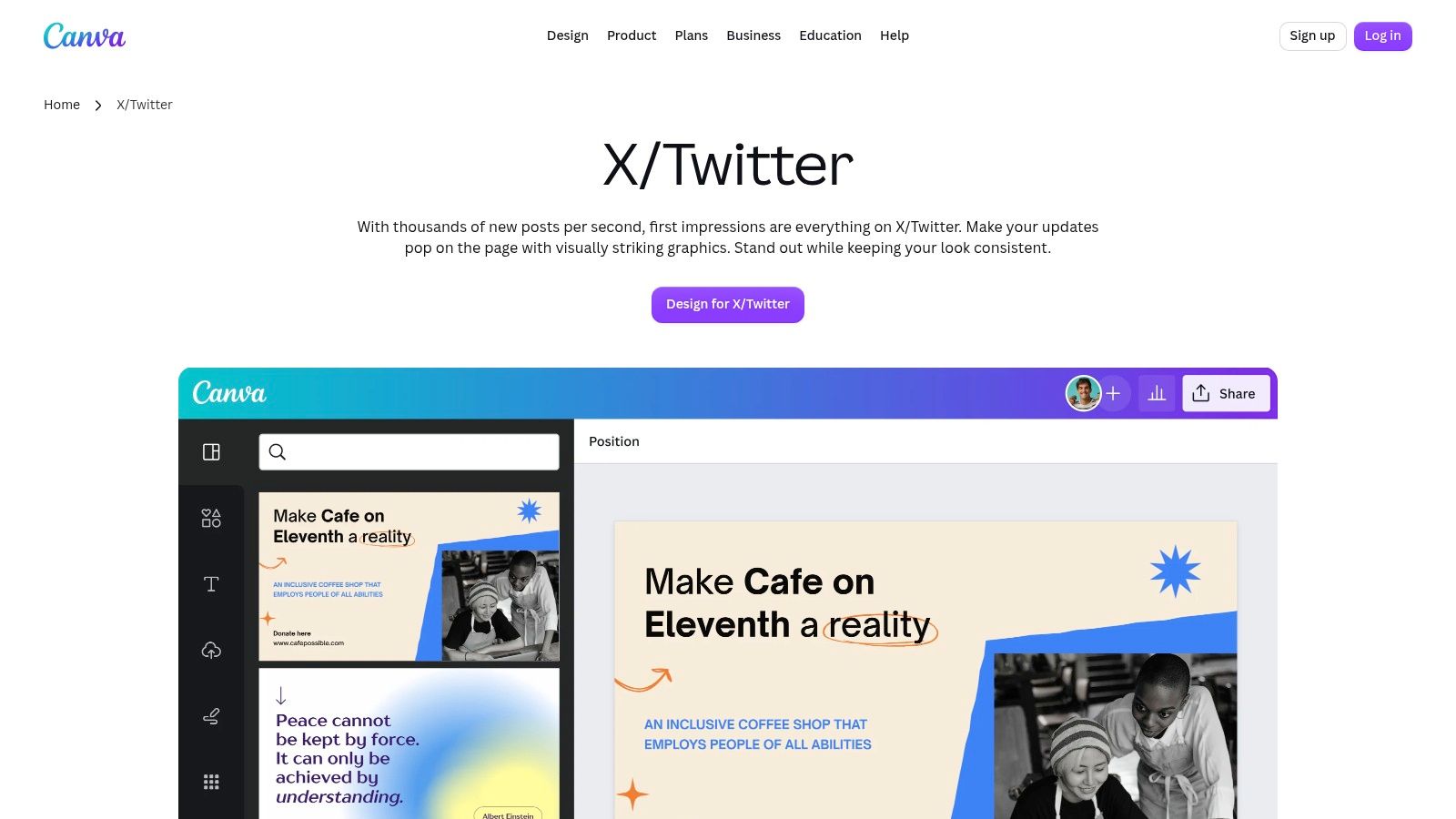
Canva is the most practical starting point when your Twitter page templates need to cover the visual layer of an X presence. Its X and Twitter template library includes headers, posts, videos, and ads, so a creator or marketing team can build a recognizable system without opening a professional design application.
The strength is speed. Drag-and-drop editing makes it easy to adapt a banner for a launch, a quote card for a post, or a visual announcement for a product update. Canva also lists 13,448 X/Twitter templates on one template page, giving teams a broad set of starting points for profile headers and social assets (Canva's template page). The selection is useful, but quantity can create its own problem. Without a defined visual direction, teams can collect attractive designs that don't look like they belong to the same account.
Practical rule: Use Canva to create a small visual family, not a different style for every post.
Where Canva fits best
Canva works particularly well for a founder who wants a clean banner, a consistent announcement format, and branded visual summaries for educational posts. Its Brand Kit, available with Pro, helps lock colors, fonts, and logos. Real-time collaboration and publishing from Canva to X also make it suitable for teams that need a shared production process.
It doesn't solve the writing problem by default. You'll still need a separate structure for short posts, replies, and threads. For ideas on combining visual design with reusable writing formats, this guide to Twitter post templates is a useful companion. Premium assets may also require Pro, so a team should decide whether its workflow depends on paid stock images, brand controls, or collaboration.
Start with a header that states the audience and promise, a post format for proof, and a second format for teaching. Save those designs as the visual foundation of your page rather than treating every new post as a fresh design project. Creators selling editable assets can also study this guide to Canva template sales for a different commercial use case.
2. OpenTweet
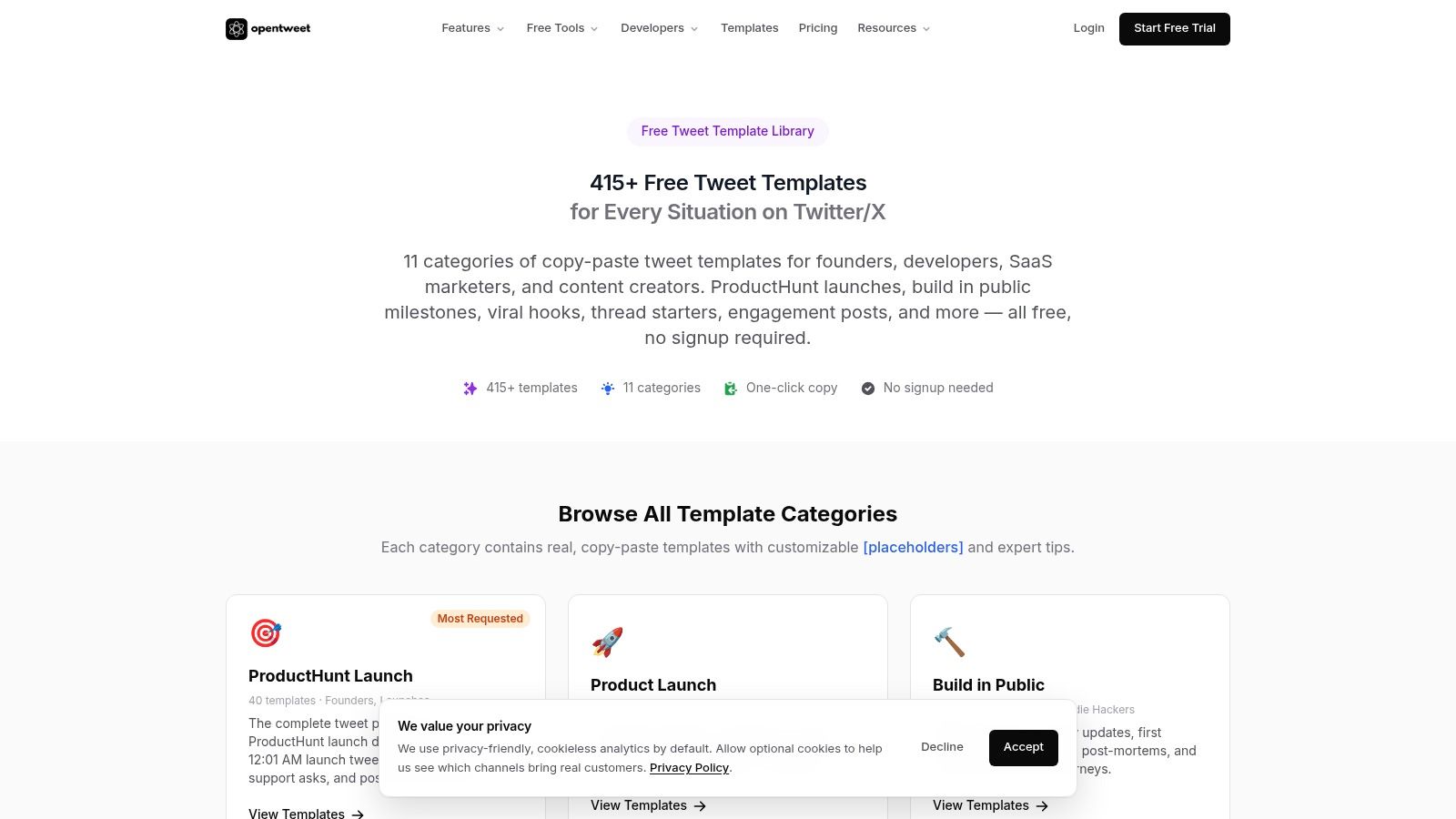
OpenTweet handles the writing layer that visual design tools leave open. Its tweet and thread templates cover launches, engagement, replies, and hooks, giving founders, indie hackers, and SaaS creators practical structures to adapt quickly. Used well, the library supports a complete X presence system, from profile positioning and recurring post ideas to thread formats and a queue of repurposed content.
The library includes 415+ copy-paste templates across 11 categories and can be browsed without signing up. Each template adds a tip about why the format works. That guidance helps you choose between a problem-led post, a result-driven explanation, a reply that enters an existing conversation, or a product lesson with a clear takeaway. The template library is useful because it teaches the decision behind the copy, not only the wording.
A useful text-first workflow
A feature launch can produce several posts instead of one announcement. Start with the audience problem, turn the product decision into a short founder observation, adapt a detail into a reply, then expand the reasoning into a thread. OpenTweet's AI editor can generate 5 on-voice variations from a draft. Its visual calendar and evergreen recycling features can help organize publishing and revisit durable ideas.
The trade-off is straightforward. OpenTweet provides text structure, while Canva or another visual tool is still needed for screenshots, branded cards, and other graphics. Advanced scheduling and recycling belong to the paid product, so the free library works better as a writing resource than as a full publishing system.
A strong template gives you a decision to make, not a sentence to copy.
Set the template beside your broader page system. Match each format to a profile promise, banner message, content pillar, or visual treatment. Then replace the generic hook with a specific audience problem, add evidence from your experience, and remove language that does not sound like the account owner.
3. AutoTweet
AutoTweet is built for creators who see threads as the main engine of their X presence. Its thread templates include numbered listicles, case studies, and teardowns, with placeholders that make the structure easy to test. Each format also explains the intended benefit, such as improving retention or building credibility.
That explanation matters. A thread template shouldn't only tell you to write a hook, add several points, and finish with a call to action. It should clarify why the sequence exists. A teardown, for example, creates authority by examining decisions. A case-study structure creates proof by moving from context to action to result. A numbered list gives readers a clear reason to continue.
When a narrow library is an advantage
AutoTweet's public selection is deliberately clean and minimal. That helps a solo creator choose a format quickly instead of browsing an enormous library. The paid product adds AI generation, voice-based thread writing, scheduling, and autopilot features, which can help when one person needs to turn a topic bank into a consistent queue.
The limitation is breadth. Only a small group of free thread formats is publicly visible, so users who want many distinct angles may need the paid AI workflow or another source of ideas. It also focuses on threads rather than the full page system. You'll need separate decisions for your bio, banner, single posts, visuals, and replies.
A practical test is to write one thread from each available structure around the same subject. Compare which format makes your thinking clearer and which one produces the most useful reader response. Don't judge the template by how polished the example looks. Judge whether it helps you explain a real idea without forcing your voice into a formula.
For a broader publishing workflow, compare AutoTweet with these Twitter scheduling tools. The right choice depends on whether thread structure or calendar management is the immediate bottleneck.
4. Hoppy Copy
Hoppy Copy fits X into a wider content system rather than treating it as a standalone tweet tool. Its Twitter and X post and thread generator offers 20+ X-specific AI templates and copy frameworks, including AIDA, PAS, storyteller formats, and hook-focused structures.
The practical value is consistency across the full X presence. A team can define profile positioning, shape a banner around the same promise, then use a PAS post to frame a problem, a storyteller format for a founder lesson, and a hook framework for the opening line of a thread. Visual assets and repurposed newsletter ideas still need separate production and scheduling decisions, so Hoppy Copy works best as the writing layer in a broader template stack.
A framework should organize the argument while leaving room for a specific observation, proof point, and opinion.
The multi-channel trade-off
Hoppy Copy suits teams that also create emails, newsletters, landing pages, and promotional campaigns. Its brand-voice replication supports 35+ languages, and free starter access lets teams test the writing experience before committing. That makes it more suitable for coordinated marketing than for an X-only user seeking a basic thread builder.
The trade-off is focus. Because the platform centers heavily on email marketing, an X-only user may pay for capabilities outside the immediate workflow. The interface also takes more time to learn than a single-purpose tweet library. AI output can sound interchangeable when writers publish the first draft without adapting its pacing, examples, and point of view.
For a faster workflow, see how to use templates for faster content creation alongside these frameworks. Give Hoppy Copy a source idea, audience, desired action, and brand constraints. Then edit the result for conversational X posts, thread progression, visual repurposing, and a realistic publishing schedule. Review performance and refine the templates instead of repeating weak structures.
5. Postcrest
Postcrest is the closest option on this list to a complete X presence system. Its X content platform combines templates for text posts, thread formats, quote cards, image posts, and short videos with drafting, scheduling, analytics, and engagement drafts.
That combination connects the parts that are often managed separately. A product marketer can position a feature in a short post, expand the explanation into a thread, turn its strongest proof point into a branded card, and schedule each format from one workspace. A founder can use a diagrammed thread header to clarify a technical idea, then adapt the same argument into a visual post.
What an end-to-end system changes
Postcrest reduces handoffs between copywriting, design, scheduling, and measurement. Its templates cover 8 X formats, including text posts, thread types, quote cards, image posts, and short video formats (Postcrest's X platform). That makes the system useful for creators, founders, and marketing teams building a repeatable publishing process rather than collecting isolated graphics.
The practical trade-off is setup time. A broad workspace requires more screens and choices than a focused template library. Credit-based plans may also matter for heavy users, particularly when the workflow includes frequent video or visual generation. Map the formats your audience responds to before choosing broad coverage. If text posts and replies drive nearly all engagement, unused production features add complexity without improving the system.
A complete template stack should connect positioning, production, scheduling, and iteration, not merely supply attractive post designs.
Start with two formats. Create a text template for an opinion and a visual template for proof. Add a thread when an idea needs explanation, or video when the format serves a clear purpose. Review performance by format, revise weak structures, and expand the stack only when the account has a reason to diversify.
6. Canvora
Canvora solves a specific repurposing problem. You already have a useful thread, but its value is trapped in text. Canvora's Twitter thread templates convert thread content into cohesive visual slides, giving creators a way to adapt one idea for X, LinkedIn, or Instagram without designing every slide from scratch.
The workflow starts with text. You provide the thread, and the AI creates slides with consistent numbering and styling. Its Visual Assistant can generate branded template directions, while PNG and WebP export make the finished assets practical for cross-platform publishing. Related X post and header templates can also help connect the visual identity of the repurposed content to the profile itself.
Repurpose the idea, not the entire thread
A common mistake is squeezing every sentence from a thread onto a slide. That creates dense graphics that readers skip. Canvora works better when you extract the central argument, one supporting example, and the takeaway. The visual version should stand on its own, while the original thread can provide depth for readers who want the full explanation.
The limitation is equally specific. Canvora doesn't generate the tweet copy itself, so it belongs after the writing stage rather than before it. Its credit-based model also means frequent visual production needs budget discipline. Free credits let you test the output, but regular repurposing requires a clear view of how often you'll create slide sets.
Use one visual style for a recognizable series. Keep numbering, type hierarchy, and logo treatment stable. Change the subject and examples, not the entire design system. That approach makes an X page feel coherent without forcing every post into the same visual mold.
7. ThreadMaster
ThreadMaster targets solo creators who need a focused system for turning ideas into publishable X threads. Its Twitter thread builder includes 25+ thread templates for story, educational, contrarian, and behind-the-scenes formats. The narrower library reduces choice overload, though it offers less breadth than a general copy platform.
Start with a topic, select a structure, expand the draft, and use smart splitting to fit the character limit. Hook and hashtag suggestions, timing guidance, and one-click publishing keep drafting connected to distribution. That makes ThreadMaster useful for creators, founders, and marketers who want a repeatable thread workflow rather than isolated post graphics.
Choose it for simplicity
A coach can use the educational format for a lesson, the contrarian format for a clear point of view, and the behind-the-scenes format for a process story. A small startup team can apply the same structures to product decisions, customer lessons, and building updates. Pair those thread formats with a consistent profile statement, banner, and visual treatment so the page communicates one recognizable position.
A template should standardize the path from idea to publication, not flatten every idea into the same voice.
The trade-off is scope. ThreadMaster does not manage every profile element, and its template library is smaller than broad copy platforms. You will still need a dedicated visual tool for branded banners, quote cards, or slide-based repurposing. Use a Twitter thread template to define the argument and sequence before building the draft in ThreadMaster.
Review every generated transition before publishing. AI can produce a complete thread that gives readers no reason to continue. Add a concrete example, remove generic claims, and make the final post point to a useful next action. Then track which structures earn replies, profile visits, and reposts, and refine the templates around those patterns.
Top 7 Twitter Page Template Comparison
Product | Implementation complexity | Resource requirements | Expected outcomes | Ideal use cases | Key advantages |
|---|---|---|---|---|---|
Canva | Low, drag-and-drop templates | Visual assets; Pro for Brand Kit/stock | Fast, on‑brand visuals (posts, banners, videos) | Teams/creators needing consistent branded graphics | Huge template library, Brand Kit, collaboration, one‑click publishing |
OpenTweet | Very low, copy-paste templates | Text only; optional AI editor & scheduler (paid) | Rapid tweet/thread drafts with proven structures | Creators wanting ready-made tweet formats and quick posting | Large free library, tips per template, quick copy export |
AutoTweet | Low (templates) → Moderate (AI/scheduling) | Text templates; paid tiers for AI & autopilot | Research-backed thread structures and learnings | Creators focused on data-driven threads and scaling with AI | Data-informed templates, performance explanations |
Hoppy Copy | Moderate, multi-channel copy workflows | Brand voice setup; subscription (email-centric) | Consistent copy across X, email, landing pages | Teams needing unified copywriting across channels | Battle-tested copy frameworks, brand-voice replication, multi-language |
Postcrest | Moderate–High, full content suite | Visual assets; credits/subscription for media, analytics | End-to-end content production, scheduling and analytics | Teams that want design, copy, scheduling, and analytics in one tool | Multi-format support, integrated scheduler and analytics |
Canvora | Low–Moderate, thread-to-visual conversion | Thread text input; credits for exports; branding assets | Branded visual slides/carousels optimized for shareability | Repurposing high-value threads into image carousels for social | AI-driven thread→visual conversion, multi-platform export |
ThreadMaster | Low, lightweight thread builder | Text input; affordable subscription | Fast, optimized viral threads with scheduling | Solo creators seeking a simple, affordable thread workflow | Easy to use, affordable, engagement scoring and smart splitting |
Build a Repeatable X Template Stack
The right Twitter page templates choice depends on where your workflow breaks. Canva is the practical pick for profile banners, branded visuals, and a consistent design language. OpenTweet works well when you need accessible copy-paste formats for launches, replies, and product-focused posts. AutoTweet is better suited to creators who want research-informed thread structures and a path toward AI-assisted scheduling.
Choose Hoppy Copy when your X writing needs to align with email, newsletter, and landing-page work. Postcrest fits teams that want one studio for copy, visuals, video, scheduling, and analytics. Canvora is the specialist option for turning valuable threads into visual slides. ThreadMaster keeps thread writing and publishing simple for solo creators and small teams.
Don't start by collecting every template. Start with one profile template, one single-post format, and one thread structure. Your profile template should define the bio promise, banner message, link destination, and pinned-post role. Your single-post format might cover an observation, lesson, or product proof. Your thread structure should give readers a clear path from hook to explanation to takeaway.
The winning template is the one your audience recognizes and your team can sustain.
Customize the hook and proof instead of copying examples unchanged. Adapt the visual identity so the banner and post graphics support the same positioning. Publish consistently enough to compare formats, review replies and meaningful engagement, and retain only the structures that fit the account's audience and goal. Treat templates as a testing system, not a shortcut around thinking.
SupaBird can work as a companion while you build that system. Its Ideas Lab helps generate ideas and use reusable X post structures, Engage surfaces relevant conversations to reply to, and X-GPT helps improve drafts. A built-in calendar supports scheduling across cities including Berlin, New York, London, and Mumbai, while X Coach combines daily AI guidance with access to a human mentor. That makes it useful for creators, founders, and marketers who want to connect ideas, conversations, drafts, timing, and feedback. The broader principle also applies to turning services into digital products: package a repeatable process around a clear user outcome, then improve it through use.
SupaBird helps creators, founders, and marketers generate X ideas, improve drafts, find relevant conversations, schedule content, and develop reusable post templates. Build your Twitter page templates system with a focused workflow, then visit SupaBird to try a practical companion for consistent publishing and iteration.

The Reply Guy Strategy: A Growth Guide for X

Why New X Accounts Get Less Reach

ClimbX Review (2026): Features, Pricing, Pros and Cons

How Developer Startups Build a Brand on X Before Launch

30-Day Starting Plan for New X (Twitter) Accounts

How Often Should You Tweet for Maximum Growth?

What Should Your First 10 Tweets Be About?

How to Run X for Ten Clients: The Agency Workflow

How to write a bio that gets people to follow you
