How to View a Deleted Tweet: 7 Proven Methods for 2026
Author:

A deleted tweet usually matters most right after it disappears. A founder wants to reuse a line that performed well. A social media manager needs to verify what was said before a brand response goes out. A journalist remembers a post from a public figure, clicks the link, and lands on an error page.
That's when tweet recovery stops being a curiosity and turns into a workflow problem.
The practical question isn't just how to view a deleted tweet. It's which method gives the best chance of finding it without wasting an hour on dead ends. Some routes work best for your own content. Some are stronger for public accounts. Some only help if the tweet was indexed, cached, or archived before it vanished.
Table of Contents
The Digital Ghost Hunt for a Deleted Tweet
A deleted tweet can disappear for a lot of reasons. The author removed it. The account was suspended. The username changed. The post stayed live for such a short window that normal search never caught it. From the outside, all of those scenarios look the same. The link breaks, the page is gone, and the platform offers no public rewind button.

Creators run into this constantly. A post may have sparked a discussion, then vanished before the team saved a screenshot. A marketer may want to recover the original wording of a post before turning it into a quote tweet strategy. A researcher may know the tweet existed but not whether it was indexed anywhere else.
That's why deleted tweet recovery works more like a search hierarchy than a single trick. The strongest hunting grounds are usually these:
Public archives: The Internet Archive's Wayback Machine is the first serious stop for tweets from other users.
Search caches: Google and Bing can sometimes surface recently deleted material if the exact text or URL was indexed.
Official account files: For a person's own tweets, the platform's data archive is the cleanest record.
Practical rule: Start with the method that matches the ownership of the tweet. Public archive for someone else's post. Official archive for your own.
Not every ghost can be found. If nobody archived it, cached it, or indexed it, there may be nothing left to retrieve. But the search gets much faster once the process is organized by probability and effort instead of random tool hopping.
The Public Library Method Using Web Archives
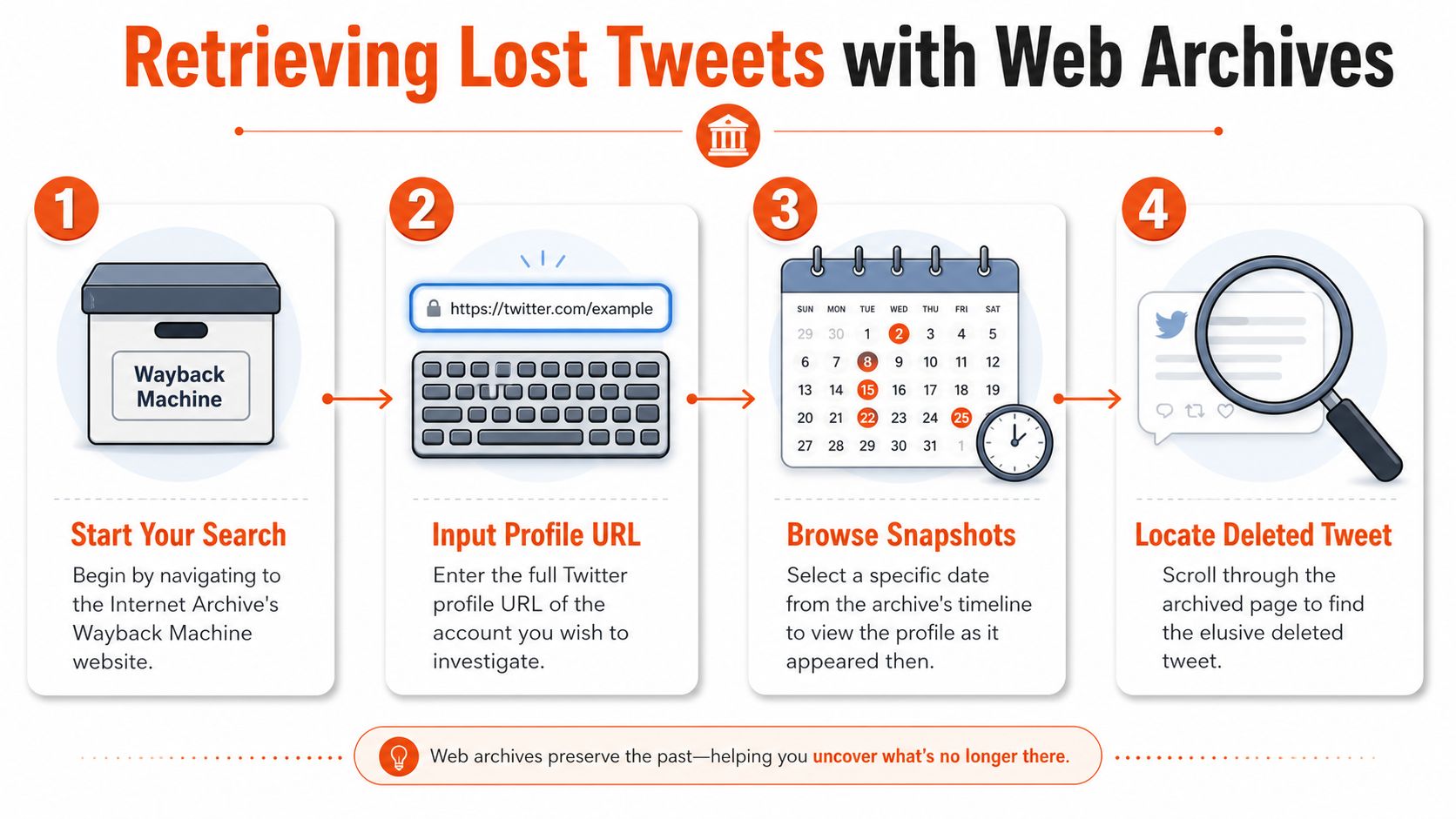
The strongest public method for recovering someone else's deleted tweet is the Internet Archive's Wayback Machine. For this use case, it behaves like a library of old web states. Instead of asking X to show a post that no longer exists, the search relies on a saved copy from an earlier date.
Why Wayback beats random searching
For another user's deleted tweets, the Wayback Machine is the primary tool, and its calendar uses blue circles to indicate historical snapshots available for a profile URL, which allows date-specific retrieval of erased posts, as shown in this Wayback Machine walkthrough on YouTube.
That detail matters because most failed searches happen too early in the process. People paste a profile link once, see little or nothing, and stop. The archive is date-based. It only works when the profile or tweet page was captured before the deletion.
A useful visual explainer sits below.
How to search like an expert
There are two different Wayback searches, and they don't perform equally.
Search type | Best use | Trade-off |
|---|---|---|
Profile URL search | When the exact tweet link is unknown | Broader but less precise |
Direct tweet URL search | When the tweet ID or full link is known | Much better targeting |
The expert method is to paste the full tweet URL into https://web.archive.org/web/*/twitter.com/USERNAME/status/TWEET_ID and then choose a snapshot from before deletion. That approach works for high-profile accounts in approximately 60 to 70% of cases, while searching only the profile page can drop success to under 30%, according to the methodology described by TwitterAPI.io's deleted tweet search guide.
That means the first tactical question should be: Is the exact tweet URL available? If yes, skip profile browsing and go straight to the tweet page in Wayback.
A practical workflow looks like this:
Search the profile first if only the username is known. Use both
https://twitter.com/usernameandhttps://x.com/username.Open the calendar view and look for blue circles on dates near the period when the tweet was likely live.
Click the specific date, then choose among available timestamps if there were multiple snapshots that day.
Scan replies, media tabs, and pinned-post periods if the tweet may have been surfaced prominently.
Upgrade to direct URL search if the tweet ID appears in old bookmarks, browser history, Slack messages, or embeds.
Search both domains. Some archived captures sit under
twitter.com, others underx.com, and missing one domain can mean missing the only usable snapshot.
A simple example helps. If a team remembers that a public figure posted a launch announcement in late spring but doesn't have the text, the profile search is the right opening move. If someone in the team still has the broken tweet link in email or Discord, the direct URL search becomes the better option immediately.
This is the highest-probability public method because it preserves page versions after the original content disappears. It's still limited by one hard fact. If the page was never archived, Wayback can't invent it later.
Search Engine Forensics with Google and Bing Caches
Search engine caches are less stable than web archives, but they can be faster. When the deleted tweet was recent, or when the exact wording is remembered, cache-based searching can beat a long archive session.

When search engines are the better bet
This method works best in one specific situation. The searcher knows the exact text, or at least a highly distinctive phrase, from the deleted tweet.
Users can find deleted tweets by performing a Google search with the exact tweet text enclosed in quotation marks, then clicking the Cached dropdown arrow next to the result URL, according to this guide to cached deleted tweets.
That's much more precise than a vague keyword hunt. A phrase like "shipping this tomorrow if the build passes" will surface very different results from a broad search for shipping build tomorrow. Quotation marks tell the search engine to look for the exact string.
For broader discovery work, a mobile-first guide to Twitter advanced search on mobile can help narrow likely wording before the cache search begins.
A practical cache workflow
This is a good sequence when the text is partly known:
Start with exact quotes: Put the remembered phrase in quotation marks. Even a half-line can work if it's distinctive.
Try variants: If punctuation or capitalization is uncertain, test the phrase with and without punctuation.
Check result menus: On matching results, look for a cached view or equivalent saved result display.
Search both domains: Run the phrase against likely
twitter.comandx.comresult pages if the visible URL differs.
A practical example: a community manager remembers a deleted tweet that began with “The playbook many organizations overlook…” but can't find the live post. Searching "The playbook many organizations overlook" may bring up an indexed result, an old snippet, or a cached page version. Even when the full cache view is gone, the snippet can confirm wording, date range, or account ownership.
Cached search is a speed play, not a preservation system. It's strongest right after deletion and weaker as time passes.
Bing and other search engines can also help, especially when one engine dropped a result that another still exposes. That said, cache searching is temporary by nature. It's best treated like fresh evidence. Check it early, save what appears, and move on quickly if nothing surfaces.
The Official Record Accessing Your Own Deleted Tweets
For personal tweet recovery, there's one method that matters more than all others combined. Download the platform's own data archive.
Third-party tools can miss posts. Public archives can skip your account entirely. Search engines may never have indexed what you deleted. The official archive solves a different problem because it's tied to the account itself rather than to public visibility.
The one method that actually guarantees completeness
The most reliable way to view personal deleted tweets is to download the official Twitter/X data archive, which contains all past tweets, including those no longer publicly visible, through Settings > Your Account > Download an archive of your data, as described in TrackMyHashtag's archive guide.
That matters for creators who regularly test hooks, delete underperformers, or rewrite threads. The archive isn't guessing based on cache leftovers. It's the account's stored history.
The request flow is straightforward:
Open account settings on desktop if possible.
Go to Your account and find the archive download option.
Confirm identity if prompted.
Request the archive and wait for the email with the ZIP download link.
Download and extract the ZIP file on a computer.
A useful companion workflow for organizing recovered posts after export is a system for managing all X content in a content library.
What to do after the ZIP file arrives
Once extracted, the key file is usually index.html. Opening it locally gives a browsable record of tweet history, including deleted tweets that no longer appear publicly.
Step after download | Why it matters |
|---|---|
Extract the ZIP fully | Partial extraction can hide files or break navigation |
Open | This is the easiest browsing interface |
Search by date or phrase | Faster than scrolling a long timeline |
Save relevant entries externally | Useful for editorial records or content reuse |
If the goal is recovering personal deleted content, this is the official record. Everything else is a workaround.
This method is also the safest long-term habit. Teams that post heavily on X often need a private historical archive for compliance, campaign analysis, or repurposing strong copy months later. For personal accounts, nothing else is as dependable.
Advanced Tactics and Third-Party Tools
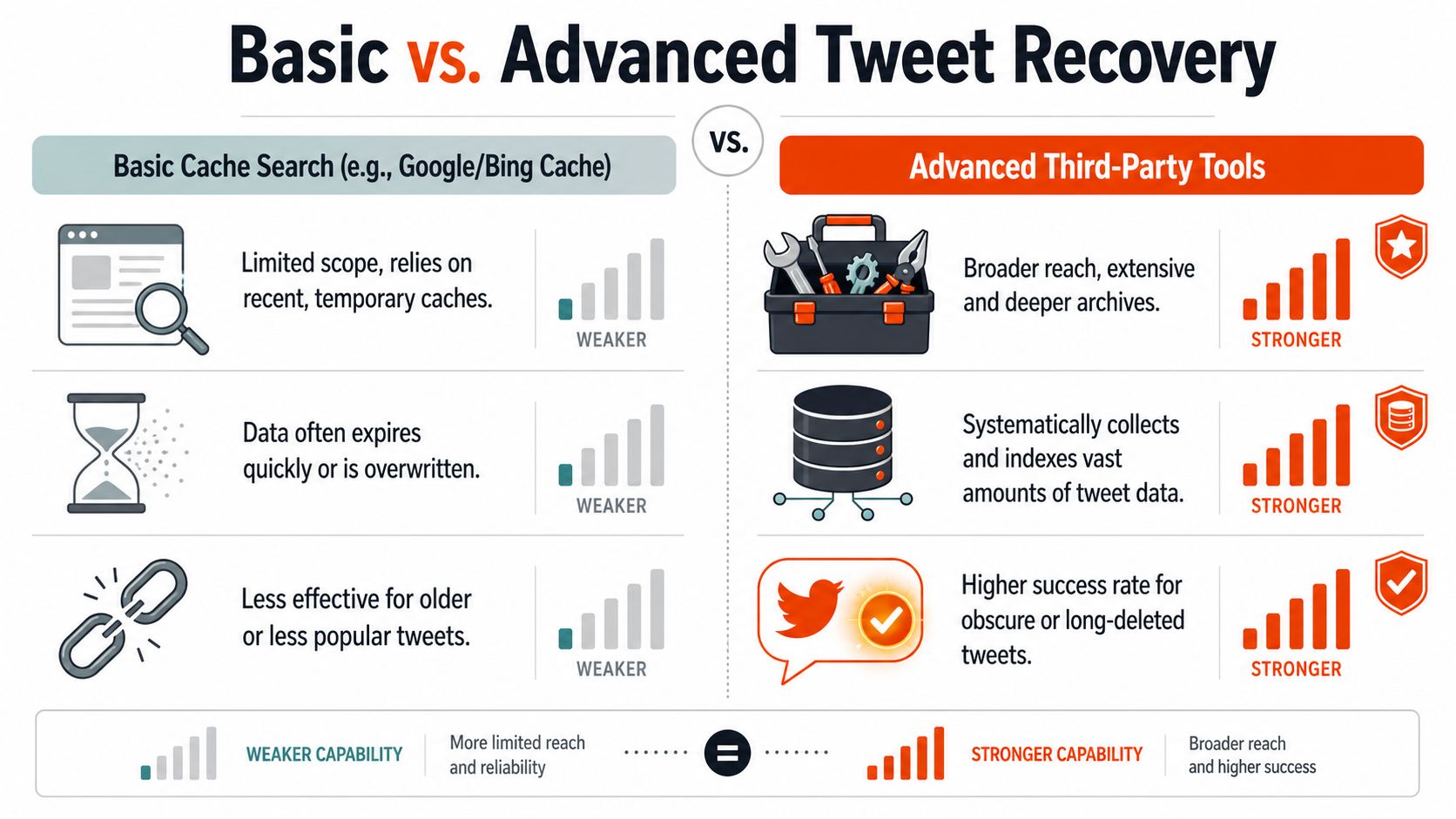
Basic methods handle the easy cases. The harder cases start when the account itself is gone, the username no longer resolves, or the searcher doesn't have an exact tweet URL.
The hard case of fully deleted accounts
Recovering tweets from fully deleted accounts remains poorly addressed. Newer OSINT tools are notable because they cross-search Bing, archive.org, and Google caches using both twitter.com and x.com domains to catch cached content from vanished usernames, a gap discussed in this Reddit thread about deleted accounts.
That domain-switch issue is easy to miss. After the platform branding change, some remnants sit under the old domain and some under the new one. If the account is deleted, a searcher can't rely on profile navigation anymore. The hunt becomes a residue search across old URLs, snippets, search results, and archived pages.
A practical sequence for fully deleted accounts looks like this:
Look for old profile links first: Slack, newsletters, blog embeds, link shorteners, and press coverage often preserve the original URL.
Search both domain forms: Try the vanished username under
twitter.comandx.com.Check quoted fragments from memory: A memorable line from the tweet may still appear in search snippets or reposts.
Search surrounding activity: Replies, quote tweets, screenshots, and blog posts that embedded the original can preserve the text indirectly.
What third-party tools really do
Many “deleted tweet finder” products don't have private access to X. They usually act as wrappers around public archives, public caches, or their own previously indexed material. That doesn't make them useless. It does change expectations.
Here's the practical trade-off:
Tool type | What it does well | Where it fails |
|---|---|---|
Manual Wayback and cache searches | Transparent, cheap, precise when the URL or text is known | Slow for vanished accounts |
Automated OSINT finders | Faster cross-searching across multiple public sources | Still limited if no source captured the tweet |
Generic “tweet recovery” websites | Convenient front-end | Often overpromise and rely on the same public data |
An underrated tactic is to search for quote tweets, repost discussions, and copied text fragments. If the original tweet is gone, another user may have quoted enough of it to reconstruct the substance. For marketers and researchers, that's often enough to confirm meaning and timing even if the exact original page can't be opened.
A broader analytics perspective also helps when investigating old social activity. Teams comparing tooling can review Twitter analytics tools for 2026 to understand which products index public engagement patterns versus which ones resurface archived data.
Third-party tools save time when they automate cross-searching. They don't bypass the core limitation that the tweet had to leave some recoverable trace.
Reality Check What Is Impossible and Its Legal Boundaries
Some deleted tweets can't be recovered. That isn't a tooling problem. It's a data existence problem.
What usually can't be recovered
A tweet is often gone for good when none of the following happened before deletion: it wasn't indexed by a search engine, it wasn't saved by a public archive, it wasn't included in an accessible account archive, and nobody quoted or screenshotted it elsewhere. Private-account content presents an even harder barrier because public archiving and indexing are far less likely to have captured it.
That's why endless searching can become a trap. If a tweet vanished quickly and left no trace, there may be nothing to find. Time is better spent verifying whether a secondary trace exists, such as a quote tweet, an embed in an article, or a cached snippet.
Finding a tweet isn't the same as being free to use it
Recovering a deleted tweet raises a separate question: should it be republished, referenced, or embedded? Legal advice depends on jurisdiction and use case, but the practical boundaries are clear enough for creators, journalists, and marketers.
Respect privacy expectations: Public figures and brands are one category. Private individuals are another. A technically recoverable post may still be inappropriate to amplify.
Check context before reuse: A deleted post may have been corrected, retracted, or posted in error.
Avoid deceptive presentation: If the source is archived or cached, label it accurately instead of presenting it as a current live post.
Consider copyright and fair use issues: Screenshots, embeds, and quoted text can carry rights considerations depending on how they're reused.
A good editorial standard is simple. Use recovered tweets for verification, research, or accountability when there's clear public-interest value. Don't use them as cheap bait just because a tool surfaced them.
Recovered content is evidence, not permission.
SupaBird helps creators stay ahead of this problem by giving them a cleaner workflow for drafting, organizing, and reusing high-performing X content before it gets lost. If a team wants a practical system for idea generation, scheduling, and managing a growing library of posts, SupaBird is worth a look.

The Reply Guy Strategy: A Growth Guide for X

Why New X Accounts Get Less Reach

ClimbX Review (2026): Features, Pricing, Pros and Cons

How Developer Startups Build a Brand on X Before Launch

30-Day Starting Plan for New X (Twitter) Accounts

How Often Should You Tweet for Maximum Growth?

What Should Your First 10 Tweets Be About?

How to Run X for Ten Clients: The Agency Workflow

How to write a bio that gets people to follow you
