Chatbot for Twitter: Boost Your Growth in 2026
Author:

Growth on X often stalls in the same place. The posting part is manageable. The primary drain comes after publishing, when replies need attention, DMs pile up, trends move fast, and every missed conversation feels like lost reach.
That workload is why creators start looking for a chatbot for Twitter. Not to spam. Not to fake activity. They want help with the repetitive layer of growth work so they can stay visible without living in the app all day.
A useful chatbot for Twitter now sits somewhere between assistant, filter, and drafting partner. It can watch for mentions, sort inbound messages, suggest replies, and keep engagement moving. The challenge is that X has become much better at spotting low-quality automation, so the old playbook of blasting generic replies doesn't hold up.
Table of Contents
Why Every Creator Needs an X Growth Assistant
A familiar pattern plays out every week. A creator publishes a strong post, gets a burst of replies, promises to answer everyone later, then loses momentum because the next day brings new posts, fresh mentions, and another round of outbound engagement. Growth starts to feel like maintenance work.
That pressure is happening on a very large stage. As of July 2025, X has approximately 561 million monthly active users, with the average user spending 32 minutes per day on the platform, which is why creators treat it as a serious distribution channel rather than a side network (X user data from Backlinko). The audience is there. The bottleneck is execution.
An X growth assistant helps by taking over the repetitive jobs that don't need constant manual effort. It can surface posts worth replying to, organize inbound attention, and draft responses that can be reviewed quickly instead of written from scratch. That matters most for solo operators, founders, consultants, and small teams who can't afford to let good conversations go cold.
Practical rule: If a task happens daily and follows the same pattern, it shouldn't rely on memory alone.
The strongest setup isn't full autopilot. It's assisted speed. A creator still decides the voice, the positioning, and the conversations worth joining. The system handles the scanning, sorting, and first draft work.
That balance also matters for credibility. Teams trying to automate replies at scale still need to protect tone, context, and trust. Editorial workflows that focus on improving trust in AI content are relevant here because followers can tell when an account sounds flattened or synthetic.
Creators who want a broader view of the category can also review X growth tools that increase impressions before choosing a workflow. The key is simple. The right assistant reduces burnout and increases response speed without turning the account into a machine.
What Is a Chatbot for X and How Does It Work
A chatbot for X is easiest to understand as an automated intern connected to an account. It watches for specific triggers, carries out routine actions, and can generate drafts when a human doesn't want to start from a blank box every time.
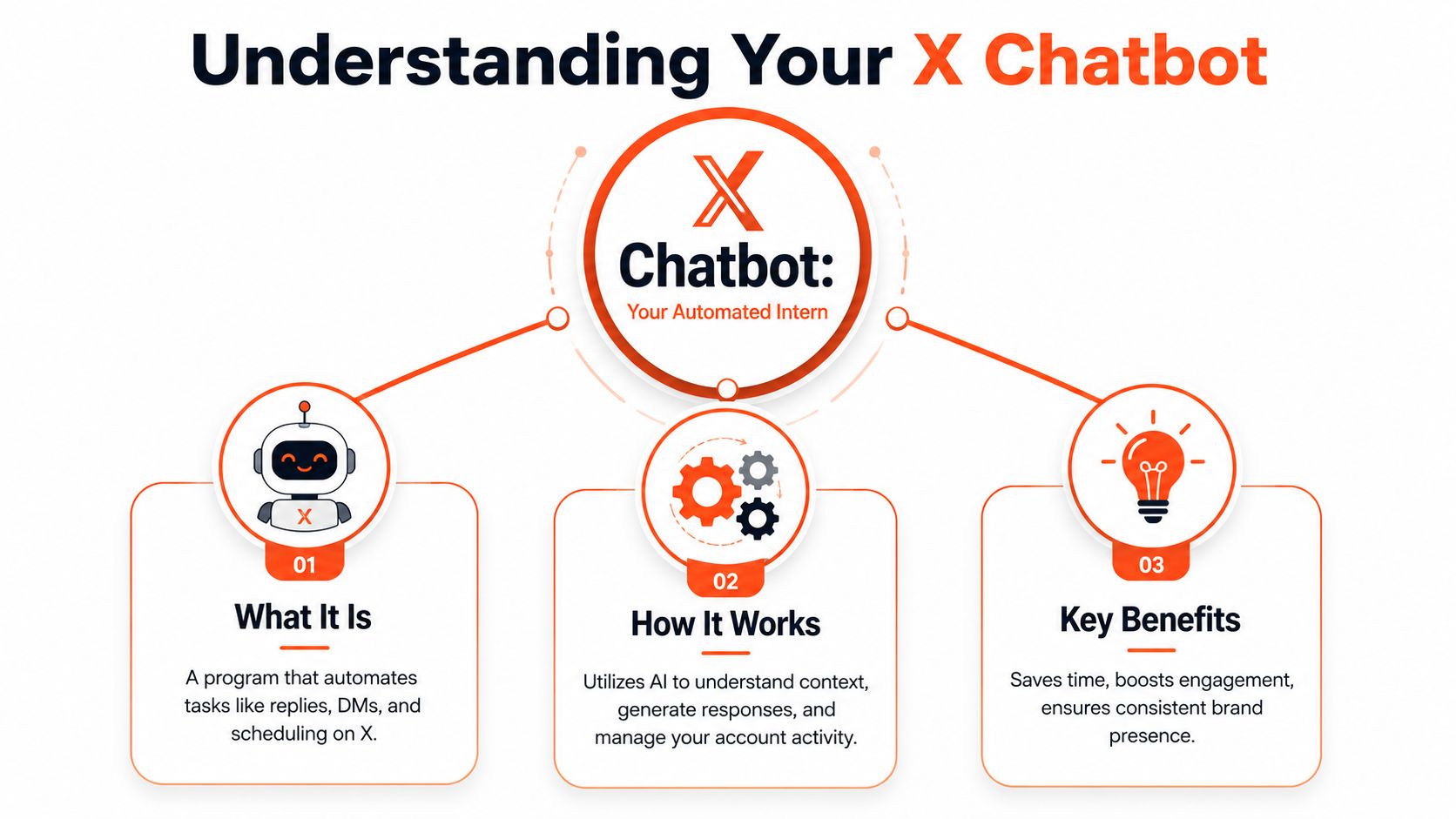
Older bots worked like rigid checklists. If someone used a keyword, the bot sent a canned response. If the clock hit a set time, it posted. That still exists, but it produces the kind of stiff behavior people recognize instantly.
The shift from scripts to assistants
Modern tools are closer to operating systems for account activity. They can listen for mentions, sort DMs, schedule content, and use AI to produce context-aware text instead of repeating the same line all day. That makes a chatbot for Twitter much more useful for legitimate growth work.
A founder account, for example, might use one layer of automation to identify mentions of a problem space, another to suggest a reply based on context, and a final human check before publishing. A creator account might use automation to route common inbound questions into buckets like collaborations, newsletter requests, podcast invites, or support.
Automation is also not some edge behavior on X. Automated accounts are a significant part of the platform, with some estimates suggesting they represent up to 15-20% of all users and are responsible for sharing two-thirds of all tweeted links, which shows how thoroughly automated distribution is already woven into the platform (bot activity discussion and cited summaries).
The simple version of the tech stack
Under the hood, the official access point is the X API. That's the doorway a tool uses to read mentions, publish replies, send actions, or pull account data within platform limits. For creators, the technical detail matters less than the consequence. If a tool doesn't have proper access, it can't reliably perform live engagement tasks.
Most practical setups follow a pattern like this:
Listen for activity: Mentions, keyword matches, or DM triggers come in.
Apply logic: The system decides whether to ignore, tag, draft, or respond.
Generate text if needed: AI creates a draft based on the incoming message and account voice.
Publish or queue: The output is either sent automatically or held for approval.
Some creator-focused tools also combine drafting help with posting workflows. A useful example is SupaBird X-GPT for creators and founders, which reflects the larger shift away from static templates and toward AI-assisted writing systems.
A strong bot doesn't replace judgment. It shortens the distance between signal and response.
That distinction is the whole game now. The best chatbot for Twitter doesn't try to impersonate a human at all times. It handles repetitive account operations and leaves the high-stakes conversations to a real person.
Real Use Cases for Creators and Founders
Most creators don't need a bot that does everything. They need one that removes friction in specific parts of the workflow. The best use cases are narrow, practical, and easy to supervise.
Automating First Touch Replies
A creator posts a thread about a niche topic, and dozens of new people interact for the first time. Some like the post, some reply, some ask a simple question. By the time the creator circles back, the moment has cooled.
A chatbot can help with the first layer. Not with robotic thanks under every reply, but with simple triage and draft support. It can identify first-time mentions, group them by intent, and suggest short replies that sound like the account. That keeps the creator present in the conversation while avoiding a generic “thanks for sharing” trail that weakens the timeline.
A practical example looks like this:
New follower interaction: The bot flags first-time public replies from relevant accounts.
Suggested acknowledgment: It drafts a short response tied to the actual topic of the post.
Escalation logic: If the message asks a real question, it gets routed for manual response.
That setup works well for educators, analysts, and niche creators whose audience expects responsiveness but not instant one-to-one service.
Managing DM Inflow Without Losing Warm Leads
DMs are where growth and chaos often meet. Founders get product questions, podcast requests, affiliate pitches, partnership messages, and support issues mixed into one inbox. Without structure, real opportunities get buried under noise.
A chatbot helps by acting like a receptionist. It can greet the sender, ask one qualifying question, and route the thread based on intent. If someone asks for pricing, the bot can provide the next step. If someone wants a partnership, it can gather details before a human steps in.
This is especially useful for consultants and SaaS founders. A clean DM flow can separate sales conversations from casual feedback without making the account feel inaccessible.
Operator note: The best DM automation asks one useful question, not five annoying ones.
The same logic applies to content repurposing. If a post performs well and keeps attracting inbound attention, creators often need fresh formats to extend its life. Tools like Aicut's tweet video creation tool can turn strong tweets into short videos, while a chatbot can keep the related replies and DMs organized around that campaign.
Running Automated Giveaways Carefully
Giveaways can spike engagement, but they also attract low-intent participants and formulaic responses. A chatbot can manage pieces of the workflow, though this is one area where restraint matters.
A careful setup might confirm entry instructions, answer repetitive questions, and log participant actions for review. What it shouldn't do is spray public replies everywhere or push users into spammy loops.
Useful guardrails include:
Clear trigger rules: Only respond when users ask a direct question about the giveaway.
Manual winner review: Never let a bot choose winners without a human check.
Short campaign windows: Temporary automation is safer than permanent giveaway logic left running.
For creators, giveaways work best as campaign support, not as a permanent engagement strategy.
Replying to Keyword Mentions
This use case is one of the most valuable for founders. Someone posts, “looking for a good invoicing tool,” or “need a scheduler for a remote team,” and that conversation is a chance to join with relevance. A chatbot can monitor keyword clusters and surface those posts fast.
The right move isn't instant auto-reply on every mention. It's selective response support. The bot identifies the post, checks whether the account should respond, and drafts something useful that matches the context.
A SaaS founder can use this to enter conversations while they're still active. A creator selling a course can use it to find people openly discussing the exact pain point their content solves. The win comes from speed plus fit.
A strong keyword workflow usually includes:
Narrow terms tied to actual buyer intent.
Exclusions so the account doesn't reply to irrelevant or sensitive posts.
Approval steps for anything public.
Creators who use chatbots well don't automate everything. They automate the first move, the sorting step, or the draft. That is usually enough to turn scattered attention into a repeatable growth loop.
Navigating X Platform Rules and Technical Constraints
The fastest way to ruin a promising account is to confuse automation with permission. X allows automated activity through official channels, but it doesn't reward spam, deception, or low-value repetition. A chatbot for Twitter only works when it behaves like a disciplined assistant instead of a volume machine.
Where Bots Get Into Trouble
Most failures come from the same habits. The account replies too often, says nearly the same thing each time, reacts to weak triggers, or jumps into conversations where it adds nothing. Even if the setup is technically functional, the behavior looks synthetic.
That matters because the platform is paying attention to patterns, not just isolated posts. A bot that posts generic praise under dozens of tweets may stay active for a while, but it won't help a serious brand. It trains followers to ignore the account.
A safer operating model looks like this:
Prioritize relevance: Only respond when the post clearly matches the account's topic.
Use approval queues: Public replies should be reviewed unless the use case is extremely narrow.
Avoid identity games: Don't make the bot pretend to be human in a deceptive way.
The API Constraint Most Creators Miss
Many non-technical buyers assume any chatbot can listen and respond in real time. That isn't always true. For real-time reply functionality, developers need at least the Basic tier of the X API, because the free tier doesn't provide the webhook capability needed to listen for mentions and respond live. The Basic tier costs $99 per month, which turns real-time conversational automation into a paid operating cost rather than a free experiment (X developer community discussion on Basic vs Pro for replying to mentions).
That detail changes the buying decision. A creator who only wants scheduling and draft assistance may not need a live conversational bot at all. A founder who wants automated mention handling probably does.
Accounts also need to consider behavioral risk, not just technical access. Some categories of automation are much more likely to create trouble than others. Anyone considering aggressive account actions should understand the trade-offs around auto-follow bot behavior on Twitter, because follower automation raises very different risks from content assistance.
Why Reply Quality Matters More Than Volume
The current environment punishes lazy automation. X's algorithm shift means AI-generated replies can face discoverability penalties. The platform's AI now analyzes language patterns and even user images to spot and suppress bot-driven engagement that lacks authentic interaction markers, which means the quality of automated replies now matters as much as the fact that they exist (discussion of the algorithm shift and detection patterns).
That creates a practical divide between old and new automation.
Approach | Likely outcome |
|---|---|
Generic canned reply at scale | Looks synthetic, weak reach, weak trust |
AI draft with human review | Better fit, lower risk, stronger brand control |
Narrow automation on support or routing tasks | Useful and easier to manage |
Low-effort automation used to create noise. Now it often creates evidence.
For creators and marketers, the rule is straightforward. Automate tasks that improve speed or consistency. Keep a human in the loop anywhere nuance, persuasion, humor, or reputation is involved.
How to Choose the Right Twitter Chatbot Tool
Most tools in this category sound similar on the landing page. Actual differences emerge after a week of use. Some are scheduling tools with light automation. Some are developer frameworks. Some are AI wrappers that generate text but don't control workflow well.
The Four Buying Criteria That Matter
The first filter is ease of use. If the product expects SQL queries, API setup, or custom event logic, many creators won't maintain it. That's fine for technical teams, but not for a solo founder who needs the system live this week.
The second is feature fit. Public replies, DM handling, scheduling, moderation queues, and content drafting are different jobs. A creator focused on audience building may care more about reply support than DM automation. A SaaS team may want the opposite.
Third is AI quality. For many tools, this is a point of failure. Modern chatbot architectures can integrate generative AI using prompt templates like “respond to {{text}} by {{author_username}}”, which allows the model to produce context-aware replies rather than static canned text (technical walkthrough of a modern X chatbot architecture). In practice, that means the tool should understand context, preserve tone, and avoid sounding like everyone else using the same model.
The fourth is safety control. Good tools give users approval modes, visibility into what was sent, and limits on when automation triggers. Without those controls, mistakes become public quickly.
Chatbot Tool Archetypes Compared
Archetype | Primary Use Case | Technical Skill | Best For |
|---|---|---|---|
Rule-based bot | Simple triggers and canned actions | Low to medium | Narrow repetitive tasks |
AI reply assistant | Drafting responses with context | Low | Creators who want faster engagement |
DM workflow bot | Qualifying inbound messages | Medium | Founders and service businesses |
Developer bot stack | Custom mention and reply systems | High | Teams building specialized workflows |
Hybrid growth assistant | Content support plus engagement workflows | Low to medium | Creators and marketers who want one system |
What Better AI Actually Looks Like
A better tool doesn't just produce fluent text. It understands when not to speak. It should support brand voice, handle short-form context well, and make approval easy. If the output always feels polished but oddly generic, the tool may still hurt the account.
A practical checklist helps:
Check voice control: Can the tool draft in a style that matches the account?
Review trigger logic: Can users set narrow conditions for public replies?
Look for oversight: Is there a review queue or manual approval mode?
Test edge cases: How does it behave on sarcasm, criticism, or vague prompts?
A useful chatbot saves time on the first draft. A dangerous one publishes the wrong draft confidently.
The best choice depends on operating style. Some creators need a light assistant that helps them reply faster. Others need a more structured system that handles mentions, inbox flow, and content support in one place. The deciding factor isn't how many features appear on the menu. It's whether the tool can speed up the account without flattening the person behind it.
How SupaBird Acts as Your AI Growth Assistant
Some creators don't need a classic bot. They need a system that helps them decide what to post, where to engage, and how to improve weak drafts before they go live. That's where a growth assistant model is more useful than a narrow reply bot.
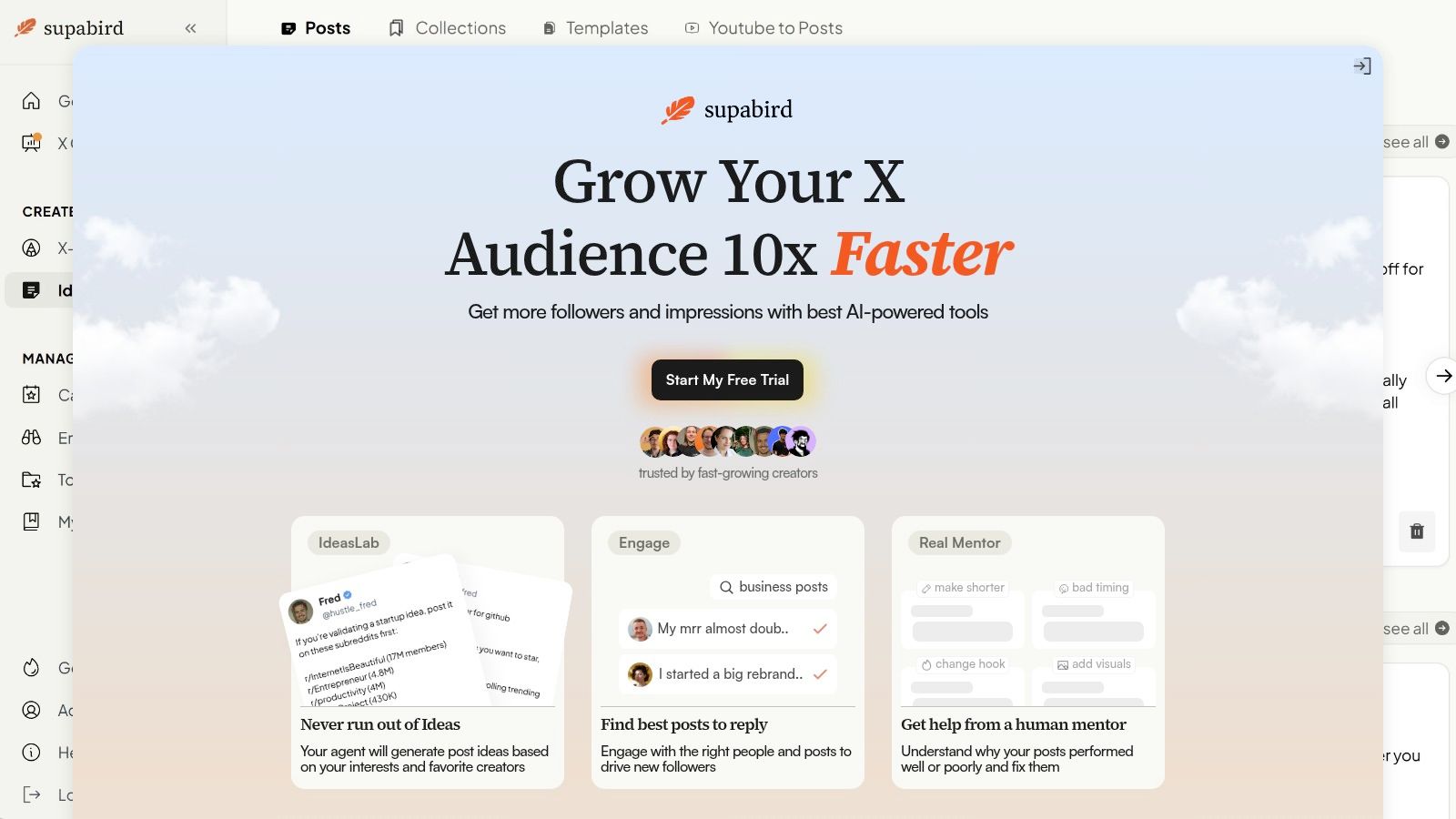
SupaBird fits that pattern by focusing on the work around growth, not just raw automation. Ideas Lab helps users develop post angles. Engage surfaces conversations worth joining so effort goes toward higher-impact replies instead of random scrolling. X-GPT rewrites rough drafts into stronger posting formats, which solves a problem many creators have before they even think about bot behavior.
That matters because weak content can't be rescued by automation. If the hook is flat or the positioning is muddy, more consistency just spreads mediocre output faster. A growth assistant is useful when it improves decision quality as well as execution speed.
There is also a coaching layer. The X Coach feature adds guidance around what worked, what didn't, and how to tighten future posts. That human-plus-AI model is a smarter fit for today's platform than blind autopilot because it supports judgment instead of trying to replace it.
For creators who want an advantage without turning the account into a bot farm, that approach makes more sense. The strongest systems don't just automate actions. They improve taste, timing, and response quality.
Smarter Automation Best Practices for 2026
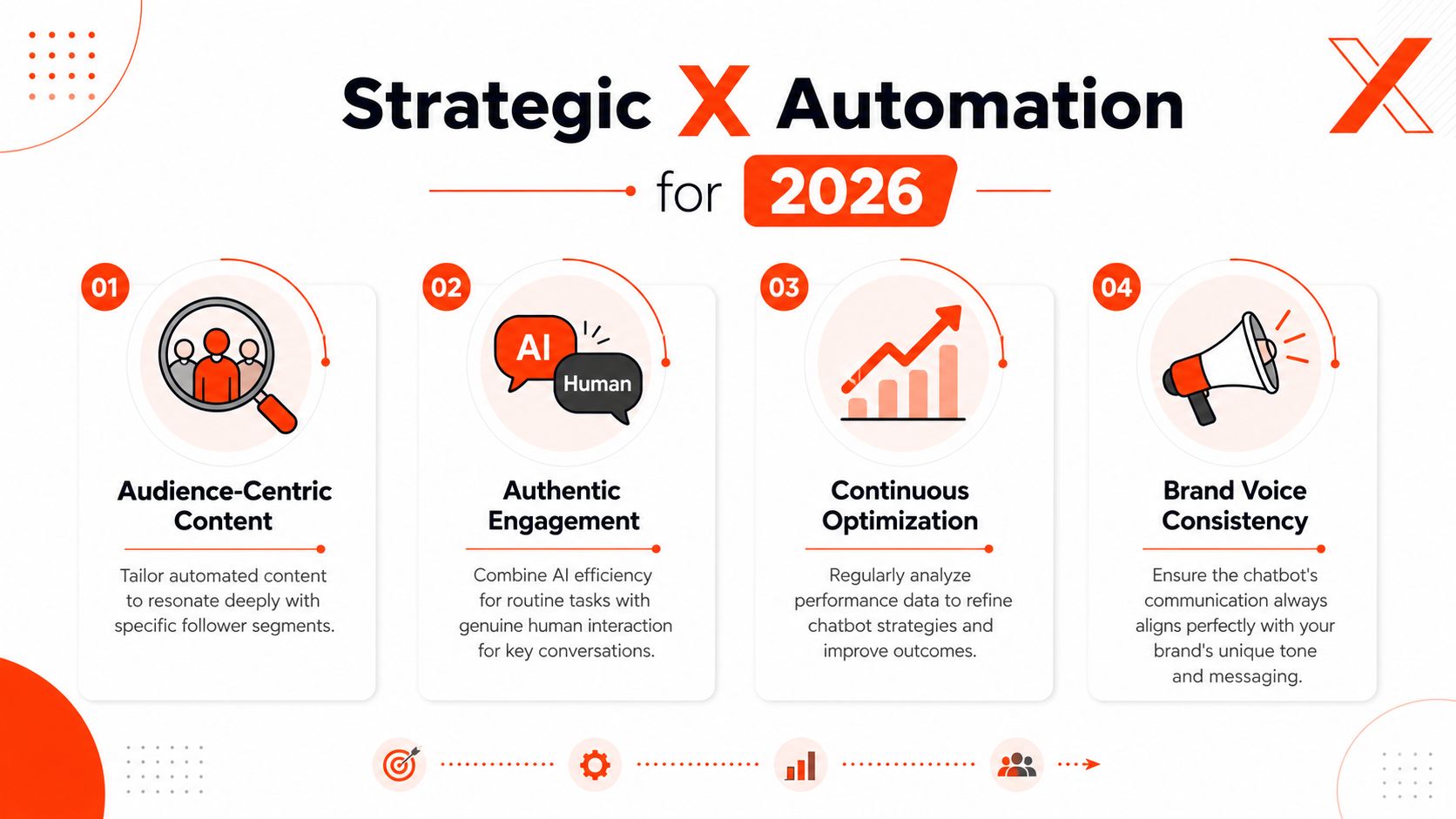
The best automation setups in 2026 will look less like robots and more like disciplined editorial systems. They will assist with speed, sorting, and consistency, while humans stay responsible for tone, accuracy, and judgment.
One reason is safety. A critical gap in most bot guides is preventing ethical failures. Research shows bots can be identified by images and descriptions alone, and platforms increasingly use NLP to flag suspicious language, risking suspension if an AI learns toxic patterns from user interactions (research summary on multimodal bot detection and ethical failure risk). So the modern standard isn't “can the bot post?” It's “can the system stay useful without drifting into harmful or low-trust behavior?”
The practical rules are simple:
Use AI as a co-pilot: Let the tool draft, sort, and suggest. Keep a human on public-facing nuance.
Personalize beyond the username: Replies should reference the actual post, not just insert a name into a template.
Audit activity weekly: Review what the system sent, what it ignored, and where it sounded off.
Favor value over volume: A few useful interactions will outperform a flood of forgettable ones.
Creators comparing categories before committing can also compare social media automation software to see where scheduling tools, reply assistants, and broader automation platforms differ.
The safest automation doesn't try to look human all the time. It helps humans show up better.
A chatbot for Twitter can absolutely help an account grow. But the winning version in 2026 won't be the loudest system. It will be the most selective, the most on-brand, and the easiest to supervise.
SupaBird helps creators, founders, and marketers grow on X with AI-assisted ideation, smarter engagement, stronger post rewrites, and coaching that keeps quality high. Explore SupaBird to build a faster, safer X workflow without relying on spammy automation.

The Reply Guy Strategy: A Growth Guide for X

Why New X Accounts Get Less Reach

ClimbX Review (2026): Features, Pricing, Pros and Cons

How Developer Startups Build a Brand on X Before Launch

30-Day Starting Plan for New X (Twitter) Accounts

How Often Should You Tweet for Maximum Growth?

What Should Your First 10 Tweets Be About?

How to Run X for Ten Clients: The Agency Workflow

How to write a bio that gets people to follow you
