Master Your Twitter Posting Schedule: Boost Growth in 2026
Author:

A stalled X account usually doesn't fail because the ideas are weak. It fails because the posts land at random times, in the wrong time zone, with no repeatable cadence behind them.
That's the frustrating part. A founder can spend an hour polishing a product thread, post it between meetings, and get almost nothing back. The next day, a shorter post published at a better hour gets replies, reposts, and profile visits. The difference isn't luck. It's schedule design.
A strong Twitter posting schedule isn't a list of “best times.” It's a working system. It matches audience behavior, content type, time zones, and operational reality. It also removes the daily panic of deciding what to post and when to post it.
Table of Contents
Why Your Current Posting Strategy Is Failing
The usual pattern looks like this. A creator posts when there's free time. Monday morning gets one tweet. Wednesday gets a thread at night. Friday gets a rushed promo post. The account stays active, but the feed never builds momentum.
That approach creates two problems at once. First, followers never learn when to expect content. Second, the account owner can't tell whether weak results came from timing, topic, hook, or frequency.
A random posting habit also hides what's working. If a sharp opinion post performs well at lunch and a product lesson fails late at night, there's no clean signal to learn from. Every post becomes a one-off event instead of part of a tested system.
Practical rule: If posting times change every day for convenience, the account isn't running a strategy. It's running on availability.
The strongest operators treat scheduling the way they treat product, sales, or editorial work. They build a base schedule, publish consistently enough to generate signal, then adjust based on what the account's audience does.
That matters even more on X because content moves fast. A good tweet posted at the wrong hour gets buried before the right people even open the app. A decent tweet posted in a strong window can start conversations that pull the rest of the profile upward.
A solid schedule also lowers creative fatigue. Once timing and cadence are fixed, content planning becomes easier. That's the same reason a broader social media content strategy outperforms reactive posting. Structure reduces friction.
What broken schedules usually look like
Convenience posting means content goes live when the creator is free, not when the audience is active.
Single-post dependence puts too much pressure on one thread or launch tweet to carry the week.
No time-zone logic causes accounts with global followers to miss major audience clusters.
No testing discipline makes it impossible to separate bad timing from bad packaging.
The fix isn't posting more at random. The fix is building a calendar that can repeat every week without guesswork.
Find Your Audience's Peak Engagement Times
The fastest way to improve a Twitter posting schedule is to stop treating generic advice as a final answer. Benchmarks are useful. They're not a substitute for account-level evidence.
Based on 2.7 billion engagements analyzed by Sprout Social in 2026, the most important timing pattern is the midweek afternoon window, Tuesday through Thursday from 12:00 p.m. to 6:00 p.m. local time, which represents the global high point for X engagement according to Sprout Social's Twitter timing research. That gives any account a practical starting point.

Start with benchmarks, then narrow fast
A creator serving software founders in New York shouldn't use the same schedule as a consumer brand with followers spread across Europe and India. Benchmarks help narrow the field, but they don't reveal where a specific account gets the strongest impressions, replies, clicks, or profile visits.
The clean approach is to begin with a few likely windows, then audit recent post data inside X. Native analytics matters more than internet folklore because it reflects the actual audience attached to the account.
Use the past month as the first review window. In the Tweets tab, sort through posts manually and look for recurring patterns tied to day and hour. For accounts with varied content, separate launches, threads, single-post takes, and reply-driven posts. Different formats often perform differently at different times.
A useful companion step is to Analyze real-time market trends before locking in recurring slots. That won't replace analytics, but it helps check whether the audience is reacting to current topics that may shift engagement windows for a few days.
A practical audit process inside X
This process keeps timing analysis tight:
Pull recent winners and identify the posts with the strongest impressions and strongest engagement.
Group by hour rather than by exact minute. Patterns show up faster that way.
Separate audience intent. A question post may win in one window while a product announcement wins in another.
Mark weak slots where posts repeatedly underperform. A good schedule is partly about exclusion.
Don't chase one viral outlier. Chase the hours that produce reliable results more than once.
For teams that need a clearer read on reach, it helps to understand what counts as visibility in the first place. A quick refresher on what impressions mean on social media makes it easier to judge whether a time slot is creating distribution or just collecting a few likes.
Build a short list, not a giant matrix
Most accounts don't need fifteen posting windows. They need a shortlist of reliable slots that match audience behavior and publishing capacity.
A strong first draft usually includes:
Primary slots for core content such as threads, announcements, and educational posts
Secondary slots for lighter takes, questions, and conversational posts
Avoid slots where the audience repeatedly ignores the feed
That shortlist becomes the backbone of the weekly calendar. Everything else stays flexible.
Define Your Content Cadence and Mix
Timing alone won't carry an X account. The schedule needs enough volume to create repeated opportunities for discovery, while staying realistic enough to maintain quality.
Research analyzing 332,490 social media accounts found that the ideal frequency on X for follower growth and engagement is 3 or more tweets per day, with aggressive growth strategies targeting 3+ tweets daily, according to this analysis shared by Neil Patel on X. That matters because X rewards presence. A single polished post per day often isn't enough to stay visible.

Match cadence to the account's goal
A maintenance schedule and a growth schedule aren't the same thing.
An account that only wants to stay active can operate in the lighter range. An account trying to build authority, drive product awareness, or increase follower velocity usually needs multiple touches per day. That doesn't mean publishing three threads daily. It means mixing heavier content with lighter formats that keep the feed moving.
A practical cadence model looks like this:
Anchor posts carry the main message. These are threads, strong single-post insights, launch notes, or opinion pieces.
Conversation posts create interaction. Questions, short observations, and comment-worthy takes fit here.
Distribution posts extend reach. Repurposed ideas, reframed lessons, and strategically timed retweets help the account stay present.
Don't let content type fight timing
A common mistake is using the same slot for every format. Long educational threads and quick conversational posts don't always behave the same way.
A more durable content mix might look like this:
Morning windows for sharper, professional, or insight-led posts
Midday windows for announcements, tutorials, and broad-interest takes
Later windows for lighter posts, questions, or conversational hooks
That mix lets a creator hit the feed several times without sounding repetitive. It also lowers production pressure because not every post has to be a mini-masterpiece.
A sustainable Twitter posting schedule doesn't ask for constant brilliance. It asks for repeatable formats that can ship on time.
Build categories before writing the calendar
Before filling a weekly planner, define a few repeatable buckets. For example:
Educational thread
Single insight
Strong opinion
Question or poll
Product proof
Customer story
Reply-led amplification
Curated repost
Scheduling support is particularly useful. For accounts that want to line up retweets and reposts as part of the mix, scheduled retweets on X and why they matter for growth-why-it-matters-and-how-to-use-it-for-growth) is worth reviewing because amplification posts can fill gaps without forcing new original content every time.
The goal isn't a perfectly balanced feed on paper. The goal is a mix that can survive a busy month without collapsing.
Create Your Weekly Calendar Template
A calendar works when it turns abstract timing advice into fixed publishing decisions. The easier it is to follow, the more likely it is to hold up under real workloads.
For B2B, tech, and finance accounts, the highest-engagement window is Tuesday or Wednesday between 9:00 and 10:00 AM in the target audience's time zone, and a startup founder posting at 9:15 AM on a Tuesday in New York time reaches tech professionals at peak morning activity according to Conbersa's summary of X posting windows. That makes this a useful anchor slot for founder-led accounts.
Template one for a B2B founder
This schedule assumes a founder selling into a US business audience and using EST as the primary planning zone.
Day | Time (EST) | Content Type | Example Post |
|---|---|---|---|
Monday | 1:00 PM | Insight post | A short lesson from last week's sales calls |
Tuesday | 9:15 AM | Product or market thread | A breakdown of one problem the product solves |
Tuesday | 2:30 PM | Conversation post | A question about buyer behavior or workflow pain |
Wednesday | 9:30 AM | Authority post | A contrarian take on the category |
Wednesday | 3:00 PM | Social proof | A customer use case or product screenshot with context |
Thursday | 10:00 AM | Educational post | A framework, checklist, or tactical lesson |
Thursday | 4:00 PM | Lightweight reply bait | “What's one tool your team can't replace?” |
Friday | 12:30 PM | Recap or reflection | A weekly lesson, trend, or operator takeaway |
This structure works because the calendar gives heavy posts prime attention windows and uses later slots for easier engagement formats.
Template two for a B2C or global creator
A creator with a broader audience needs less rigid persona alignment and more time-zone awareness. The weekly plan usually works better with clusters rather than one market.
A practical version looks like this:
Primary cluster goes to the audience's largest region
Secondary cluster catches another region with lighter posts
Weekends stay selective instead of fully packed
For example, a global creator can place flagship posts in one core weekday slot, then use shorter posts later in the day for a second geography. That's easier to manage in a visual calendar where each slot is mapped to a city or audience segment. A dedicated posting calendar for X workflows helps when teams want to see that spread across the week without rebuilding the schedule manually.
The calendar should answer two questions before the week starts. What gets posted, and which audience window is supposed to see it first.
Keep the template structured but loose
A good calendar is not a prison. It should lock in anchor posts and leave room for live reactions, news hooks, and unexpected conversation opportunities.
The right rule is simple. Schedule the backbone. Leave gaps for relevance.
Schedule and Automate Across Timezones
A schedule that depends on someone being online at exactly the right moment won't last. Time-zone complexity breaks good plans faster than bad content does.
The native X scheduler is useful for straightforward execution. To schedule, use the composer's calendar-icon clock button, then confirm the date and time. But performance still depends on reviewing native X Analytics under the Tweets tab and checking which hours drove impressions and engagement in the last month, as outlined in MicroPoster's guide to scheduling tweets on X.
Native scheduling works for basic needs
For solo creators with one audience cluster, the built-in scheduler can be enough. Draft the post, set the time, and load a few days ahead. It solves consistency better than relying on memory or mood.
But the minute an account targets New York, London, Berlin, or Mumbai together, manual scheduling gets messy. Someone has to convert times, avoid overlap, preserve content variety, and still leave space for live posting. That's where the workflow starts consuming more energy than the content itself.
A more advanced setup often combines batching and automation:
Batch writing keeps tone consistent across the week
Pre-assigned city slots prevent accidental time-zone misses
Flexible gaps leave room for live commentary and replies
For marketers building a repeatable system, this unique content scheduling workflow is a useful reference because it frames scheduling as process design rather than a one-click task.
Dedicated tools reduce operational drag
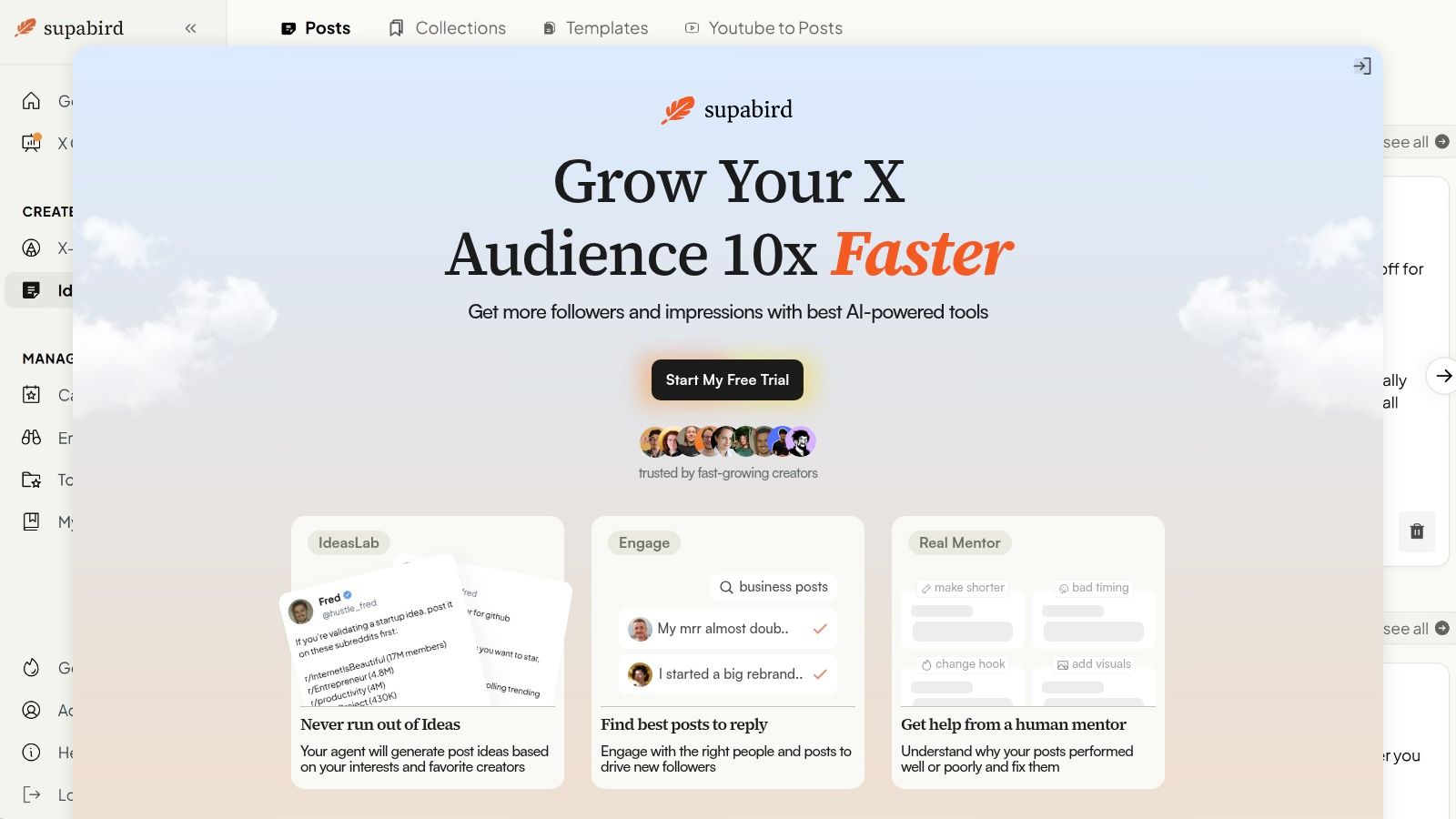
A dedicated tool becomes valuable when the team needs recommendations, not just timers. SupaBird is one example. It includes a calendar that recommends posting slots across cities such as Berlin, New York, London, and Mumbai, and lets teams schedule content in advance while keeping the weekly plan visible in one place.
That matters for founder accounts, agencies, and social teams that want one system for ideation, timing, and execution rather than separate tools stitched together manually.
A short walkthrough helps illustrate the difference:
The practical timezone method
The cleanest approach is to choose one of these models:
Primary-market first for accounts with one dominant audience
Two-cluster scheduling for brands serving two major regions
Rolling daily coverage for global accounts publishing multiple times each weekday
The mistake is trying to post everywhere at once without a system. The fix is assigning every slot to a specific audience window before anything enters the queue.
Measure Test and Refine Your Schedule
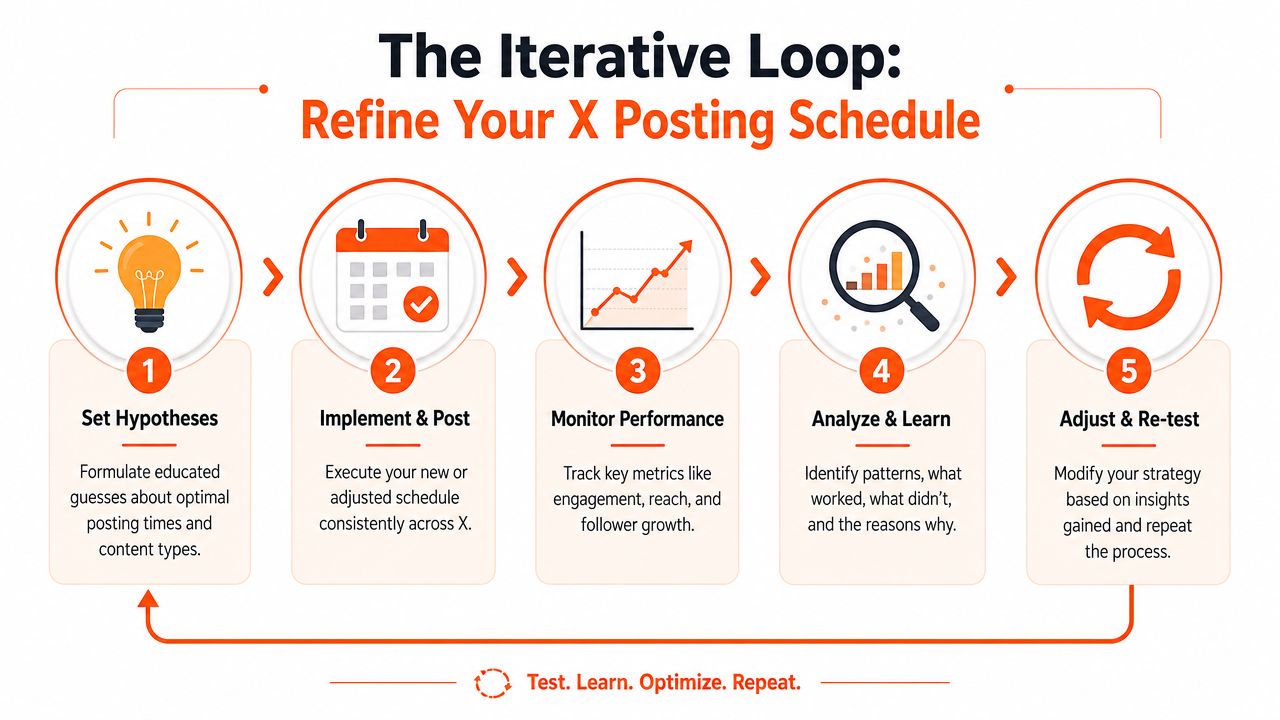
The first version of a Twitter posting schedule is a hypothesis. The account earns better timing only after enough posts create a usable pattern.
The review process should stay simple. Track impressions per post, engagement by time slot, and whether a post type performed as expected in that window. A founder thread that gets seen but not discussed signals a different problem than a post that never reached enough people in the first place.
Test one variable at a time
Messy testing creates useless conclusions. If timing, format, and topic all change together, there's no way to tell what moved performance.
A tighter method works better:
Keep the content type stable when testing two time slots
Run the comparison long enough to see a repeated pattern
Record weak windows clearly so they don't slip back into the calendar
For example, a team might compare a Tuesday morning product lesson against a Tuesday afternoon product lesson for a short testing period, then keep the stronger slot and replace the weaker one with a lighter post type.
The aim isn't to find a magical hour. It's to identify the handful of slots where this account repeatedly earns attention.
Use refinement loops, not constant reinvention
Many accounts sabotage themselves by rebuilding the whole schedule too often. A better model is steady iteration.
That loop looks like this:
Set a schedule
Publish consistently
Review outcomes
Keep the winners
Replace the weakest slots
That process compounds. Over time, the schedule becomes more specific to the account, the audience expects content at clearer intervals, and content planning gets easier because each slot has a job.
The strongest posting systems don't rely on instinct forever. They rely on repetition, evidence, and small corrections made on time.
A consistent Twitter posting schedule is easier to maintain when ideation, timing, analytics review, and scheduling live in one workflow. SupaBird helps creators and teams plan posts across time zones, generate ideas, queue content in advance, and keep a repeatable X publishing system running without daily guesswork.

The Reply Guy Strategy: A Growth Guide for X

Why New X Accounts Get Less Reach

ClimbX Review (2026): Features, Pricing, Pros and Cons

How Developer Startups Build a Brand on X Before Launch

30-Day Starting Plan for New X (Twitter) Accounts

How Often Should You Tweet for Maximum Growth?

What Should Your First 10 Tweets Be About?

How to Run X for Ten Clients: The Agency Workflow

How to write a bio that gets people to follow you
