Twitter Post Scheduler: The Complete 2026 Guide for Creators
Author:

Most advice about a Twitter post scheduler starts with the wrong promise: queue enough posts, step away, and let automation handle growth. That approach fills a calendar, but it doesn't create conversations. On X, timing determines whether a post gets an early response, while your replies determine whether that response becomes distribution, trust, or a useful relationship.
A scheduler works best as a timing and attention system. It helps you publish when your audience is active, preserve a reliable cadence, and protect the first minutes after publication for meaningful engagement. The practical question isn't when to post. It's whether you can be present when the post needs you most.
Table of Contents
Why a Twitter Post Scheduler Is More Than Automation
A scheduler isn't a substitute for judgment. It's a way to move repetitive publishing decisions out of your busiest hours so you can spend those hours writing, replying, and adapting to what your audience is discussing.
X added native post scheduling before 2020, and research from Baylor University shows why timing deserves more attention. Non-boosted social posts performed 8.8% better in the morning, while boosted posts received 21% more clicks in the afternoon than in the morning. The same research found that negative, high-arousal content was 1.6% more effective in the morning. Those findings don't produce a universal posting formula, but they do show that post type and time window interact. A scheduler gives you the control to test that interaction instead of publishing every post at the first convenient moment. Baylor's timing analysis provides useful context for that distinction.
Consistency without the content dump
The strongest scheduling habit is not maximum volume. It's a dependable baseline that leaves room for live participation. Evergreen insights, educational posts, recurring themes, and carefully prepared threads can sit in the queue, while trend reactions and replies remain flexible.
Consistency also reduces decision fatigue. A creator who has already assigned the next morning's post doesn't need to choose between drafting, publishing, and responding before starting work. The queue handles the commitment. The creator handles the conversation.
Practical rule: Schedule the post, not the personality. Your queue should create space for human interaction, not eliminate it.
A useful calendar separates content by purpose. Evergreen material can be moved when priorities change. Timely posts need expiration checks before publishing. Engagement prompts need someone available to answer the replies they invite. That structure turns a scheduler from an autopublish button into a lightweight editorial system.
The Timing Science Behind Effective Scheduling
Timing advice often fails because it treats X as a clock rather than a feedback loop. Different datasets identify different high-performing windows. Hootsuite analyzed more than 1 million posts across 118 countries and identified 8 a.m. on Wednesday as one single best slot, while another 2026 benchmark placed peak X engagement at 9 a.m. to 11 a.m. on Wednesdays, Thursdays, and Fridays. A separate 2026 study of more than 2 million posts identified 9 p.m. as the strongest time. These findings don't cancel one another out. They show why audience geography, work patterns, and content mix matter. The benchmark comparison from Webtonic captures that variation.
The more useful constraint is reaction speed. An LSE analysis reported that 50% of Twitter reactions occur within the first 30 minutes, compared with a two-hour reaction window for Facebook. That means a scheduler should optimize for two conditions at once: the audience's likely activity and your ability to respond immediately. The LSE analysis of social reaction timing explains why availability belongs in the scheduling decision.
A practical half-life model
The table below is a working model for planning, not a verified industry benchmark. Account size and content type affect how long a post remains useful, so use it to decide how aggressively to monitor a publication slot.
Account Size | Content Type | Avg. Half-Life | Peak Engagement Window | Scheduler Impact |
|---|---|---|---|---|
Smaller account | Evergreen insight | Short and front-loaded | Audience local morning | Protect the first reply window |
Growing account | Educational thread | Short, with conversation extending reach | Midweek morning or midday | Queue the thread when you can monitor it |
Larger account | News or trend reaction | Highly context-dependent | Active event window | Keep the slot flexible for live publishing |
For X specifically, Buffer's analysis of more than 8.7 million tweets found Tuesday at 9 a.m. ranked highest, with Wednesday at 10 a.m. and 9 a.m. close behind. Engagement declined meaningfully during 6 p.m. to 11 p.m. and on weekends in that dataset. The practical lesson is not to copy Tuesday at 9 a.m. forever. It is to localize the queue to the audience's morning and leave the creator available for early replies. Buffer's X timing analysis offers a strong starting point, while this X posting-time guide for 2026 helps translate benchmark thinking into a repeatable test.
Creators managing several regions should avoid one global send time. A Berlin audience may need a different morning slot from New York, London, or Mumbai, and a single publish time can favor one cluster while leaving another inactive. For a broader perspective on how timing logic transfers across platforms, Sup Growth's Instagram timing guide is useful, but X still requires its own tests.
Key Features to Evaluate in Any Scheduler
Pricing pages tend to treat every feature as equally valuable. They aren't. A visual calendar can change how quickly you spot gaps and conflicts, while an auto-hashtag generator may add noise to a post that needs a clean hook. Evaluate the workflow you run daily, not the longest feature list.
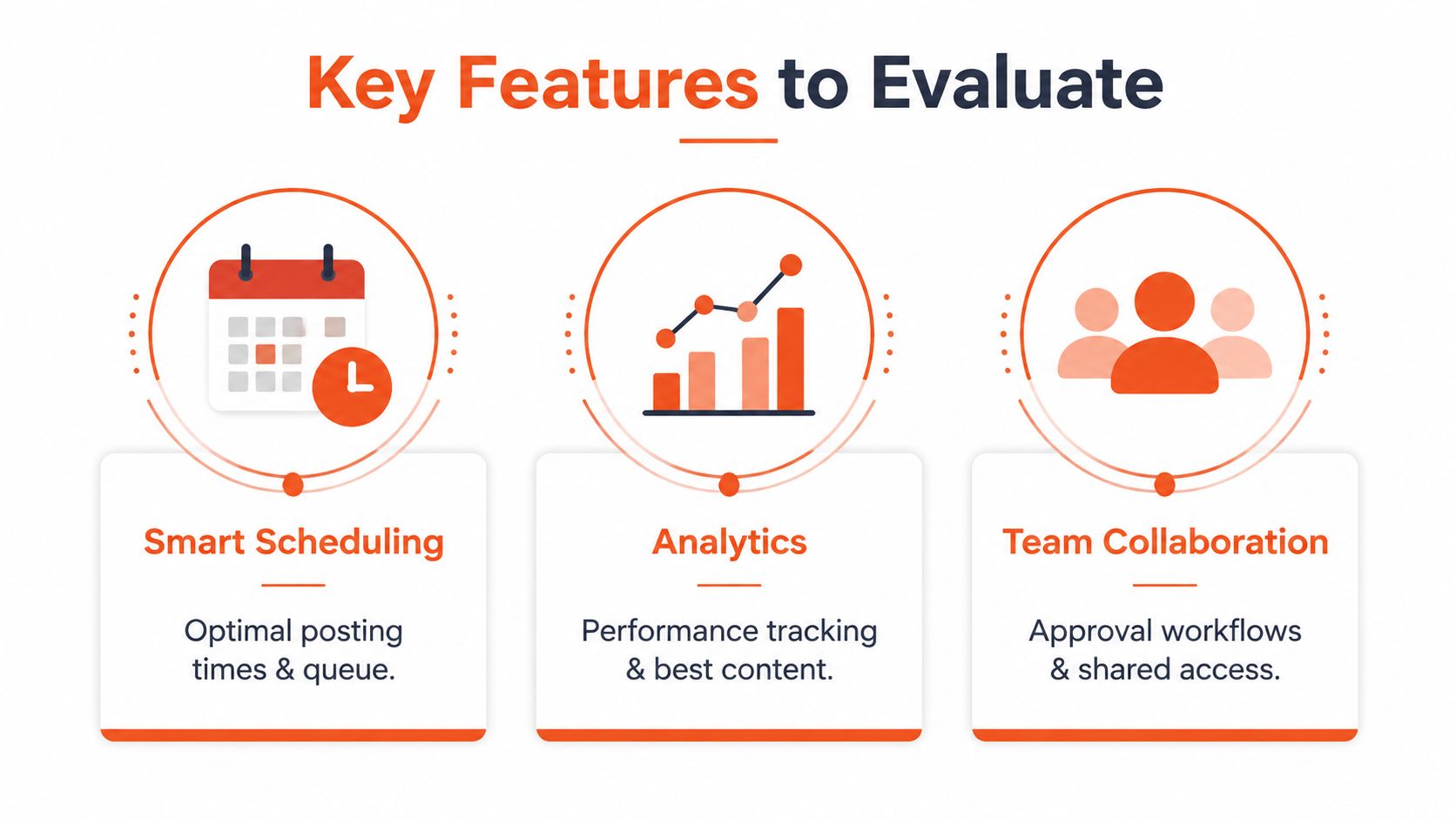
The features that earn their place
Feature | Solo thought leader | Growth marketer | Community builder |
|---|---|---|---|
Visual calendar | High value for planning threads and recurring posts | Essential across accounts and campaigns | Useful for balancing posts with live replies |
Time-zone-aware queue | Important for a distributed audience | Non-negotiable for regional campaigns | Valuable when members are spread across markets |
Bulk CSV upload | Helpful for prepared evergreen content | Major efficiency gain for large queues | Less important than reply visibility |
Native X API integration | Reliability matters more than extra dashboards | Critical for account stability | Important for threads and media publishing |
Approval workflow | Usually unnecessary | Essential for clients and brand teams | Useful when moderators share access |
AI drafting support | Valuable if it preserves voice and thread structure | Helpful for adapting formats | Useful for reply suggestions and variations |
A drag-and-drop calendar should make rescheduling obvious. If moving a post requires several menus, you'll avoid making necessary changes. A queue should also support local time zones rather than assuming the operator's computer clock represents the audience.
What deserves skepticism
Deep analytics matter when they answer a decision, such as whether a thread, image, or question earns better early replies. A dashboard filled with impressions but no content comparison can become another distraction. The same applies to automated hashtag suggestions. X posts often depend more on a clear idea and a strong opening than on adding labels to every message.
For multi-account teams, approval states, shared access, and an activity history are more useful than decorative reports. For thread-heavy creators, the composer should preserve order, media placement, and draft readability. A scheduler's calendar is available through tools such as the SupaBird calendar feature, but the right evaluation still depends on whether it supports your publishing and engagement habits.
Building a Repeatable Scheduling Workflow
A good calendar starts with a writing block, not with an empty queue. Reserve a focused session to create the week's raw material, then make publishing decisions while the ideas are still fresh.
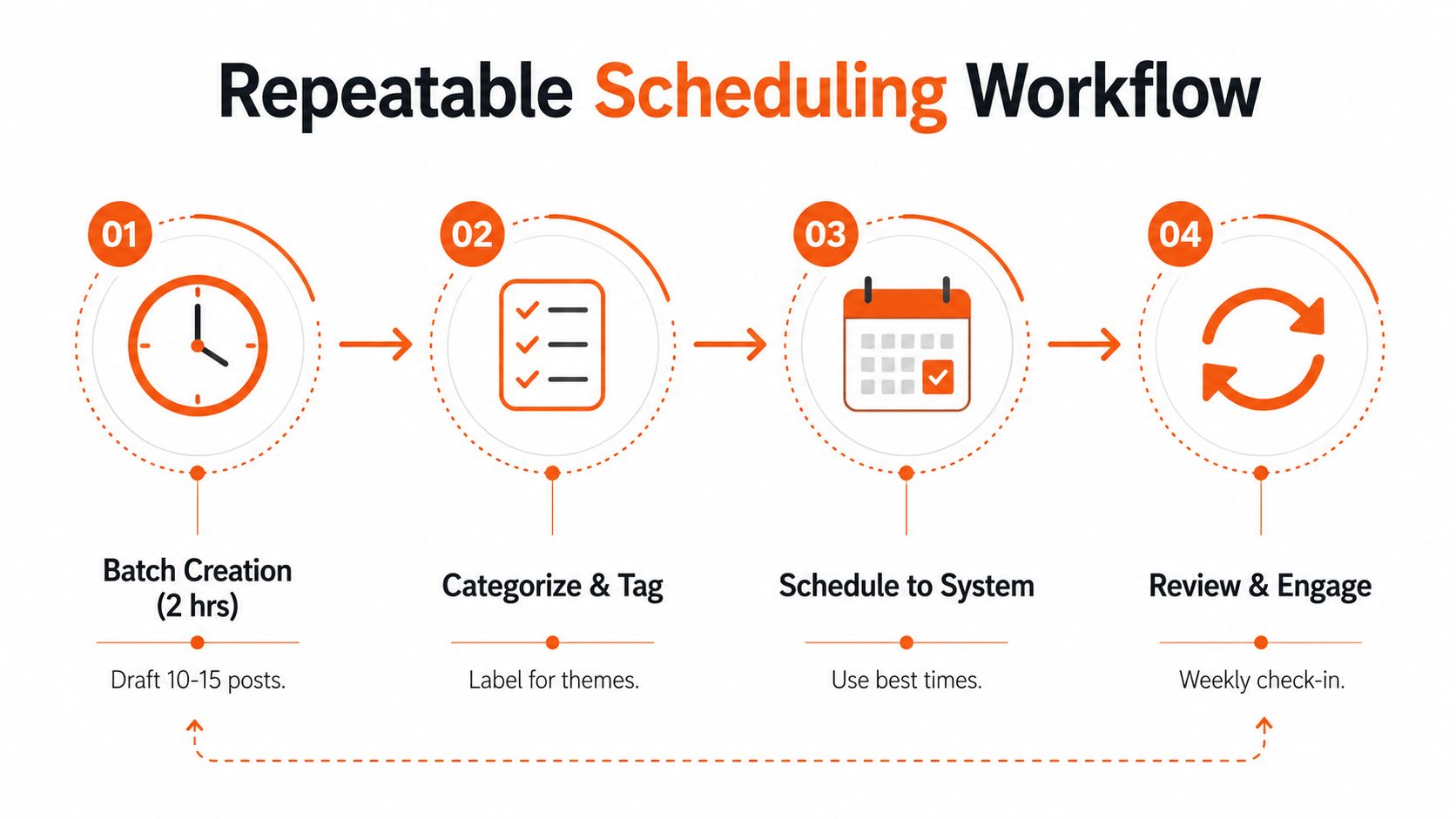
A four-step operating rhythm
Batch creation. Set aside 2 hours to draft 10 to 15 posts. Start with hooks, not polished prose. Write several angles around one problem, then identify which ideas need a thread, an image, or a short text post.
Categorize and tag. Mark each draft as evergreen, timely, or engagement-led. Evergreen posts can fill predictable slots. Timely posts need a review before publication. Engagement-led posts belong in windows when you can answer questions and continue the discussion.
Schedule to the audience. Use local audience clusters rather than your own clock. A global queue might route one post to a North American morning, another to a European afternoon, and another to an Asia-Pacific evening. Don't assume those labels are correct until your analytics support them.
Review and engage. Check the upcoming queue for stale references, duplicated ideas, and conflicts with launches or news. After publication, treat the first 30 to 60 minutes as an active work period, not as automation time.
A Monday batch could look like this: draft hooks first, expand the strongest ideas into threads, assign evergreen posts to weekday morning slots, reserve flexible spaces for timely material, and send drafts for review before the queue is finalized. Set fallback times for posts that depend on an event or approval, but don't let fallback slots publish outdated commentary.
The workflow should reduce daily choices while preserving the ability to interrupt the calendar. Strong boundaries also matter, especially for creators who feel pressure to remain constantly available. Guidance on how to protect focus and energy online pairs naturally with a queue that makes publishing predictable without demanding constant monitoring.
For a more detailed content-production structure, see this content production workflow. The useful principle is simple: prepare in batches, schedule with local context, and keep the response window visible.
When to Schedule and When to Post Live
Scheduled posts should anchor the account. Use them for evergreen lessons, recurring content pillars, curated threads, and prepared announcements that don't depend on a changing conversation. Live publishing should handle anything that loses value if it waits, including breaking news, event commentary, fast-moving trends, and responses to posts that are already gaining attention.
The distinction is editorial, not technical. Ask whether the post needs the audience's current context or your immediate participation.
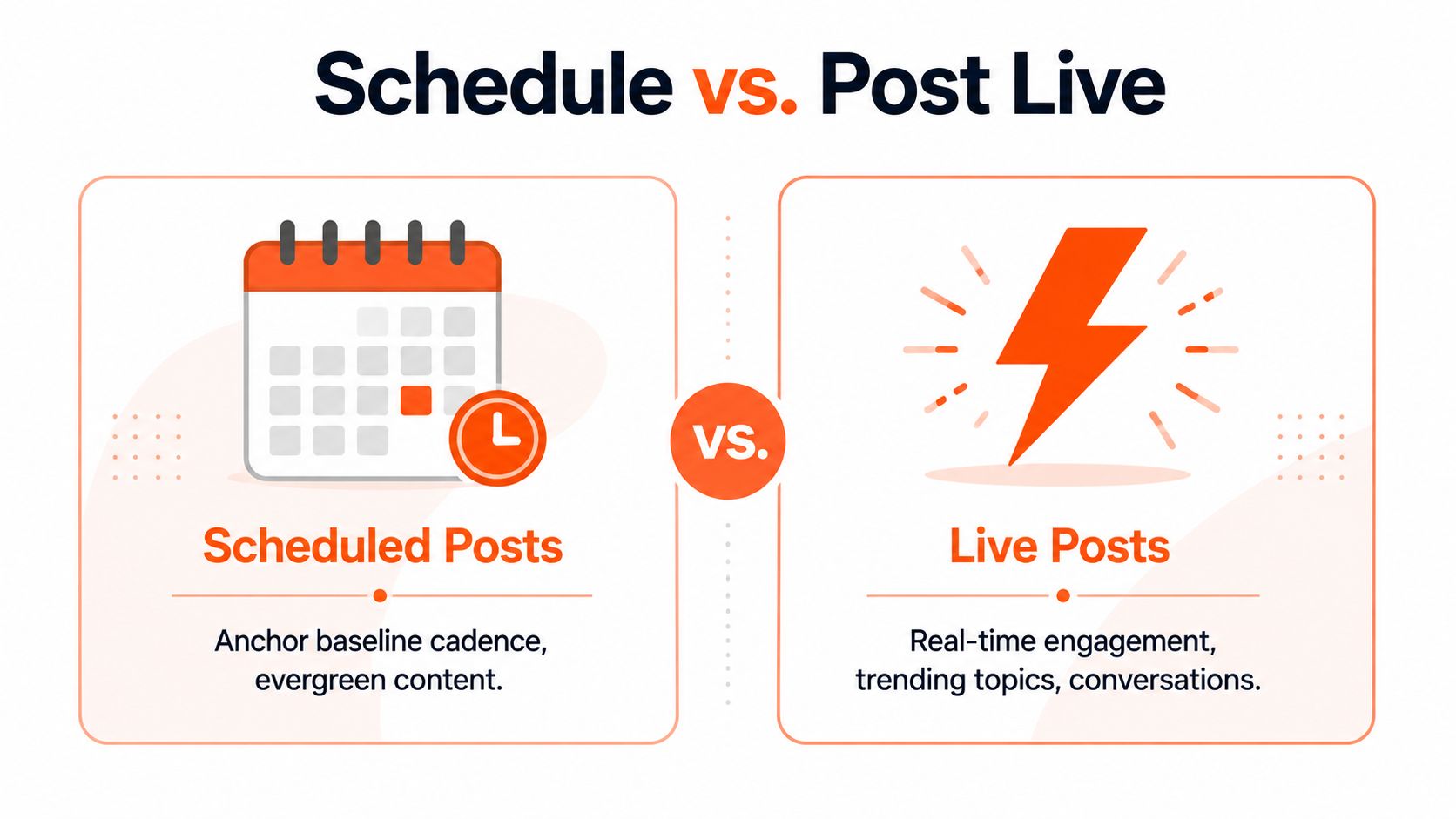
Use a baseline and a live layer
A practical starting split is 70% scheduled and 30% live, but treat that as a working allocation rather than a law. The scheduled portion keeps your account useful during busy periods. The live portion gives you room to respond when a conversation develops.
Reserve your strongest attention windows for interaction when possible. If analytics show that your audience responds most actively during a particular morning, don't fill every available slot with queued posts. Publish one prepared anchor, then use the remaining time to reply, quote-tweet, and refine follow-up content.
Question | Decision |
|---|---|
Does the post depend on news, an event, or a trend? | Post live |
Does it teach a stable concept or share an evergreen idea? | Schedule it |
Will replies improve the post's value? | Publish when you can participate |
Is the message tied to a launch or deadline? | Schedule the anchor, then post live around responses |
Could the context change before publication? | Keep it as a draft |
Quote-tweeting a viral post within the first 30 minutes can be more useful than publishing a prewritten observation at the same time. The scheduler should protect that opportunity by leaving capacity in the calendar, not by forcing every slot to fill.
Real Scheduling Workflows for Different Creator Types
A scheduler becomes useful when it reflects the operator's actual constraints. A solo expert, a SaaS marketer, and a newsletter writer may all need consistency, but they don't need the same queue, approval process, or live-posting ratio.
The solo thought leader
A creator publishing three daily posts can use AI-assisted drafting during a weekly batch session, then schedule evergreen threads away from the periods reserved for peer engagement. Mornings might remain open for replies to industry conversations, while prepared educational content fills later windows. The important separation is between writing time and response time. A queue that consumes every active window leaves the creator with no room to build relationships.
The SaaS marketer
A marketer managing five brand accounts needs repeatability more than a clever single-post composer. Bulk upload, reusable templates, voice notes, time-zone routing, and approval states reduce the risk of inconsistent publishing. A/B timing tests can compare the same message across different windows, but the marketer should change one meaningful variable at a time and record whether the test was comparable.
The newsletter creator
A newsletter operator can schedule a teaser before the send, prepare a post that explains the core idea, and reserve the launch window for live replies. Analytics should identify which formats generate clicks or conversations, not merely which posts receive passive visibility. When readers ask questions, those replies often become the strongest follow-up material.
Creator Type | Daily Cadence | Key Scheduler Features | Live vs Scheduled Split |
|---|---|---|---|
Solo thought leader | Three deliberate posts | AI drafting, thread composer, engagement alerts | More live interaction during peer-active windows |
SaaS marketer | Coordinated account queues | Bulk upload, templates, approvals, time-zone routing | Mostly scheduled, with live product and industry responses |
Newsletter creator | Teasers plus launch content | Analytics, link tracking, flexible queue controls | Scheduled promotion with live launch conversations |
SupaBird combines an X calendar, audience-aware posting slots, idea generation, engagement discovery, draft rewriting, and coaching in one workflow. That combination is relevant when the bottleneck isn't merely publishing, but deciding what to write and which conversations deserve a response.
How to Choose the Right Scheduler for Your Goals
Don't choose the most popular scheduler by default. Score each option against audience geography, content volume, and growth stage.
Start with the integration itself. A tool that cannot reliably publish threads, media, or replies is a poor fit no matter how polished its analytics look. Then check whether its time-zone controls route posts according to follower locations rather than your own clock.
Feature | Solo Creator | Agency / Multi-Account | Global Brand |
|---|---|---|---|
Native X integration | High priority | High priority | High priority |
Time-zone routing | Useful | Essential | Essential |
Bulk upload | Optional | Essential | Essential |
Templates | Helpful for recurring formats | Valuable for brand consistency | Necessary with governance |
Approval workflows | Usually unnecessary | Core requirement | Core requirement |
AI drafting and coaching | Often high value | Useful for adaptation | Useful with voice controls |
Reporting | Decision-focused | Client-ready | Cross-market and role-based |
A solo creator may need a clean composer and useful timing guidance. An agency needs account separation, approvals, and bulk operations. A global brand needs regional routing, permissions, and a reliable review trail. Compare those requirements before committing to a long plan, and use this guide to Twitter scheduling tools in 2026 as a further evaluation resource.
The right tool should make your publishing more deliberate, not just more frequent. Choose the system that gives you enough automation to stay consistent while preserving the attention required for early replies and live conversations.
SupaBird combines time-zone-aware X scheduling with idea generation, engagement discovery, draft improvement, and coaching, so you can build a reliable queue without abandoning real-time conversation. Visit SupaBird to see whether its calendar and growth workflow fit the way you publish.

The Reply Guy Strategy: A Growth Guide for X

Why New X Accounts Get Less Reach

ClimbX Review (2026): Features, Pricing, Pros and Cons

How Developer Startups Build a Brand on X Before Launch

30-Day Starting Plan for New X (Twitter) Accounts

How Often Should You Tweet for Maximum Growth?

What Should Your First 10 Tweets Be About?

How to Run X for Ten Clients: The Agency Workflow

How to write a bio that gets people to follow you
