Stop Scrolling, Start Connecting: Find Your Perfect Tool
Hours disappear on X when the workflow is weak. A team replies to posts, chases trends, schedules content, and still ends the week with flat engagement and no clear sense of what moved the needle. That's a common trap with Twitter engagement tools. They stay busy, but they don't build a system.
The right tool changes that. It helps a creator spot reply opportunities before the feed gets crowded, tighten rough drafts into stronger posts, schedule consistently, and keep track of which conversations are worth returning to. It also helps separate vanity metrics from actions that support qualified reach, stronger follower quality, and traffic.
That distinction matters more now because platform engagement is harder to earn. The standard engagement-rate formula is still simple, (Total Engagements / Total Impressions) x 100, but the benchmark is harsher. The average engagement rate on X across brands sits at 0.16% in 2025, and rates above 0.5% are generally considered solid, according to the 2025 benchmark summary referenced here. In other words, guessing won't cut it.
Some teams need an all-in-one growth engine. Others need a reply workflow, a team inbox, or a lightweight CRM that lives inside X. This guide gets to the point and sorts the best options by the job they do well, not by bloated feature lists. For teams also reworking their publishing process, this guide on how to automate social media content in 2025 is a useful companion.
Table of Contents
1. SupaBird
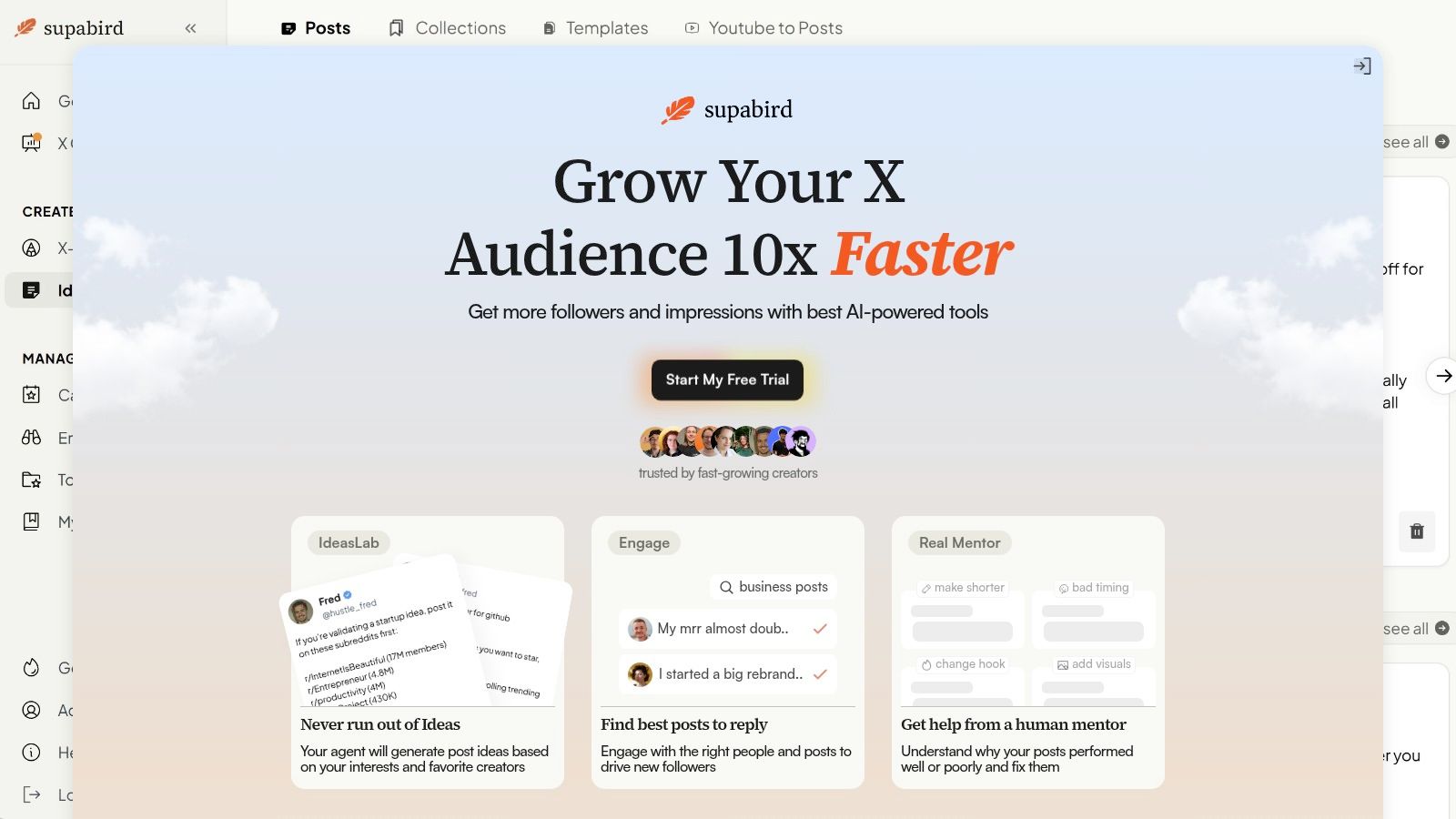
You sit down to post on X, but the actual work starts earlier. You need a solid angle, a draft that fits the platform, and a shortlist of conversations worth joining before your post disappears into the feed. SupaBird is built for that workflow.
It fits the All-in-One Growth job better than tools that split writing, scheduling, and engagement into separate apps. The product stays focused on one network and one outcome: helping solo operators and lean teams publish better posts and attach them to real conversations. Ideas Lab helps generate angles, Engage surfaces posts worth replying to, X-GPT rewrites rough drafts into stronger X-native formats, and the scheduler keeps output consistent without turning posting into a manual job.
Why SupaBird stands out
The part that changes the day-to-day workflow is X Coach. AI writing help is common now. The weak point is usually strategy. A draft can read cleanly and still fail because the hook is soft, the format is wrong for the idea, or the post goes out with no plan for distribution. SupaBird adds human coaching to that loop, which makes the feedback more useful when a post is underperforming for strategic reasons, not grammatical ones.
That matters if the goal is engagement, not just publishing volume.
Used properly, SupaBird covers a full operating loop:
Generate angles: Pull topic ideas when the pipeline is dry.
Find reply opportunities: Use Engage to focus on posts with visibility potential instead of scrolling manually.
Rewrite for X: Turn notes, clips, or plain updates into tighter posts and threads.
Schedule around a plan: Maintain consistency while still posting with timing and context in mind.
In practice, tools that combine publishing with reply discovery tend to outperform scheduler-only setups for creators and founder-led brands. On X, distribution often comes from the replies, quote posts, and conversation paths around the post, not from the post alone. If the content side and engagement side live in different tools, execution usually gets sloppy.
There is a trade-off. SupaBird is X-first by design, so it is less useful for teams that need broad multi-channel coordination or heavy approval layers. For users focused on X growth, that narrow scope is a feature. For users building a cross-platform content engine, it can feel limiting. If the bigger challenge is message planning before production, this guide to a social media content strategy for consistent publishing is a useful companion.
For comparison, this breakdown of SupaBird vs Typefully for X growth helps clarify where each product fits.
Best fit
SupaBird is a strong fit for the All-in-One Growth job-to-be-done. It works well for:
Solo creators who want ideas, rewrites, scheduling, and reply prompts in one place
Founders building authority on X as part of demand generation
Lean marketers who care more about repeatable execution than enterprise reporting
A practical engagement stack is SupaBird plus BlackMagic if the goal is faster outbound engagement with better targeting. SupaBird handles idea generation, writing, and scheduling. BlackMagic adds more depth for power engagement inside the feed. That split works well when a user has outgrown basic reply discovery but still wants one central place to create and ship content.
The main limitation is simple. No tool fixes weak positioning or shallow ideas. But for operators who want one system to move from angle to draft to reply workflow, SupaBird is one of the clearest options in this category.
2. Tweet Hunter
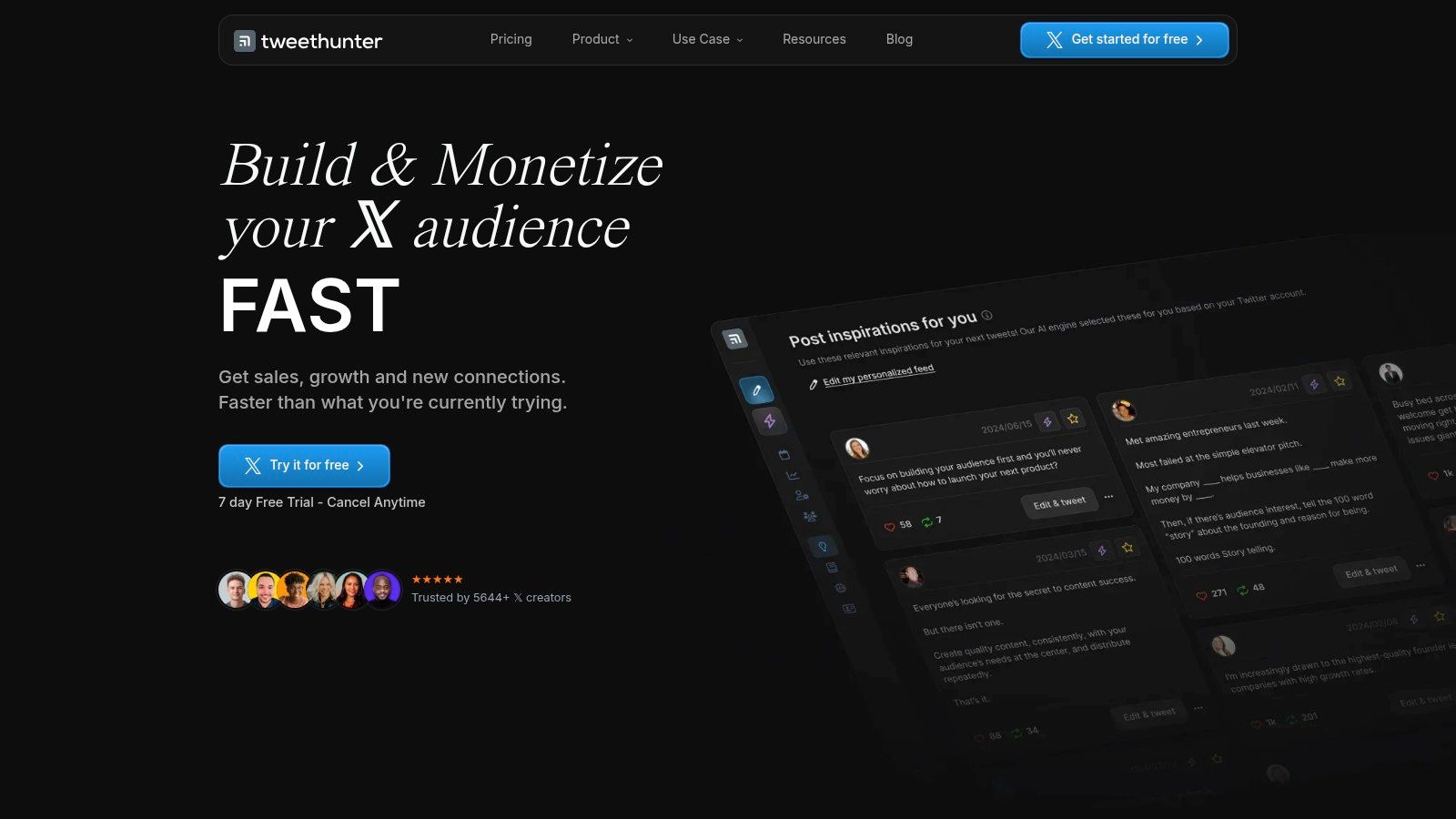
Tweet Hunter is built for operators who want aggressive automation without moving into enterprise software. It has the broad shape of a creator suite: idea generation, AI writing, scheduling, analytics, and engagement workflows. What makes it useful is that it doesn't stop at content creation. It also tries to reduce the manual grind around relationship-building and follow-up.
Its Engage module helps users identify accounts and tweets worth replying to. That matters because manual engagement by itself hasn't kept pace with the platform's decline in easy organic reach. One benchmark summary notes the median engagement rate on X dropped to 0.015% in 2025, pushing many marketers toward tool-assisted scheduling, monitoring, and analytics in order to stay systematic, as described in Sprout Social's overview of Twitter engagement workflows.
Where it works best
Tweet Hunter is strongest when a user wants to build a routine around repeatable actions:
Reply at scale: Find accounts and posts to engage with instead of hunting manually.
Automate distribution: Use evergreen queues, reposting, and lightweight promotion flows.
Follow up automatically: Auto-DMs and auto-retweets save time, though they need oversight.
Review performance: Use analytics to adjust posting windows and content patterns.
The trade-off is quality control. Heavy automation creates obvious risk on X because people can spot canned outreach quickly. Auto-DMs and auto-retweets can save time, but they can also make an account sound lazy if the messaging isn't tuned carefully.
Automation helps most when it removes repetitive steps, not when it replaces judgment.
For creators comparing growth-focused tools rather than pure schedulers, this piece on choosing a social media growth tool for audience building adds useful context. Tweet Hunter is a strong fit for solo founders and creators who want one platform that handles most day-to-day X motions, but it works best in disciplined hands.
3. Hypefury

Hypefury sits in a useful middle ground. It isn't trying to be a heavyweight team platform, and it isn't just a thread editor either. It's best understood as a creator-first scheduling tool with enough engagement features to help users stay active without living in the timeline all day.
Its Engagement Builder is the standout feature. Users can watch keywords, lists, or specific accounts and jump into relevant conversations faster. That setup works well for creators who already know the niche voices they want to engage with and need a cleaner way to keep up.
Best use case
Hypefury works best for a creator who posts threads often and wants to support those posts with lightweight engagement routines. The thread editor is polished, delayed thread posting is practical, and scheduled replies can help keep a thread active after launch. Auto-DM campaigns, reposting top-performing tweets, and cross-posting to other networks round out the workflow.
There's a real strategic advantage in that setup. Some engagement tactics can pull in more platform interaction while hurting click intent, which is why tool choice should follow the goal. One independent guide notes that tweets without links can earn 25.1% more retweets, favorites, and replies, while tweets with images are 150% more likely to be retweeted, as discussed in this analysis of Twitter growth trade-offs. Hypefury is useful when the target is attention and thread distribution, not just outbound traffic.
Strong for threads: Drafting and scheduling are smoother than in many broad social tools.
Useful repost controls: Good for extending the life of posts that already proved they resonate.
Good for repurposing: Handy if X posts also feed Instagram-style image content.
The main downside is that it can feel limited if the team needs deeper CRM-style tracking or broader team workflows. For content systems, this article on a practical social media content strategy for growth connects well with how Hypefury is usually used.
4. Typefully
Typefully is the cleanest writing environment in this list. That sounds cosmetic, but it matters. The drafting environment shapes output, especially for people who publish threads, long-form takes, launch sequences, and narrative posts. Typefully feels built by people who understand that writers need less clutter, not more dashboards.
The product's strength is composition first, then publishing and analytics. The editor is fast, the AI writing assistant is embedded directly into the writing flow, and thread management is polished. Multi-platform scheduling also makes it practical for users who want to reuse ideas across X, LinkedIn, Mastodon, and Threads.
What it does better than most
Typefully is best for users who already have ideas and need help turning them into stronger finished posts. It isn't the best option for CRM-style engagement, lead tracking, or heavy inbox work. It is one of the better tools for drafting cleanly, reviewing post performance, and iterating on writing quality.
A useful workflow with Typefully looks like this:
Draft thoroughly: Write threads and long posts without fighting the interface.
Refine with AI: Tighten hooks, phrasing, or structure inside the editor.
Schedule across channels: Repurpose thought leadership without rewriting from scratch.
Review post-level performance: Use analytics to spot what writing formats pull engagement.
Its weakness is also obvious. It doesn't surface relationship context the way more engagement-native tools do. Users who want to track repeated interactions with specific people, remember past replies, or manage ongoing outreach often need another layer on top.
Typefully is a writing weapon, not a relationship-management system.
For many creators, that's fine. It does one important part of the workflow extremely well. Among Twitter engagement tools, Typefully is the best fit for thread-first operators who care more about output quality than automation depth.
5. BlackMagic.so
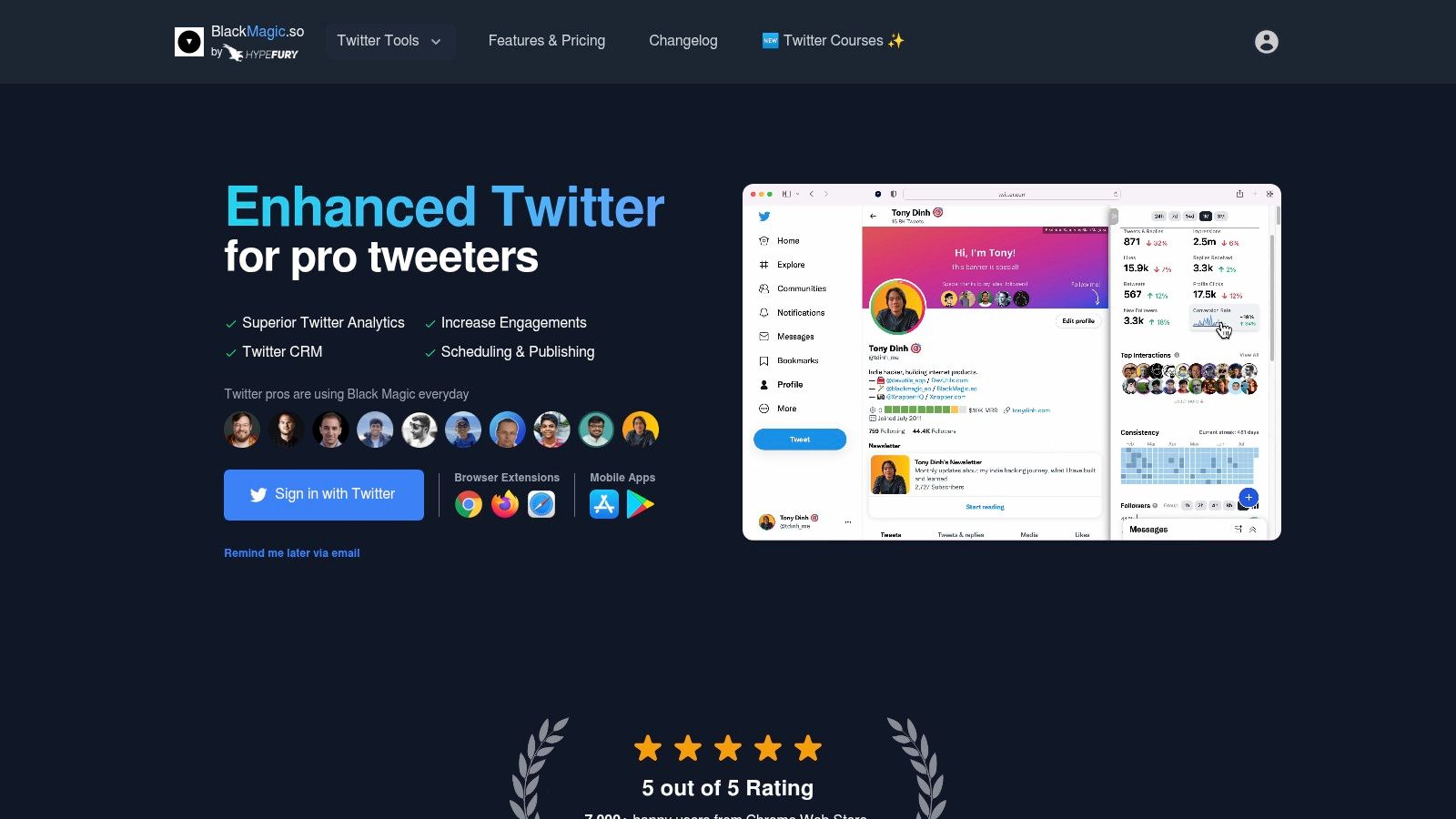
BlackMagic.so is one of the most interesting products on this list because it solves a problem most Twitter engagement tools ignore. The problem isn't posting. It's remembering people.
A lot of accounts lose momentum because they treat X like a stream of isolated interactions. BlackMagic turns the platform into a lightweight relationship layer. Favorite-people lists, interaction history, private notes, reminders, and on-page analytics help users engage with context instead of improvising every time someone reappears in the feed.
Why power users love it
BlackMagic works directly inside the X experience, which is its biggest strength. There's less context switching, fewer tabs, and less friction between seeing an opportunity and acting on it. For people who live in the timeline, that matters more than a glossy dashboard.
It's especially strong for these workflows:
Track high-value accounts: Keep investors, customers, creators, partners, or warm leads in named groups.
Remember context: Add notes after a strong exchange so the next reply feels informed.
Build consistency: Use reminders to circle back instead of disappearing after one good interaction.
Stay native: Work inside X rather than jumping out to a separate CRM.
This kind of setup is underrated because relationship quality is harder to measure than likes and reposts. But it often matters more. A creator may not need more comments from random accounts. That creator may need better visibility with a short list of people who can amplify, buy, refer, or collaborate.
For readers curious about the product's backstory and why it developed a loyal following, this write-up on what happened behind the BlackMagic acquisition story adds useful context.
The downside is straightforward. BlackMagic isn't a broad social media suite. It's a sharp specialist. Paired with a scheduler or AI writing tool, though, it becomes one of the strongest “power engagement” additions in any X stack.
6. Buffer
Buffer is the practical choice for small teams that need a simple scheduling and engagement hub across more than one network. It has been around long enough to avoid overcomplicating the basics. That matters for teams who don't want a steep learning curve just to queue posts, review replies, and keep a content calendar moving.
Its value for X comes from the combination of threaded post scheduling, a Community Inbox for replies, AI-assisted drafting, and broader cross-platform publishing. Buffer usually isn't the sharpest specialist in any one X workflow, but it's often the easiest tool to get adopted across a small team.
Who should pick Buffer
Buffer makes sense when the team's problem is operational consistency, not advanced listening or creator-style growth hacking. A startup marketing team, local business, consultant, or lean brand team can use it to plan posts, reply from one place, and keep multiple channels moving without buying enterprise software.
A useful Buffer workflow usually looks like this:
Plan threads and regular posts: Schedule X content alongside LinkedIn, Instagram, or Facebook.
Handle replies centrally: Use the inbox so engagement doesn't vanish into individual logins.
Repurpose quickly: Use AI assistance to adapt one core idea into multiple channel formats.
Keep the stack simple: Avoid paying for separate publishing and inbox tools too early.
The limitation is depth. Buffer won't give users the same relationship tracking as BlackMagic, the same creator-growth focus as SupaBird or Tweet Hunter, or the same high-volume listening and reporting as Sprout Social. That's fine for many teams. Buffer earns its place by being clear, lightweight, and easy to maintain.
Among Twitter engagement tools, Buffer is often the right answer when a team needs competence across publishing and replies, not a specialized growth machine.
7. Sprout Social
Sprout Social is built for brands that treat X as an operating channel, not just a content channel. That means customer care, campaign reporting, approvals, listening, multi-user workflows, and inbox coverage all matter. Sprout does those jobs well.
Its Smart Inbox remains the center of gravity. Teams can manage mentions, replies, and messages in one place, assign work internally, and track activity without creating confusion about who answered what. For a solo creator, that's too much. For a larger brand, it's exactly what prevents dropped conversations.
Where Sprout earns its keep
Sprout is strongest in high-volume environments where engagement has to be managed consistently across people and campaigns. Its reporting and listening features are useful when the team needs more than post-by-post analytics. That includes monitoring brand mentions, tracking hashtag activity, and measuring engagement trends over time.
X's native analytics can show what happened on a given post, but they don't provide the same campaign-wide operational picture. The native dashboard's analytics expanded significantly in recent years, including views into impressions, link clicks, and detail expands, yet third-party reporting remains useful for exports and competitive comparisons, as noted earlier in benchmark coverage.
Enterprise teams don't fail on X because they can't post. They fail because ownership, response speed, and reporting break down.
The trade-off is price and complexity. Sprout can become expensive as seats add up, and many features are unnecessary for smaller operators. But for customer care teams, regulated industries, larger brands, or agencies handling complex approvals, Sprout remains one of the strongest team collaboration tools in this category.
8. Agorapulse

Agorapulse is one of the safest picks for agencies and in-house marketing teams that need day-to-day social operations to stay organized. It isn't the flashiest product for X growth, but it does an important job well: it keeps inbox work, publishing, and reporting from turning messy when multiple people are involved.
Its unified inbox is the reason many teams choose it. Mentions, DMs, and comments can be reviewed in one workflow instead of being split across personal logins and scattered notifications. When a team is juggling several brands or clients, that alone can save a lot of friction.
Best fit for teams
Agorapulse fits best when the team needs repeatable process more than creator automation. It supports X thread scheduling, publishing, team assignments, and reporting, with broader social coverage that makes it practical for agencies handling several networks at once.
The strongest use cases are straightforward:
Agency account management: Keep client engagement work visible and trackable.
Multi-brand publishing: Schedule and review content without losing ownership.
Inbox triage: Assign conversations to the right person instead of duplicating work.
Reporting cadence: Deliver clean reports without exporting data from several places.
Agorapulse does have a familiar trade-off. As teams scale, per-user pricing can become a factor, and some advanced features sit higher in the plan structure. Still, for a team that needs publishing plus inbox control without moving into a heavier enterprise setup, Agorapulse is one of the more balanced Twitter engagement tools available.
9. SocialPilot

SocialPilot targets agencies and small teams that care about value and workflow coverage. It doesn't try to win on creator-centric features. It wins by giving teams a lot of operational utility without forcing them into enterprise pricing logic.
Its Social Inbox, bulk scheduling, approvals, and white-label reporting make it especially useful for client work. A team can manage multiple X accounts, queue content in batches, route approvals, and hand off reporting in a client-friendly format. That's a very specific job, and SocialPilot is built for it.
Where SocialPilot fits
SocialPilot is a smart pick for teams running several accounts with a repeatable production process. It works well when the team already knows what content to publish and mainly needs an efficient machine around scheduling, approvals, and basic engagement handling.
Its strengths are clear:
Bulk workflows: Useful for campaigns and batch content planning.
Approvals: Helpful when clients or internal stakeholders need sign-off.
Shared operations: Easier to manage across teams than native platform logins.
White-label reporting: Strong fit for agencies that need cleaner client delivery.
What it won't do as well is deep listening, relationship tracking, or creator-style engagement prospecting. Teams that need to identify high-value conversations before posting will usually pair SocialPilot with a more engagement-native tool. But for agencies that need order, speed, and predictable account handling, it does the job well.
10. Publer

Publer is a budget-friendly option for lean teams that want scheduling, AI assistance, and some useful X-specific planning features without moving into heavier software. It isn't a deep engagement platform, but it covers the basics well enough for teams that need content output first and engagement support second.
Its combination of AI tweet writing, thread scheduling, competitor analysis, tagging support, and posting-time insights makes it a practical entry point. For startups and small businesses that repurpose content across several channels, that can be enough.
Best use case
Publer is best when the team's main need is steady publishing with lightweight optimization. It helps users turn ideas into posts, schedule threads, review competitor behavior, and keep channels active without a lot of setup overhead.
That said, it's important to understand the ceiling:
Good for repurposing: Useful when one idea needs to become multiple social posts.
Helpful timing support: Better than posting blind, especially for small teams.
Simple competitive view: Enough to spot patterns, not enough for deep listening.
Limited engagement depth: Not the tool for serious CRM, inbox operations, or proactive conversation hunting.
For teams just graduating from native posting, Publer can be a sensible first step into Twitter engagement tools. It won't replace a specialist product, but it can help build a cleaner publishing routine before the team decides which advanced workflow matters most.
Top 10 Twitter Engagement Tools, Feature Comparison
Product | Core features | UX & performance | Value proposition | Best for | Price / plan notes |
|---|---|---|---|---|---|
SupaBird (Recommended) | IdeasLab, Engage, X‑GPT rewrites, scheduler, X Coach (AI + human) | Viral templates, city-aware calendar, proven results (40k+ posts) | End-to-end X growth + human mentorship to scale followers & impressions | Creators, founders, marketers focused on X | Free trial, transparent monthly plans, cancel-anytime, 7‑day guarantee |
Tweet Hunter | Engage discovery, AI writer, auto-DMs/retweets, analytics | Practical automations, multi-account on higher tiers | Automates outreach & posting to save time and scale engagement | Solo creators & founders | Tiered plans; automation caps require upgrades for heavy use |
Hypefury | Engagement Builder, thread editor, auto-DMs, cross-posting | Hands-on reply workflow, strong thread tooling | Fast reply workflows + reposting to boost visibility and reach | Thread-focused creators and reply-led growth | Trial only; no free plan; daily Auto-DM caps by tier |
Typefully | Thread-first editor, AI writing, detailed analytics, multi-platform | Best-in-class drafting UX, strong thread analytics | Clean drafting + analytics for high-quality long-form threads | Power users, writers, thread creators | Public pricing less explicit; AI usage may be metered |
BlackMagic.so | On-page analytics, favorite lists, interaction history, notes | Minimal context-switching, in-feed CRM feel | Relationship tracking & reminders directly inside X | Power users who work inside twitter.com | Very affordable entry pricing |
Buffer | Community Inbox, threaded scheduling, AI assistant, best-time tips | Simple, approachable UI; good multi-platform flows | Low-cost planner + engagement hub for multi-network teams | Small teams and beginners | Clear free tier; low starting price per channel |
Sprout Social | Smart Inbox, reporting, listening, team workflows | Enterprise-grade UX, deep analytics & SLAs | Robust reporting & listening for high-volume social care | Brands, agencies, large teams | Per-seat pricing (can be expensive); 30-day trial |
Agorapulse | Unified inbox, scheduling, reporting, team workflows | Scales well for agencies; reliable inbox UX | Agency-focused inbox + collaboration for multi-brand accounts | Agencies and multi-brand teams | Per-user pricing; 30-day free trial |
SocialPilot | Social Inbox, bulk scheduling, approvals, white-label reports | Affordable, agency-oriented interface | Clear pricing with client approvals & white-label reporting | Agencies and small social teams | Generous limits by tier; 14-day free trial |
Publer | AI tweet writer, competitor analysis, best-time insights, tagging | Budget-friendly, multi-network repurposing | Good price-to-features for lean teams wanting analytics | Lean teams needing multi-network scheduling | X support on paid tiers only; affordable plans |
Your Action Plan From Tool to Workflow
A common mistake teams make is choosing software by feature count. That usually leads to a bloated stack, inconsistent usage, and dashboards nobody checks after the first week. Twitter engagement tools work best when each one has a clear job inside a repeatable routine.
A better approach is to build around the actual bottleneck.
If the problem is content quality and idea generation, an all-in-one growth tool like SupaBird makes sense. If the problem is remembering who matters and following up consistently, BlackMagic adds the missing relationship layer. If the problem is approvals, inbox coverage, and team accountability, Agorapulse or Sprout Social is the more practical base. If the team only needs straightforward publishing and light engagement support across several channels, Buffer, SocialPilot, or Publer can be enough.
Three stack patterns stand out:
Growth stack for solo creators: SupaBird plus BlackMagic. One tool improves ideation, rewriting, scheduling, and reply discovery. The other helps track important people and continue conversations with context.
Creator publishing stack: Typefully or Hypefury plus BlackMagic. This works well for thread-heavy accounts that care about writing quality and direct relationship management.
Team operations stack: Agorapulse or Sprout Social as the core system. Add a specialist only if the team also needs stronger creator-style growth workflows on X.
What usually doesn't work is relying on one scheduling tool and expecting it to solve engagement by itself. Scheduling maintains consistency. It doesn't create relevance. The accounts that grow on X tend to do three things well: they publish in a clear format, they join the right conversations early, and they keep showing up around the same people long enough to become familiar.
The next step should be small. Start one free trial. Choose one workflow. Run it for a week.
That might mean using SupaBird's Engage module daily to find five high-value posts to reply to. It might mean using BlackMagic to create a shortlist of target accounts and adding notes after each interaction. It might mean setting up Agorapulse so every mention gets triaged by the right teammate instead of drifting. The point is to test behavior change, not collect software.
Teams that want stronger audience relationships should also think beyond posting volume and focus on conversation quality. This guide on how to grow your online community pairs well with that mindset.
The best tool is the one that matches the way the team already works, then improves it with less friction. More software doesn't guarantee more engagement. Better workflow does.
SupaBird is a strong place to start for anyone who wants a focused X growth system instead of another generic scheduler. It combines idea generation, viral-ready rewrites, reply discovery, scheduling, and coaching in one product, which makes it one of the most complete options in this list for creators, founders, and marketers. Explore SupaBird to see whether its workflow fits the way your team grows on X.

How to Run X for Ten Clients: The Agency Workflow

How to write a bio that gets people to follow you

Digital Product Launch Strategy

Best Twitter Growth Service for Creators in 2026
From X to Every Platform: Repurpose Without Flopping

How to Get Cited by Grok: Winning X’s AI Search in 2026

5 X (Twitter) Growth Metrics Every Serious Creator Should Track — and How to Get the Data
Best Twitter (X) Scheduling Tools in 2026

Best X (Twitter) Growth Tools in 2026
