
The most feature-rich scheduler isn't automatically the best one. A tool that excels at meeting coordination can be awkward for drafting X threads, while a strong social queue may do little for approval-heavy campaigns or shared brand assets.
The right choice depends on the job. An X creator planning a week of posts needs fast drafting, idea generation, engagement prompts, and timing guidance. A marketing team coordinating a product launch needs channel-specific publishing, review stages, permissions, analytics, and reliable integrations. A consultant booking calls needs availability rules and a frictionless client booking flow, not an endless content calendar.
This comparison focuses on workflow fit, automation, analytics, integrations, collaboration, pricing, and the manual work each platform leaves behind. It also covers a practical question many comparisons skip: when is SupaBird's built-in calendar more useful than adding a separate scheduler? For broader research, see this guide to the best tools for RedactAI users.
Table of Contents
1. SupaBird
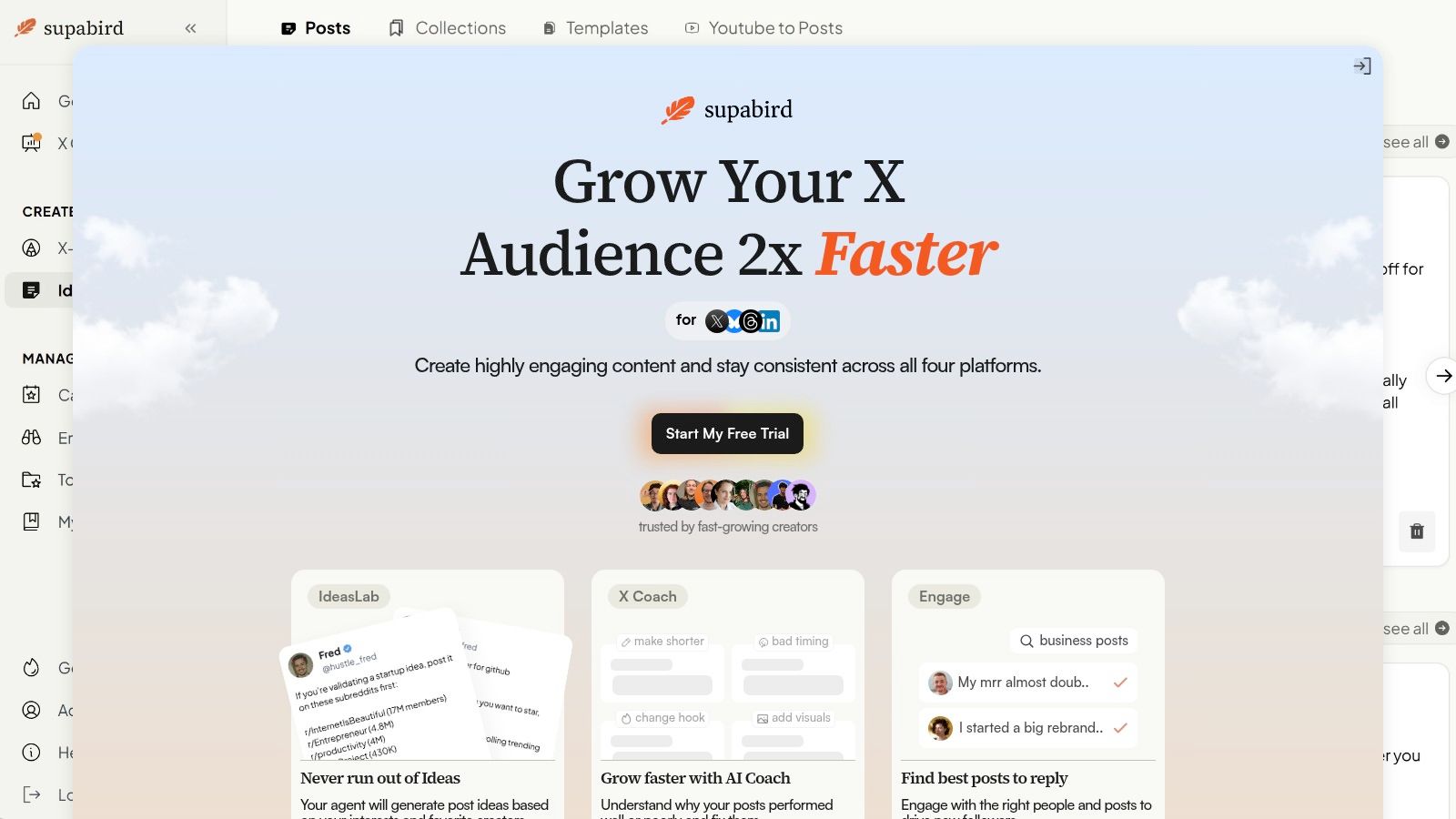
SupaBird is the strongest fit when scheduling is only one part of an X growth workflow. It combines the work that usually happens before and after publishing, including finding ideas, rewriting drafts, discovering conversations, choosing time slots, and reviewing performance.
The Ideas Lab learns from creators you follow, so you can build a repeatable source of topics instead of opening a blank composer every morning. X-GPT can reshape a rough draft into proven post formats and templates, while Engage surfaces high-impact posts and people worth replying to. That combination matters because a queue full of posts won't create a durable growth habit if you aren't also participating in relevant conversations.
The built-in calendar recommends posting times across cities such as Berlin, New York, London, and Mumbai. It also supports scheduling and cross-posting to Threads, LinkedIn, and Bluesky, which is useful when one strong X idea should become a wider distribution package.
Practical rule: Use SupaBird when the bottleneck is deciding what to publish and how to improve it, not merely placing finished posts on a calendar.
Where SupaBird earns its premium
The differentiator is the pairing of daily AI coaching with a real human mentor through X Coach. The coach can explain why a post worked or fell flat and suggest concrete changes, such as a shorter hook, stronger visuals, or different timing. That feedback loop is more useful than an automation that only fills empty slots.
SupaBird users have created over 40,000 posts, according to the publisher's product information. Pricing is listed at $39 monthly, or a yearly plan billed at $99, approximately $8.25 per month, with a free trial, cancel-anytime terms, occasional lifetime deals, and a 7-day money-back guarantee. Those figures and terms can change, so confirm them on the SupaBird website.
The trade-off is focus. Casual users may find a dedicated growth system harder to justify than a basic scheduler, and AI suggestions still need human judgment. Content quality, audience fit, and live engagement remain your responsibility.
2. Typefully
Typefully is built around the writing experience, especially for creators who think in X threads rather than isolated updates. Its editor is clean, quick, and less distracting than the publishing dashboards found in larger social suites.
The calendar and queue support next-slot scheduling and best-time suggestions. You can schedule X posts and threads, then distribute content to LinkedIn, Threads, Mastodon, Bluesky, and other supported networks. For a solo creator, that workflow is refreshingly direct: draft, edit, assign a slot, and move on without configuring a full campaign system.
Typefully also offers a public REST API for programmatically creating and scheduling content. That makes it relevant to technical founders or small teams that want to connect content production to their own workflows.
Best use and trade-off
Choose Typefully when writing speed and thread quality matter more than deep reporting or complex approvals. It has a low learning curve and works well for a founder drafting several ideas between product work and customer calls.
The limitations show up once more people enter the process. Analytics are lighter than those in full-suite platforms, and collaboration is less developed than in enterprise-focused schedulers. If you need shared asset libraries, detailed permissions, or formal sign-off, you'll likely add another system around it.
For a direct comparison with SupaBird's growth workflow, see SupaBird versus Typefully.
3. TweetHunter
TweetHunter treats scheduling as part of an X growth and monetization system. Its queue calendar supports one-click cadence setup, including options such as publishing three times per day or defining a custom weekend rhythm.
The platform is particularly useful for evergreen content. You can recycle selected posts, use best-time guidance, and keep a consistent queue without manually rebuilding the same publishing pattern each week. Automations such as auto-DMs and educational resources through Tweet Hunter University extend the product beyond basic scheduling.
That focus is valuable for creators selling products, newsletters, consulting, or services through X. For example, a founder can rotate educational posts, product lessons, customer objections, and calls to action while reserving time to reply manually to relevant discussions.
A recurring queue should preserve your best ideas, not excuse you from reviewing whether they still fit the audience.
TweetHunter's weakness is its narrow center of gravity. It is tuned primarily for X growth, so it isn't the natural choice for a team coordinating a broad social program across many networks. Its automation depth may also be more than a hobbyist needs. Compare its workflow with SupaBird as a TweetHunter alternative if you want AI ideation, engagement discovery, and human coaching in the same system.

4. Buffer
Buffer remains a practical choice for creators and lean teams that want simple multi-network publishing. Its visual queues, content calendar, browser extensions, and mobile apps make it easy to capture an idea when it appears and place it into the correct channel later.
The composer supports X posts and thread scheduling, while some workflows can include first-comment scheduling. That matters for a small marketing team that repurposes a product announcement across X, LinkedIn, and other networks but doesn't need a large approval system.
Buffer's per-channel model can work well when you manage only a few profiles. The interface is intuitive, and the platform's broad ecosystem reduces the amount of training needed for new users.
Where the simplicity stops helping
Buffer is less compelling when you need advanced analytics or formal approvals. Those capabilities may require paid features or add-ons, and the total cost can rise as more profiles are added. A team that starts with one brand and later adds several clients should model account growth before committing.
For an individual creator, the trade-off is often sensible. You get dependable queue management without adopting a complicated operating system. For an agency, however, reporting depth and review controls may become the deciding factors.
This comparison of Twitter scheduling tools is useful if X remains your primary publishing channel.
5. SocialBee
SocialBee organizes publishing around content categories, which makes it a strong choice for maintaining consistency without treating every post as a one-off decision. You might create queues for education, customer stories, founder observations, product updates, and community prompts, then assign each draft to the right category.
Category recycling is the main operational advantage. Instead of asking what to publish every day, you maintain a balanced set of queues and review whether each category still contains useful material. That approach suits consultants, coaches, and small businesses with evergreen expertise but limited time for daily planning.
SocialBee also includes AI content assistance, analytics, multi-profile planning, and approval workflows. A small team can let one person draft posts, another review them, and a manager approve the final calendar.
Best fit for structured consistency
The interface exposes more options than minimalist tools, so the initial setup takes thought. That's a reasonable price for teams that want a repeatable content architecture, but it can feel unnecessary if you only publish a few personal posts each week.
SocialBee works best when your challenge is coverage across recurring themes. It works less well when your main challenge is improving individual X hooks, finding conversations to join, or receiving detailed coaching on why a post performed poorly.
6. Publer
Publer is a pragmatic option for freelancers and agencies that need bulk scheduling, account-level control, and approval features without moving immediately to a higher-end suite. Its calendar planner, bulk upload tools, browser extension, and recycling options support a production-oriented workflow.
X thread scheduling is included, which helps when a batch contains both single posts and longer educational sequences. The flexible plan builder lets teams align costs with social accounts and team members, an important consideration for agencies managing clients with different publishing needs.
A freelancer could upload a month of approved content, assign posts to channels, and leave room for live commentary. An agency could separate client work by account and give reviewers access without opening every administrative setting.
Practical value versus polish
Publer's interface is more utilitarian than the most polished social platforms. That isn't a serious problem if the priority is throughput, but users who want a highly guided or visually refined planning experience may prefer Loomly or Buffer.
The main trade-off is workflow polish. Publer covers the practical mechanics well, but higher-end tools may provide smoother campaign organization, richer reporting, or more advanced collaboration. Before building a large recurring queue, review how scheduling slots automate a posting calendar.

7. Loomly
Loomly is a calendar-first tool for teams that need planning and sign-off to be visible. Its visual calendar supports month and list views, placeholders, labels, and campaign organization, which helps when several stakeholders contribute to one publishing program.
The Post Ideas feature, including RSS-driven ideas, can keep the planning board supplied with possible topics. Optimization helpers then give contributors a structured place to refine drafts before review. This is useful for a marketing team running campaigns where the calendar itself needs to communicate status, ownership, and next actions.
Approvals are Loomly's practical center. A social manager can prepare a campaign, a subject-matter expert can check accuracy, and a brand lead can approve the final content without relying on scattered comments or private messages.
When process is the product
Loomly is more process-oriented than creator-centric platforms. A solo founder who wants to write and publish quickly may find the structure heavier than necessary, especially if no one else needs to review the post.
For multi-stakeholder work, that structure prevents a different kind of manual labor, the repeated effort of asking who approved what and which version is current. If your calendar involves legal, brand, client, or executive review, a little extra setup can save substantial coordination later.
8. Metricool
Metricool is the strongest middle ground here for teams that want scheduling plus reporting without adopting a larger enterprise suite. Its drag-and-drop calendar, brand workspaces, permissions, recurring posts, and analytics dashboards connect planning with measurement.
Recurring scheduling is useful for always-on content. A creator can maintain a library of recurring educational posts, while an agency can organize multiple brands in separate workspaces and review results without exporting data into another reporting system.
Metricool also includes best-time planning aids. Use those recommendations as starting points, then compare them with your own audience response. Timing varies by platform and audience. Buffer's 2026 analysis, for example, recommends treating social timing in the audience's local time and lists different windows for Instagram, TikTok, and LinkedIn in its platform timing guidance.
Analytics with an API caveat
Metricool's analytics are stronger than those of many entry-level schedulers, but network APIs still shape the experience. Some post types may require manual steps, and workarounds can appear when a platform limits automated publishing.
That means you should test the exact formats you publish, not just connect the account and assume every workflow is equal. For a marketer who needs recurring posts, campaign reporting, and multi-brand organization, Metricool offers a useful balance. For an X creator seeking idea generation and post-level coaching, it solves a different problem.
9. Sprout Social
Sprout Social is designed for organizations where publishing is part of a governed social operation. It combines calendars, approvals, asset management, a unified Smart Inbox, collaboration tools, and broad reporting.
The value isn't only the number of features. It is the ability to define who can create, review, approve, publish, respond, and report. A larger brand can keep shared assets organized, route customer messages to the right people, and give leadership a consistent view of channel activity.
Sprout Social is also appropriate for agencies that need mature support, training resources, and repeatable client workflows. Its reporting depth supports teams that have to explain social performance to multiple stakeholders rather than just check whether posts went live.
The enterprise trade-off
Per-seat pricing can become expensive as teams grow, and most solo creators won't use enough of the platform to justify that complexity. Smaller teams may also spend more time configuring permissions and processes than they save.
Choose Sprout Social when governance, shared ownership, inbox management, and detailed reporting are central requirements. If your real need is a weekly X queue and better hooks, an X-first tool will be faster to adopt and easier to maintain.
10. Circleboom Publish
Circleboom Publish is a budget-friendly choice for creators who want X-first scheduling with basic cross-posting. Its thread scheduling, Smart Scheduler, recurring post setup, and queue-filling features cover the fundamentals without asking you to adopt a full social management suite.
The separate X Publish plan is useful when X is the main channel and other networks are secondary. Multi-network support includes Facebook, Instagram, LinkedIn, Google Business, and X, so a small business can distribute core announcements without maintaining several separate tools.
A creator might prepare a set of X threads, let Smart Scheduler fill available queue slots, and manually adapt the strongest ideas for LinkedIn. That keeps the system simple while still creating a distribution habit.
Who should avoid it
Circleboom's interface and reliability are more basic than those of top-tier platforms. Advanced collaboration, asset management, and enterprise governance aren't its strengths. If missed posts or manual checks would create serious operational risk, test the complete workflow before moving a high-stakes calendar into production.
It makes the most sense for an X-focused creator who values low entry cost and straightforward queueing. It makes less sense for a team that needs detailed approvals, advanced analytics, or a unified customer inbox.
Top 10 Scheduling Tools Comparison
Tool | Core features | Unique selling points | Best for | Price & UX |
|---|---|---|---|---|
SupaBird (Recommended) | Ideas Lab, Engage discovery, X‑GPT rewrites, calendar + scheduling, cross-posting, X Coach (AI + human) | AI + real human mentorship; virality templates; city-optimized timing; video→post transforms | Creators, founders, solopreneurs, social managers focused on follower & impressions growth | Free trial; $39/mo or $99/yr (~$8.25/mo); occasional lifetime deals; cancel-anytime, 7-day refund; highly rated |
Typefully | Thread‑first composer, calendar & “best time”, queue, public REST API, multi‑network posting | Writer‑friendly UX and thread workflow; simple API for automation | Solo creators and small teams prioritizing writing and threads | Paid plans; lightweight, fast, low learning curve |
TweetHunter | Queue calendar, evergreen recycling, “best times”, automations (auto‑DMs), growth resources | Automation for reposting and monetization; growth‑focused toolset | Creators optimizing follower growth and lead capture on X | Paid plans; X‑centric with strong reuse automations |
Buffer | Multi‑network scheduler, visual queues, basic analytics, browser & mobile apps | Dependable, easy onboarding; solid ecosystem for beginners | Beginners, lean teams, few social profiles | Free tier + paid plans; per‑channel costs can scale |
SocialBee | Category queues, recycling, multi‑profile planner, AI assistance, approvals | Category‑driven planning simplifies long‑range consistency; value pricing | Creators and small teams who want structured, category workflows | Affordable paid tiers; moderate learning curve |
Publer | Bulk upload, calendar planner, thread scheduling, flexible plan builder, approvals | Per‑account scaling and granular plan control; strong value for agencies | Freelancers and agencies managing many profiles on a budget | Budget‑friendly pricing; utilitarian interface |
Loomly | Visual calendar, Post Ideas (RSS), optimization tips, approval workflows, labels | Built‑in ideation + campaign organization for sign‑off workflows | Teams and multi‑stakeholder programs needing approvals | Team‑oriented paid plans; process‑heavy but structured |
Metricool | Drag‑and‑drop calendar, recurring posts, brand workspaces, robust analytics | Stronger analytics than entry‑tier tools; good multi‑brand reporting | Agencies and creators who need reporting and recurring scheduling | Paid tiers; good reporting value; some API workarounds |
Sprout Social | Publishing, approvals, asset library, unified inbox, deep reporting | Enterprise‑grade workflows, permissions, and analytics | Large teams, brands, and agencies requiring enterprise features | Per‑seat pricing; comprehensive but higher cost |
Circleboom Publish | Thread scheduling, Smart Scheduler to auto‑fill queues, multi‑network support, X‑only plan | X‑first options with low entry price; simple queueing & recycling | X‑focused creators on a tight budget | Low‑cost plans; basic UI and reliability compared with top suites |
Choose the Workflow You Will Actually Maintain
The best tools for scheduling are the ones your team can operate consistently after the initial setup. Choose SupaBird or another X-first platform when growth, drafting, engagement, and timing are the core jobs. SupaBird is particularly useful when you want idea generation, X-GPT rewrites, Engage discovery, a timezone-aware calendar, cross-posting, and coaching in one workflow rather than stitching those tasks together.
Choose Buffer when you want a simple multi-network queue with minimal training. Choose SocialBee when category-based consistency and recycling matter more than a minimalist interface. Choose Publer when bulk uploads, account-level scaling, and practical approvals need to fit a value-conscious workflow. Choose Metricool when reporting and recurring publishing are as important as the calendar.
Loomly is a better fit for structured planning and stakeholder sign-off. Sprout Social is the stronger option when shared assets, permissions, unified inbox work, enterprise reporting, and mature support justify the added complexity. Circleboom suits X-first users who want straightforward scheduling and basic cross-posting at a lower level of operational depth.
Use this selection checklist
Supported networks: Confirm that every required channel supports the post formats you publish, including threads, videos, first comments, and recurring content.
Calendar behavior: Check whether the tool uses fixed slots, a flexible queue, drag-and-drop planning, or audience-localized timing.
Recurring content: Verify whether recycling respects your categories, avoids repetition, and lets you pause outdated posts quickly.
Analytics: Decide whether you need basic post feedback, channel reporting, campaign views, or enterprise reporting.
Integrations: Test the calendars, storage systems, CRMs, communication tools, and automation platforms your team already uses.
Team roles: Check drafts, comments, approvals, permissions, asset libraries, and audit visibility before inviting stakeholders.
Pricing model: Compare profile, account, workspace, seat, and feature limits. A low starting price may change as your publishing operation expands.
API limitations: Test manual steps for each important network and content type. A connected account doesn't guarantee full automation.
The market's growth reinforces why this evaluation matters. One scheduling software market estimate values the category at $4.8 billion in 2025 and projects $11.2 billion by 2034, a 9.8% CAGR. The same estimate identifies software as 67.4% of 2025 revenue, cloud deployment at 61.3%, North America at $1.9 billion, or 38.5% of global revenue, and healthcare as the largest end-user segment at 24.6%. Those figures describe a broad software category, not a reason to buy the most elaborate platform.
Put the system into practice
Start by defining content pillars. Give each pillar a clear purpose, such as teaching, demonstrating, building trust, starting conversations, or converting interest. Then connect only the accounts you need, create a realistic cadence, and batch enough drafts to make the schedule useful without turning it into an inflexible wall of automation.
Reserve time for live engagement. A queue can publish a strong post, but it can't replace thoughtful replies, timely reactions, or judgment during a fast-moving conversation. Review performance regularly, identify which formats and topics earned meaningful responses, and adjust timing by platform, market, and content type instead of trusting one universal posting hour.
That local approach matters because timing recommendations conflict across platforms. Sprout Social's 2026 research places broad social activity on Tuesdays and Wednesdays between 11 a.m. and 6 p.m. local time, with Instagram recommendations extending from 1 p.m. to 7 p.m. on Tuesdays and 12 p.m. to 9 p.m. on Wednesdays, as detailed in its 2026 posting-time research. Metricool's X study identifies 9:00 p.m. as its best X posting time based on more than 2 million posts, while the broader analysis also covered more than 2 million TikTok posts from over 92,000 accounts, according to this X and TikTok timing report. Treat those as testing inputs, not permanent rules.
A scheduling tool earns its place when it removes recurring decisions without hiding the work that still needs human attention. Run a small pilot, check reliability across time zones and networks, and keep the workflow that your actual team will maintain.
SupaBird combines X idea generation, engagement discovery, AI rewrites, timezone-aware scheduling, cross-posting, and daily coaching in one focused growth system. If you want to turn scheduling into a repeatable way to publish better X content and learn from each post, visit SupaBird and start with the free trial.

The Reply Guy Strategy: A Growth Guide for X

Why New X Accounts Get Less Reach

ClimbX Review (2026): Features, Pricing, Pros and Cons

How Developer Startups Build a Brand on X Before Launch

30-Day Starting Plan for New X (Twitter) Accounts

How Often Should You Tweet for Maximum Growth?

What Should Your First 10 Tweets Be About?

How to Run X for Ten Clients: The Agency Workflow

How to write a bio that gets people to follow you
