Social Media Content Scheduler: Save Time, Boost Engagement
Author:

Most X creators know the pattern. A good idea shows up while walking, between meetings, or late at night. The post goes live fast. Then the next day gets busy, the timeline moves on, and the account goes quiet. A week later, the creator is back to forcing a post just to “stay active.”
That cycle isn't a creativity problem. It's a systems problem. On X, consistency matters, timing matters, and the ability to stay present without living inside the app matters even more. A social media content scheduler fixes that, but only when it becomes part of a larger workflow for planning, publishing, and engaging.
The shift is simple. Stop treating posting as a daily emergency. Start treating it as an operating system for growth.
Table of Contents
From Daily Grind to Strategic Growth
Posting manually on X feels productive right up until it starts breaking consistency. Creators spend too much time deciding what to post, rewriting hooks, checking the clock, and promising they'll “do better tomorrow.” That approach creates random spikes of activity, but it rarely creates steady growth.
A scheduler changes the posture of the account. Instead of reacting to the day, the creator works ahead. Ideas get captured while they're fresh. Posts get written in batches. The calendar becomes visible. Dead spots disappear.
That's no longer a niche workflow. Seventy-three percent of social media marketers now use dedicated scheduling tools to plan and publish content, up from 61% in 2024 and 47% in 2022, according to ScheduleWave's social media scheduling statistics. The practical takeaway is clear. Scheduling has moved from “helpful tool” to standard operating procedure.
What changes when posting becomes a system
The biggest gain isn't automation by itself. It's predictability.
A creator with no system asks the same questions every day:
What should go out today: A promotional post, a thread, a reply-driven take, or a simple insight.
When should it go live: Morning, lunch, or evening.
Will there be time to engage after posting: Often no, which weakens the post right after publication.
A creator with a scheduling system answers those questions once, then executes repeatedly.
A scheduler doesn't replace creative judgment. It protects it from daily chaos.
That difference matters on X because the platform rewards steady presence. The account that publishes on purpose has more chances to test angles, build recognizable themes, and create momentum. The account that disappears for days keeps restarting from zero.
Understanding Social Media Content Schedulers
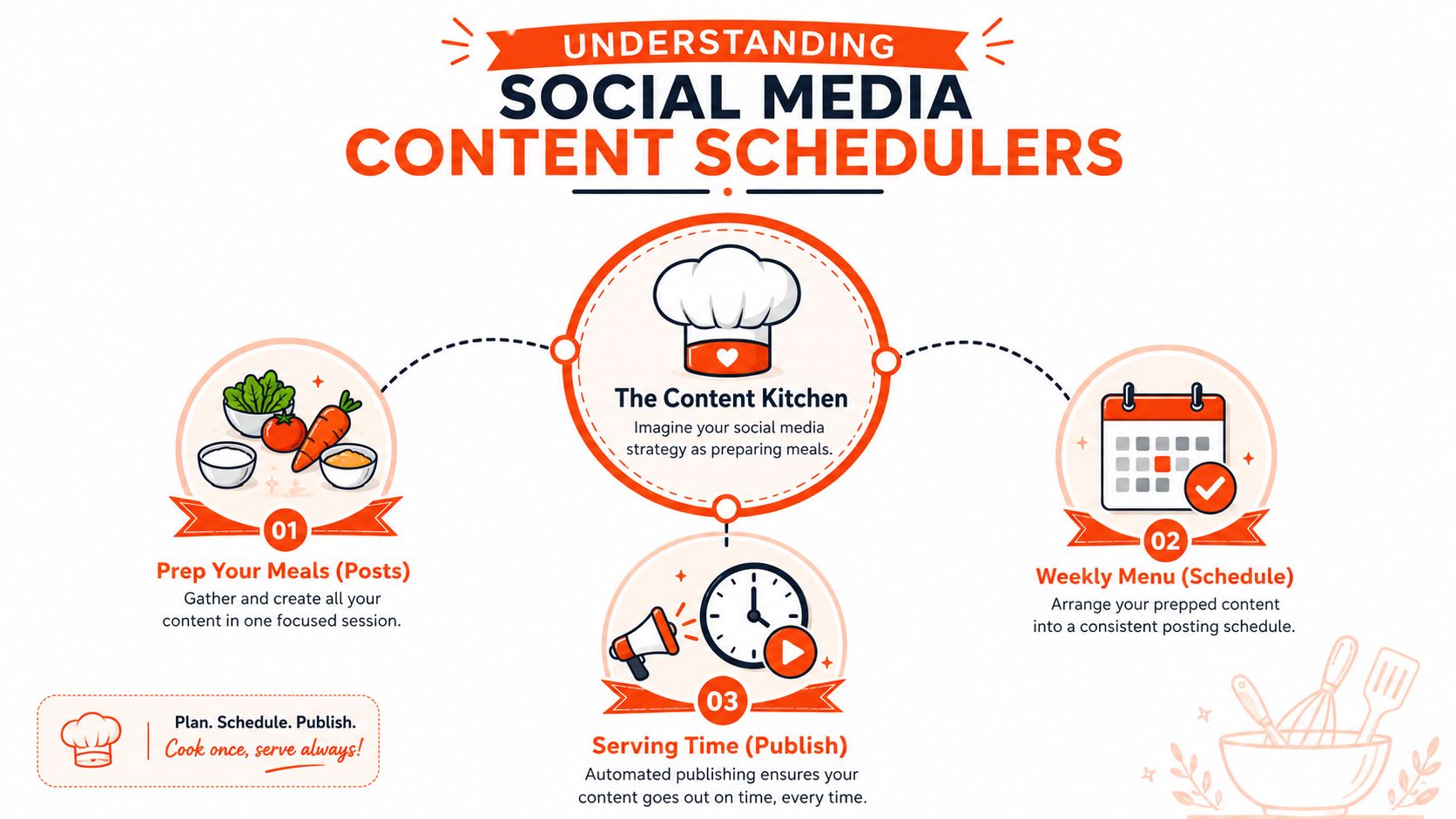
A social media content scheduler is easiest to understand as a content kitchen. Instead of cooking every meal from scratch three times a day, the creator preps ingredients in one focused session, portions them out, and decides when each meal will be served. Posting works the same way.
The raw materials are ideas, hooks, drafts, screenshots, short videos, replies worth expanding, and threads worth splitting into single posts. The scheduler is where those pieces get organized into a publishing plan instead of sitting in notes, bookmarks, and half-finished drafts.
The content kitchen model
A useful scheduler does three jobs well.
It stores prepared posts. Drafts aren't lost in scattered tools.
It puts those posts on a calendar. The creator can see gaps, clusters, and balance across the week.
It publishes automatically. The post goes out at the chosen time without requiring the creator to be online.
That's why a visual calendar matters so much. A creator can look at a week and immediately spot whether the mix is too heavy on product promotion, too light on authority-building posts, or missing engagement-first content. Tools with a strong visual content calendar for scheduling posts make that planning step much easier.
What a scheduler actually does
Manual posting sounds simple, but it creates friction everywhere. The creator has to stop working, open X, format the post, check for typos, publish it, then remember to come back for replies. Repeating that every day turns posting into interruption-driven work.
A scheduler removes the mechanical part so attention can move to higher-value tasks:
Refining hooks: Better openings matter more than the act of clicking publish.
Planning themes: The week can include educational posts, contrarian takes, social proof, and conversation starters.
Engaging deliberately: Time can be reserved for replies after posts go live, instead of being spent on manual setup.
Manual posting is real-time labor. Scheduling is prepared execution.
For X creators, that distinction is especially useful because the platform moves fast. The creator who batches content in advance can still post spontaneously when a fresh idea hits, but the baseline calendar keeps the account active even on low-energy days.
Why You Need a Scheduler for Consistent Growth
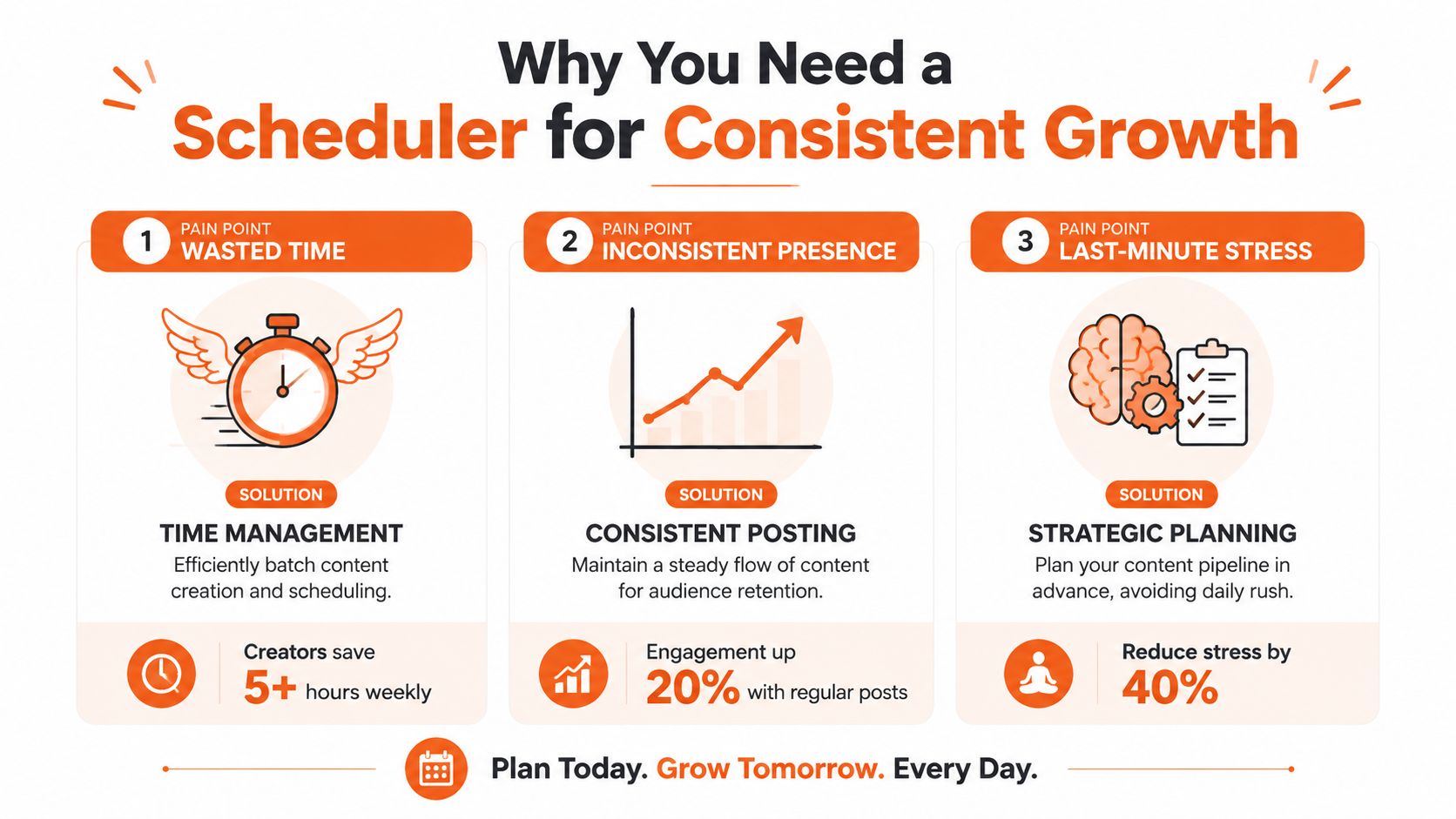
Most creators don't need another productivity app. They need a way to stop breaking their own momentum. That's the primary reason to use a social media content scheduler on X. It solves three problems at once. Inconsistent publishing, wasted operating time, and poor timing discipline.
Consistency beats bursts
X rewards accounts that show up regularly with a clear voice and recognizable topics. A creator who posts heavily for two days and disappears for five loses that compounding effect. The audience forgets. The creator loses context. The account becomes harder to evaluate because there isn't enough stable output to learn from.
Scheduling fixes that by removing mood-based posting. The creator doesn't need to feel inspired every day. The work gets done during a planning block, and the system handles delivery.
Mindset shift: Stop endlessly posting. Start strategically publishing.
That change also improves content quality. Batch writing makes it easier to compare hooks, trim weak posts, and spot repetition before it reaches the timeline.
Time saved becomes strategy
The strongest case for scheduling isn't convenience. It's the strategic advantage. Businesses that use social media management tools like schedulers report an average 32% increase in engagement rates compared to manual posting, while freeing up 75% of their operational time for strategic planning and higher-level content development, according to RecurPost's overview of scheduling benefits.
Those hours shouldn't be wasted on more busywork. They should go toward the parts of X growth that manual posters usually neglect:
Focus area | What it looks like in practice |
|---|---|
Content review | Looking at which hooks earn replies, bookmarks, or profile visits |
Distribution | Repurposing a strong post into a thread, visual, quote post, or follow-up |
Engagement | Replying to comments while the post is still fresh |
Positioning | Tightening themes so the account becomes known for something specific |
Creators who want a better framework for mastering content distribution usually discover the same thing. Distribution gets sharper when publishing is planned, not improvised.
Timing matters on X
A strong post at the wrong time can underperform for reasons that have nothing to do with the idea itself. That's one more reason scheduling matters. It lets the creator match publishing to audience behavior instead of personal availability.
What doesn't work is setting a random time and never revisiting it. What works is building a repeatable schedule, watching how posts perform in each slot, and adjusting based on the audience that account attracts.
Key Features to Look for in a Scheduler
Not every scheduler deserves a place in an X workflow. Some tools are fine for cross-platform posting but weak where X creators need precision. Others look polished yet add friction when the content volume increases. The right choice depends on whether the tool publishes posts or actively supports growth.
The minimum useful feature set
A workable scheduler for X should make the weekly publishing process faster, clearer, and easier to review. At minimum, it should include:
A visual calendar: The creator needs to see the week at a glance, not hunt through a queue.
Bulk scheduling: Writing several posts in one sitting only helps if they can be loaded quickly.
Thread support: X creators often publish connected ideas. A tool that treats every post as isolated will slow that down.
Analytics visibility: Even simple post-level feedback helps identify which themes deserve more calendar space.
Slot-based scheduling: Repeating time windows reduce decision fatigue and make the week easier to manage.
A strong ideas workflow also matters. Tools that help generate drafts are far more useful than tools that assume the creator already has a full backlog. For creators who need help turning rough concepts into publishable angles, an idea generation workspace for X content planning is more valuable than another generic media folder.
Generic scheduler versus X growth tool
Many buyers make the wrong choice. They compare tools by surface features instead of by growth fit.
A generic all-in-one scheduler usually works like this:
Tool style | Best at | Weak spot for X creators |
|---|---|---|
All-in-one scheduler | Publishing to many platforms from one dashboard | Often treats X like just another channel |
X-focused growth tool | Supporting posting, timing, idea flow, and engagement habits | Usually narrower in platform coverage |
That distinction matters because X isn't a visual-first planning platform like Instagram, and it isn't mainly a corporate publishing channel like LinkedIn. It's conversation-heavy, timing-sensitive, and fast-moving. A creator often needs to draft threads, schedule singles around them, leave room for reactive posts, and keep enough headspace for replies.
The best scheduler for X isn't the one with the longest feature list. It's the one that removes the most friction from how X actually works.
What usually fails is overbuying a complex enterprise suite for a simple creator workflow. If approvals, multi-brand dashboards, and giant reporting layers aren't needed, those extras become clutter. A leaner tool with stronger X support often creates a better publishing habit.
Building Your First Content Scheduling Workflow
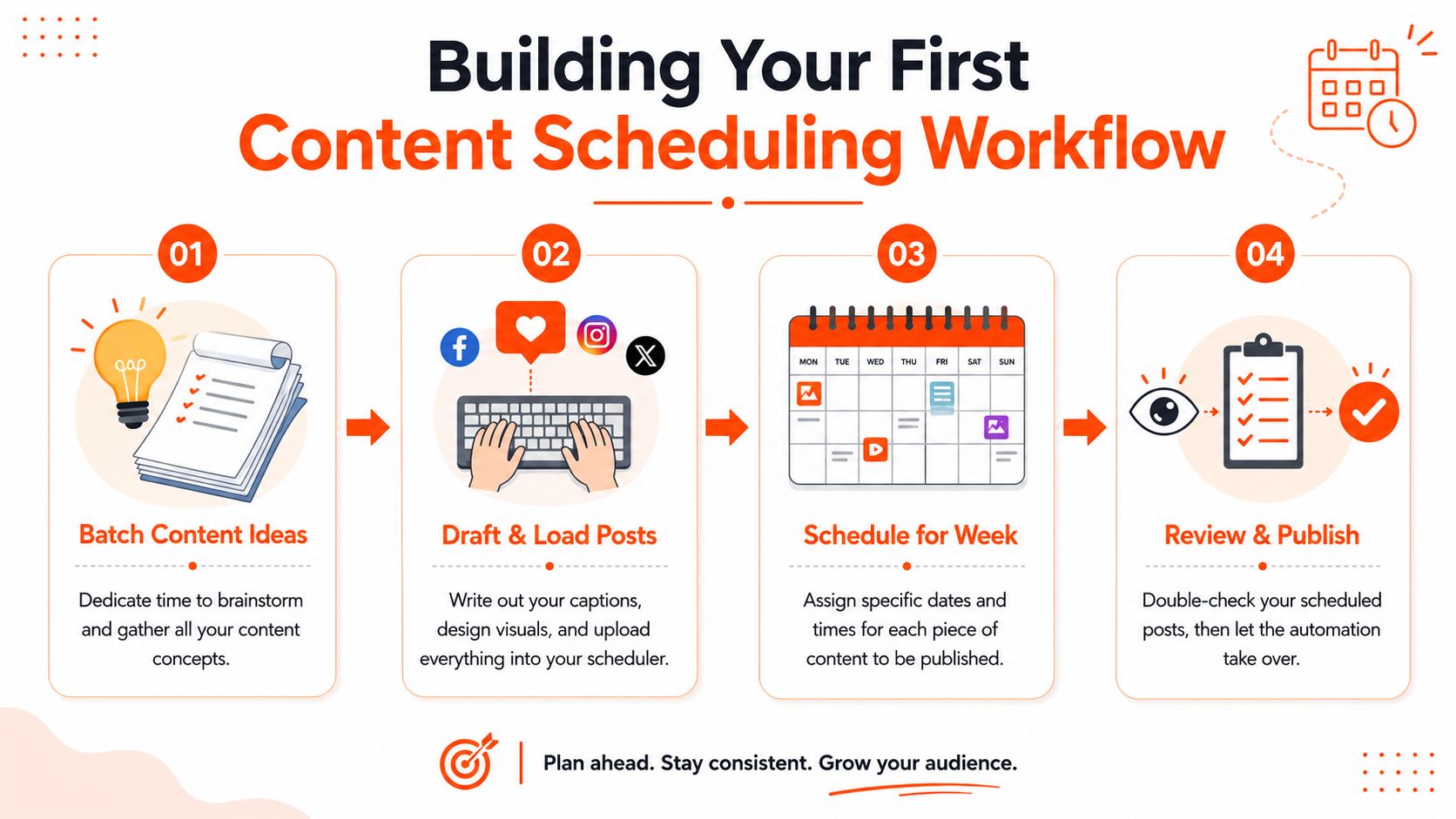
Most creators overcomplicate this part. The first workable system only needs four moving pieces. Capture ideas, draft the posts, place them on a realistic schedule, then review what happened and improve the next batch.
A simple visual overview helps before the details.
Step 1 and Step 2
Step 1 is batching ideas. Don't open the scheduler and expect inspiration to appear on command. Build a raw idea bank first. Good sources include client questions, product lessons, mistakes made, hot takes from replies, screenshots, and repeated themes from posts that already earned attention.
A practical batching session might produce categories like:
Authority posts: Lessons, frameworks, and strong opinions
Relatable posts: Friction points the audience already feels
Conversion posts: Product or service mentions with context
Engagement posts: Questions, contrarian prompts, and short observations
Step 2 is drafting and loading. Most creators either move too slowly or polish too early at this stage. Draft quickly, then trim. X rewards clarity more than decoration.
For posts that include video, it helps to keep assets lightweight and purpose-built for the timeline. Creators working on short clips can borrow ideas from RemotionAI's social video insights to make video posts easier to produce and repurpose across a weekly schedule.
After drafting, load everything into the scheduler in one session. Slot-based tools are especially useful here because they remove the need to choose a fresh time for every single post. A guide to automated scheduling slots for maximum engagement shows why fixed posting windows are easier to maintain than ad hoc scheduling.
Once the calendar is set, the publishing step is worth handling separately from the ideation step. A twitter post scheduler queues single posts and threads at the times you picked, and mirrors the same content out to LinkedIn, Instagram, TikTok, or YouTube without rewriting it for each network - so the workflow stays as one system instead of one per platform.
A short walkthrough can make this setup easier to picture.
Step 3 and Step 4
Step 3 is setting frequency without burning out the audience. For X, the optimal posting frequency is 2 to 3 times per day to balance consistency and avoid follower fatigue, and posting more than three times daily led to measurable drops in follower interaction per post in Hootsuite's platform-specific best practices.
That gives beginners a clean starting point. Not ten posts a day. Not one post every few days. A steady 2 to 3 posts daily is enough to build rhythm while still leaving room for replies and spontaneous commentary.
A practical weekly pattern might look like this:
Morning slot: Insight, lesson, or opinion
Midday slot: Question, lightweight take, or repurposed clip
Evening slot: Thread, case-based observation, or stronger discussion post
Step 4 is monthly review. A schedule should stay stable long enough to produce useful signals, but not so rigid that it ignores changes in audience behavior. The right move is to review performance monthly, test whether time slots still work, and document changes. The Monday.com guide to social media posting schedules recommends monthly reviews and tracking metrics such as engagement rate, reach or impressions, and click-through rate.
What doesn't work is changing everything after one weak post. What works is looking for patterns across a month:
Which topic types hold attention
Which slots consistently underperform
Which post formats bring replies versus silent impressions
Whether the account has drifted too promotional
One month of documented review beats a year of posting by instinct.
Go Beyond Scheduling with a Growth Assistant Like SupaBird
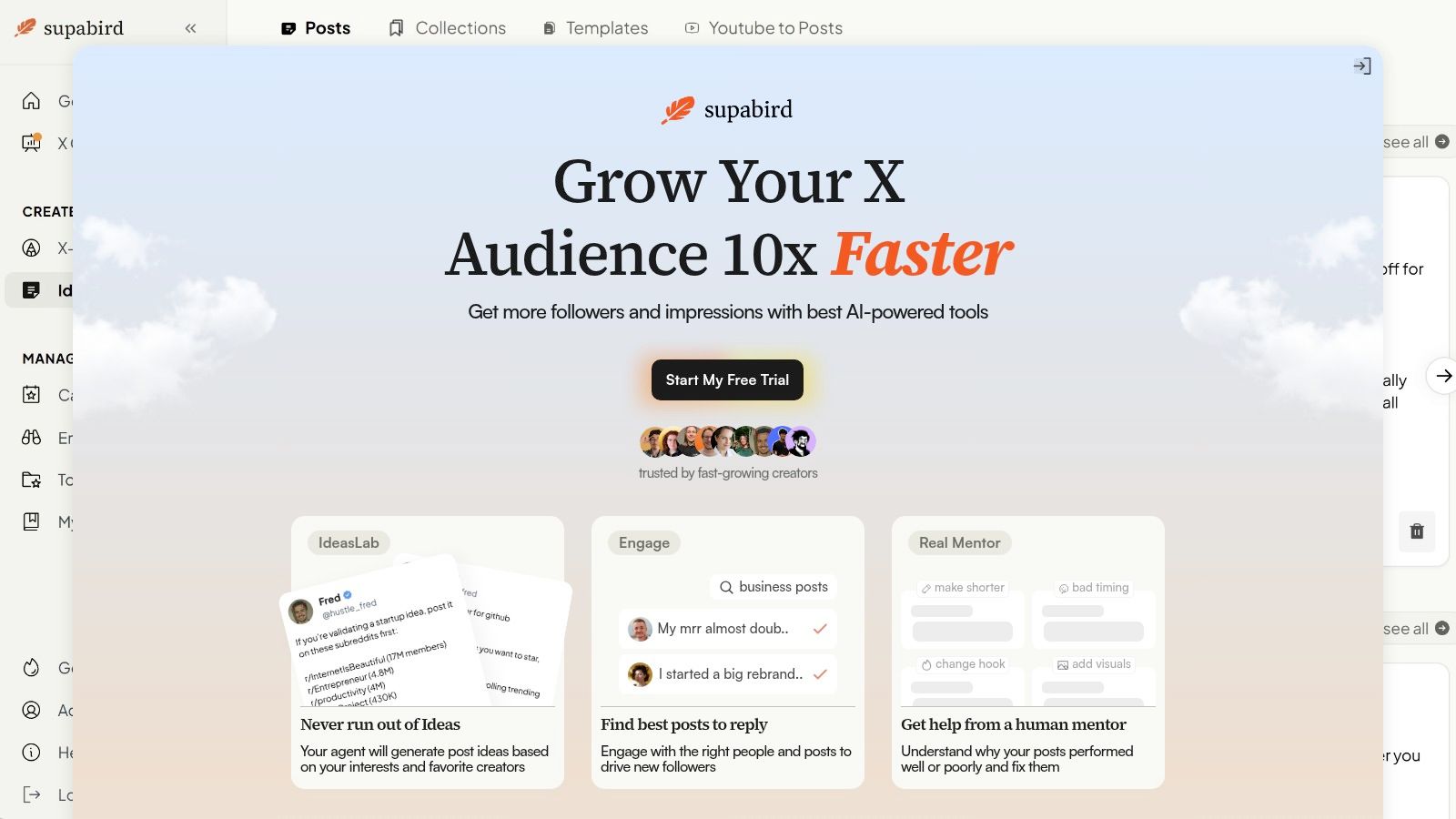
A standard scheduler solves the publishing problem. It doesn't always solve the growth problem. That difference becomes obvious on X because the biggest bottlenecks usually happen before or around posting, not just at the moment of publication.
The global timing problem
Many schedulers offer “best time” suggestions, but those suggestions are often too broad for creators with an international audience. A founder writing for buyers in New York, operators in London, and builders in Mumbai doesn't need one average posting time. That creator needs timing that reflects where the audience lives.
That gap is real. Research from 2024 industry reports shows 68% of X creators struggle with timing mismatch across regions, yet only 3% of schedulers explicitly support multi-city time-zone optimization. This gap leaves creators publishing at average times rather than peak windows in their target cities, reducing reach by up to 40%, as discussed in HubSpot's review of social media schedulers.
A tool built for X growth should handle this better. City-specific recommendations are far more practical than generic “smart” timing when the audience spans continents.
Why beginners get stuck
Another overlooked problem is content readiness. Plenty of tools assume the creator already has folders full of polished visuals, reusable templates, and a mature content library. Many early-stage creators don't. They have rough ideas, scattered notes, and maybe a few screenshots.
That's where a growth assistant can outperform a basic scheduler. Instead of waiting for a media library to exist, it can help generate the raw material that fills the calendar in the first place. It can also guide what to improve after posts go live. Performance tracking matters more when it leads to specific changes in hooks, structure, visuals, and timing.
Creators who want to expand beyond text-only posting can also produce videos in minutes and feed those assets into an X calendar without building a full studio workflow. That's useful when the goal is consistency, not cinematic production.
For ongoing improvement, a guided feedback layer is often the missing piece. A resource focused on tracking growth and improving performance on X is the kind of support that turns a posting tool into a real operating system.
Publishing on schedule is useful. Knowing why a post worked or failed is where growth compounds.
Start Building Your Content System Today
The creators who grow on X reliably usually aren't the ones chasing inspiration every morning. They're the ones running a repeatable system. Ideas are captured before they're lost. Drafts are prepared in batches. Posts go out on purpose. Review happens regularly enough to sharpen the next cycle.
That's what a social media content scheduler should do. It shouldn't just automate posting. It should remove daily friction, protect consistency, and create enough structure that content turns into an asset instead of a recurring emergency.
The trade-off is straightforward. Manual posting feels flexible, but it usually creates inconsistency and fatigue. Scheduling feels structured, and that structure is what gives creators room to think, test, and engage with more intent.
A good first move is simple. Pick a tool that fits how X works, build one week of content in advance, and run that system long enough to learn from it. That's how chaotic posting turns into a growth engine.
SupaBird gives X creators more than a posting queue. It combines idea generation, city-specific scheduling, engagement support, and performance coaching in one workflow built for real growth. Creators who want a focused system to plan weeks ahead, stay consistent, and improve what they publish can start with SupaBird.

The Reply Guy Strategy: A Growth Guide for X

Why New X Accounts Get Less Reach

ClimbX Review (2026): Features, Pricing, Pros and Cons

How Developer Startups Build a Brand on X Before Launch

30-Day Starting Plan for New X (Twitter) Accounts

How Often Should You Tweet for Maximum Growth?

What Should Your First 10 Tweets Be About?

How to Run X for Ten Clients: The Agency Workflow

How to write a bio that gets people to follow you
